
AI Text to Image Generator
Flowlio AI is the text to image generator that turns words into finished art. Type a prompt, pick Nano Banana 2, Flux Pro or GPT Image 2, and Flowlio AI returns high-resolution, watermark-free text to image results in under a minute.
One text to image model that fuses anything you feed it
Flowlio AI doesn't just draw from words — its text to image engine understands and blends the references you give it. Drop in a face, a product, a garment or a style, and watch Flowlio AI composite them into a finished, photoreal result. These are the text to image jobs teams ship with it every single day.
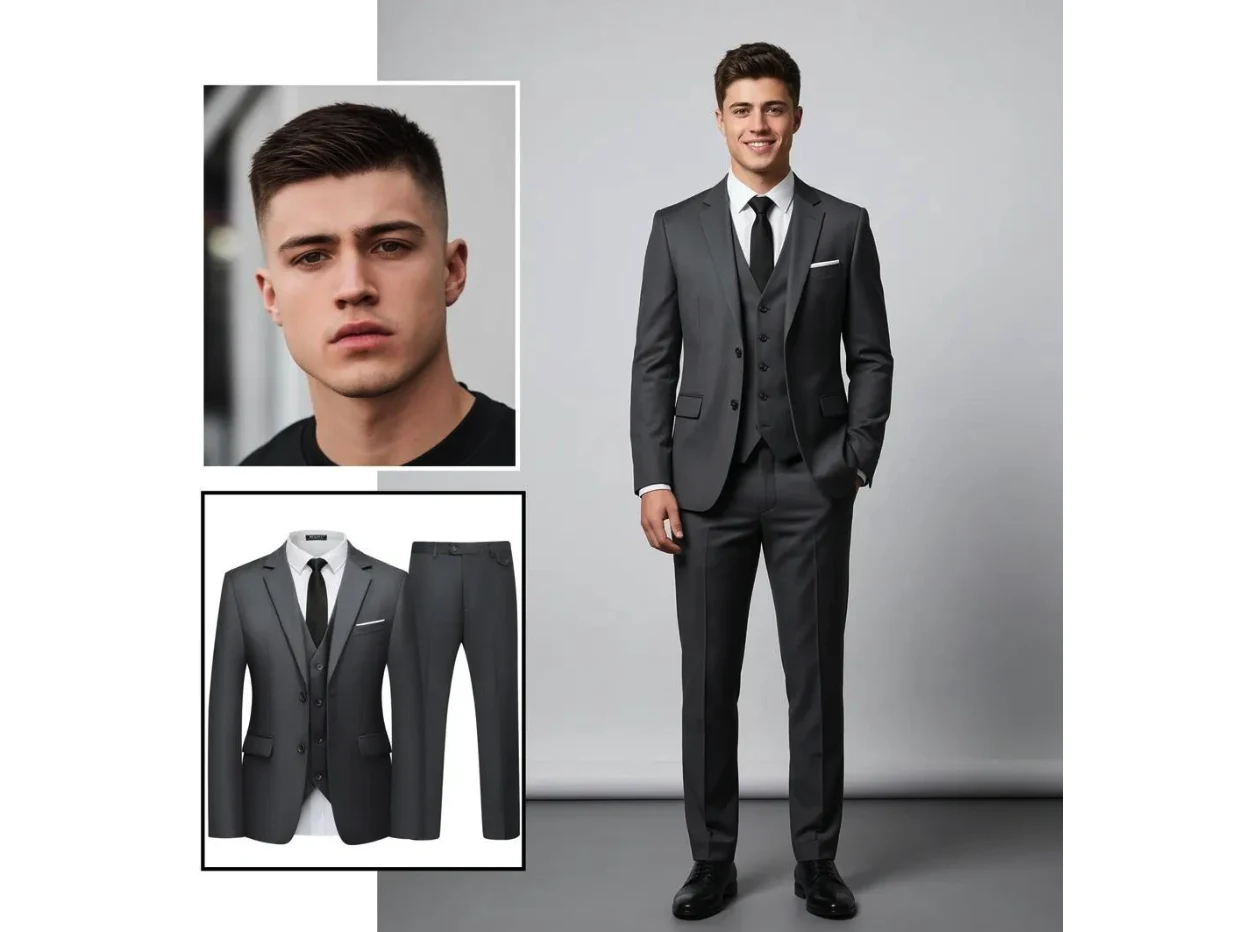
See the outfit on a real model — before it's ever worn
Hand it a customer's photo and a flat-lay of your suit, dress or sneakers, and Flowlio AI fuses them into a believable on-body shot — correct fit, fabric folds, lighting and proportions included. Turn a single product flat-lay into an entire lookbook, let shoppers preview themselves in your catalog, and slash returns and photo-shoot budgets. This is the Flowlio AI text to image generator doing real commercial work, not a gimmick.
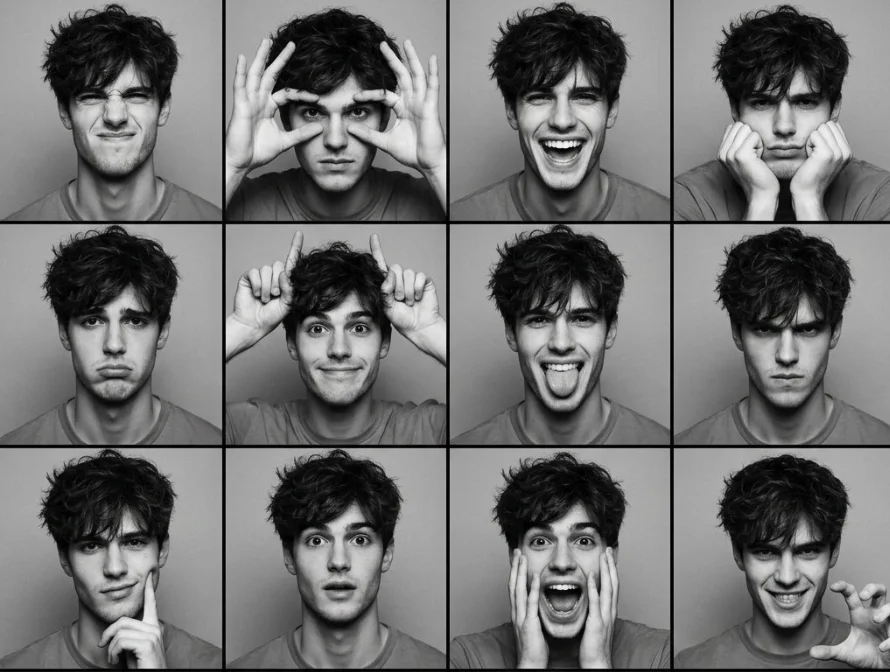
One portrait, a whole sheet of emotions
Give it a single face and generate an entire expression sheet — laughing, sulking, winking, screaming, deadpan — all unmistakably the same person. Perfect for stickers, avatars, meme packs, dating-app reactions and character emotes. The identity stays locked while the mood changes, so creators and entertainment apps get endless on-brand reactions from one upload.
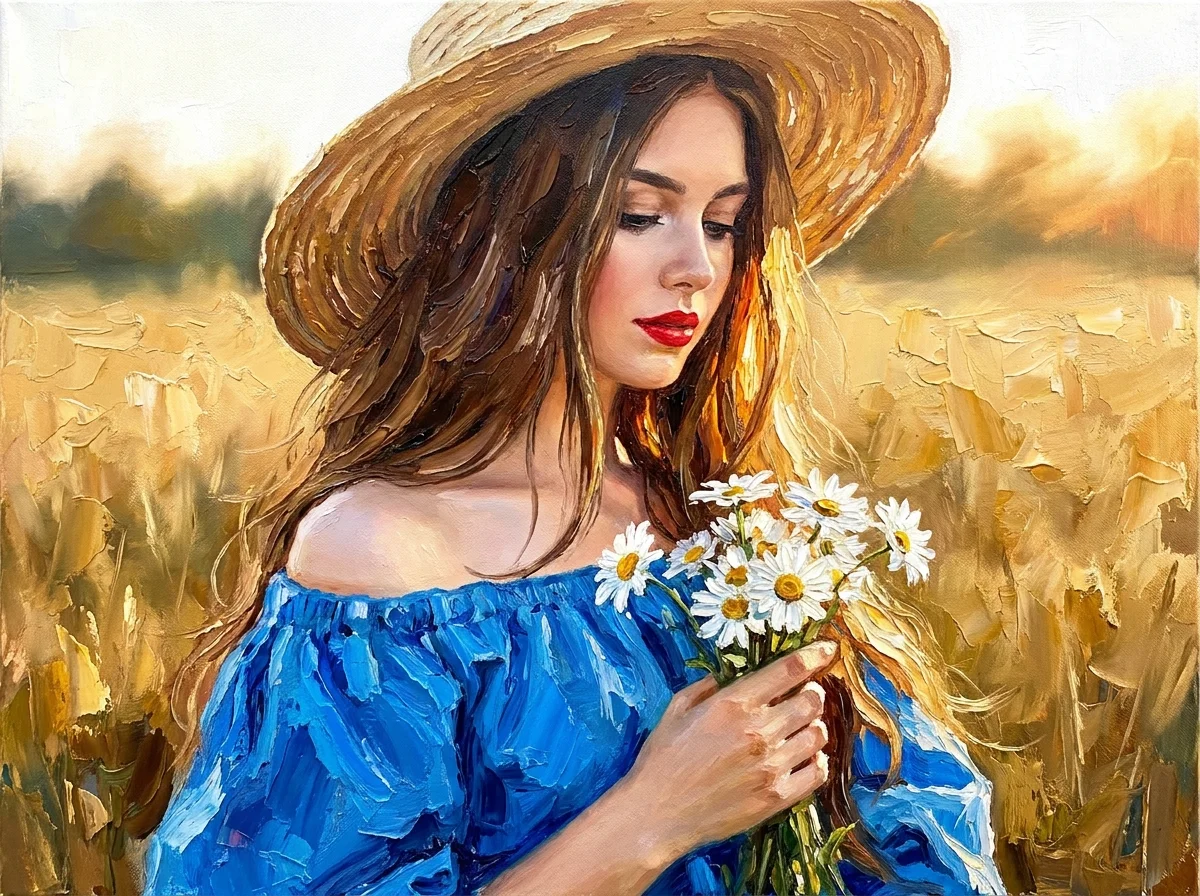
Turn any photo into a hand-painted masterpiece
Feed in an ordinary snapshot and Flowlio AI repaints it as a textured oil canvas, watercolor, ink wash or any signature style you describe — brushstrokes, palette and atmosphere intact, while the subject stays true to life. Sell print-on-demand art, gift custom portraits, or give a whole campaign a single painterly identity in just a minute.
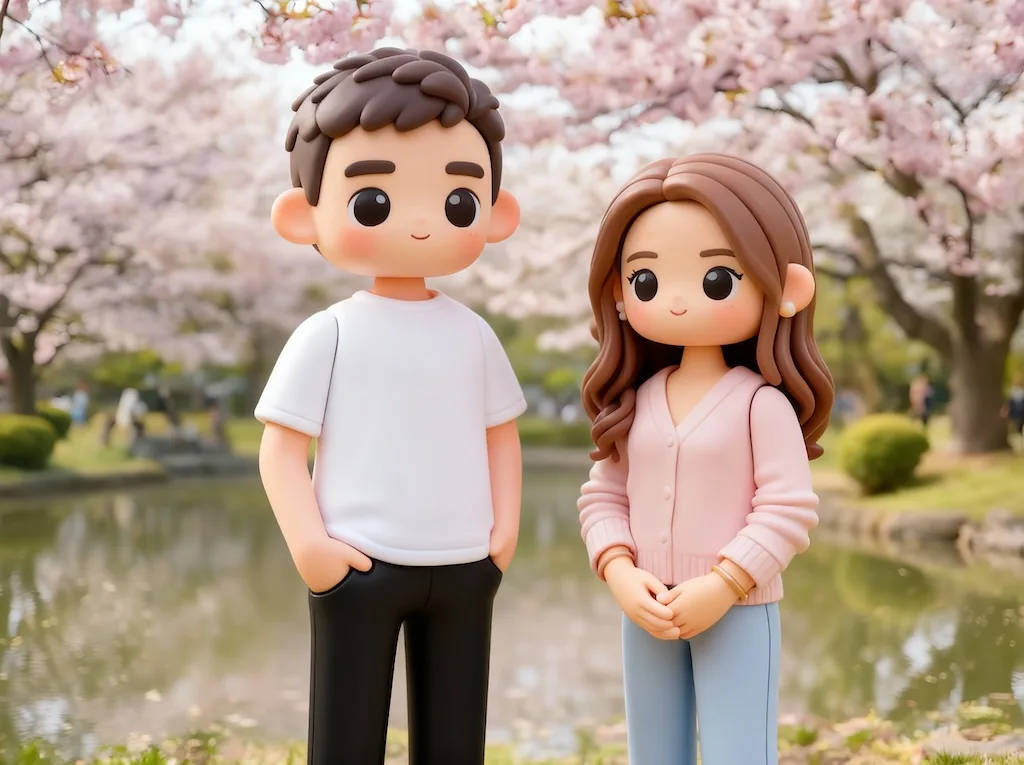
Make anyone into a collectible 3D toy
From a flat photo to a glossy, boxed collectible figure — Flowlio AI reimagines people, mascots and products as 3D toys, chibi characters, claymation or vinyl figurines, complete with packaging and studio lighting. It's the viral effect brands use for merch mockups, launch teasers and shareable social moments that drive real engagement. Convert text to image once with Flowlio AI and you've got a whole campaign of shareable assets.
Text to image in three steps
No design background needed — be specific and Flowlio AI handles the rest of the text to image work.
Write a detailed prompt
Name the subject, style, lighting and composition — the more specific, the closer the result.
Choose a model & ratio
Pick Nano Banana 2, Flux Pro or GPT Image 2; set 1:1, 4:3, 16:9 or 9:16, then generate.
Refine & download
Tweak the prompt to iterate, then download a high-res, watermark-free PNG.
A Text to Image Generator built for production
The text to image details that separate a usable image from a throwaway one — and why teams pick Flowlio AI.
Multiple text to image models
This text to image generator lets you switch between Nano Banana 2, Flux Pro and GPT Image 2 without ever leaving the page. Each model has its own strength — crisp photorealism, painterly art, clean graphics — so when you convert text to image you always have the right tool for the shot.
Style & lighting control
Use text to generate image styles across photorealism, illustration, 3D render and anime from a single prompt. Dial in the lighting, lens and mood you want and the text to image model nails the look on the first try.
Fine material detail
Faithful skin, fabric, metal and glass instead of the mushy, plasticky surfaces other tools settle for. Textures hold up even when you zoom in, so the image looks shot, not generated.
Every aspect ratio
Square, portrait, landscape and 9:16 vertical, ready for any channel. Pick the ratio before you generate and the composition is framed for it — no awkward cropping later.
First result in under a minute
Convert text to image fast — most prompts return a first image in roughly 30 to 60 seconds, so iteration stays quick. Explore several directions, refine the winner, and keep your creative flow instead of waiting on a long queue.
Watermark-free & yours
Every download is high-resolution and 100% watermark-free, with full commercial rights. Use it in ads, products, client work and print — no logos, no per-image fees, no fine print.
Text to Image Generator FAQ
Flowlio AI brings together top text-to-image models — including Nano Banana 2, Flux Pro and GPT Image 2 — in a single workspace, so you don't need separate accounts or subscriptions. Each one has a distinct strength, from crisp photorealism to expressive, stylized art, and you can switch between them with a single click to find the look that fits your idea. Whether you want to generate images from text, create AI art from a text prompt, or turn text into a photoreal image, try the same prompt across models to compare results and pick your favorite.
The Flowlio AI Text to Image Generator can use text to generate image output in a range of aspect ratios — 1:1 for social avatars and posts, 4:3 and 3:4 for classic prints, and 16:9 and 9:16 for widescreen and vertical formats. That means your output is ready for web, print, social media and presentations without awkward cropping. Just choose the ratio that matches where the image will be used before you generate.
To convert text to image well, the clearest prompts name the key ingredients of the shot: the subject, the style, the lighting, the camera or lens, and the overall mood. For example, "A ceramic coffee mug on an oak table, soft window light, 50mm, photorealistic" gives the model far more to work with than just "a mug." Be specific about what matters most to you, and don't be afraid to iterate — small wording changes can noticeably shift the result.
Yes. Every image you generate and download is delivered completely watermark-free, and you're free to use it commercially — in marketing, product pages, social posts, client work and more. There are no logos or badges added to your images, so what you download is clean, professional and ready to publish.
Flowlio AI text to image generation typically takes about 30 to 60 seconds for a first image, though the exact time depends on the model you pick and the resolution you request. Higher-resolution outputs or more complex models may take a little longer. It's quick enough to comfortably explore several variations and refine your prompt until the image is just right.
No experience is required. You can start from a single plain sentence and the model takes care of composition, lighting, color and fine detail for you. There's no design software to learn and no technical jargon to master — describe your idea in everyday words, generate, and refine from there as you get a feel for what works.
Absolutely. Output is royalty-free and cleared for commercial use — put it on landing pages, ads, packaging, merch, social and paid client deliverables without crediting Flowlio AI or paying per image.
Yes. Reuse a style description or reference and Flowlio AI keeps the look, palette and subject recognizable across a whole set — ideal for brand campaigns, storybooks, product lines and avatar packs.
Yes — you own everything you generate, and there are no per-image fees or attribution requirements. Output ships watermark-free with full commercial rights, so you can use it in ads, products, packaging, client work and print with confidence.
Start creating with AI text to image
Type a prompt, pick your favorite model, and turn words into high-resolution, watermark-free images on Flowlio AI.
