


Two photos + one performance, nothing else
More Effects
Explore the other video effects, each with its own input and motion.
What is the White Chicks AI trend?
The White Chicks AI trend comes from one of the best-loved scenes in 2000s comedy. In White Chicks (2004), NBA star Latrell Spencer, played by Terry Crews, picks up "Tiffany Wilson" for a date he won at a charity auction, never suspecting that Tiffany is really FBI agent Marcus Copeland, played by Marlon Wayans, in disguise. Hoping to put Latrell off, Marcus puts on Vanessa Carlton's "A Thousand Miles". It backfires: Latrell shouts "How did you know? I love this song!" and belts out every word from the driver's seat, eyes closed, head shaking and hands flying, while Marcus sits beside him in stunned silence. Twenty years on, the car scene is still the clip people quote first when the movie comes up.
The scene became an AI trend in July 2026, during the World Cup. Ahead of Norway against Brazil, Brazilian creator Alexandre Kazuo Kubo (@kazuodesigns) posted an AI video of the car scene with Vinícius Jr. as Latrell singing his heart out and Erling Haaland as Tiffany in the passenger seat. Haaland commented that the two of them had to recreate it, Vinícius replied with laughing emojis, Terry Crews himself reacted, and Norwegian broadcaster NRK counted more than 80 million views within days. From there the A Thousand Miles trend turned into a template anyone could use: best friends, couples, coworkers, siblings and even pets now take the two seats, one person belting out the song behind the wheel and the other staring back in disbelief.
This White Chicks AI generator makes a brand-new video from your own photos: give it a picture of whoever belts the song at the wheel and a picture of whoever endures it from the passenger side, and the night drive, the car and every beat of the original scene, from the opening piano notes to the last head shake, are rebuilt with you two in the seats and the song playing underneath. It works as a one-click White Chicks AI template: no prompt, no source clip to find and no editing app.
Who rides in the White Chicks car?
The night drive, the piano intro and every head shake from the original scene stay the same in every White Chicks car scene AI video; the joke is who sits in the two seats. The clips that travel furthest put someone you know behind the wheel, singing with total conviction, and someone who clearly did not sign up for this in the passenger seat.
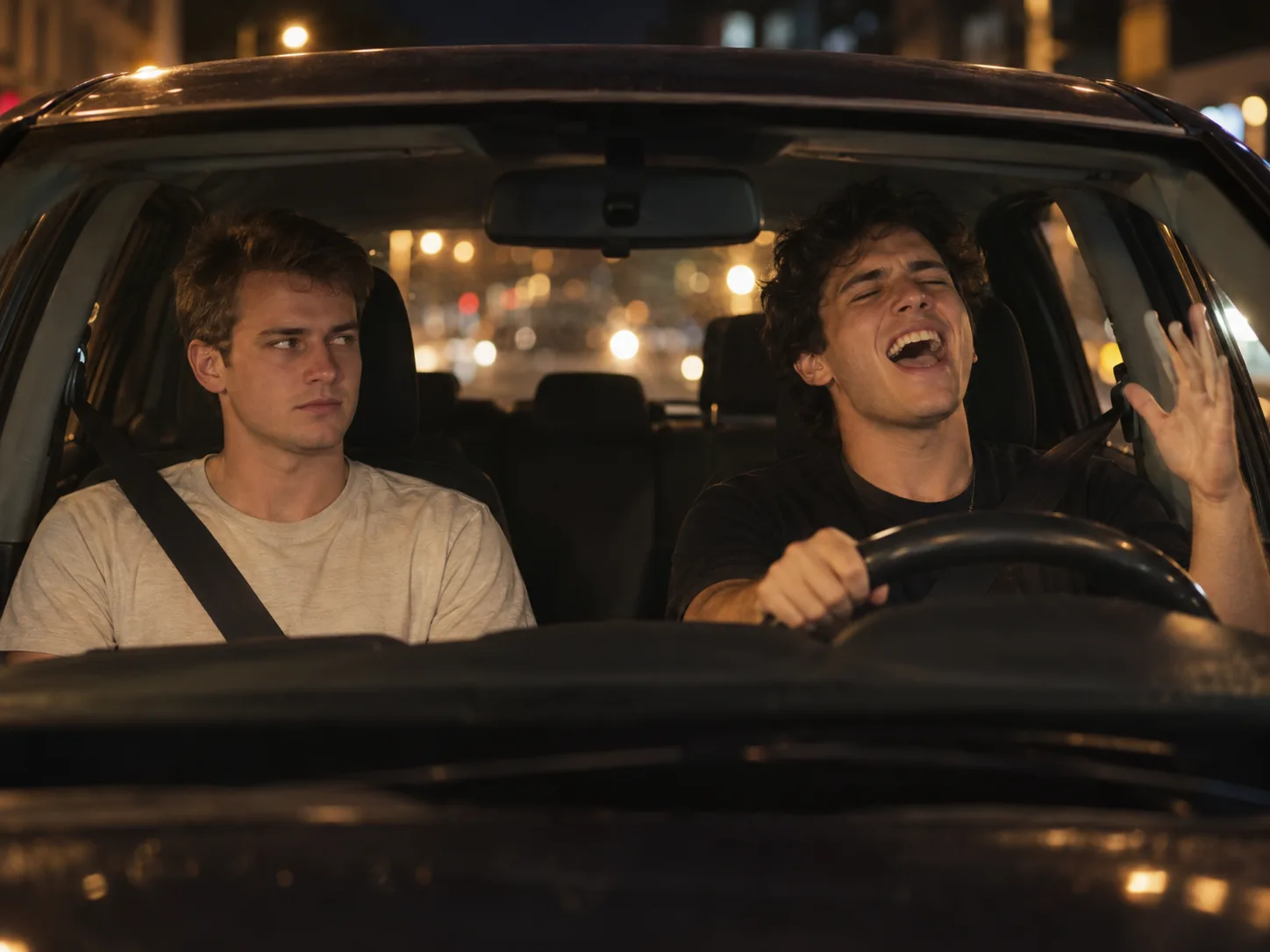
The friend who knows every word
Every group has one: the friend who turns up the volume the second the Vanessa Carlton song comes on and sings it like Latrell. Put them behind the wheel and yourself in the passenger seat, staring back the way Marcus does in the film. It is the most common version of the White Chicks AI trend on TikTok and Reels, and it makes a perfect birthday post or group-chat reply.
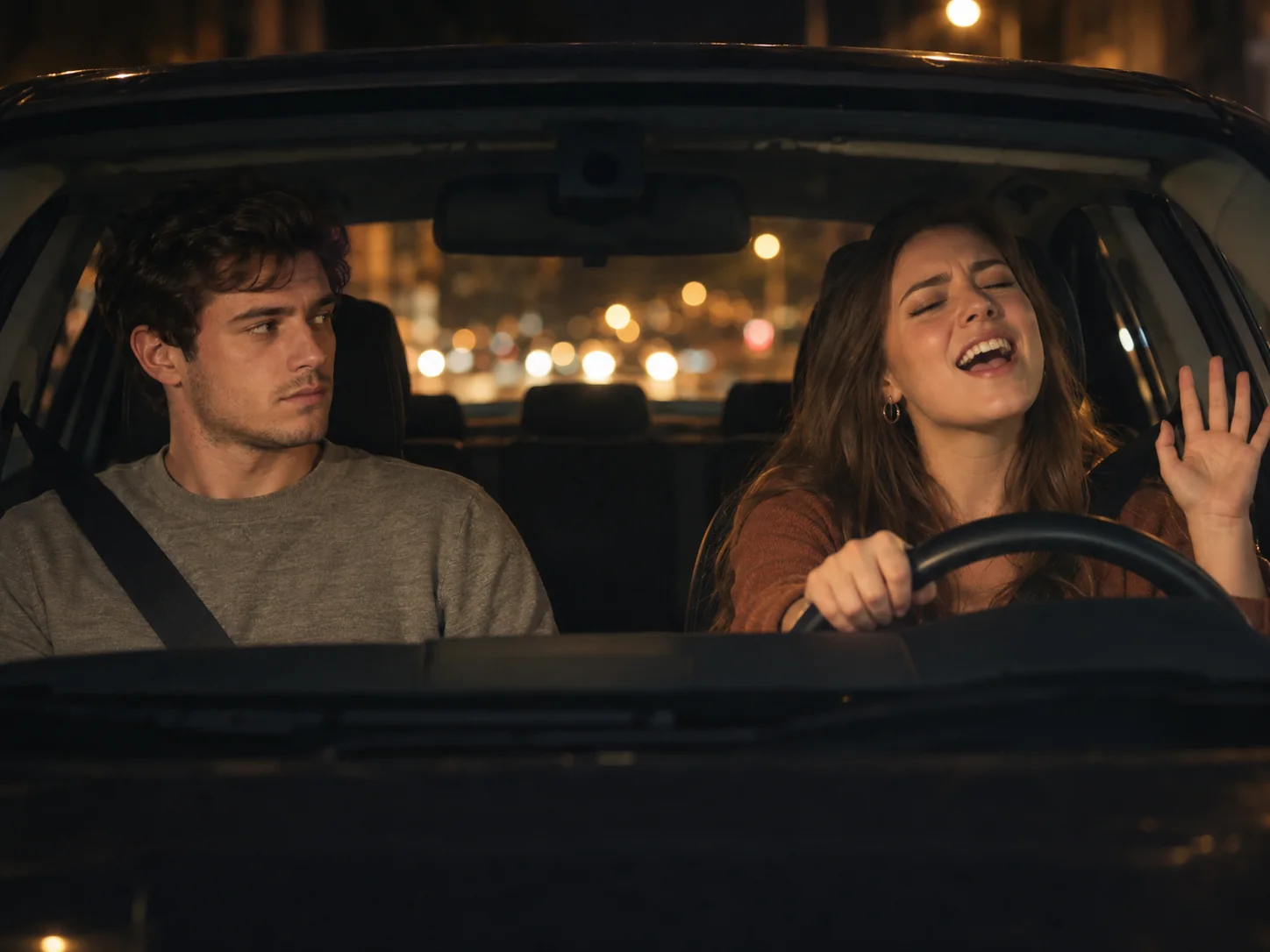
Your partner on a first-date rerun
In the film the whole scene is a date that goes very differently from what one side planned, which is why couples love it. Cast your partner as the one who will not stop singing and yourself as the date who cannot believe it, or switch roles if you are the one who sings in the car. Post it for an anniversary, or just to settle who really belts out Vanessa Carlton on road trips.
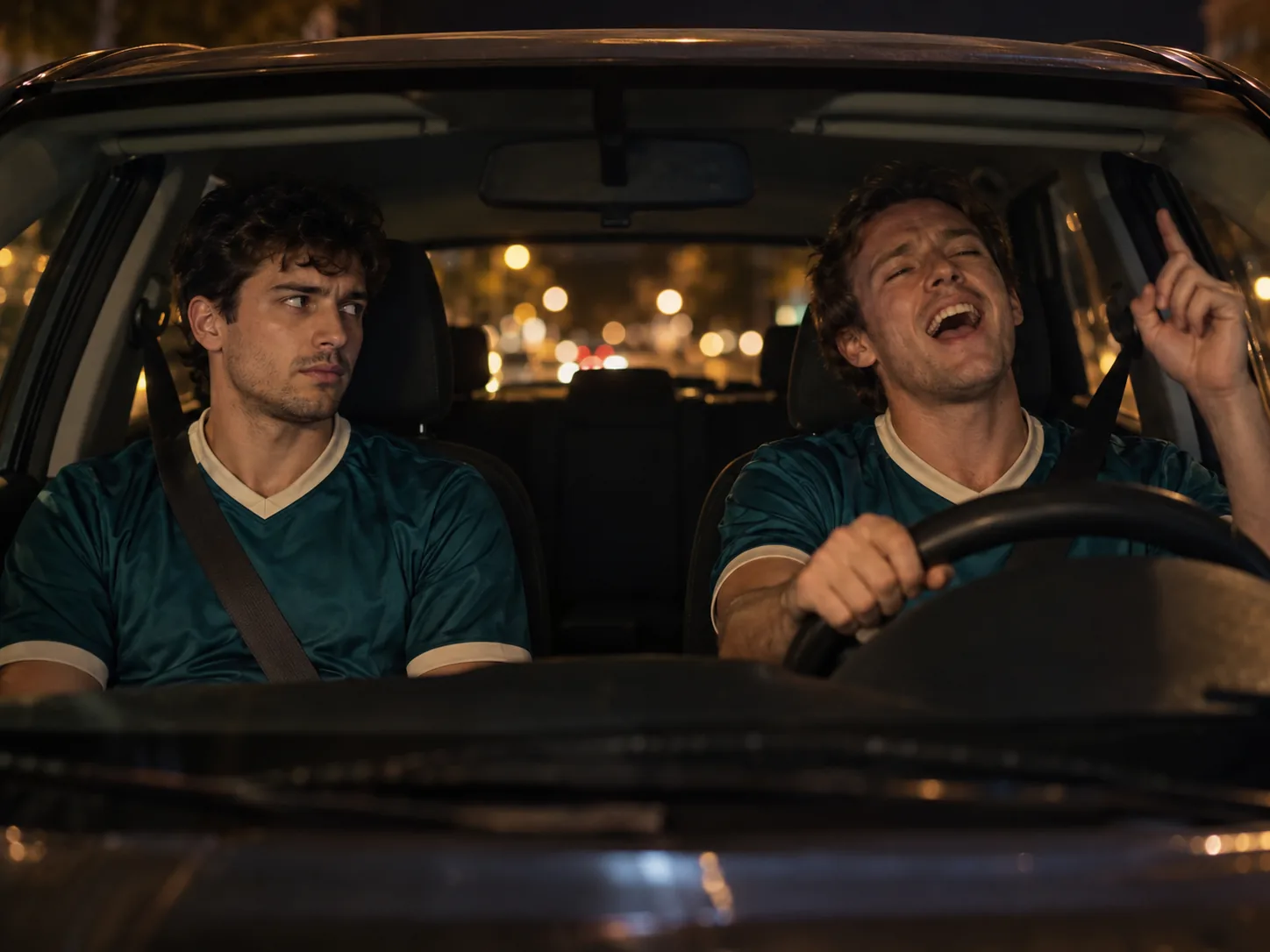
Your own Vinícius and Haaland
The White Chicks AI trend broke out at the 2026 World Cup, when an AI clip cast Vinícius Jr. as the singing driver and Erling Haaland as his silent passenger before Brazil played Norway. Do the same with your own squad: the teammate who sings in the dressing room drives, the quiet one rides along. It works for five-a-side groups, rival fans on match day or a farewell for a player leaving the club.
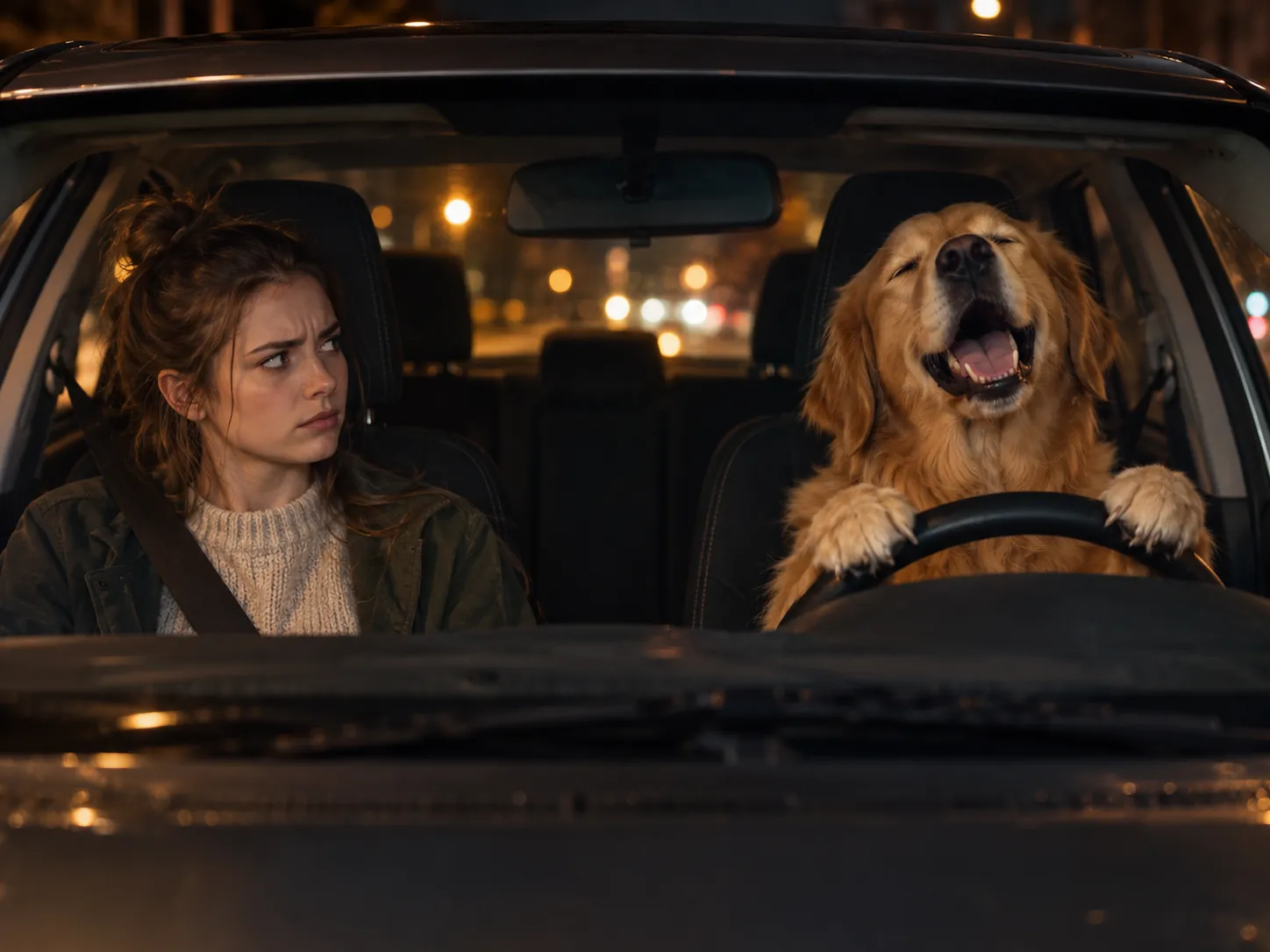
Your dog behind the wheel
Pets are some of the most shared White Chicks AI videos: a dog in the driver's seat with its mouth open on every line, and you in the passenger seat taking it in. Or keep the film's nod and let your small dog ride on the passenger's lap. Pick a shot with just the pet in it and its face sharp, so it keeps its own fur and markings.
How to make your White Chicks AI video
The night drive, the four cuts, every head shake and the song are already built into the White Chicks AI template. All the White Chicks AI generator needs from you is who sits where.
Upload two photos
Photo 1 is the driver who does the singing, photo 2 the passenger stuck listening to it. Use a clear, front-facing photo for each, with one person or one pet per photo and nobody else in the frame. If the passenger is a person, they get the little fluffy dog on their lap, as Marcus does in the movie.
Generate the car scene
Pick a resolution and press generate; the White Chicks AI template needs no prompt. The two of you are placed in the car first, then the scene plays out cut for cut from the original: the wide shot through the windscreen, the passenger's stare, the driver's big solo. The credit cost is shown before you start.
Download and post it
Your White Chicks car scene AI video is saved under My Creations as an 18-second 16:9 MP4 with the song playing over it and no watermark. Share it on TikTok, Reels or Shorts as your own version of the A Thousand Miles trend, or send it straight to the friend you put behind the wheel.
The A Thousand Miles car scene, shot by shot
The White Chicks AI video follows the real scene's timing: 18 seconds, four cuts, one car at night. Your driver and passenger take over every glance and gesture, while their faces, hair and clothes stay their own from the first shot to the last.
0–5s · The wide shot
The camera looks straight in through the windscreen at the two front seats, city lights glowing behind. The driver is already singing at the wheel, grinning and glancing across, while the passenger sits stiffly with the dog on their lap, side-eyeing them in silence.
5–8s · The passenger cringes
Cut to a close-up of the passenger from the driver's side: eyes wide, lips pressed into the awkward half-smile everyone remembers from Marcus, the dog's fur at the bottom of the frame. No words needed.
8–12s · The driver belts it out
The long close-up begins. In side profile, the driver sings with eyes squeezed shut and chin up, then swings round to the camera with a huge open-mouthed grin, and goes straight back to the song.
12–17s · Fully in the moment
The part people loop: the driver keeps singing, laughs toward the lens, presses a hand to the cheek and chin mid-line, then taps a finger to the temple as if to say they knew every word all along.
17–18s · Back to the stare
One last cut to the passenger, still frozen in disbelief. It is the reaction that makes the White Chicks AI trend work, and it lands right on the end of the clip.
16:9, 18 seconds, song included
Nothing here is left to a text prompt: the White Chicks AI generator follows the original scene beat for beat, so every cut and gesture lands at the same moment. You get a widescreen MP4 with the song underneath, ready to post.
White Chicks AI Video FAQ
Where the A Thousand Miles car scene comes from, how the AI version started and what the White Chicks AI generator gives you.
It's a viral AI video trend that recreates the car scene from the 2004 comedy White Chicks, where Terry Crews' character Latrell Spencer belts out Vanessa Carlton's "A Thousand Miles" from the driver's seat while his date, FBI agent Marcus Copeland disguised as Tiffany Wilson, stares back in stunned silence. With AI, anyone can take the two seats: yourself, a friend, your partner or even your pet. One sings with total conviction, the other looks like they want to be anywhere else, and that contrast is the whole joke. You'll also see it called the White Chicks A Thousand Miles AI trend, the Terry Crews singing AI meme, the White Chicks car scene AI video or simply the A Thousand Miles trend; they all mean the same clip. On this page you upload two photos, one for the singer and one for the passenger, and get the scene back with the song, no prompt needed.
1) In the generator, upload Photo 1 for the driver who sings and Photo 2 for the passenger who sits through it; either one can be a person or a pet. 2) Choose 480p, 720p or 1080p; the button shows how many credits that costs. 3) Hit Generate Video: the generator first draws the opening wide shot with both of you in the front seats at night, then animates the full 18-second scene on Seedance 2.5, following the original's cuts, head shakes and stares, and lays the song underneath. 4) Find the finished 16:9 MP4 in My Creations, save it to your device and share it. Because it's a ready-made White Chicks AI template, there's no prompt to write, no movie clip to find and no music to add in an editing app afterwards. For the best result, use a well-lit photo with one clearly visible face, no sunglasses and no heavy filters; if a face doesn't look right, try a sharper photo and generate again.
Several do, and they work in different ways. Template apps rebuild the scene from your photos, and CapCut has White Chicks templates, though not all of them recreate the car scene with AI. Whichever you use, a dedicated White Chicks AI template is the easiest route: you upload two photos, say who drives and who rides, and skip the prompt and the editing. Whether the song is included varies by app; when it isn't, you add the song yourself from TikTok's or Instagram's sound library. The White Chicks AI generator on this page runs in your browser with no app to install. It is built for this one scene: you get the full 18-second car scene at up to 1080p with the song already in the MP4, either seat can be a person or a pet, and the whole video is generated from your photos, so neither original actor shows through.
Yes, that's exactly how it works. Give the generator a photo of the singer at the wheel and a photo of the passenger who reacts: two selfies, you and a friend, you and your partner, or you and your dog. Each person keeps their own face, hairstyle and the clothes they're wearing in the photo, so the video looks like the two of you rather than Terry Crews and Marlon Wayans. Pets stay real animals, keeping their own fur and markings, and if your pet photo has you holding it, only the pet goes into the seat. For the closest likeness, pick a sharp, well-lit photo that shows one face from the front or near front, with no sunglasses, no hand over the face and no strong filter. Side profiles and blurry shots give the AI less to work with, so the face can drift a little; if it does, try a clearer photo and generate again.
Yes, and you don't need to be in the same place or have a video of the two of you together. One solo photo each is enough: the friend who knows every word goes in the driver's seat as Latrell, and the friend who would rather be anywhere else takes the passenger seat with the stunned stare. The photos can come from different days, cities or phones; the generator puts you both in the same car on the same night drive, under the same streetlights and dashboard glow, so your White Chicks car scene AI video looks like one real ride. A human passenger even gets the small Pomeranian on their lap, the same nod to the movie. Not sure who should sing? Generate it once, then switch the two photos and run it again; the reversed version is often the funnier one. The song is already in the finished video, so you can send it straight to the group chat or post it as a birthday tribute or a best-friend Reel for the A Thousand Miles trend.
Yes, CapCut has several. Search "A Thousand Miles", "White Chicks" or "Terry Crews car" in the app and you'll find templates built around the meme, including some tied to the Haaland and Vinícius version. Many of them are editing templates, though: they cut the clips or photos you add to the song and the scene's timing, and some ask for several clips. Those don't put your face into the car scene itself, so you get a meme edit rather than you and a friend actually sitting in Latrell's car. If that's the version you want, this White Chicks AI generator makes it from just two photos: it rebuilds the night drive, the singing and the passenger's stare around you and your friend, and the song is already added. You can still open the downloaded MP4 in CapCut afterwards to add captions or stickers before you post.
You can try parts of it for free, but a full AI version usually costs something. Free CapCut templates set your own clips to the song without putting you in the car scene, and some apps that advertise a free White Chicks AI video give you only a short, low-resolution preview with a watermark, then charge for the full clip. Here, signing up is free with no credit card and comes with 30 credits, plus as many as 50 extra each week if you check in daily, but one run of the White Chicks AI template, the complete 18-second scene with both of you and the song, costs 500 credits at 480p while the trend's sale price lasts. The lowest-cost option is the one-time Trial Pack: $9.9 for 600 credits, enough for one 480p video. What you pay for is the finished clip, not a preview: no watermark and the song included. The exact cost is shown on the button before you generate, and a failed generation refunds its credits automatically.
A sharp, evenly lit photo of one person, facing the camera or turned slightly, with eyes, nose and mouth all visible. An ordinary phone selfie is fine; you don't need a professional shot, and the two of you don't have to be in one picture. A head-and-shoulders or upper-body photo is ideal, since the scene shows both of you from the chest up through the windscreen, so a full-body shot isn't needed. A neutral face or a small smile works for either seat: the singing, the head shakes and the passenger's stare all come from the scene, so you don't have to act them out in the photo. Pick an outfit you like, because each of you keeps the clothes from your photo, and a hat only appears if you're wearing one. Skip sunglasses, face masks, hands over the face, heavy filters, dark or blurry shots and extreme angles. For a pet, use a photo where it's alone with its face in focus. If the result doesn't look enough like you, a better photo usually helps more than generating again with the same one.
Through an AI video made by Brazilian designer Alexandre Kazuo Kubo (@kazuodesigns) and posted on Instagram in July 2026, in the build-up to Brazil's World Cup game against Norway. In his edit, Vinícius Jr. takes Terry Crews' role as Latrell Spencer, belting out the song at the wheel, while Erling Haaland sits in the passenger seat as "Tiffany Wilson", staring at him in awkward silence. Neither player filmed anything: the clip was made entirely with AI. Haaland commented "Hahahahahahaahaha @vinijr we need to recreate this", Vinícius answered with laughing emojis and Terry Crews joined in. The original post drew around 15 million views, and with reposts NRK counted more than 80 million within days. That's what turned the scene into the A Thousand Miles trend anyone could join. To make your own Vinícius and Haaland, give the wheel to whichever teammate is loudest in the locker room and the passenger seat to the quiet one. You only need a photo of each of them, not the movie clip, and the song comes with the video.
Yes, and you choose before you generate, so you don't have to guess. The White Chicks AI template has two labelled upload slots: Photo 1 is the driver, the one who sings at the wheel, and Photo 2 is the passenger, the one who has to sit through it. Whoever goes in Photo 1 gets Latrell's part: eyes shut, belting the song, laughing and tapping their temple in the long close-up. Whoever goes in Photo 2 gets Marcus's part: sitting stiffly upright and staring in silent disbelief, with the small Pomeranian on their lap if they're a person. Either slot can be a person or a pet, so your dog can sing to you or sit through your performance. If you want to see it the other way round, put the photos in the opposite slots and generate a second version. The two often feel like different jokes, depending on who you cast as the singer.
Yes. Download your White Chicks car scene AI video from My Creations as an MP4 and upload it to TikTok, Instagram Reels or YouTube Shorts like any other video; captions such as #WhiteChicksAI, #WhiteChicksTrend and #AThousandMiles help people following the A Thousand Miles trend find it. The song is already in the video, so you don't have to search for the song in the app or line it up with the singing. The clip is 16:9 widescreen like the film, so on TikTok and Reels it plays with bars above and below unless you crop it while posting. If you'd rather not download anything, press Share on the finished video to create a link: anyone who opens it can watch your video in their browser, no account or app needed, and the dialog also sends it straight to WhatsApp, Telegram, X or Facebook, which makes it the quickest way to drop it in a group chat. Before posting publicly, check that your friend is happy to be in it, and use TikTok's and Instagram's AI label, since both platforms ask for realistic AI-generated videos to be marked.
Your turn to sing A Thousand Miles
Two photos are all the White Chicks AI trend takes: one for the driver who knows every word, one for the passenger who wishes they were anywhere else.
