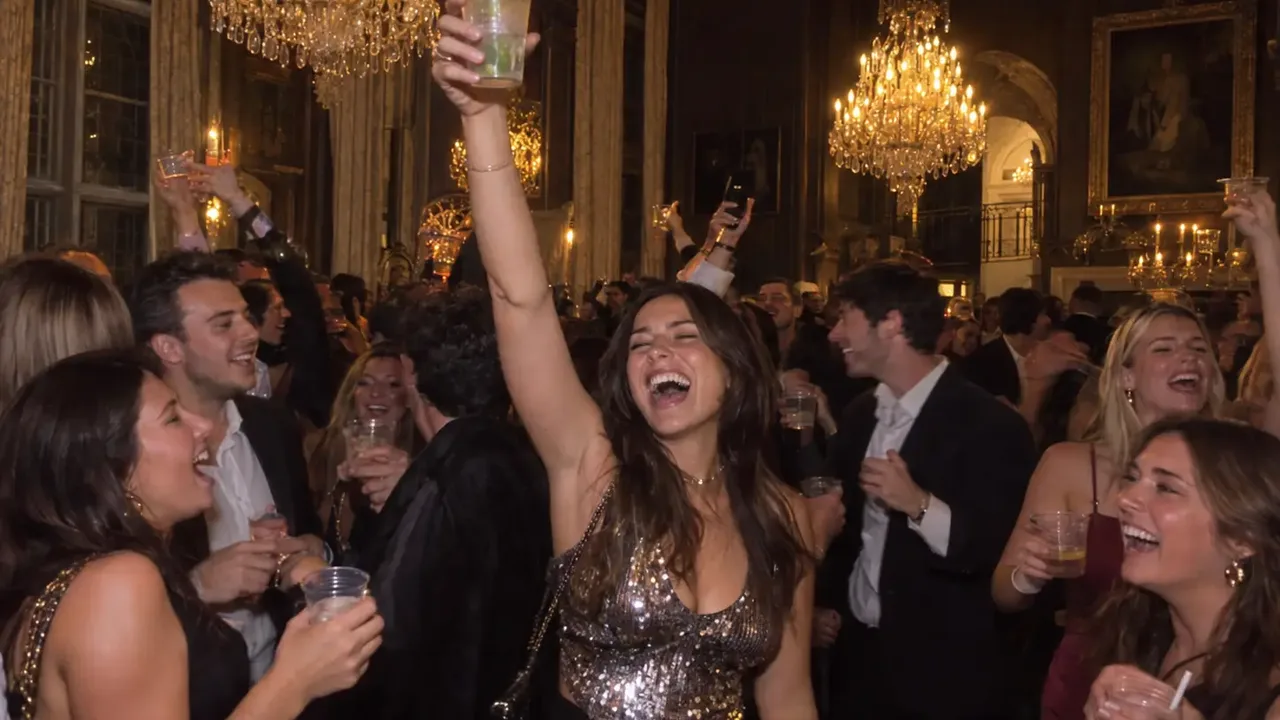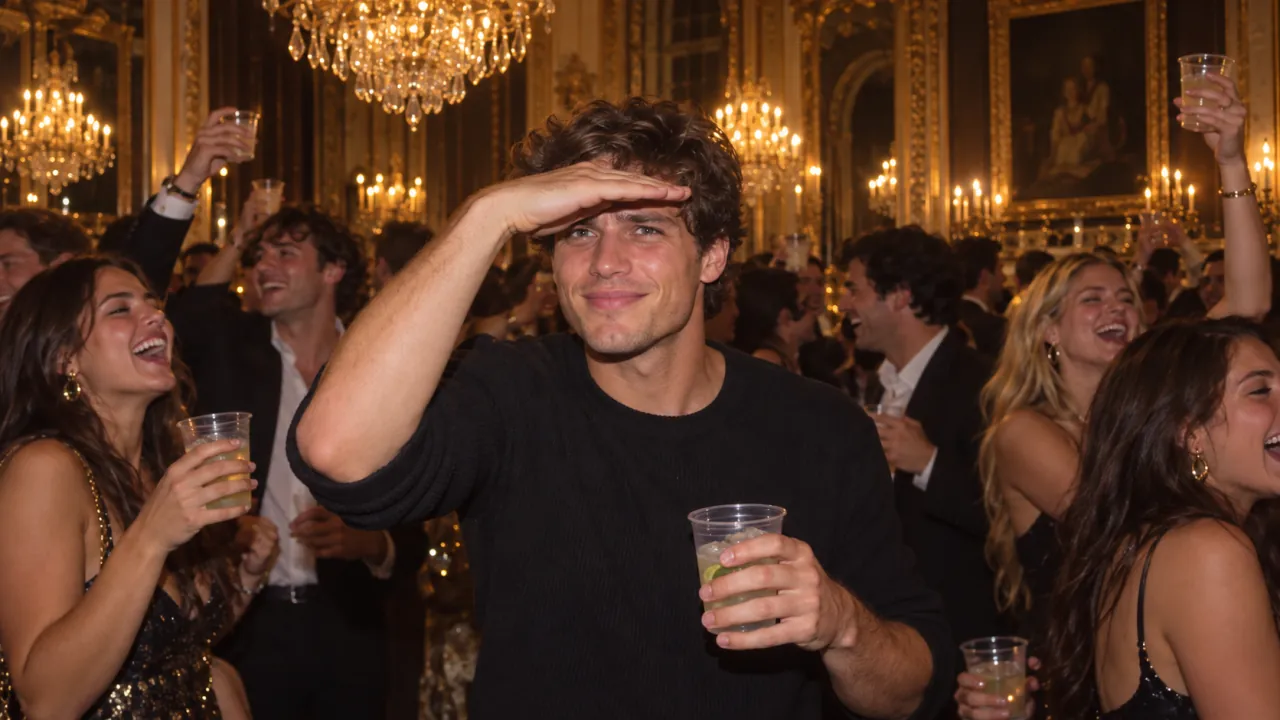
Four Drake Burning Bridges AI apps keep coming up when people try to put themselves in the chandelier party: Summrs, Ausar AI, Higgsfield Genjutsu (often typed as "Genjitsu") and Flowlio AI. They all end with someone new raising a cup under the chandeliers to Drake's "Burning Bridges", but they work in two very different ways. Two of them swap you into the original music video. One asks you to bring the clip yourself. One builds a new party scene around your photo.
The short answer: if you have one photo and want a finished, post-ready clip with the song already on it, use Flowlio AI. If you want Drake's actual room and crowd with your face in it, Summrs and Ausar both have a ready-made template for that. If you want to direct every detail yourself and don't mind trimming footage and adding the song afterwards, Higgsfield Genjutsu is the most flexible and the cheapest per render.
A note on where we stand: we make Flowlio AI and built its Burning Bridges template this month, so we know our own tool from the inside. For the other three we've stuck to what their official pages say, checked on October 10, 2026. Where a page doesn't say something, we say so instead of guessing.
Drake Burning Bridges AI apps at a glance
| Flowlio AI | Summrs | Ausar AI | Higgsfield Genjutsu | |
|---|---|---|---|---|
| What you upload | One photo | One photo | One photo | A video clip (4–30 s) plus reference images |
| Burning Bridges template | Yes | Yes | Yes | No, general tool |
| The room you end up in | A newly built chandelier party | The original video's footage | A fixed reference video | Whatever clip you upload |
| Works with pets | Yes | Page asks for face and upper body | Page asks for "Person 1" | Depends on your clip |
| Length | 20 s, vertical 9:16 | Not stated | Not stated | Matches your clip, up to 30 s |
| Song included | Yes, from the first frame | Not stated | Not stated | Not stated, plan to add it |
| Watermark | None | None, per its page | Not stated | Not stated |
| Free to start | Sign-up and check-in credits | 50 credits on sign-up, per its page | Free sign-up, no card | Not checked |
| Price of one video | 500 credits at 480p; the $9.90 Trial Pack covers one | Not listed for this template ("from 10 credits") | Shown as "calculating" on the page | About $2 for 15 s at 480p |
| Refunds | Unused credits within 10 days; failed runs refunded | "All sales are final" | Credits charged for each completed run | Not checked |
Prices and features in these apps change often, so check each one before you buy credits. Sources for the Higgsfield figures are at the end of this article.
The real choice: the original footage, or a new scene
Before comparing prices, it helps to see what each tool actually does with your photo, because that decides how the result looks.
Swap into the original video. Summrs says it "takes the footage that already exists and puts you in it". Ausar's template pairs your photo with a fixed reference video and labels the job "Swapping Characters". Genjutsu does the same thing with any clip you give it: the motion, camera and timing stay as filmed, and the person changes. You get Drake's actual room at Sotto Sotto, his friends, his cuts.
Build a new scene around you. Our template takes the moves and the camera from the clip, but not the people or the room. It builds a fresh chandelier-lit party, with new guests, around your photo. Drake and his friends never appear.
Neither approach is better for everyone. If the joke is "I'm in Drake's actual video", you want a swap. If you want a clip that's clearly yours, where nobody in the room is a real person from someone else's video, and your dog can be the host, you want a new scene. Keep that split in mind as you read the rest.
1. Flowlio AI: one photo, the whole 20-second party
Flowlio AI's Drake Burning Bridges AI video generator was built for this trend and nothing else. You upload one photo and pick a resolution. There's no clip to find, no prompt to write and no song to line up.
A Drake Burning Bridges AI video made from one photo in Flowlio AI.
What comes back:
- 20 seconds, vertical 9:16, ready for TikTok, Reels and Shorts
- You at the centre of a packed chandelier party: pointing into the crowd, waving at the lens, crossing your arms, raising the cup
- "Burning Bridges" already under it, in time from the first frame
- No watermark, in 480p, 720p or 1080p
It works in two steps. First it builds a still of you at the party, cup in hand. Then Seedance 2.5 animates that still with the moves and handheld camera from the original clip. A video usually takes 5 to 7 minutes.
Why it doesn't reuse the original footage
The template never shows the model what anyone in Drake's clip looks like. It passes on only the movement and how far each part of the scene is from the camera, as a depth map. So the man at the centre of the original video can't leak into your face, and nobody from the original crowd turns up behind you. Your face, hair and outfit come from your photo, and the room around you is new.
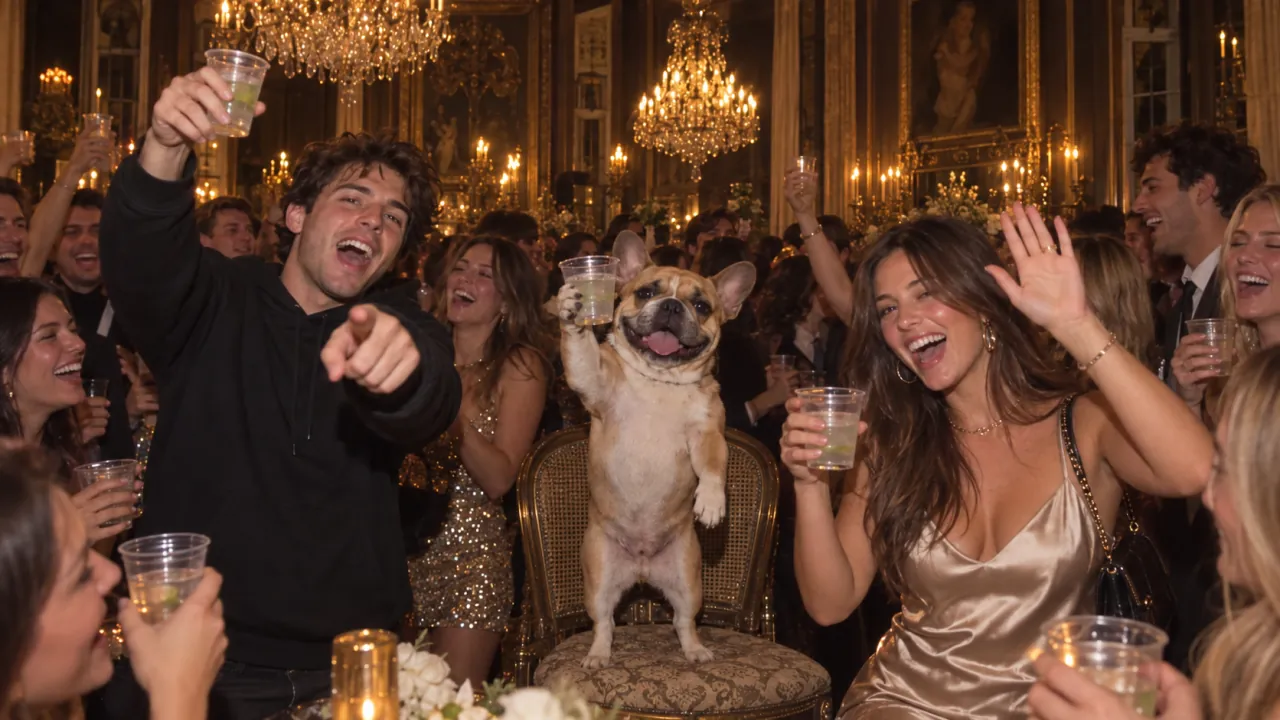
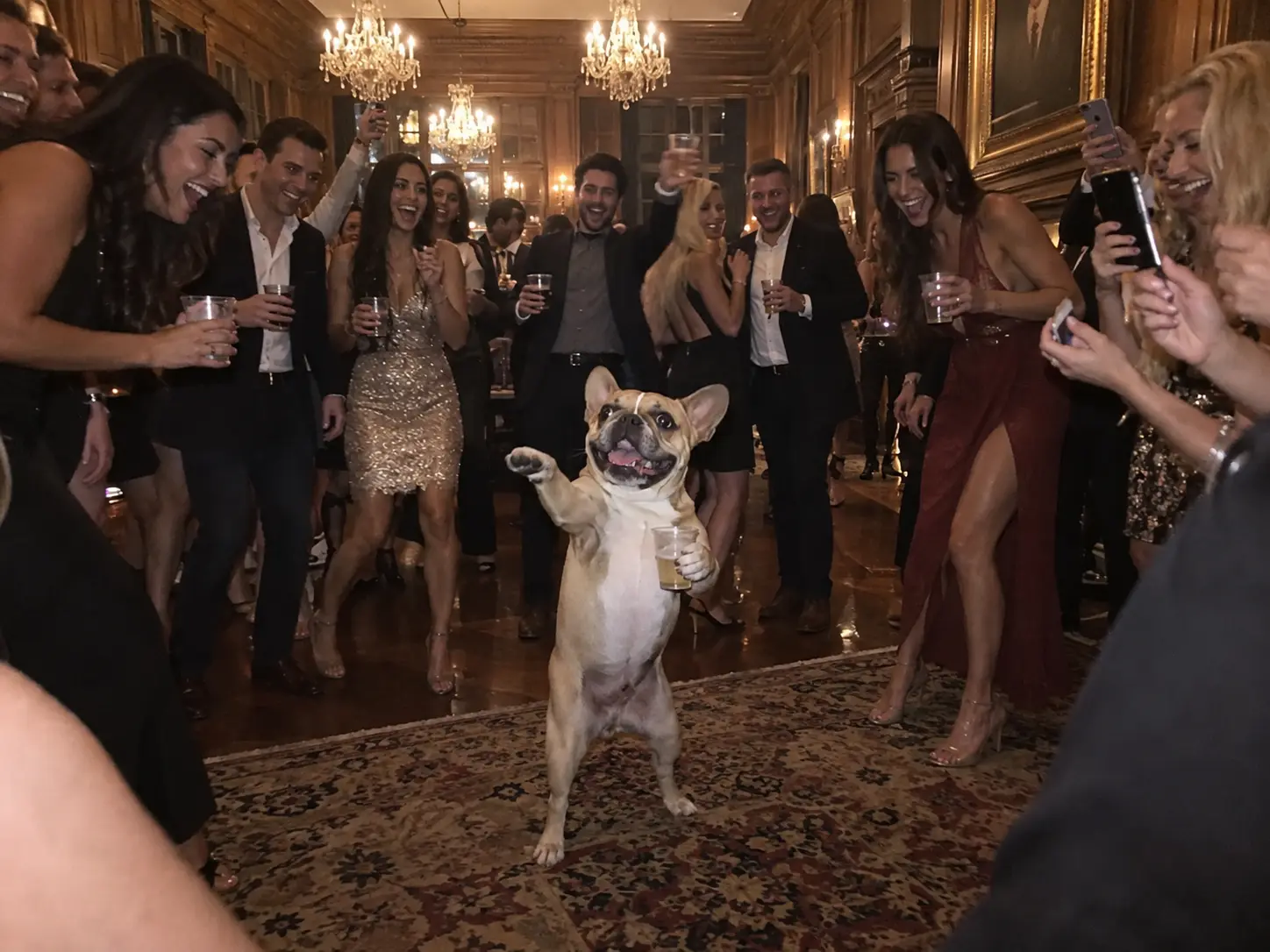
The same choice is why pets work. A French bulldog can stand on its hind legs with a cup in its paw and run the room, and it still looks like your dog.
Who Flowlio AI is for
- You have a photo of yourself, a friend or your pet, and want to post today.
- You want the song on the clip already, at the right length and shape.
- You'd rather not use anyone else's footage.
Trade-off: it's not Drake's real room, and the routine is fixed. You can't change the moves or add a second person.
Cost: each video has a fixed price: 500 credits at 480p, 1,500 at 720p and 3,900 at 1080p, shown before you generate. New accounts get some credits on sign-up and more from daily check-ins. The easiest way to try it is the one-time Trial Pack: $9.90 for 600 credits, enough for one 480p video, with no subscription. If a generation fails, the credits go back automatically.
2. Summrs: a one-photo swap into the original video
Summrs is a template site for trending AI effects, and it has a page built for the Drake Burning Bridges trend. According to that page, you upload a clear photo, "face and upper body, even lighting", and it places you into the original dinner party: the chandelier lighting, the handheld camera and the wave at the lens. It says the download has no watermark.
What its page does not say: how long the video is, whether the song is included, and how many credits this template costs. Its pricing note says templates "range from 10 credits onwards".
Is Summrs free?
You can start free. Its Burning Bridges page says you get 50 credits on sign-up with no credit card, subscriptions start at $15 a month for 300 credits, and top-ups start at $5 for 50 credits. Its terms page lists different numbers (10 free credits, and $15 a month for 200 credits), so check the figures at checkout.
Two lines from its terms are worth knowing before you pay:
- "All sales are final." Credit purchases and subscriptions aren't refunded, including partial months.
- Credits are spent on every completed run, even if the face doesn't look like you. Re-running costs credits again. Only runs that fail with no output are refunded.
Who Summrs is for
- You want your face in Drake's actual room, not a new one.
- You're happy to test a template whose length and price aren't listed until you're signed in.
Trade-off: the original crowd stays in the shot, and every retry is paid.
Looking for a Summrs alternative?
If you came here searching for one, the deciding questions are the ones above: do you want the original footage or a new scene, do you need the song on the clip, and do you want a pet in it? If it's a new scene with the song already on and pets allowed, try the Drake Burning Bridges AI generator.
3. Ausar AI: a template that runs on Genjutsu
Ausar AI is an all-in-one AI studio for images, video, motion and templates. Templates are its main product, and its "Burning Bridges Trend" template takes one photo (up to 25 MB) and lets you choose 480p, 720p or 1080p. The template page pairs your photo with a fixed reference video, and its resolution setting is labelled "Genjutsu output resolution", so it appears to run on Higgsfield's Genjutsu model under the hood.
To its credit, Ausar is upfront about the downside. The template page warns that results "can vary a lot between runs, even with the same photos", that identity swaps are inconsistent, and that you may need several attempts, with credits charged for each completed run.
What the page does not say: the video's length, whether the song is on it, and whether there's a watermark. When we checked, the price for this template was still showing "Credits calculating…".
Is Ausar AI free?
Signing up is free and needs no card. Generating is credit-based:
- Plans start with Lite at $9 a month billed yearly ($108 a year) for 100 credits a month, then Starter at $15 a month billed yearly for 220.
- Top-ups (100 credits for $10, up to 560 for $50) are only for subscribers, so you can't buy one video's worth without a plan.
- Its plan picker estimates a typical template run at about 65 credits. That's a general figure, not this template's price.
Who Ausar AI is for
- You want Drake's room with your face, at a choice of resolutions.
- You plan to use Ausar's other models too, so a subscription makes sense anyway.
Trade-off: you need a plan before you can top up, and you pay for retries.
4. Higgsfield Genjutsu: bring your own clip
Higgsfield's Genjutsu (people often search it as "Genjitsu") is not a Burning Bridges template. It's a general video-to-video tool. Its Motion Transfer mode keeps the motion, camera and timing of a clip you upload and rebuilds the person or the scene from your references. Object Swap changes one element and keeps the rest.
According to Higgsfield's own Genjutsu guide, each generation takes:
- One input video, 4 to 30 seconds
- Up to 30 reference images
- An optional short prompt, or one of 30+ presets
- Output up to 1080p
The same guide lists 15 seconds at 480p for 40 credits (about $2), at 720p for 104 credits (about $5.20) and at 1080p for 144 credits (about $7.20). That makes it the cheapest per render of the four.
What the low price leaves to you
For this trend, Genjutsu needs the footage, and getting it ready is your job:
- Find and trim the clip. The party section starts around 1:28 in the official video, and you have to cut a piece of 30 seconds or less.
- Rights. The clip is Drake's label's footage. Downloading it to reuse is your call, not the tool's.
- Add the song. Higgsfield's guide doesn't say the audio carries over, so plan to add "Burning Bridges" in TikTok or CapCut.
- Expect several takes. The background guests can change faces along with the main character.
Our Burning Bridges how-to guide has a ready-to-use prompt for this route if you go that way.
Who Genjutsu is for
- You want the most control: your own clip, characters (Top5Apps traced the viral Shrek version to Genjutsu), outfits and styles.
- You're comfortable editing, and price per render matters more than time.
Trade-off: the most flexible tool here, and the most work per finished video.
Which Drake Burning Bridges AI app should you use?
Start from what you have and what you want the video to be:
| You have… and want… | Use |
|---|---|
| One photo, and a finished clip with the song to post today | Flowlio AI |
| A photo of your dog or cat as the party host | Flowlio AI |
| Your face in Drake's actual room | Summrs or Ausar AI |
| Already a subscription for several AI models | Ausar AI |
| Your own trimmed clip, a character, and time to edit | Higgsfield Genjutsu |
Whichever you pick, three checks save credits:
- Use one sharp, front-facing photo. In every tool here, a small or half-hidden face is the main reason the result doesn't look like you.
- Do a low-resolution draft first. Only pay for 720p or 1080p once a take looks right.
- Post with the official sound. On TikTok, attach Drake's "Burning Bridges" from the sound library, so your video lands on the trend's sound page.
FAQ
What app are people using for the Drake Burning Bridges AI trend?
There isn't one app. According to Top5Apps, the character versions it could trace, including the viral Shrek one, were made with Higgsfield Genjutsu from the original clip. One-photo templates on Summrs, Ausar AI and Flowlio AI let you do it without editing the footage yourself.
Is Genjitsu the same as Genjutsu?
Yes. "Genjitsu" is a common misspelling of Genjutsu, Higgsfield's video-to-video tool. Search for "Higgsfield Genjutsu" to find the right one.
Which Burning Bridges AI app is free?
None of them makes the AI video entirely free. Summrs gives sign-up credits, Ausar lets you sign up free but needs a plan to buy more credits, and Flowlio AI gives sign-up and check-in credits plus a one-time Trial Pack that covers one 480p video. Filming the "Where she at?" gesture yourself costs nothing.
Can I put my dog in the Drake Burning Bridges video?
Yes, with a tool that builds the scene from your photo. Flowlio AI's template supports pets. Summrs and Ausar ask for a person's photo on their template pages, and Genjutsu depends on how well your clip's movement fits a four-legged body.
Do these apps add the Burning Bridges song?
Flowlio AI adds it from the first frame. Summrs, Ausar AI and Higgsfield don't say on their pages, so be ready to add the official sound when you post.
Make yours
For most people, the decision comes down to one question: do you want to be in Drake's room, or do you want the party built around you? For the second, with the song on and your pet allowed, upload one photo to the Drake Burning Bridges AI video generator. New to the trend? Start with what "Burning Bridges" and "Where she at?" mean, or read how to do the Drake Burning Bridges trend for photo tips and fixes. More trends like it are in our AI video effects.
Sources
- Higgsfield Genjutsu: how it works and what you get, Higgsfield blog
- Drake 'Burning Bridges' Shrek AI video: how to make it, Top5Apps
- Burning Bridges (Drake song), Wikipedia