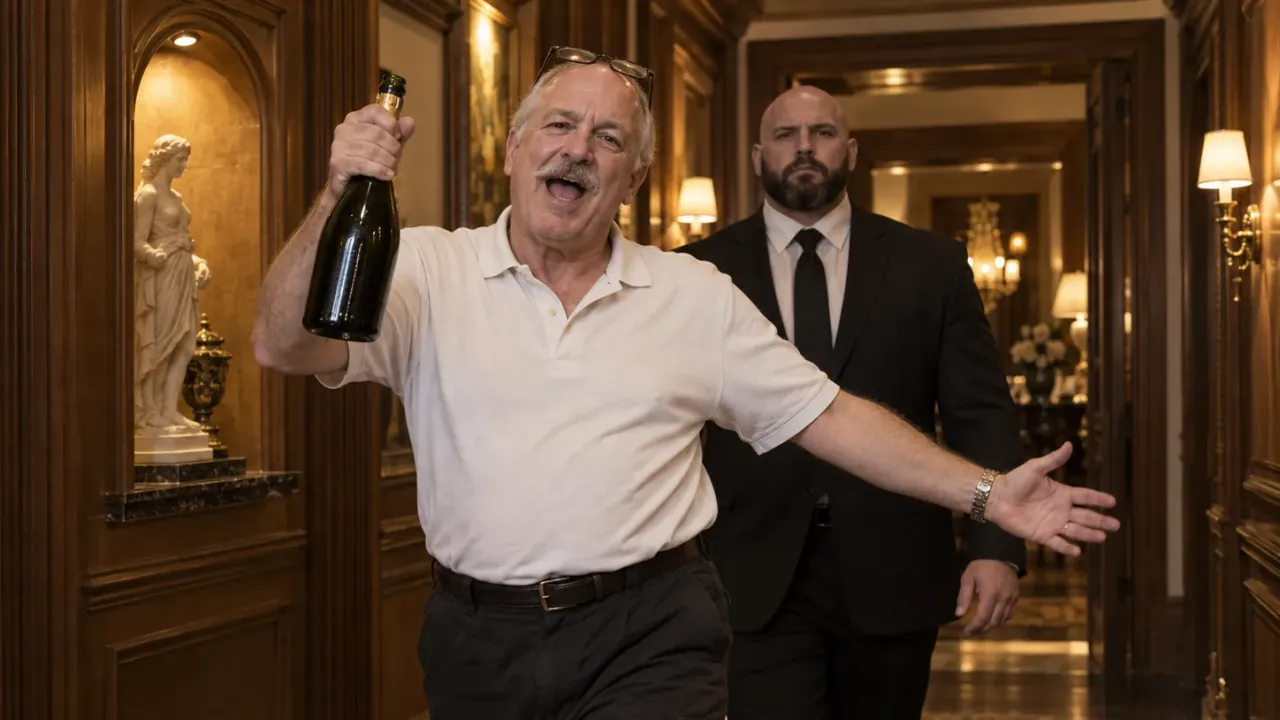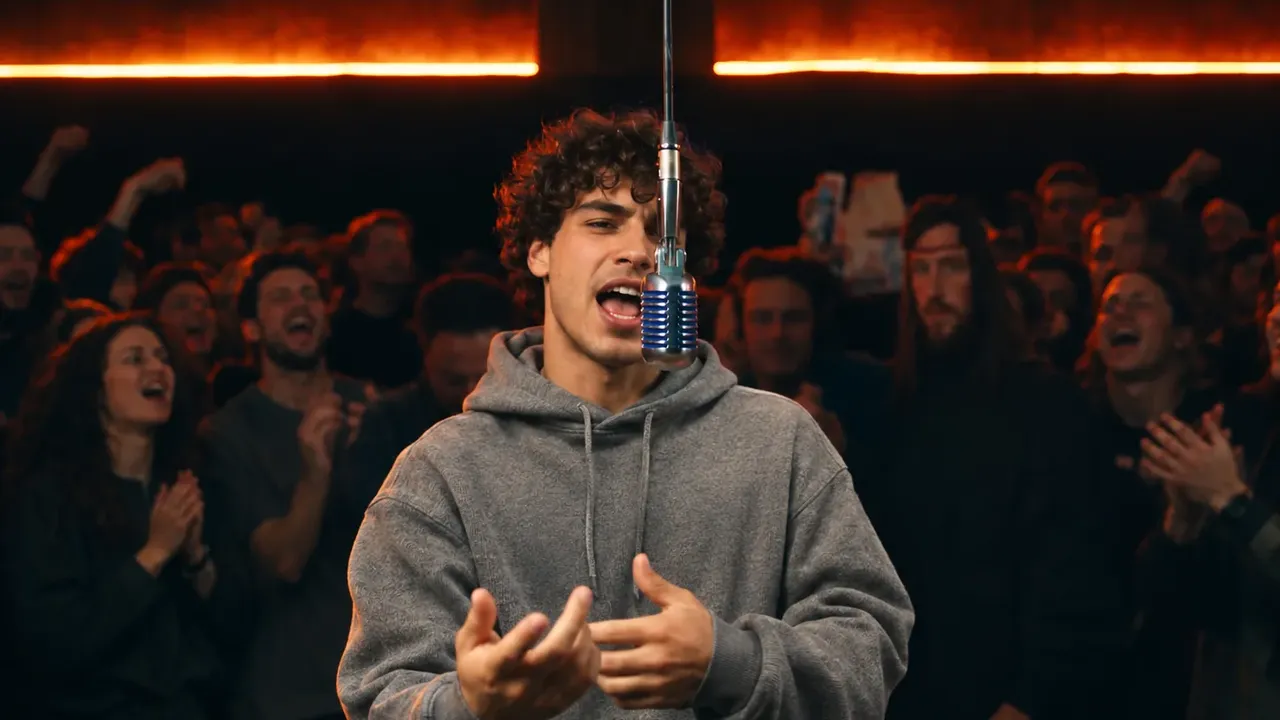
To make a BigXthaPlug Give It All AI video, you need one clear photo of one person and an AI tool that puts them at the hanging mic. The scene is always the same. A dark room is packed with people under glowing orange lights. A vintage chrome mic hangs from the ceiling on a long cable. Your person stands behind it and raps BigXthaPlug's "GIVE IT ALL" verse for 20 seconds, arms crossed, then waving at the crowd like they own the room.
Fans also call it the Give It All AI trend or the "give it all to me" trend, after the hook. This guide covers the fast way (one photo), the do-it-yourself way, every shot your clip has to hit, and how to fix what goes wrong.
We built this scene into our BigXthaPlug Give It All AI video generator in November 2026. Two things went wrong again and again while we built it. First, the outfit from the trend clip leaks in: the rapper there wears a red racing suit, a red cap and sponsor patches, and AI models love to copy all of it onto you. Second, the mouth stops moving halfway through. Most of the tips below are about those two problems.
A BigXthaPlug Give It All AI video made in our generator from one photo of a man in a black bomber jacket.
How to make a BigXthaPlug Give It All AI video: 5 steps
- Pick one photo of one person. A sharp face, good light, upper body or full length.
- Upload it to the BigXthaPlug Give It All AI generator.
- Pick a size: 480p to test, 720p or 1080p to post. The credit cost shows on the button first.
- Wait a few minutes. The clip lands in the generator when it's done.
- Download and post. It's 20 seconds, tall 9:16, with the song already on it.
Each step is explained below. After that comes the manual route, if you'd rather build the clip yourself.
The 20 seconds, shot by shot
Before you make a BigXthaPlug Give It All AI video, know what the clip has to do. It has six shots, and each one cuts on the beat. Whatever tool you use, check your result against this list.
The whole time, the room stays the same: the hanging chrome mic, the crowd pressed close behind, and the orange light panels. And the whole time, your person raps. There is no quiet part.
| Time | Shot | What to check |
|---|---|---|
| 0–2s | Straight on, arms crossed behind the mic | Mouth already moving in the first frame |
| 2–7s | Side angle. They turn to the crowd, swing an arm out and talk with their hands | Real hand moves, not stiff arms |
| 7–12s | The wide shot: the whole room, rows of people, lights across the ceiling | Same face and outfit as in the close shots |
| 12–14s | Close-up. The face fills the frame, mic at the edge | Face sharp and still looks like the photo |
| 14–16s | Side angle again. Arms swing on the beat, then fold | Arms fold across the chest at the end |
| 16–20s | Straight on for the last lines, arms crossed | Still rapping until the last frame |
The close-up is the test. In the wide shot, the face is small, so almost any photo looks fine. At 12 seconds the face fills the screen, and that's where a bad photo shows. If your person looks right there, the rest of the clip will too.
Before you start: pick the right photo
The photo decides most of the result, whatever tool you use. Here is what works for a BigXthaPlug Give It All AI video:
- One person only. It's a solo spot. If two people are in the photo, crop it down to the one who raps.
- People only, no pets. The rapper has to lip-sync and talk with their hands for 20 seconds. Animals don't work here.
- A sharp face, facing the camera. Both eyes should show. A side view gives the AI too little face to copy for the close-up.
- Upper body or full length. The wide shot shows you from the waist up, so the AI needs to see your clothes.
- Wear the outfit you want on stage. The clothes in your photo are the clothes you rap in, in all six shots. A hoodie, a jersey or a Sunday-best sweater all work.
- No sunglasses, no cap pulled low. They hide the face, and the close-up needs it.
- Good light, no heavy filters. Daylight works best. Beauty filters change the face shape.
Who should star in your BigXthaPlug Give It All AI video? The funniest versions star the person nobody expects to rap: grandma in a cardigan, a coach in team colors, or the friend who always grabs the aux cord.
Method 1: Make a BigXthaPlug Give It All AI video from one photo (fastest)
A ready-made template has the room, the crowd, the six shots, the moves and the song built in. You don't write a prompt or hunt for the trend clip. Here's how it works in our BigXthaPlug Give It All AI generator:
-
Upload one photo of the person who raps.
-
Pick a size. The 20-second length and the 9:16 frame are fixed. Only the size changes the price:
- 480p: 900 credits. Good for a first test.
- 720p: 1,950 credits. Sharp on a phone.
- 1080p: 4,600 credits. The cleanest copy for posting.
The exact cost shows on the Generate button before you spend anything. Credits are what our site uses as money for each video. You buy them in packs or get them with a plan. Tip: test a new photo at 480p, then re-run the keeper at a higher size.
-
Wait a few minutes. The generator first puts your person at the mic, then makes the full clip and adds the song.
-
Download or share. The file has no watermark. You can also make a share link for WhatsApp or Telegram.
Under the hood, every BigXthaPlug Give It All AI video from the template keeps the trend clip's moves, timing and camera, and keeps its outfit away. Your person wears only what they wear in the photo: no racing suit, no red cap, no logos.
Method 2: Build a BigXthaPlug Give It All AI video yourself
If you want a different room or want to see how it works, you can build the clip with general AI models. Here's roughly the workflow we use, in three steps.
Step 1: Put your person into the first frame
Grab one frame from the start of the trend clip: arms crossed at the mic, crowd behind. Then use an image model, such as GPT Image 2, to redraw that frame with your person in it. Send your photo first, then the frame.
Why this step? A video model copies a person much better when it can see them already standing in the scene, in the right light and the right pose. This one frame does a lot of the work for every shot after it.
In the prompt, say clearly what changes and what stays:
Image 1 is a photo of a person. Image 2 is the first frame of a rap
performance: a rapper with arms crossed behind a chrome mic that hangs
from the ceiling, in a dark room packed with people, under orange lights.

Redraw Image 2 with the rapper replaced by the person in Image 1.
Keep the camera angle, the pose, the hanging mic, the crowd and the light.
They keep their own face, hair and clothes from their photo.
No red racing suit, no red cap, no sponsor patches, no logos.
Step 2: Run the whole clip through a motion-transfer model
Next you need a model that takes a reference video and makes a new one with the same moves and camera, but a new person. This is often called motion transfer. Give it your photo, the frame from Step 1 and the trend clip.
Watch the length. The trend clip runs about 20 seconds, and many models cap how long your reference can be. For example, Seedance 2.0's listing on fal caps the total reference video length at 15 seconds. You have two choices:
- Use a model that accepts a 20-second clip. One run means one face and one outfit from start to end. That's what we do.
- Split the clip at a shot change. If your model stops at 15 seconds, cut the clip where the camera already cuts, for example at 12 seconds, right before the close-up. Make the two parts, then join them. Because the camera already jumps there, the join is hard to spot.
A prompt skeleton:
Image 1 is the person. Image 2 shows them at the hanging mic.
Match Image 2 in every shot: same face, hair, clothes.
Never use the red racing suit, the red cap or any logo from the video.

They rap the whole time, lips moving with every line from the first
frame to the last, with no pause between lines.

Keep every move exactly as in the video: crossed arms, arm swings,
waves, hand gestures, every turn to the side, with the same timing,
the same cuts and the same camera.
Keep the hanging chrome mic, the packed crowd, the dark room and the
orange lights. Keep the face clearly lit.
Make a 480p test first. Every retry costs the same as the first try.
Step 3: Add the song
Lay "GIVE IT ALL" under your finished BigXthaPlug Give It All AI video, starting at the first frame. Many motion-transfer models return a silent clip or move the sound around, so add it back yourself in an editor or in TikTok (see below).
| Photo template | Build it yourself | |
|---|---|---|
| What you need | 1 photo | The clip, a photo, an image model, a video model, an editor |
| Racing suit and logos | Kept out for you | Kept out only if your prompt says so |
| 20-second length | One run | One run, or two parts joined at a cut |
| Song | Already in the file | Added and lined up by hand |
| Best for | Posting today | A custom room or outfit |
Fixing a BigXthaPlug Give It All AI video that went wrong
Most problems with a BigXthaPlug Give It All AI video come from the photo or the prompt, and they're quick to fix.
My person is wearing a red racing suit
The outfit from the trend clip leaked in. Say "no red racing suit, no red cap, no logos" in both prompts, the image one and the video one. Also use a photo that clearly shows your person's own top, so the model has something else to copy.
The mouth stops moving halfway
Models like to pause between lines. Write "they rap the whole time, from the first frame to the last, with no pause between lines". If it still stops, check that the frame from Step 1 shows the mouth open a little.
The face looks different in the close-up
The close-up at 12 seconds is far bigger than any other shot, so a small or blurry face runs out of detail. Use a crisper photo where the face is big, bright and facing the camera, and render at 720p or 1080p.
The outfit changes from shot to shot
The wide shot and the close-up see your person from very different distances. Making the first frame first (Step 1) and telling the model to match it "in every shot" keeps the clothes the same.
The arms are stiff or the moves are off
The model is guessing instead of copying. Keep the reference clip at its full speed, don't crop it, and name the moves in the prompt: crossed arms, arm swings, waves, turns.
My photo had two people, and the faces mixed
It's a solo spot. Crop the photo down to one person and try again.
The lip sync is a bit off
AI lip sync is close, but not perfect on every word. In a fast rap verse, a slip of one syllable is normal, and few people notice it in a 20-second loop.
How to add the Give It All song on TikTok
If your BigXthaPlug Give It All AI video has no sound, add it in TikTok. TikTok's help center covers the basics:
- Tap + and upload your clip.
- Tap Add sound and search Give It All BigXthaPlug. Or open a Give It All post you like and save its sound first.
- Drag the start so the first line lands as the mouth starts moving.
- Turn the clip's own volume to zero if it already has audio, then post.
If you used our generator, the song is already on the clip, so you can skip this. You can still pick the trend's sound in TikTok if you want your post to show up on that sound's page.
Captions, tags and posting
The joke in a BigXthaPlug Give It All AI video is someone unexpected acting like a star. Short captions work best:
- "grandma said give it all to me"
- "my coach before every game"
- "the aux cord is mine now"
- "first and last show, no refunds"
Add tags like #bigxthaplug, #giveitall and #giveitalltome. The tall 9:16 frame fits TikTok, Reels and Shorts with no cropping.
Turn on the AI label when you post. TikTok asks creators to label realistic AI-made content, and this clip is fully AI-made. And only cast people who are in on the joke.
Where the BigXthaPlug Give It All trend came from
"GIVE IT ALL" is a song from BigXthaPlug's album Better Over Time, released on October 30, 2026. The album gave the Dallas rapper his first No. 1 on Billboard's Top Rap Albums chart, Billboard reported.
On November 3, his From The Block performance of the song went up on YouTube: BigXthaPlug raps at a vintage mic hanging from the ceiling, with a crowd packed close behind him. Clips of it spread on TikTok within days. Then came the AI versions, with people putting themselves, friends and family at that mic.
The song climbed with the trend. It reached No. 23 on Billboard's Hot Rap Songs for the week of November 14, and Shazam listed it as new and rising the week of November 9.
Why it works: the hanging mic and the cheering crowd make anyone look like a headliner. Put someone quiet or unexpected there, and the contrast is the joke.
FAQ
How many photos do I need?
One. There's only one rapper, so a BigXthaPlug Give It All AI video needs a single photo of a single person.
Can two people or a pet share the mic?
No. It's a solo spot, and pets can't lip-sync a rap verse. Make one clip per person instead.
How long is a BigXthaPlug Give It All AI video?
20 seconds, the same as the trend clip, in six shots. It comes as a tall 9:16 video in 480p, 720p or 1080p.
Will I end up in the racing suit from the trend clip?
Not in our generator. Your person keeps the clothes, hair and accessories from their own photo in every shot. If you build it yourself, say so in your prompt.
Do I need to write a prompt?
Not with a template. You add one photo and tap Generate. You only write prompts if you build the clip yourself (Method 2).
How much does it cost?
In our generator, a BigXthaPlug Give It All AI video costs 900 credits at 480p, 1,950 at 720p and 4,600 at 1080p. Making an account is free, and the button shows the amount before you generate.
Make your BigXthaPlug Give It All AI video
In short: a BigXthaPlug Give It All AI video is 20 seconds of nonstop rapping at a hanging mic, in six shots, with a packed crowd behind. Give the AI one sharp photo of one person, keep the racing suit out, and keep the mouth moving to the last frame. Test at 480p, then post the sharper copy.
The quickest route is our BigXthaPlug Give It All AI generator: one photo, no prompt, song included. Want another music trend? Read how to make a Charlie Wilson Tiny Desk AI video, or browse all our AI video effects.
Sources
- BigXthaPlug Scores His First No. 1 Rap Album With 'Better Over Time', Billboard
- Hot Rap Songs, week of November 14, 2026, Billboard
- New and Rising, week of November 9, 2026, Shazam Insights
- BigXthaPlug - GIVE IT ALL | From The Block Performance, YouTube
- Seedance 2.0 reference-to-video, fal
- Sounds, TikTok Help Center
- AI-generated content, TikTok Help Center