Huell Money AI Trend


Real result generated with Flowlio AI from these 2 photos
- 2 photos you add
- 15 s clip with sound
- Ready to share via link
- No watermark
Ready in a few minutes

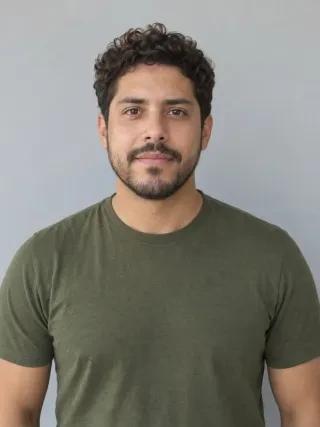
Real result generated with Flowlio AI from these 2 photos
More Effects
Explore the other video effects, each with its own input and motion.
What is the Huell money AI trend?
The Huell money AI trend remakes the Breaking Bad laying on money scene. Add two photos: one of you falls back onto the cash, the other tells you off.
Who plays Huell in your Huell money AI video?
Each Huell money AI video splits into two roles: the one doing the Huell laying on money bit on the Breaking Bad money pile, and the one who stands behind it and tells them off. The storage unit and the Huell money pile never change, so the fun is in who you cast. Here are the pairs people pick, and how to get a good result.
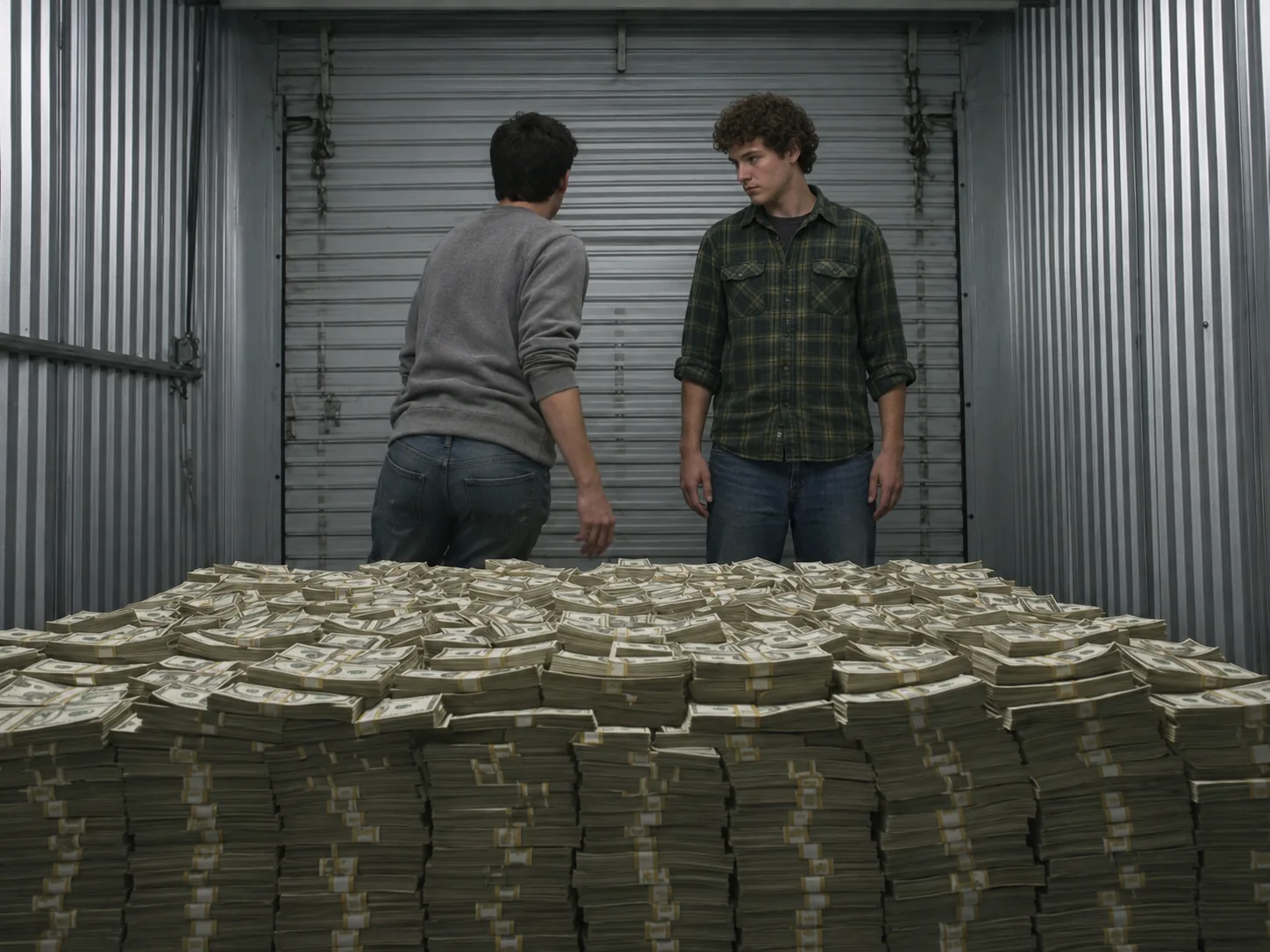
Best friends on the Breaking Bad money pile
You know the friend who always says "just one more", and the friend who has to stop them. Put the first one in box one: in the Huell money video they look at the pile, say "I gotta do it, man", turn around and drop backward onto the Breaking Bad money pile, Huell laying on money style. Put the careful one in box two: they stand behind the stacks, watch, and at the end spread their hands like "really?" Use two photos taken in good light, one face in each. Once it's ready, tap Create Share Link and post it in the group thread; anyone who opens it can play the clip and start a version of their own.

A Breaking Bad laying on money video for couples
In most couples, one partner loves to treat themselves and the other keeps an eye on the bank app. Cast them just like that. The spender goes in box one and lands on the Huell money pile with a calm, happy smile and closed eyes in the close shot from above. The saver goes in box two and gets the last word with open hands. This Breaking Bad laying on money remake makes a fun post after payday, a tax refund or a small win, with a caption like "me when the refund hits". Pick photos where you both wear clothes you like: your outfit comes straight from your photo.

Huell money AI trend for brothers and sisters
Brothers and sisters argue about money from the day they get an allowance, so the Huell laying on money scene fits them well. Give the youngest box one: they say the famous line and fall back on the Breaking Bad money pile like it all belongs to them. Give the oldest box two: they stand behind the cash and tell them off, the way they have for years. Then swap the photos and make a second Huell money clip, so each of you gets a turn lying on the money. Post both Huell money videos and let the family vote. Use recent photos of grown-up siblings, each one alone, facing the camera.

Payday Huell money meme with a coworker
People have posted the Huell money meme with payday jokes for years, and the AI version turns that joke into a real Breaking Bad laying on money clip. Cast the coworker who counts the days to payday in box one: they fall onto the Breaking Bad money pile, while the person in box two stands behind it like a boss who just walked in. This Huell money clip works for a team chat on the last Friday of the month, or for a small shop's page after a busy week. Simple work pictures do fine, as long as every face is large and clear. Two pictures and one click make the whole Huell laying on money scene.

Play both parts in the Huell money AI trend
Nobody free to play the friend? Use yourself for both parts. Upload one picture of yourself to box one and another picture of yourself to box two, and the Huell money video turns into "me arguing with me": one of you does the Huell laying on money fall, and the other stands there asking "Dude, what are you doing?" Choose two looks that are easy to tell apart, say a red hoodie and a white shirt. Each photo should show only you, whole face clear and bright. The scene's lines come mixed in, so your Breaking Bad laying on money clip is ready to post as soon as it's done.
Make a Huell money AI video in three easy steps
No prompt, no clip to hunt down, no sound to sync. The storage unit, the Breaking Bad money pile, the camera moves and the lines already sit inside the Huell money AI generator. You only choose who falls onto the Huell money pile and who stands.
Put two faces into the Huell money AI generator
Box one is the person doing the Huell laying on money part; box two is the one standing behind the Breaking Bad money pile. Keep it to a single person per picture, eyes toward you, nothing hiding the face. Before filming, our AI turns each photo into a turnaround sheet that shows the person from every side, which keeps faces and clothes right in every shot, even lying down.
Set the size of the Huell laying on money clip
Want a quick test? 400 credits buys 480p. HD 720p costs 600, and 900 gets you the sharpest Huell money video at 1080p. The cost shows up front, before anything starts.
Get your Breaking Bad money pile video
Press Generate. We copy the Breaking Bad laying on money scene shot by shot, keep your two faces and lay the scene's own lines under it. Minutes later the clean, watermark-free file is yours to save, and your account keeps a copy.
The Huell money AI scene, second by second
Three shots in wide 16:9, 15 seconds in all, with the scene's own lines: the fall onto the Breaking Bad money pile, the view from above and the friend who can't believe it.
0–5s · The Huell money pile
A wide shot from the front. You both stand behind a bed-size pile of banded cash in a metal storage unit, and the one in box one says "I gotta do it, man."
5–8s · The Huell money fall
They turn their back to the camera, sit down and drop back onto the money, just like Huell laying on money in Breaking Bad.
8–13s · Huell laying on money, from above
The camera looks down at them lying on the bills, head to one side, eyes closed, totally happy: your own Huell lying on money moment. Off screen, the friend says "Dude. What are you doing?"
13–15s · Caught on the Huell money pile
Back to the wide shot: the friend stands over the Breaking Bad money pile and spreads both hands. "Huell! Hey!"
Huell Money AI FAQ: Photos, Parts, Sound and Sharing
Answers about the Huell money AI trend and the Breaking Bad laying on money remake: the photos to pick, the two roles, the sound, the cost and where to post it.
It remakes the Breaking Bad Huell money scene from season 5, episode 10, "Buried" (August 2013). Saul's men Huell and Kuby find Walter White's cash in a storage unit. Huell says "I gotta do it, man" and lies down on the pile, while Kuby tells him they are there to do a job, not channel Scrooge McDuck. The still became the Huell money meme (many people search Breaking Bad laying on money), also called Money Huell, Huell sleeping on money or Huell rolling in money. By November 2026 AI tools let people drop their own faces into that storage unit.
1) Open the Huell money AI generator, drop in the person who lies on the cash, then the person standing. 2) Set the quality; every option lists what it costs in credits. 3) Press Generate and download your Breaking Bad money pile clip with the scene's sound. You never type a prompt.
Box one plays Huell: they say the line, do the Huell laying on money fall and get the close shot from above, so it's the bigger part. Box two plays the friend who stands behind the Breaking Bad money pile and tells them off at the end. Want to trade parts? Make a second clip with the photos swapped.
Use photos of one person each, where the face is large, in focus and well lit. A face pointed at the lens beats a side view. Waist-up photos also show the AI your clothes, since whatever you have on in that shot is what you wear lying on the Breaking Bad money pile. Leave out group pictures, strong filters and dark glasses.
Both boxes need a photo, because the Huell money scene has two people. Two different pictures of yourself let you play both roles in your Breaking Bad laying on money clip. This scene is for people only, so pets won't work here.
Yes. The scene's own lines play under your Huell money AI video, from "I gotta do it, man" to "Dude. What are you doing?" and "Huell! Hey!". The lines keep the name Huell. Sound is already inside the downloaded file, with no extra app needed.
A Huell money clip runs 15 seconds in wide 16:9, like the original Breaking Bad laying on money scene, so it fills a laptop, a TV or a YouTube player. TikTok and Reels add black bands on top and bottom, which is normal for TV scene trends.
Credits depend on size alone: 400 for 480p, 600 for 720p, 900 for 1080p. That price covers all 15 seconds, sound included. First visit? A 720p render is something the one-time Trial Pack can cover, meaning your first Breaking Bad laying on money clip can be in HD.
No. Some tools want a long prompt, a character sheet made first, or the Breaking Bad clip uploaded by you. Here the Huell laying on money scene is built in, and a turnaround sheet of each face is made automatically before filming. Your part is two photos and a size.
Most Huell money clips finish within minutes, though 1080p or a busy hour can add some wait. Closing the tab is fine, because every render lands in your account.
Swap in a picture with a larger, brighter face aimed at the lens and no hair, hands or hats covering it. Faces swapped or blended? Make sure no photo has a second person in it. Huell money AI results change a little every time, so a second run with a better photo often fixes it.
Yes. We add no logo or mark, so the file goes straight from your camera roll to any app. The Huell money meme is a money joke, so captions like "me when payday hits", "tax refund came in" or "found $20 in my old jeans" fit well. Add #huellmoney and #breakingbad so fans of the Breaking Bad Huell money scene find it, and people searching Breaking Bad sleeping on money too.
Your spot on the Huell money pile is waiting
Pick who falls and who stands, and the Huell money AI generator does the rest. The storage unit, the cash and the lines are ready for your Huell laying on money remake.