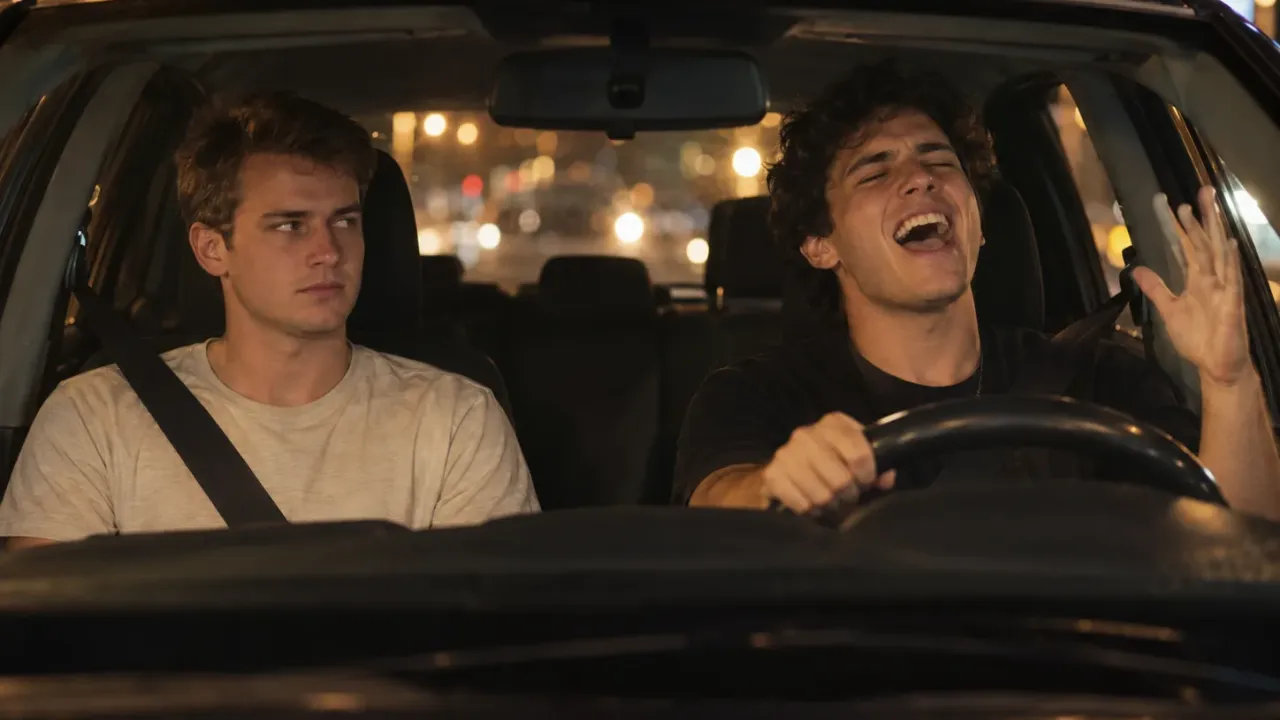
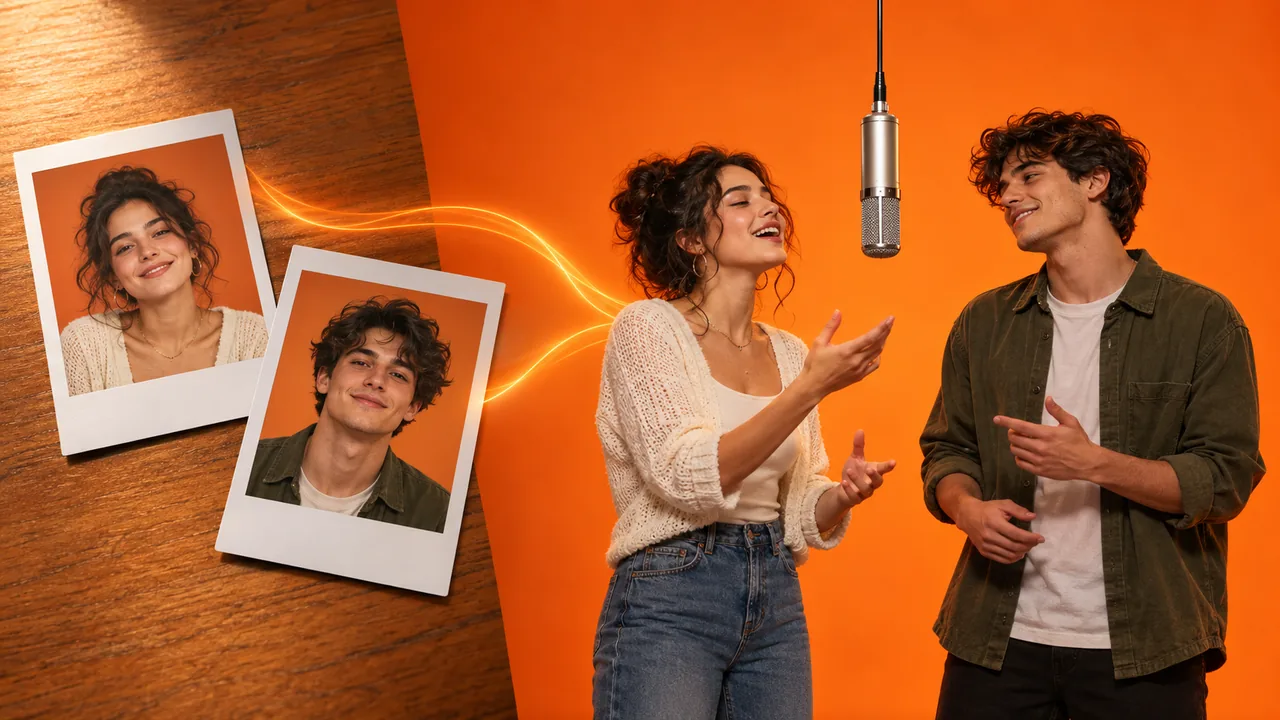
To make a Charlie Wilson Tiny Desk AI video, you recast the band from the viral "Outstanding" desk concert parody with your own people: one of them laughs through the big close-up, one takes the sax solo, and the rest sing backup around the desk. The fastest way is a photo template that already has the clip, the camera work and the sound. The hands-on way is a motion-transfer model and some patience.
The thing most guides skip: in a Charlie Wilson Tiny Desk AI video, the cards are not equal. One spot gets about six seconds alone on screen; two others are only ever seen small in the group shot. Whoever the joke is about has to land in the right spot, and that matters more than how good the photos are.
We built three versions of this scene into our Charlie Wilson Tiny Desk AI generator, and timing each spot shot by shot is how we learned which one carries the joke. That map is below.
How to make a Charlie Wilson Tiny Desk AI video: 4 steps
- Pick a scene. In our Tiny Desk AI video maker that means the 15-second coaches original, the 18-second Tiny Desk AI (Extended), or the 10-second desk concert.
- Add the photos. The first card is required: the laughing close-up in both coaches cuts, the lead singer in the desk concert. Every other card is optional. One adult per photo, face to the lens, good light.
- Pick 480p, 720p or 1080p. You see the credit price for that scene and resolution before you press generate.
- Download and post. You get a vertical 9:16 MP4 with the sound already on it. Post it to TikTok, Reels or Shorts and switch on the AI-generated label.
Further down: where the meme comes from, how the three scenes differ, which card gets how much screen time, a do-it-yourself route, and fixes for the usual problems.
Where the Charlie Wilson Tiny Desk AI meme comes from
The song is the Gap Band's "Outstanding", released in 1982 with Charlie Wilson on lead vocals. Forty-one years later, Wilson closed his NPR Tiny Desk concert of June 5, 2023 with it, after "Charlie, Last Name Wilson", "Computer Love" and four more songs. That set, filmed in a cramped office lined with records, is the scene every Charlie Wilson Tiny Desk AI video copies.
On October 18, 2026, TikTok creator Jake Whipple posted a 19-second parody that put five college football coaches into the band. All five had lost the day before, and the post passed 2 million plays within days. Whipple told The Athletic that he made it with motion-transfer AI models, and Sport & State described how he fed in a photo of each coach to replace the original band.
The joke works because "Outstanding" was already a sports sound for calling a player washed. NFL fans recast their own teams within days, and on October 26 even the White House posted a political version. The Charlie Wilson Tiny Desk AI meme had become a format: same desk, same song, a new cast of people somebody wants to tease.
Which Charlie Wilson Tiny Desk AI scene to pick
The three scenes in our Charlie Wilson Tiny Desk AI template are not three lengths of the same thing. Two are the viral parody itself; the third is a separate band we recast from scratch.
| Coaches original | Tiny Desk AI (Extended) | Desk concert | |
|---|---|---|---|
| Length | 15 s | 18 s (17.7 s) | 10 s |
| What it is | A cut of the viral coaches parody | The whole parody, from the first group shot to the end of the post | An AI Tiny Desk concert: a five-piece band around a wooden desk |
| Cards | 1 to 5 | 1 to 5 | 1 to 3 |
| Required card | You, the laughing close-up | You, the laughing close-up | The lead singer |
| Sound | The clip's own sound, "Outstanding" included | The clip's own sound, "Outstanding" included | An instrumental funk groove |
| Credits (480p / 720p / 1080p) | 450 / 900 / 1,800 | 600 / 1,800 / 4,000 | 300 / 600 / 1,200 |
| Pick it when | You want the meme as people know it | You want the full post, ending on the whole band | You want one person to own the clip, for the lowest price |
A few things decide the choice:
- The coaches original stops on the sax solo. The extended cut runs about three seconds longer and goes back to the group shot for the last note, so the backup singers and the front singer get a second appearance. If you're casting all five cards, the Extended version gives the people in the small spots more to do.
- The desk concert has its own groove, not the song. If you want "Outstanding" over it, add the song as the sound in TikTok or Instagram when you post. In both coaches cuts the song is already in the MP4.
- The price doesn't change with the number of people. Filling one card or all five costs the same, so if you have the photos, use them.
- 480p is for checking the casting. Render once at 480p to see who landed where, then render the same photos at 720p or 1080p.
Who goes where in a Charlie Wilson Tiny Desk AI video
This is the part of a Charlie Wilson Tiny Desk AI video to plan before you upload. Each card replaces one performer, and anyone without a photo plays on as filmed. Here is roughly how long each card is on screen.
The coaches original and the Extended cut
| Card | Where they are | Screen time |
|---|---|---|
| You (required) | Alone in the long close-up from about 0:05 to 0:11: sings looking off to the side, turns to the camera, breaks into a huge laugh and waves | About 6 s, all of it full-frame |
| Sax player | Alone in the sax close-up at the end of the 15-second cut, from about 0:11.5 to 0:15 in the Extended cut | About 3.5 s, full-frame |
| Front singer | Seated at the front of the desk behind the red keyboard, singing and shaking a tambourine in the group shot; still in the corner of the sax shot | The opening group shot, plus the closing one in the Extended cut |
| Backup singer 1 and 2 | Standing behind the desk, left and right, singing along in the group shot | The opening group shot, plus the closing one in the Extended cut |
So, cast it like this:
- The person the joke is about goes on the You card. That close-up is the Charlie Wilson moment of the clip. It's the longest single shot and the only one where a face fills the whole frame for six seconds.
- The runner-up goes on sax. The solo is the second close-up and the second-biggest laugh.
- The supporting cast goes on the front and backup cards. They're seen small, as a group. A slightly soft photo will hold up here; it won't hold up on the You card.
- For a group of three, fill You, sax and front singer. The two backup singers then stay as filmed, which still reads as a full band.
The desk concert
| Card | Where they are | Screen time |
|---|---|---|
| Lead singer (required) | At the mic in front of the desk: the opening wide shot, the push-in to a close-up with a long high note and a laugh (0:03–0:06.5), and the fist in the air at the end | In every shot, about 10 s |
| Sax player | On the right in the wide shots, then alone for a short solo (0:06.5–0:08.5) while the lead singer points at them | About 2 s close up, plus the wide shots |
| Keyboard player | Seated behind the desk on the left, at the red keyboard, clapping at the end | Only the two wide shots |
In the desk concert one person owns the whole Charlie Wilson Tiny Desk AI clip. It's the version for a birthday, a promotion or a "this one's for you" post, where the point is to put one person in the spotlight rather than to roast five.
Method 1: Make a Charlie Wilson Tiny Desk AI video from photos
A template is how most people make a Charlie Wilson Tiny Desk AI video. The desk, the cuts and the sound are already set; you only decide who goes where.

In our Tiny Desk AI generator:
- Pick your scene at the top of the form. Each scene remembers its own photos, so peeking at another scene doesn't lose what you've uploaded.
- Fill the cards. Each card shows a small picture of the performer it replaces. The first one is required; leave any other card empty and that performer plays on as filmed.
- Pick a resolution and check the credit price on the button.
- Generate. In both coaches cuts the model gets your photos as they are. In the desk concert, each photo is first turned into a full reference of that person from several angles, then the band is recast from those. Either way every move and camera swing stays as filmed. The render runs on our servers, so you can close the page.
- Download your Charlie Wilson Tiny Desk AI video from My Creations, sound included.
Photo checklist for a Charlie Wilson Tiny Desk AI video
- One adult per photo. Crop group pictures down to one face. Children and pets aren't supported in this scene.
- Face to the lens, in bright, even light. The You card and the sax player get full-frame close-ups, and a dim or side-on photo runs out of detail there.
- Upper body in frame, if you have it. Clothes come from your photo, so the outfit you're wearing is the one you'll perform in.
- No sunglasses or heavy filters. They hide exactly what the close-up needs.
- Logos and numbers won't come through. A team name, logo or jersey number on your shirt turns into plain fabric of the same colour. A team colour still reads; a crest doesn't.
- Caps only if your photo has one. The original performers wear caps and team logos; those never carry over to the person you cast. The four men at the desk do keep a plain black headset over their own hair, because it's part of the set.
Charlie Wilson Tiny Desk AI ideas that work
The Charlie Wilson Tiny Desk AI format fits anyone who has a "week" to be teased about:
- A fantasy football league: the last-place manager on the You card, the second-worst on sax, the rest behind the desk. That's the original joke, with your league in it.
- A group chat: the friend who always wants the spotlight on the You card, everyone else in the band.
- An office: a launch, a quarter-end or a farewell, cast from profile pictures.
- A family: a parent at the mic in the desk concert, a sibling on sax, a grandparent at the keyboard.

Method 2: Build a Charlie Wilson Tiny Desk AI video yourself
If you want a different cut, or to control every step, you can rebuild a Charlie Wilson Tiny Desk AI video the way the original was made: a source clip, a photo of each person, and a motion-transfer model that takes a reference video plus character images.
- Get the source clip. Use footage you're allowed to use, trimmed to 9:16, and decide which performers you'll replace.
- Prepare one photo per person. Same rules as above. A sharp, front-facing photo matters most for whoever lands in the close-up.
- Write down who is who. Describe each original performer by what they wear and where they stand ("the man in the red cap alone in the close-up", "the sax player with the beard") and map each to one photo. Vague mapping is the most common reason faces end up in the wrong spot.
- Say what must not carry over. Ask for no caps, no team logos and none of the original hairstyles unless the photo shows them. Otherwise the model tends to copy them from the clip.
- Generate several takes, and check the close-up first. That's where a face drifts back toward the original.
- Put the sound back. Many motion-transfer outputs come back silent or with the audio shifted. Lay "Outstanding" back under the clip so the laugh lands on the same beat.
| Photo template | Build it yourself | |
|---|---|---|
| What you need | 1 to 5 photos | The clip, the photos, a motion-transfer model, an editor |
| Mapping photos to performers | One card per performer | Written by hand in the prompt |
| Original caps and logos | Kept out by the template | Kept out only if you ask |
| Sound | Already in the MP4 | Added and synced by hand |
| Best for | Posting today | A different cut or a custom scene |
Fixing your Charlie Wilson Tiny Desk AI video
Most Charlie Wilson Tiny Desk AI problems come down to which photo went on which card, and they're quick to fix.
The wrong person is laughing in the close-up
The photos are on the wrong cards. In both coaches cuts, the You card is the close-up and the sax card is the solo. Swap the photos and generate again at 480p.
A face looks soft in the close-up
The close-up is far bigger than the group shot, so a small or blurry face runs out of detail. Use a sharper, front-on photo for the You card and render at 720p or 1080p.
My team logo or jersey number disappeared
That's deliberate. Logos, team names and numbers become plain fabric of the same colour, so your team's colours still show.
One of the original performers is still in the video
That card was left empty, and an empty card means that performer plays on as filmed. Add a photo to that card if you want them replaced.
The desk concert doesn't play "Outstanding"
The desk concert comes with its own instrumental groove. Pick "Outstanding" as the sound when you post, or choose one of the two coaches cuts, which keep the song.
My photo was rejected
The scene takes one adult per photo. Photos of children, pets or several people at once won't work.
Posting your Charlie Wilson Tiny Desk AI video
- Label it. TikTok asks creators to label realistic AI-generated content with the AI-generated content setting under More options before posting, and Meta may require a label on photorealistic AI video on Instagram and Facebook.
- Cast people who are in on it. The original parody teased public figures. For friends, coworkers and family, a roast works best when everyone in the band knows it's coming.
- Make the caption the punchline. The format is "Week 8 All-Loss Tiny Desk Concert": say who the band is and why they're up there.
- Tag it #TinyDeskAI and #Outstanding.
Charlie Wilson Tiny Desk AI FAQ
Is the Charlie Wilson Tiny Desk AI video real?
No. Charlie Wilson's 2023 Tiny Desk concert is real; the versions with coaches, politicians or your friends are AI recasts of a parody of it. Our template doesn't edit NPR's recording: two scenes recast the viral parody, and the desk concert recasts a separate band.
How many photos does a Charlie Wilson Tiny Desk AI video need?
One. In both coaches cuts the required card is the laughing close-up, and four more cards are optional. In the desk concert the lead singer is required, and the sax player and keyboard player are optional.
How long is a Charlie Wilson Tiny Desk AI video?
The coaches original runs 15 seconds, the Extended cut 18 (17.7), and the desk concert 10. All three are vertical 9:16, sized for TikTok, Reels and Shorts.
Can I make one for free?
You can sign up for free and get 30 credits, plus up to 50 a week from the check-in, but a render costs at least 300 credits. Credits come from a monthly or yearly plan or the one-time Trial Pack on the pricing page. A failed render is refunded in full.
Make your Charlie Wilson Tiny Desk AI video
In short: the person the joke is about goes on the You card, the runner-up on sax, everyone else behind the desk. Pick the coaches original for the meme as people know it, the Extended cut to end on the whole band, or the desk concert to give one person the spotlight.
When you've got your cast, put them in the Charlie Wilson Tiny Desk AI generator. For a solo spotlight with a different song, see how to make a Popstar AI video; for a two-person roast, try a White Chicks AI video, or browse our AI video effects.
Sources
- Charlie Wilson: Tiny Desk Concert, NPR
- What happens when you put college football coaches in a Tiny Desk concert, The Athletic
- The Unlucky Five: how one creator turned losing CFB coaches into viral AI R&B stars, Sport & State
- White House turns viral AI Tiny Desk meme into political jab, The Economic Times
- AI-generated content, TikTok Help Center