

To make an Unforgettable car AI video, you recreate the 24 card reveal: you hold up a 2 and a 4 card to French Montana's "Unforgettable", swipe them across the lens, and when they clear, a car is parked behind you. Done for real, it takes two takes and a car you can stand next to. The Unforgettable car AI version needs neither: a photo of you, a photo of the car, and either a ready-made template or a video model you set up yourself.
The detail that makes or breaks it: the reveal is a hidden cut, and the car must not exist before it. If the car is already faintly visible in the first seconds, there's no reveal left. That was the hardest thing to get right when we built our Unforgettable car AI video generator, and it's the main reason do-it-yourself versions fall flat.
This guide covers both ways in, the 15-second clip beat by beat, and what to do when the car shows up early, changes shape or the cards stop reading 24.
How to make an Unforgettable car AI video: 4 steps
- Pick two photos: one of you, sharp and front-on, and one of the car you want revealed, whole and unobstructed.
- Drop them into an Unforgettable car AI template such as our Unforgettable car trend generator: photo 1 is the person, photo 2 is the car. Choose 480p, 720p or 1080p and generate. The Generate button shows the credit price before you commit.
- Download the MP4. You get a 15-second clip with the card swipe, the car reveal and the "Unforgettable" hook already mixed in, without a watermark.
- Post it to TikTok, Reels or Shorts with #UnforgettableCar and #24CarTrend, and switch on the AI-generated label.
Below: where the trend comes from, the reveal broken down beat by beat, a do-it-yourself recipe, and fixes for the common failures.
What the Unforgettable car trend is
The Unforgettable car trend, also called the 24 car trend or the UNO car trend, spread across TikTok and Instagram Reels in late September 2026. Every clip follows the same script: someone faces the camera, holds up two UNO-style number cards that read 24, sweeps them across the lens on the beat, and a car is suddenly standing behind them. Porsches, BMWs, Mercedes and G-Wagons show up most.
The sound is "Unforgettable" by French Montana featuring Swae Lee, released in April 2017. It peaked at No. 3 on the Billboard Hot 100 and No. 2 in the UK, so most viewers know the hook in a second. The 24 comes from French Montana's line "I had enough convo for 24", and the swipe usually lands near it.
The filmed version is two takes with the phone in the same spot: one in front of an empty space, one with the car behind you. The two are joined at the frame where the cards black out the lens. That's why the Unforgettable car AI trend followed so quickly: most people don't have a Porsche to stand next to, and AI removes that requirement entirely.
Don't confuse it with the 2017 Unforgettable dance challenge. Same song, but that one was a dance, not a car reveal.
The 15-second reveal, beat by beat
Our template is built on a real handheld selfie take, filmed at night in an empty car park under orange floodlights. Every Unforgettable car AI video made from it plays out like this:
| Time | What happens |
|---|---|
| 0:00–0:02.5 | You walk into frame holding the phone at arm's length and glance over your shoulder. Behind you: bare concrete, parking lines, no car. |
| 0:02.5–0:04 | You hold up a green 2, fan a green 4 next to it and push both toward the lens until they fill the screen. |
| 0:04–0:05 | The swipe. Your arm sweeps across the camera and blurs the frame. The cut hides here, at about 4.9 seconds. |
| 0:05–0:10 | The car from photo 2 is parked right behind you, headlights on. You turn to look at it, point, and mouth along to the song. |
| 0:10–0:12.5 | A second flick of the cards at the lens, then both hands on your head in disbelief. |
| 0:12.5–0:15 | You walk out of shot and the camera holds on the car alone. |
Three things in this table decide how your video turns out:
- The first five seconds must be empty. The whole joke is that the spot was empty. A car that ghosts in early ruins it.
- Your face goes through blur and a selfie close-up. That's where a weak photo falls apart first.
- The car is on screen for ten seconds, from several angles. A photo that hides half of it leaves the AI to guess, and guesses drift.
Method 1: Make an Unforgettable car AI video from two photos
A two-photo template is the quickest way to join the Unforgettable car AI trend. The car park, the cards, both swipes and the song are fixed; you only decide who holds the cards and what car appears.
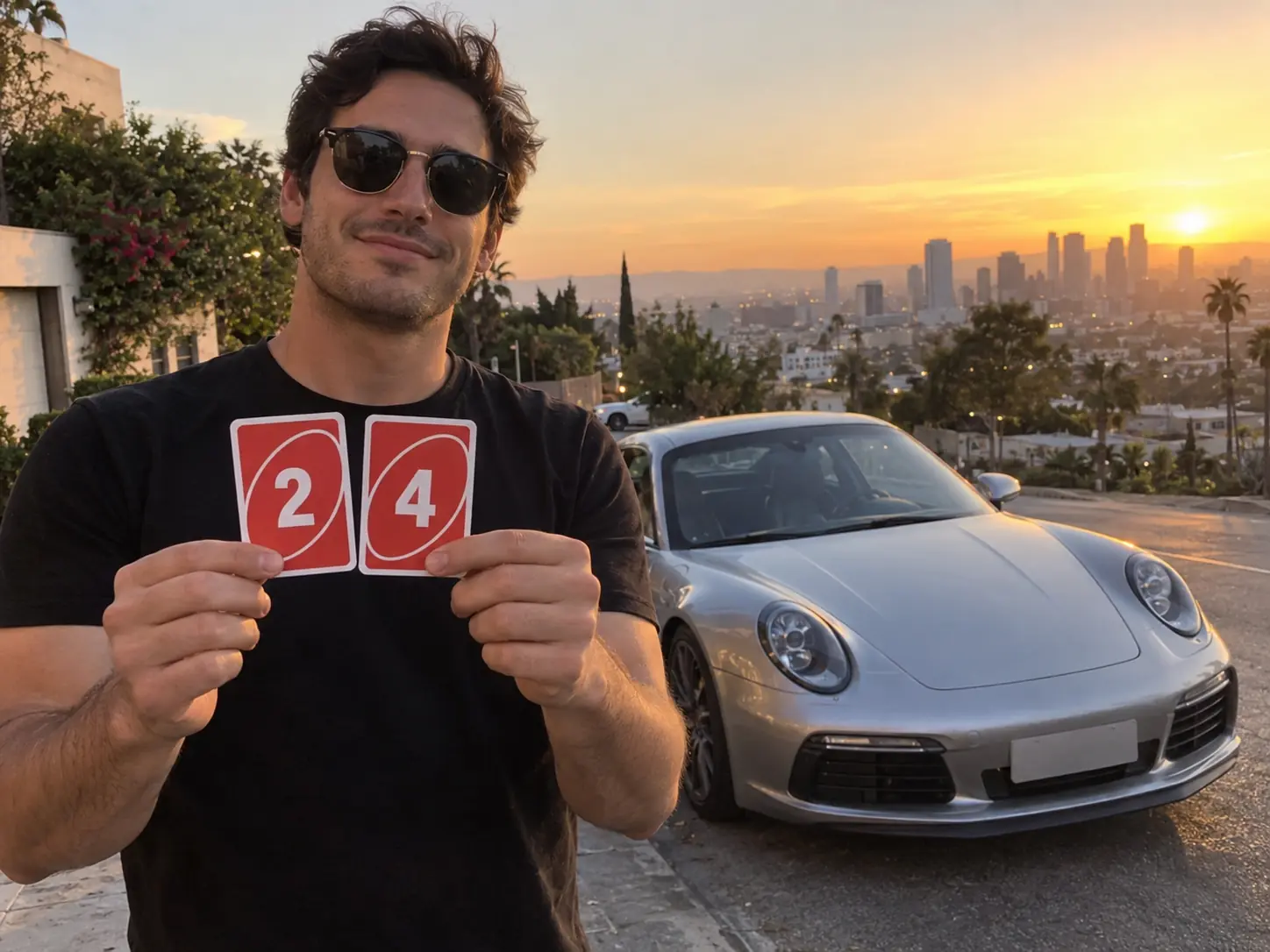
Here's how it works in our Unforgettable car AI generator:
- Upload photo 1, the person who holds the cards.
- Upload photo 2, the car that appears behind you: your own, one you just bought, or a listing photo of the one you want.
- Pick a resolution. The length and the 16:9 frame follow the original take, so resolution is the only setting: 480p costs 500 credits, 720p 1,200 and 1080p 2,900. Use 480p to find the right pair of photos, then render that pair again higher.
- Generate. Seedance 2.5 copies the motion of the reference take frame for frame, puts your face and outfit on the performer and swaps in your car after the cut. The song is laid under it afterwards. It usually takes under ten minutes, and the job keeps running if you close the page.
- Download the MP4 from My Creations.
Photo checklist for the person
- One face, front-on or slightly turned. The close-up after the reveal needs your whole face.
- Waist up is ideal. Your outfit is carried through every frame, so the AI needs to see it.
- Bright, even light. The scene is dim and orange; a dark party photo won't hold up. Google's Veo guidance makes the same point for any image-to-video model: a sharp, clear, well-composed photo gives a more coherent video.
- Sunglasses only if you want them. The trend loves shades, but they hide the eyes the AI uses to keep your likeness. Whatever you wear in the photo, you wear in the video.
Photo checklist for the car
- The whole car in frame, front or three-quarter view. Side-on shots and close-ups of a wheel give the AI too little to rebuild the car from other angles.
- Daylight and no people in front of it. Someone leaning on the bonnet tends to turn into a strange shape in the video.
- The exact colour and wheels you want. The car keeps the body, paint and wheels from photo 2, so a photo of the wrong trim gives you the wrong trim.
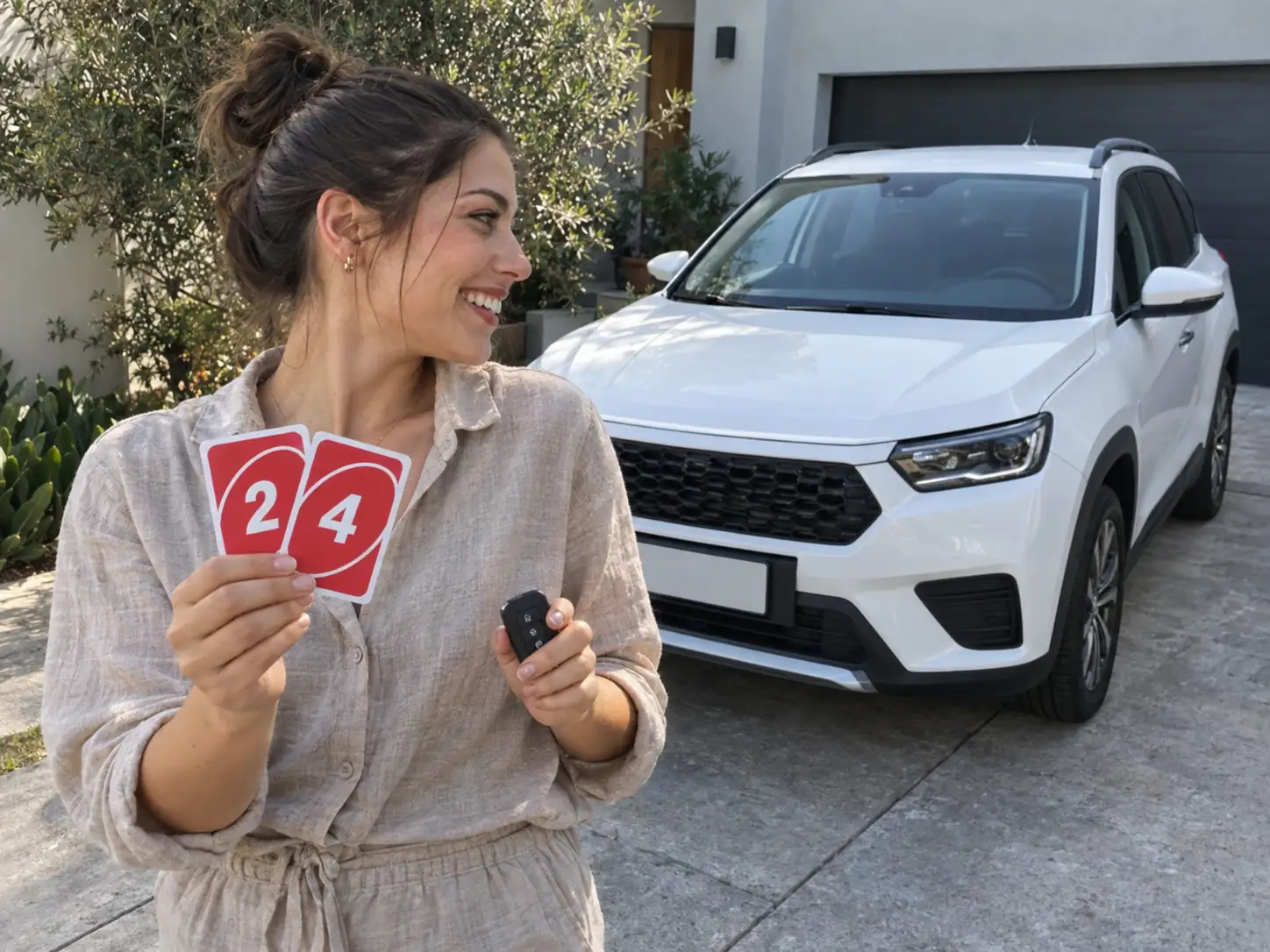
Dream car, first car, a dealership handover or your dad's restored Mustang: the song, the cards and the swipe stay the same. Only the car changes, and so does the story.
Method 2: Build an Unforgettable car AI video yourself
If you want a different location, vertical framing or a different card colour, you can build it with a reference-to-video model such as Seedance 2.5 or Kling. You'll need a reference take, your two photos, the song and a few attempts.
Step 1: Get a clean reference take
The reference clip supplies the motion and timing. You can film it yourself without a car: one take, the empty spot, the cards, the swipe. You don't need a second take, because the model draws the car.
Pick a performer who looks as plain as possible. Our first version used an original take whose performer wore glasses, a headscarf and a robe, and bits of all three kept leaking into results even when the user's photo had none of them. We replaced it with a neutral take, and the leaks stopped. Whatever the person in your reference wears, assume the model will try to copy it.
Step 2: Write the timeline into the prompt
This is the step most Unforgettable car AI prompts skip. If you only write "the car appears after the swipe", the model often parks it in the background from frame one, because photo 2 tells it a car belongs in the video. Give it a timeline with seconds:
TIMELINE (this matters most): from 0s to about 4.9s there is NO car
anywhere in the frame, only the person in an empty parking lot holding
up two cards that read 2 and 4. At about 4.9s, as their arm swings
across the lens, the car from @Image2 appears parked behind them and
stays until the end. The car must not be visible, even partly, before
that moment.
@Video1 = motion, camera shake, framing and timing only. Copy it frame
for frame. @Image1 = the person: face, hair, body, clothing. Nothing
from the performer in @Video1 carries over. @Image2 = the car: make,
model, paint, wheels and lights, unchanged from every angle.
Put that block first. Then generate three to five takes and scrub to the 4-second mark before watching anything else.
Step 3: Don't trust the model with the numbers
Video models are still unreliable with exact numbers and lettering, especially on small objects in motion, so a 2 and a 4 can come out as a 7 and a blur. Two fixes: film your reference with real cards so the model copies them, or keep the card faces vague and add a "24" graphic in your editor afterwards.
Step 4: Add the song
Most models return silent video or their own noise. Lay "Unforgettable" under the clip in an editor and slide it until the swipe lands on the beat.
Two-photo template vs. doing it yourself
| Two-photo template | Build it yourself | |
|---|---|---|
| What you need | Two photos | A reference take, two photos, a model, an editor |
| Car appearing too early | Locked by the template | Up to your prompt |
| The 24 on the cards | Comes from the reference | Often wrong; fix in editing |
| Song | Included and timed | Added by hand |
| Frame | 16:9, like the original take | Your choice, including 9:16 |
| Best for | Posting today | Custom locations and framing |
If you just want the reveal with your face and your car, two photos is the shortcut. The DIY route earns its time only when you need a different setting or a vertical frame.
Unforgettable x car sound: audio and posting
Searches for "Unforgettable x car sound" are people looking for the audio. On TikTok and Instagram, search for "Unforgettable French Montana" in the sound picker. If your video already has the song, as ours does, post it with its own sound on. Adding the official sound at zero volume puts your post on the song's sound page as well.
Three things to check before you post:
- Personal posts only. The song is fine on a personal account. Brands and car dealers should not use it: TikTok's general library isn't cleared for business use, and businesses are expected to use the Commercial Music Library instead.
- Label it as AI. TikTok requires a label on realistic AI-generated video, YouTube asks for disclosure of realistic synthetic content, and Meta adds an "AI info" label when it detects or you declare AI. A car you don't own appearing behind you is exactly the kind of realistic scene these rules mean.
- Mind the frame. Our clip is 16:9 like the original take, so on TikTok and Reels it plays with bars unless you crop it while posting. If you crop to 9:16, check that you and the car both stay inside it after the reveal.
For an "Unforgettable car edit", the MP4 drops straight into CapCut or any editor if you want text or a different cut.
Fixing your Unforgettable car AI video
Why is the car there before the swipe?
The model saw a car in photo 2 and put it in every frame. In DIY, add the timeline block above, with the exact second of the reveal, at the top of your prompt.
Why does the car look different from my photo?
The car photo didn't show enough of it. Use a full front or three-quarter shot in daylight with nobody in front of it, and say in the prompt that make, paint and wheels stay the same from every angle.
Why do the cards not say 24?
Video models don't render numbers reliably. Use a reference take with real 2 and 4 cards, or add the numbers in editing.
Why am I wearing glasses or a hat I don't own?
The performer in the reference clip is leaking through. Use a plainer reference take, and write that clothing and accessories come only from your photo.
Why does my face change after the swipe?
The blur and the close-up are where the likeness slips. Use a sharper photo where your face fills more of the frame, without heavy filters.
Why can I see the cut?
In the filmed version, the two takes don't line up. Keep the phone in exactly the same spot, and join them on the frame where the cards cover the most of the lens.
Unforgettable car AI FAQ
Do I need to own the car?
No. That's the point of the Unforgettable car AI version. Any clear car photo works, including a listing photo of a car you want.
Can I use a car with a visible logo?
Yes for a personal post: the badge in your photo is reproduced on the car. Just don't present it as an ad for the brand.
Is the Unforgettable car edit the same thing?
Yes. "Edit" is what people call the finished clip, filmed or AI. It's the same 24 card reveal.
Will there be a watermark?
No. You download a plain 15-second MP4 with the song.
Can I make it for free?
You can try it without paying. New accounts get free credits on sign-up, and checking in seven days in a row adds more; a 480p reveal costs 500 credits. If a generation fails, the credits go back to your balance.
Make your Unforgettable car AI video
To recap: one sharp photo of you, one whole photo of the car, and a reveal that keeps the car hidden until the cards clear. If you build it yourself, use a plain reference take, write the reveal second into the prompt, and don't count on the model to spell 24.
Got your photo and your car? Put them in the Unforgettable car AI generator and the cards, the swipe and the song come back as one clip. For another car trend, see how to make a Tesla Roadster kickflip AI video. For more scenes set to a song, try the White Chicks car singalong or the Popstar mansion walk, or browse more in our AI video effects.
Sources
- Unforgettable (French Montana song), Wikipedia
- Best practices for Veo, Google Cloud
- AI-generated content, TikTok Support
- About the Commercial Music Library, TikTok
- Disclosing use of altered or synthetic content, YouTube Help