
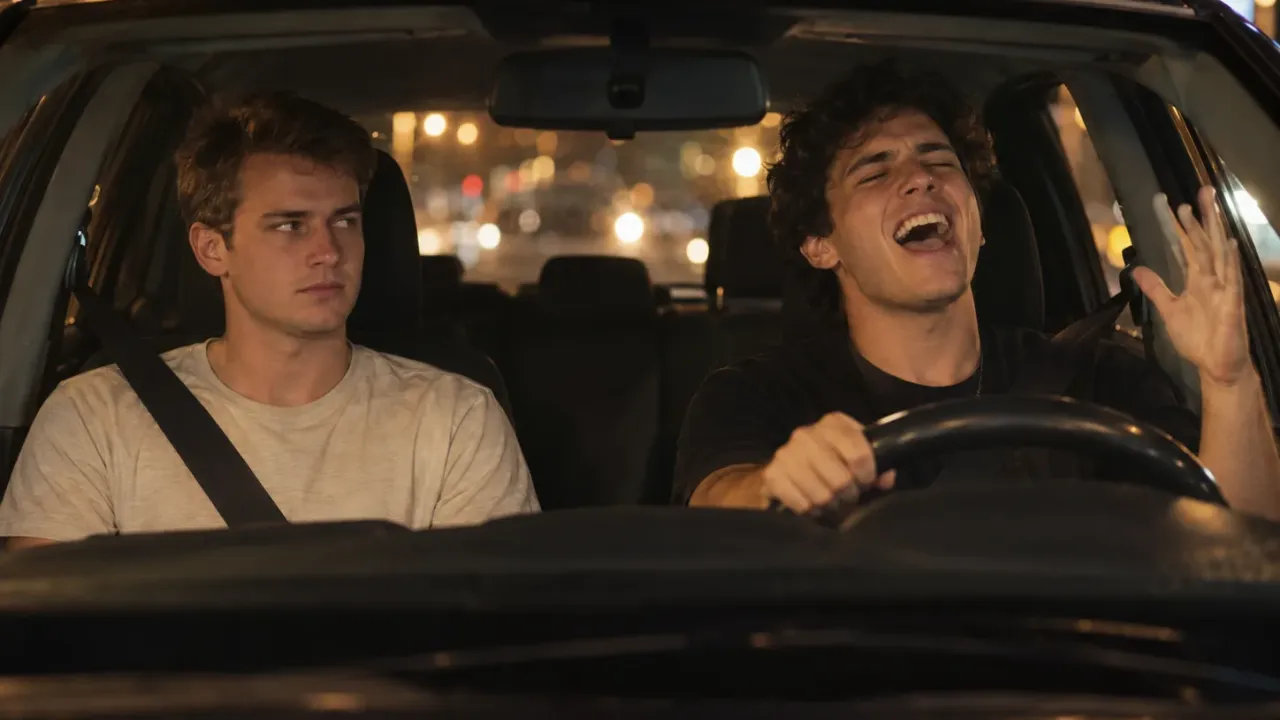
To make a White Chicks AI video, you recast the car scene from the 2004 comedy: one person belts out Vanessa Carlton's "A Thousand Miles" at the wheel, and the other sits in the passenger seat in stunned silence. The night drive, the four cuts and every head shake stay; you, a friend, your partner or your dog take the two seats. The fastest way is two photos and a ready-made template. The hands-on way is an image model, a video model and a bit of setup.
The detail that makes or breaks it: the White Chicks AI trend has two parts, and only one of them sings. The driver does all the acting; the passenger's whole job is to stare. That decides whose photo goes in which slot, which photos work, and why most DIY attempts end up with Terry Crews' face or baseball cap creeping back in.
Our White Chicks AI video generator is built around that split, and making it meant mapping who does what in each of the scene's cuts. That map is in this guide.
How to make a White Chicks AI video: 4 steps
- Pick two clear photos: one for the driver who sings, one for the passenger who sits through it. One face per photo, front-on, in good light.
- Drop them into a White Chicks AI template such as our White Chicks AI generator: photo 1 in the driver slot, photo 2 in the passenger slot. Choose 480p, 720p or 1080p and generate. You'll see the credit price for that resolution before you commit.
- Download the MP4. You get an 18-second widescreen White Chicks AI video with "A Thousand Miles" already playing under it and no watermark.
- Post it to TikTok, Reels or Shorts with #WhiteChicksAI and #AThousandMiles, and switch on the AI-generated label.
Further down: the film scene and the World Cup meme behind the trend, the cut-by-cut breakdown, a do-it-yourself recipe, and fixes for swapped seats and faces that won't hold.
Where the White Chicks AI trend comes from
In White Chicks (2004), NBA star Latrell Spencer, played by Terry Crews, picks up "Tiffany Wilson" for a date he won at a charity auction. Tiffany is really FBI agent Marcus Copeland, played by Marlon Wayans, in disguise. Marcus puts on "A Thousand Miles" hoping to put Latrell off. It backfires: Latrell shouts "How did you know? I love this song!" and sings every word, eyes shut, while Marcus stares at him from the passenger seat.
The scene became an AI trend at the 2026 World Cup. Ahead of Norway's round-of-16 match against Brazil in July, Brazilian designer Alexandre Kazuo Kubo (@kazuodesigns) made an AI video of the car scene with Vinícius Jr. in Latrell's seat and Erling Haaland in the passenger seat as Tiffany. Haaland commented "Hahahahahahaahaha, Vinícius, we need to recreate this", Vinícius answered with laughter, Terry Crews approved, and Norwegian broadcaster NRK counted more than 80 million views. Euronews went on to call Haaland AI's biggest World Cup star.
From there it became a template for everyone: best friends, couples, teammates, siblings and pets. That's the White Chicks AI trend. Same car, new faces.
The 18-second car scene, cut by cut
Every White Chicks AI video replays the same four cuts. Who is on screen, and doing what, at each moment:
| Time | What happens |
|---|---|
| 0:00–0:05 | Wide shot through the windscreen at night. The passenger sits on the left with a small fluffy dog on their lap; the driver, on the right, is already singing. |
| 0:05–0:08 | Close-up of the passenger: eyes wide, lips pressed into an awkward half-smile. |
| 0:08–0:12 | Long close-up of the driver in side profile, eyes squeezed shut, chin up, then a huge grin toward the camera. |
| 0:12–0:17 | The driver keeps singing, laughs, puts a hand to the cheek and taps a finger to the temple. |
| 0:17–0:18 | Back to the passenger, still frozen. |
Three things in this table decide how your White Chicks AI video turns out:
- Two faces, never at the same size. The wide shot shows both of you small; the close-ups show one of you big. A photo that's soft or tiny holds up in the wide shot and falls apart in the close-up.
- The driver does all the acting. Singing, grinning, hand gestures, the temple tap: all of it is photo 1. Whoever you put there carries the clip.
- The original driver wears a baseball cap. If you work from the raw film clip, that cap and Terry Crews' face keep trying to come back. It's the most common giveaway in DIY versions.
Method 1: Make a White Chicks AI video from two photos
A two-photo template is how most people join the White Chicks AI trend. The car, the night drive, the cuts and the song are already loaded; you only say who sits where.
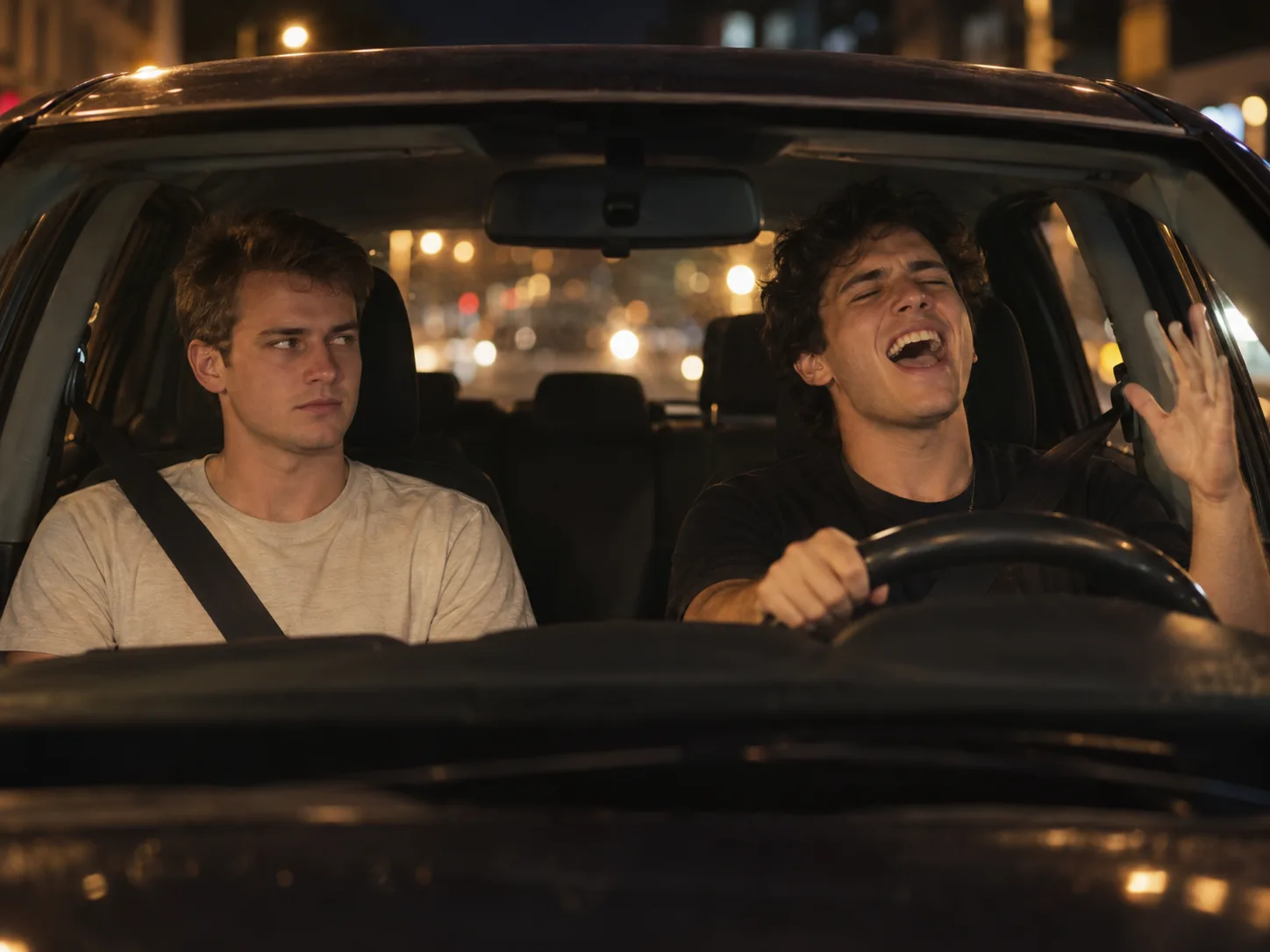
Here's how it works in our White Chicks AI video maker:
- Upload photo 1, the driver, the person or pet who sings at the wheel.
- Upload photo 2, the passenger, the one who stares. A human passenger gets the little Pomeranian on their lap, as Marcus does in the film.
- Pick a resolution. The widescreen frame and the 18-second length follow the film, so they don't change. Use 480p to find the right pair of photos, then render that pair again at 720p or 1080p.
- Generate. First, an image model draws the opening wide shot with both of you in the front seats. Then Seedance 2.5 plays the whole scene out from that frame, following a depth map of the original: a greyscale copy that carries only movement and distance, so neither Terry Crews nor Marlon Wayans can leak into your faces. "A Thousand Miles" is laid underneath afterwards. Expect a few minutes; the job keeps going if you close the page.
- Grab the MP4. Your car scene shows up in My Creations, song and all.
Your clothes come from your photos, not from the film. No cap in your photo means no cap in the video.
Photo checklist for a White Chicks AI video
- A solo shot of each of you. Separate selfies are perfect; in a group photo the AI has to guess which face you mean, so crop to one.
- Looking at the lens. Both of you get a big close-up, and a profile photo leaves the far half of the face to guesswork.
- Head and shoulders will do. Everything happens above the dashboard; legs and shoes never appear.
- Bright, even light. The car scene is dim and amber, so the AI needs a well-lit face to start from. A photo taken at a dark party won't hold up.
- Clear view of the face. Take off shades and caps if you can, and avoid photos with a drink or a hand in front of the mouth: the driver's mouth is the star of the close-up.
- No need to act. A plain expression works in either seat; the belting and the stare are added by the scene.
Pets, couples and swapping seats
Either seat can be a pet. A dog at the wheel with its paws on the steering wheel and its mouth open on every line is one of the most shared versions. Use a photo where the pet is alone and its face is sharp; if someone is holding it, only the pet goes into the seat.
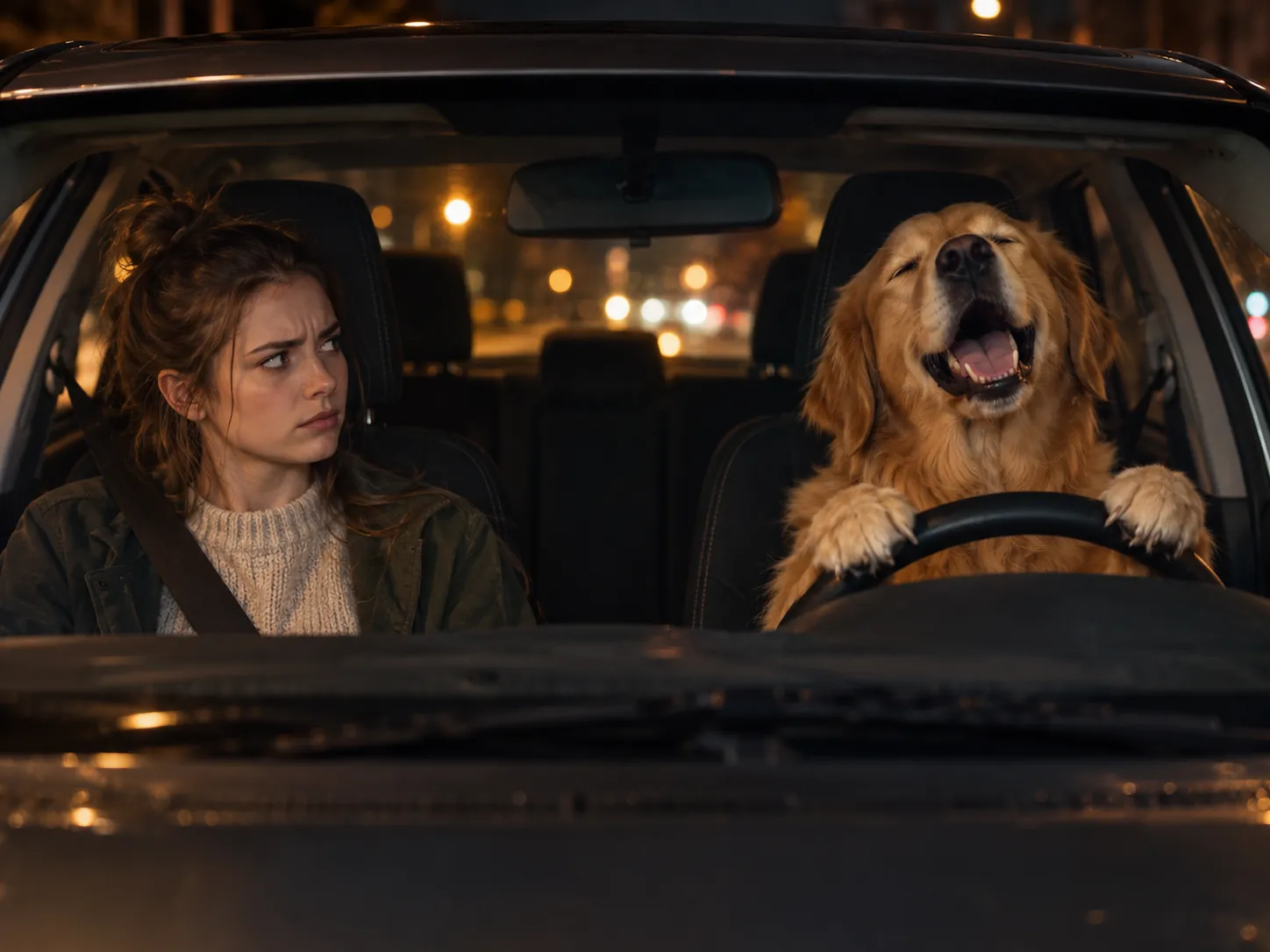
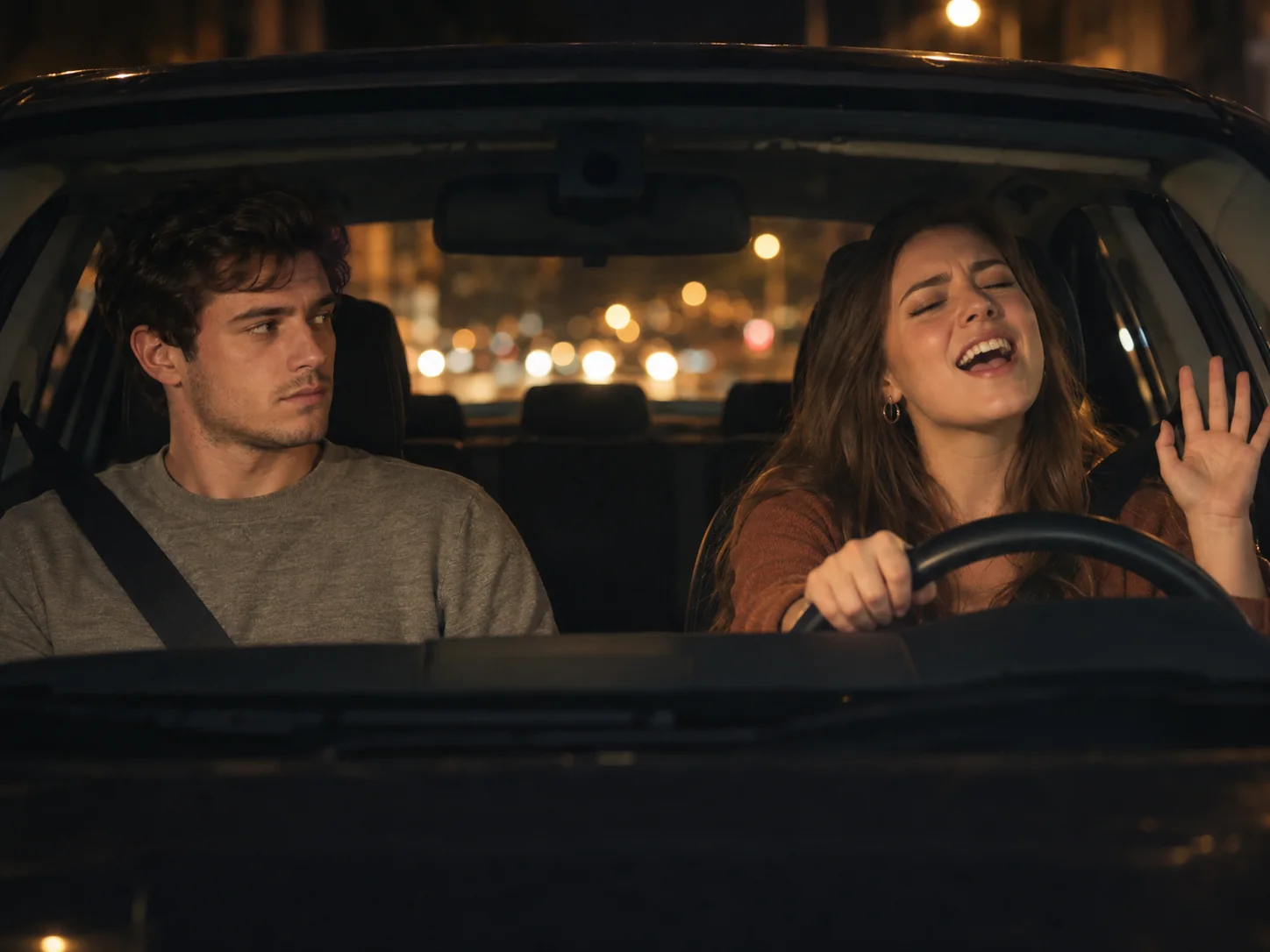
Couples love it because in the film the whole scene is a date going very differently from what one side planned. And if you can't decide who sings, generate it once, swap the two photos and run it again. The reversed version is often the funnier one.
Method 2: Build a White Chicks AI video yourself
If you want to make it yourself, maybe a different cut of the scene or two cartoon characters, you'll need the clip, a photo of each person, an image model and a video model that accepts a reference video. Expect a few takes.
The one thing not to do: feed the raw film clip straight into a video model with your photos. The model sees Terry Crews' face, cap and build in every frame and copies some of them. Strip the identity out first.
Step 1: Turn the clip into a depth map
Trim the 18-second car scene, using only footage you're allowed to use, and run it through a depth-estimation model such as Depth Anything V2. You get a greyscale video with the movement, the cuts and the camera, but no faces, clothes or caps. The depth map has no sound, which is fine: the song goes on last.
Step 2: Draw the opening frame
Give an image model both photos and ask for the first shot: a wide 16:9 frame through the windscreen at night, the passenger on the left, the driver on the right behind the wheel, city lights behind them. Say which photo is which seat, and that each person keeps their own face, hair and clothes. Generate until both faces look right; the video can't fix a bad first frame.
Step 3: Drive the frame with the depth map
In a reference-to-video model such as Seedance 2.5, add the frame as the image and the depth map as the reference video. A starting point:
@Image1 is the first frame. @Video1 is a greyscale DEPTH MAP of the
performance and the camera: copy its movement, cuts and timing only.
The DRIVER on the right sings with total joy: eyes shut, chin up,
head shaking, grinning at the camera, a hand to the cheek, a finger
tapped to the temple. The PASSENGER on the left sits stiffly and stares
at the driver in silent disbelief, lips pressed together.
Both keep their faces, hair and clothes from @Image1 in every shot,
including the close-ups. Full natural colour, never grey. Nobody else
in the car. No baseball cap unless @Image1 shows one. No text.
Generate three to five takes and check the close-ups first; that's where faces slip.
Step 4: Add the song
The output is silent, so lay "A Thousand Miles" under it in an editor and slide it until the driver's open mouth lands on the chorus.
Two-photo template vs. doing it yourself
| Two-photo template | Build it yourself | |
|---|---|---|
| What you need | Two photos | The clip, two photos, two models, an editor |
| Original actors leaking in | Blocked by the depth map | Only if you make a depth map |
| Song | Included | Added and synced by hand |
| Works with pets | Yes, in either seat | Hit or miss |
| Attempts to expect | Normally a single run | Several, mostly to fix faces |
| Best for | Posting today | Other cuts, cartoon characters |
Which to pick? If the two seats are for you and a friend, a partner or a pet, two photos are the shortcut. The DIY recipe earns its setup time only for a different cut of the scene or for drawn characters.
The song and posting
The White Chicks AI trend lives on one sound: Vanessa Carlton's "A Thousand Miles" (2002). Our template already has it in the MP4, so upload the video with its own sound on. If you built it yourself and want the post to show up on the song's sound page, add the song from TikTok's sound library and turn it all the way down, keeping your own audio up.
The clip is 16:9 widescreen like the film, so on TikTok and Reels it plays with bars above and below unless you crop it while posting. Tag it #WhiteChicksAI, #WhiteChicksTrend and #AThousandMiles.
Fixing your White Chicks AI video
Why does the driver have Terry Crews' face or a baseball cap?
The original actor is leaking through the reference clip. A template built on a depth map avoids it; in a DIY version, replace the raw clip with a depth map and say in the prompt that there's no cap unless your photo shows one.
Why is the wrong person singing?
The photos went into the wrong slots. Photo 1 is always the driver, who sings; photo 2 is the passenger, who stares. Swap them and generate again.
Why do the two faces look alike?
The model blended the two people, which happens most when the photos are similar in angle and light, or when one is much sharper than the other. Use two equally sharp, front-on photos. In DIY, check the first frame before animating it.
Why does my face change in the close-up?
The close-ups are much bigger than the wide shot, so a soft or small face in your photo runs out of detail. Use a sharper photo where the face fills more of the frame.
Why does my dog have human hands?
The model is reading a person's gestures onto the pet. A template prompt with a pet branch handles this; in DIY, write "every leg ends in a real paw, never a human hand".
Why doesn't the singing match the song?
In DIY versions the song is added by hand. Slide it until the driver's mouth opens on the first big line and the chorus lands on the long close-up.
White Chicks AI video FAQ
Is the Haaland and Vinícius White Chicks video real?
No. It's an AI video made by designer Alexandre Kazuo Kubo; neither player filmed anything. Haaland saw it and joked that they should recreate it for real.
Is there a White Chicks filter on TikTok?
No official one. The White Chicks AI videos on TikTok come from AI video tools: two-photo templates like the one above, or DIY setups. CapCut has editing templates set to the song, but most of them cut your own clips to the music rather than putting your faces into the car scene.
What app makes the White Chicks AI video?
Any AI tool that can put two separate photos into the car and replay the scene. Ours is a web page rather than an app, so you can make it from your phone, and the full 18 seconds come back with the song.
Can I make a White Chicks AI video of a celebrity?
The trend started with footballers, but you're responsible for whose face you use. Some edits of real players spread in offensive versions and drew criticism in Brazil. TikTok and Instagram want realistic AI videos labelled, and casting someone who never said yes can get the post removed. Stick to people who are in on the joke, or to your pet.
How long is a White Chicks AI video?
Ours runs the full 18 seconds of the scene, in widescreen 16:9.
Will there be a watermark?
No. What you download is the plain 18-second MP4 with the song, without any branding.
Can I make a White Chicks AI video for free?
Partly. Your sign-up credits and daily check-ins help, but they won't cover a two-person, 18-second scene straight away. For a first video, the one-time Trial Pack is enough for one at 480p, with no subscription behind it. Credits for a run that fails are refunded.
Make your White Chicks AI video
To recap: the singer goes in photo 1, the one who stares in photo 2, both photos sharp and facing the camera. If you build it yourself, work from a depth map so Terry Crews stays out of it, and make sure "A Thousand Miles" is playing when you post.
Got your driver and your passenger? Put them in the White Chicks AI video generator and the night drive, the stares and the song come back as one clip. For a solo version of the same joke, see how to make a Popstar AI video. If the car is the star, try an Unforgettable car AI video or a Tesla Roadster kickflip, or browse more in our AI video effects.
Sources
- Haaland- og Vinicius-video tar av på nett, NRK
- AI's biggest World Cup star? It's a fake Erling Haaland, Euronews
- AI-generated memes involving footballers spark outcry in Brazil, OECD AI Incidents Monitor
- Depth Anything V2, GitHub