
Two photos + one performance, nothing else
More Effects
Explore the other video effects, each with its own input and motion.
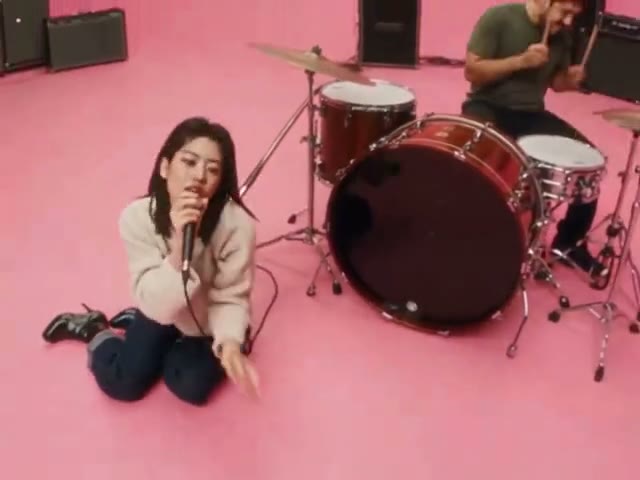
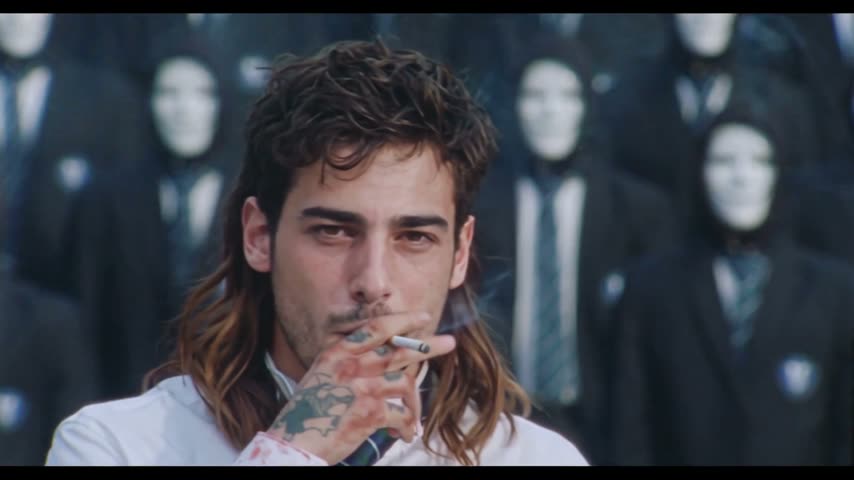
Make an Alors on Danse AI video from two photos
The Alors on Danse AI trend, also called the Stromae Jamel AI trend, recasts the white-studio sketch behind Stromae's hit: one person plays the little keyboard at the laptop while the other hypes them up, claps on the beat, laughs and leans right into the lens. You don't write a prompt: upload one photo for the keyboard player and one for their partner, and the Alors on Danse AI video generator puts both of you in the studio, copies every move and cut, and keeps the beat.
Who takes the keyboard in your Alors on Danse AI video?
The joke of the Alors on Danse sketch is that the person hyping the room acts like they wrote the whole song, so it works best with a pair that clashes. Heroes and villains, music legends, a wizard and his student: whoever is in the two photos keeps their own look in the Alors on Danse AI video.
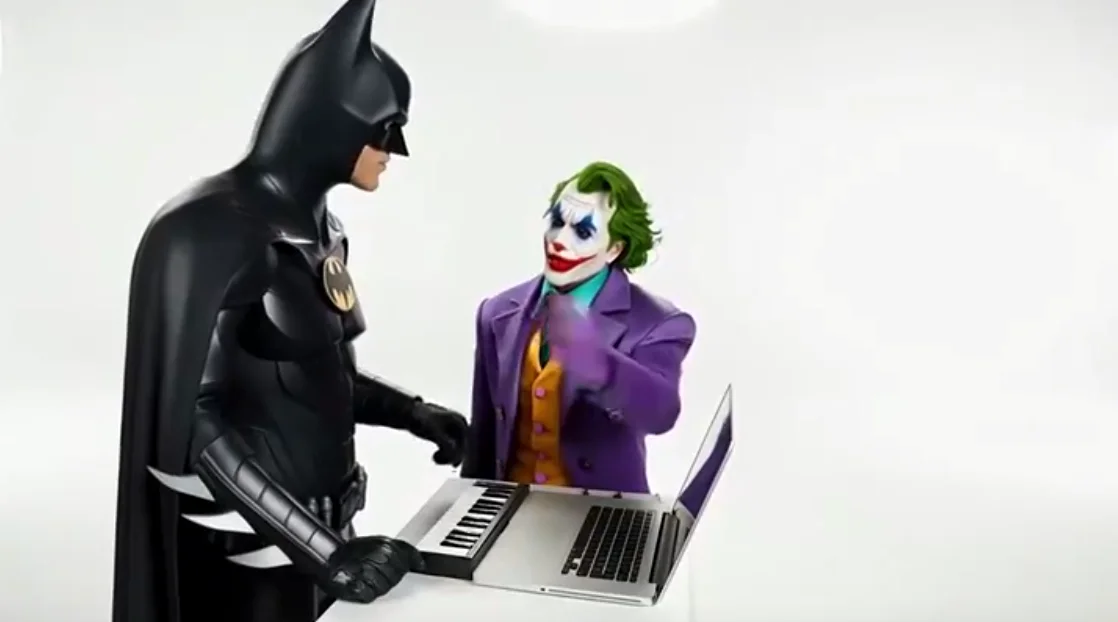
The caped hero at the keys, the villain taking the credit
A masked hero in black armour plays the keyboard while a green-haired clown in a purple suit points at the laptop like he wrote the track. Rival pairs make the funniest Alors on Danse AI videos.
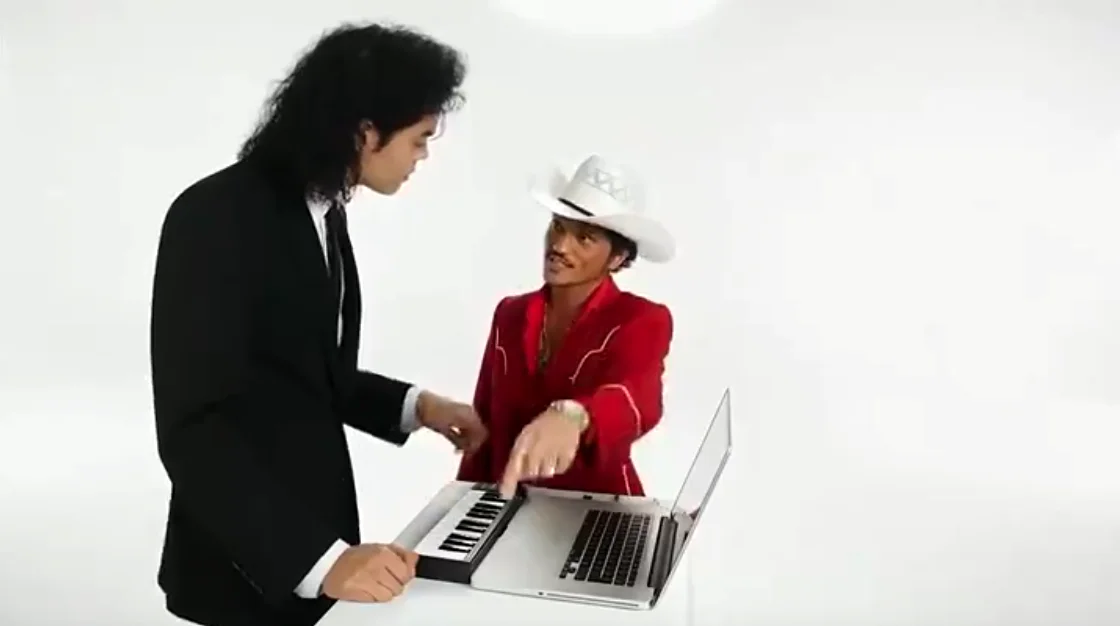
Two pop icons, one studio
Put two music idols side by side: one in a black suit and long curls at the keyboard, the other in a red western jacket and white cowboy hat jumping in on the keys. It reads as a dream collab the moment the beat drops.
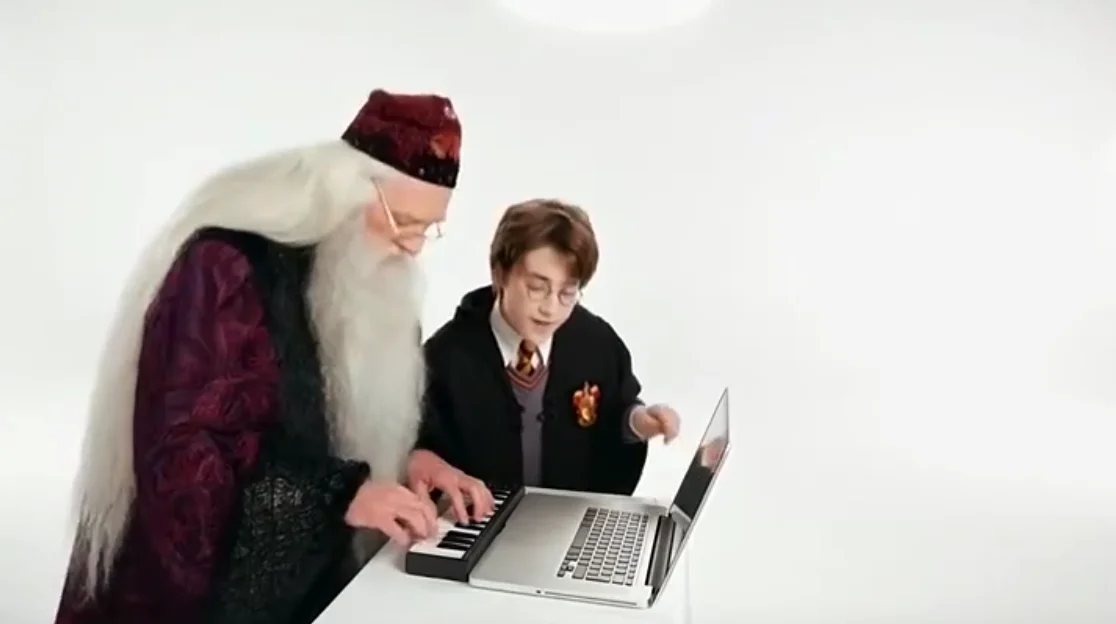
A wizard and his student
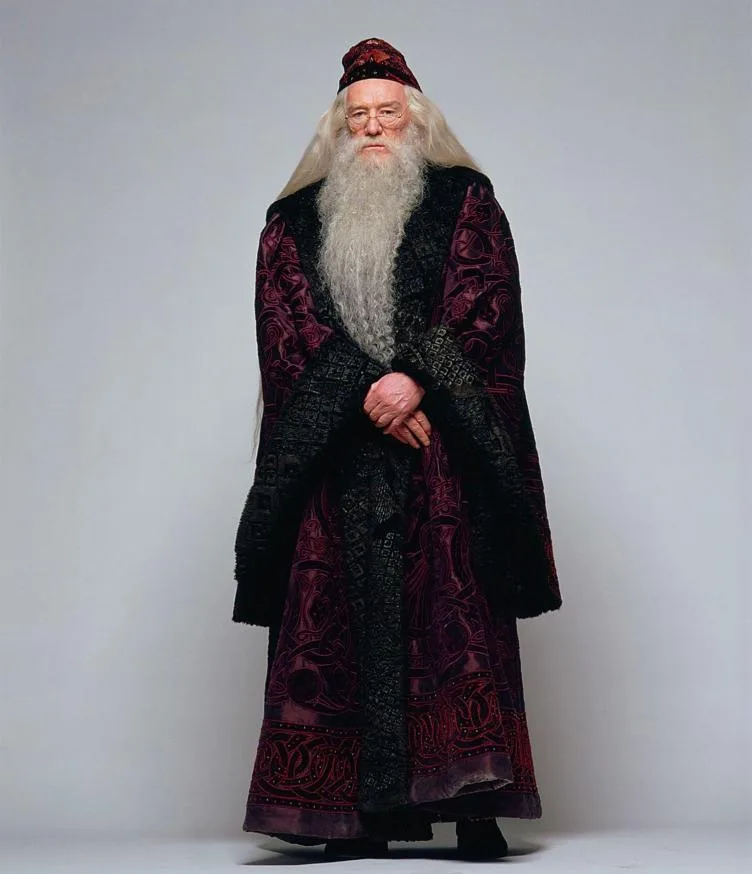
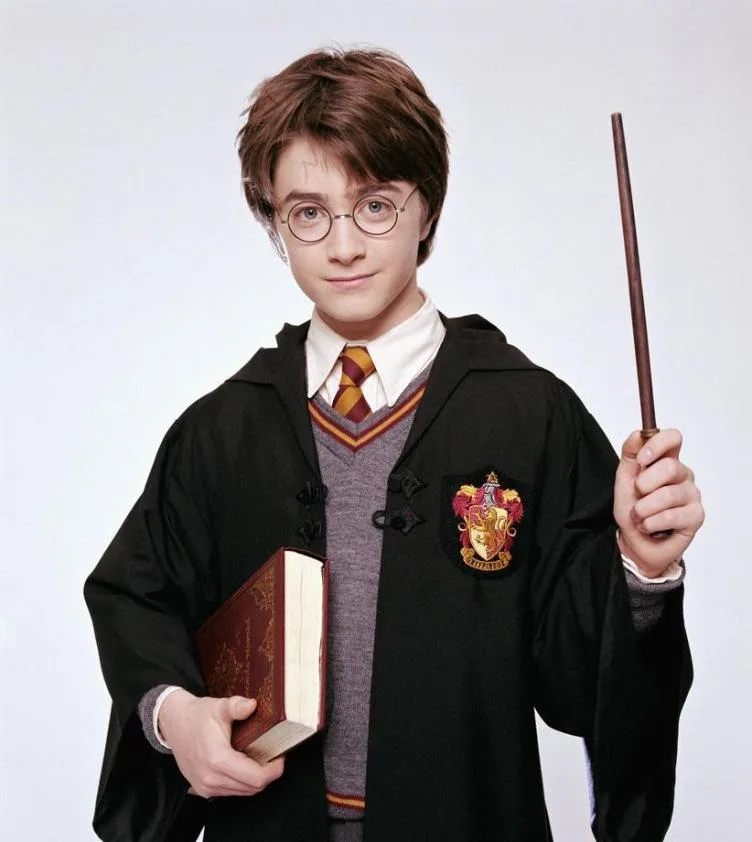
A white-bearded wizard in velvet robes taps out the beat while a young student in round glasses and a school robe reacts beside him. Any two characters you have photos of can take the parts.
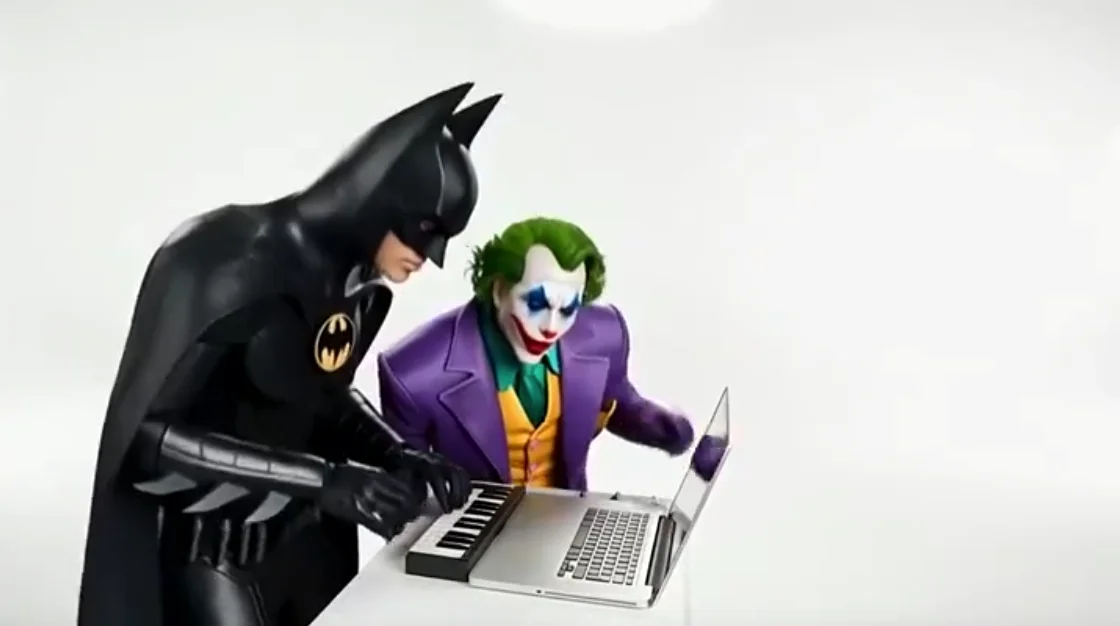
Same rivals, new take
Every run is a fresh take, so the same two photos can give you a different moment: here the hero leans in on the keys while the villain stares at the laptop. Generate again until you get the one you want to post.
How to make an Alors on Danse AI video
No prompt to write: the template already holds the white studio, the keyboard, every move, the camera cuts and the beat. You only choose who plays which part. The Alors on Danse AI video generator makes your Stromae Jamel AI video on Seedance 2.5.
Upload the two photos
Photo 1 is the keyboard player, the one at the laptop. Photo 2 is the partner who claps, points and leans into the lens. One adult per photo, facing the camera, face clearly visible.
Pick the quality
Everything else is set for you: the model, the length, the shape of the shot and the sound. Pick 480p, 720p or 1080p; the credit cost is shown before you generate.
Generate, download and post
Your Alors on Danse AI video arrives in a few minutes. Download the MP4 and post it to TikTok, Reels or Shorts.
Built for the Alors on Danse AI trend, not a generic face swap
The Alors on Danse trend is one scene: a white studio, a laptop, a compact keyboard and two people with very different jobs. The Alors on Danse AI video generator is set up to recreate exactly that as a Stromae Jamel AI video starring your two photos.
No prompt, just two photos
The studio, the roles, the moves and the cuts are already written into the Alors on Danse AI template. You don't film anything or type a prompt.
Roles by action, not by side
Photo 1 always plays the keyboard and Photo 2 is always the partner, wherever they stand in the frame. Nobody ends up in the wrong role halfway through.
The sketch, beat for beat
The keyboard playing, the rhythmic gestures, the shared laughter, the close-up toward the lens and the final walk across the studio land in the same order and at the same moments as the original.
Both of you stay you
Each person keeps their own face, hair, skin tone, build and outfit from their photo, in close-ups and wide shots. Nothing of the original performers carries over.
A real performance, not a face paste
The video is generated fresh from your photos, so you both move, laugh and react instead of two faces pasted over a stock clip.
Ready to post
The beat stays on the video, so it's ready for TikTok, Reels and Shorts the moment it downloads, with no watermark.
Alors on Danse AI Video FAQ
Where the Alors on Danse trend comes from, which photo goes where, and how to make the Alors on Danse AI video yourself.
It's a meme built on a short studio clip of Stromae and the French comedian Jamel Debbouze: Stromae taps out "Alors on Danse" on a little keyboard next to his laptop while Jamel claps along, laughs and acts like the real genius behind the song. In the Stromae Jamel AI version, two new people take over those parts. Online it's often shared with two famous faces swapped in, but most people make it with a friend or a partner, which is what this page does with two photos.
If you've seen a clip of Stromae at a keyboard in a white room with Jamel hyping him up beside him, the Stromae Jamel AI trend and the Alors on Danse AI trend are the same thing; the second name comes from the song playing in it. Give the generator above one picture per person and it recreates that exact studio scene with the two of you.
The original is a comedy sketch Stromae filmed with Jamel Debbouze around the time "Alors on Danse" was taking over the charts. It's shot in one bright white studio with a table, a laptop and a compact keyboard, and that's the setting every Stromae Jamel AI video keeps.
No, even though it's often captioned as the "Alors on Danse making-of". The scene is a scripted bit: Jamel plays a guy who barges in and pretends he wrote the hit, and Stromae plays along. That running joke about grabbing the credit is exactly why people recast it with friends.
That's Jamel Debbouze, one of France's best-known comedians and actors. Outside France he's recognised from Amélie and Asterix & Obelix: Mission Cleopatra, and he founded the Jamel Comedy Club. In the sketch he's the one clapping, pointing and leaning toward the camera, the role your second photo takes.
Go to the generator. Add the keyboard player's photo in the first slot and their partner's photo in the second. Pick a quality (480p, 720p or 1080p) and check the credit cost on the button. Press Generate Video, then save the finished MP4. The prompt and the original clip are already built in, so there's nothing to write or find.
It's the same thing under another name. This page is set up for the Stromae Jamel AI video, so you just need one photo of whoever takes Stromae's place at the keys and one of the person playing Jamel's part. The AI handles the studio, the moves and the timing.
You don't need a separate app. Video models like Seedance, Kling and Wan can all copy a reference clip, but you'd have to supply the clip and write the instructions yourself. This page already does that on Seedance 2.5, the model that kept the two faces apart and the gestures in time best when we compared them.
Yes, right in your browser on this page, on a phone or a computer. There's nothing to install: upload two photos, generate, and the finished clip waits for you in My Creations if you step away.
You can try it without paying: signing up gives you some credits, and you collect more by checking in each day. If you'd rather make one right away, the Trial Pack is a one-time purchase that covers a 480p Alors on Danse AI video, with no subscription.
Two, one per person. They don't have to be taken together: a selfie of you and a separate picture of your friend works fine, even if they were shot years apart on different phones.
Yes, that's how most people use it. Put yourself and a best friend in, or make a couple version with your boyfriend or girlfriend. Any two adults work, as long as each one has a clear photo of their own.
The first photo. That person takes Stromae's spot at the table, playing the compact keyboard next to the laptop. The second photo becomes Jamel's role. The AI assigns them by what they do in the scene, not by which side of the screen they stand on, so they won't trade places halfway through.
Put the calmer one on the keyboard: that role mostly stays at the table, focused on the keys. Give the second slot to whoever is more animated, because that part does most of the moving, from the clapping to the close-up toward the lens. Want it the other way round? Swap the two photos.
A sharp, single-person photo with the face turned toward the camera and lit evenly. Avoid sunglasses, masks, hair or hands over the face, and skip cropped group shots or heavily filtered selfies. The more of the face the AI can see, the more each person looks like themselves in the close-ups.
Yes. The song from the original clip is added to your video once it's generated, starting on the first frame, so the keyboard taps and claps land on the beat. You don't need to add any music yourself.
The video comes out in 16:9, the same widescreen shape as the original sketch, so both people and the keyboard fit in the frame. To post it as a vertical clip, trim the sides to 9:16 in CapCut or in TikTok's or Instagram's editor, keeping both of you in the middle. Many Alors on Danse TikTok posts keep it widescreen anyway.
About 10 seconds, matching the original clip from start to finish. Making it usually takes a few minutes; you can close the page while it runs and pick it up in My Creations.
Yes. Every Alors on Danse AI video downloads as a clean MP4, with no watermark or logo on it, ready to post anywhere.
In French it means "So we dance" or "So let's dance". Stromae released it in 2009 and it went to number one in a long list of countries, which is why most people recognise the beat within a second.
Look at the photo first. A face that's small in the frame, partly hidden or shot in dim light gives the AI less to work with, and so does a picture with several people in it. Swap in a clearer, front-facing photo of that person and generate again; every run is a fresh take.
Make your Alors on Danse AI video
Two photos, no prompt: the Alors on Danse AI video generator turns you and your partner into a Stromae Jamel AI video of the whole studio sketch. Download it and post it.
