BigXthaPlug Give It All AI Trend

Real result generated with Flowlio AI from this one photo
- 1 photo you add
- 20 s clip with sound
- Ready to share via link
- No watermark
Ready in a few minutes
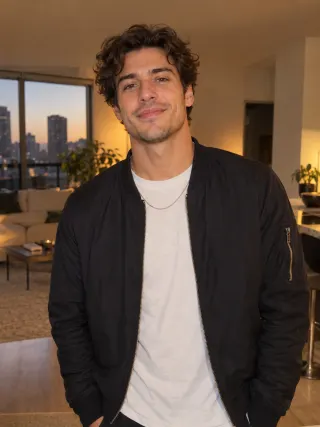
Real result generated with Flowlio AI from this one photo
More Effects
Explore the other video effects, each with its own input and motion.
What is the BigXthaPlug Give It All AI trend?
The BigXthaPlug Give It All AI trend drops you behind the hanging mic of his From The Block performance, rapping the verse for a packed crowd. All you need is a single photo.
Who should rap at the mic in a BigXthaPlug Give It All AI video?
For Give It All BigXthaPlug AI clips, the room, the hanging mic, the crowd, the six shots and the song are all set. In your BigXthaPlug Give It All AI video you only choose one thing: who raps the verse.
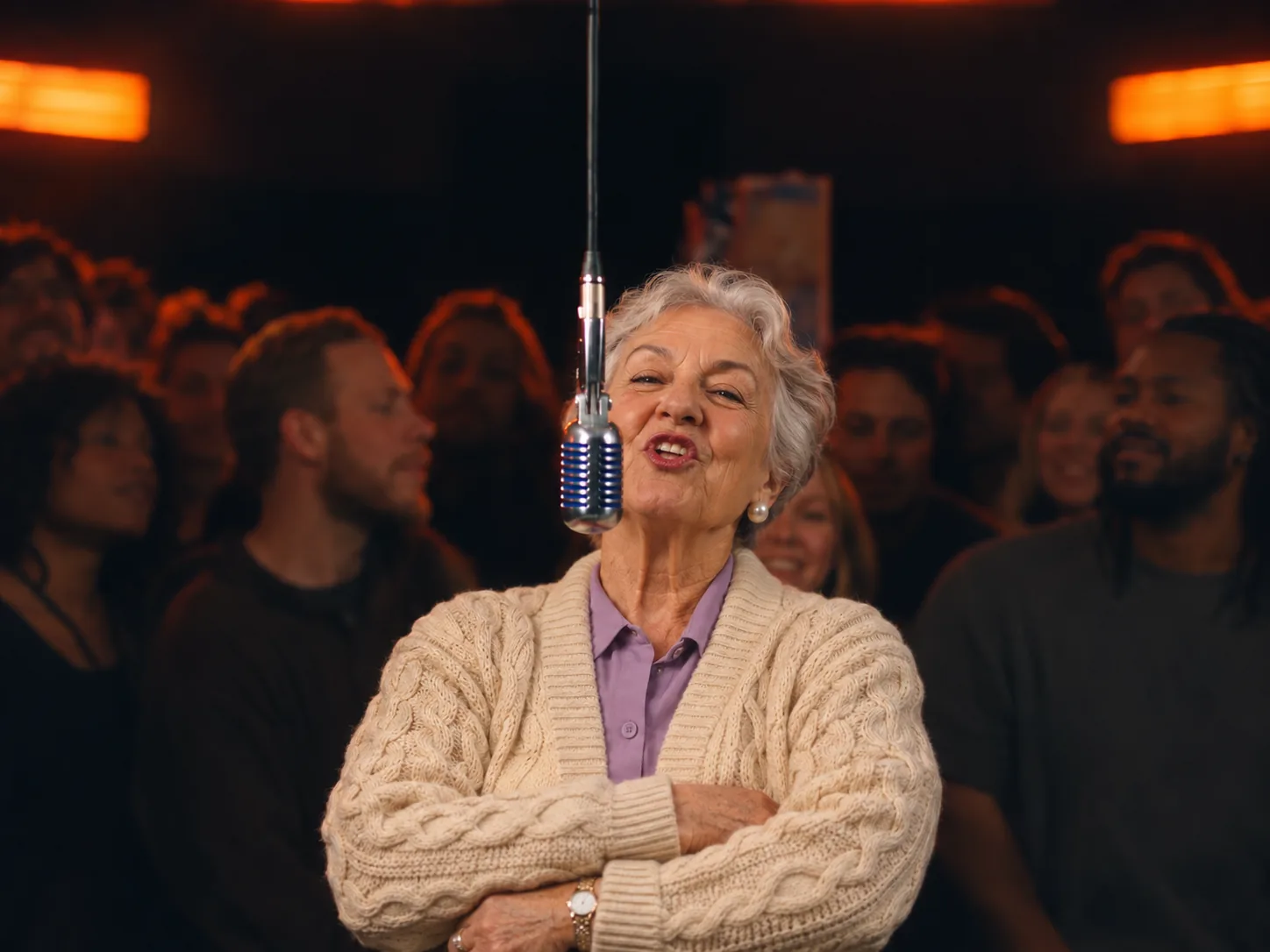
Turn grandma into a rapper with BigXthaPlug Give It All AI
The funniest Give It All AI trend clips star the person nobody expects to rap. Send the BigXthaPlug AI video generator one photo of grandma or grandpa in a cozy sweater or their Sunday best. In the BigXthaPlug Give It All AI video they stand at the hanging chrome mic with arms crossed, then swing an arm out to the crowd and rap every line of BigXthaPlug's verse, lips in sync. At 12 seconds their face fills the screen, so pick a sharp, bright photo where they look at the camera. Share it in the family group chat first, then on TikTok with a caption like "Grandma said give it all to me".
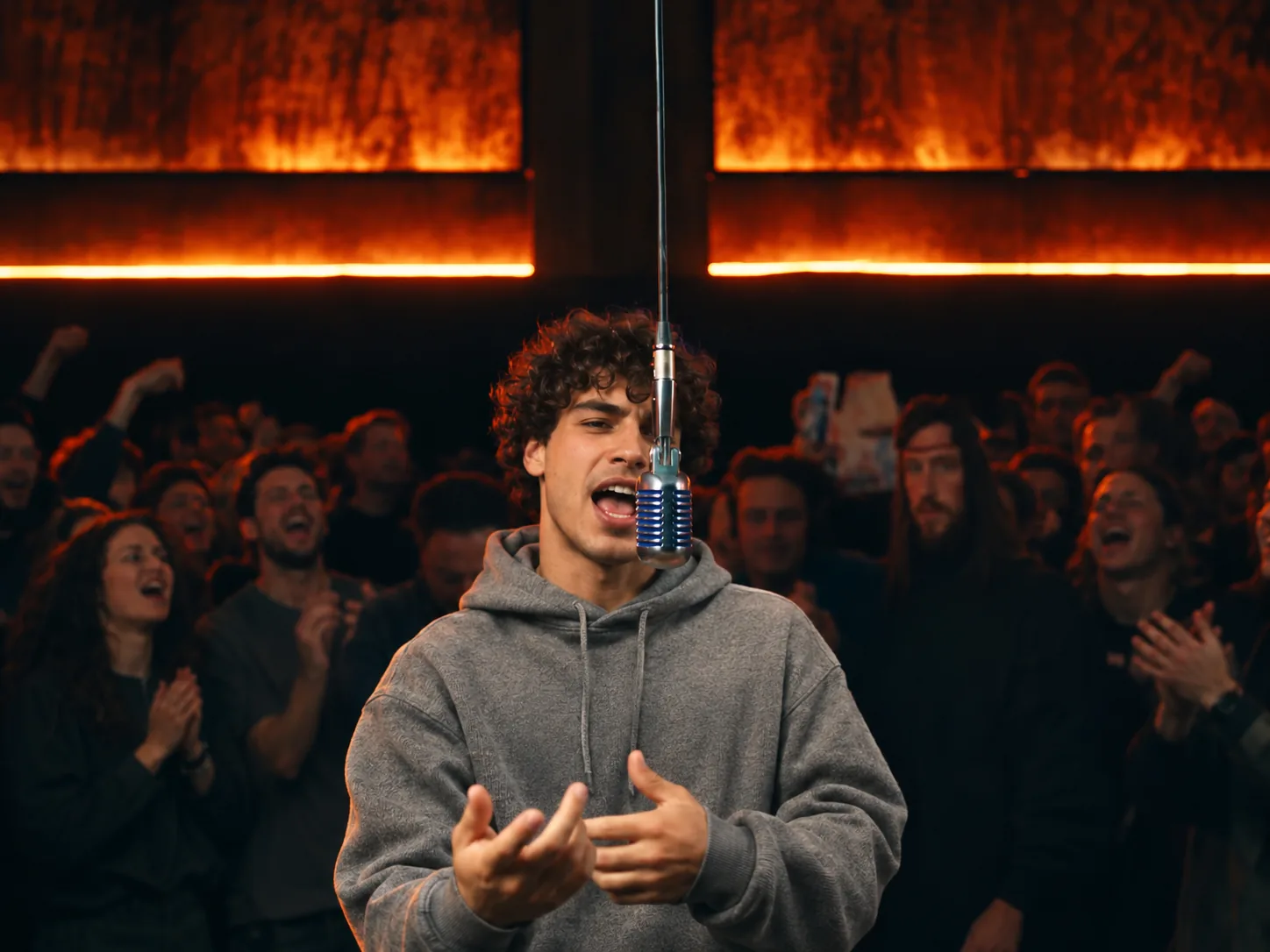
Hype up your best friend in a BigXthaPlug Give It All AI video
Most crews have that one friend who hogs the aux cord or swears they can rap. Give them the stage. Upload one solo photo of them, from the waist up or full length, and the BigXthaPlug Give It All AI generator puts them behind the mic with a packed crowd at their back. In the wide shot they wave and clap like the whole room came just for them. The BigXthaPlug AI video generator skips prompts and editing: add the photo, tap Generate, and the track comes attached. Share the BigXthaPlug Give It All AI video with the group to celebrate their birthday or a big win.
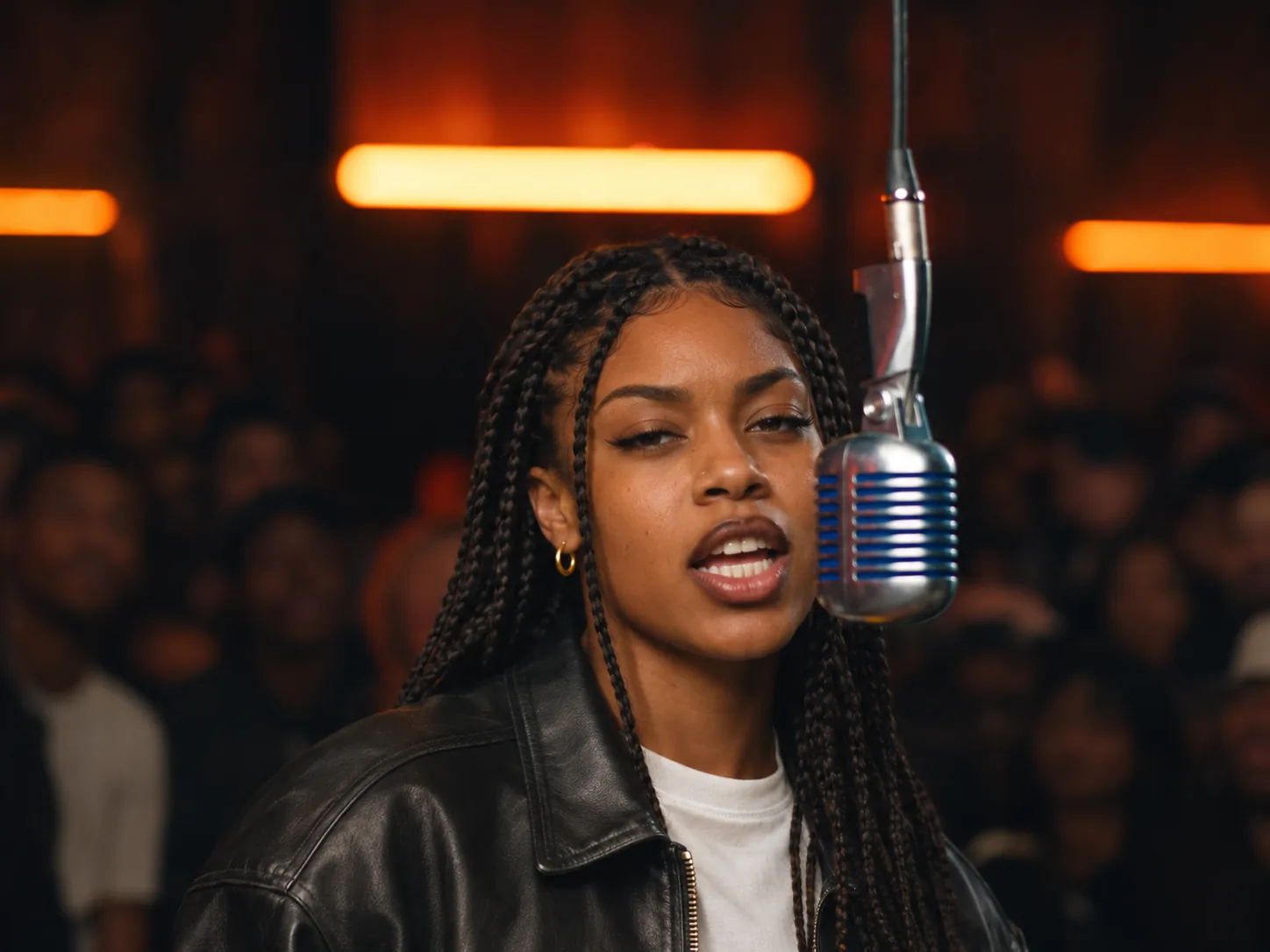
Star in your own BigXthaPlug Give It All AI trend video
Maybe you just want to see yourself in the BigXthaPlug Give It All From The Block performance. Use a clear photo of you in an outfit you love, because your photo's outfit is your stage outfit for all six shots. The BigXthaPlug Give It All AI video keeps his moves and timing: arms crossed at the start, a turn to the side, the wide shot with the crowd at your back, the close-up and the arms folded at the end. It runs 20 seconds in 9:16, a size TikTok, Reels and Shorts take without any trimming. Add #bigxthaplug and #giveitall when you post.
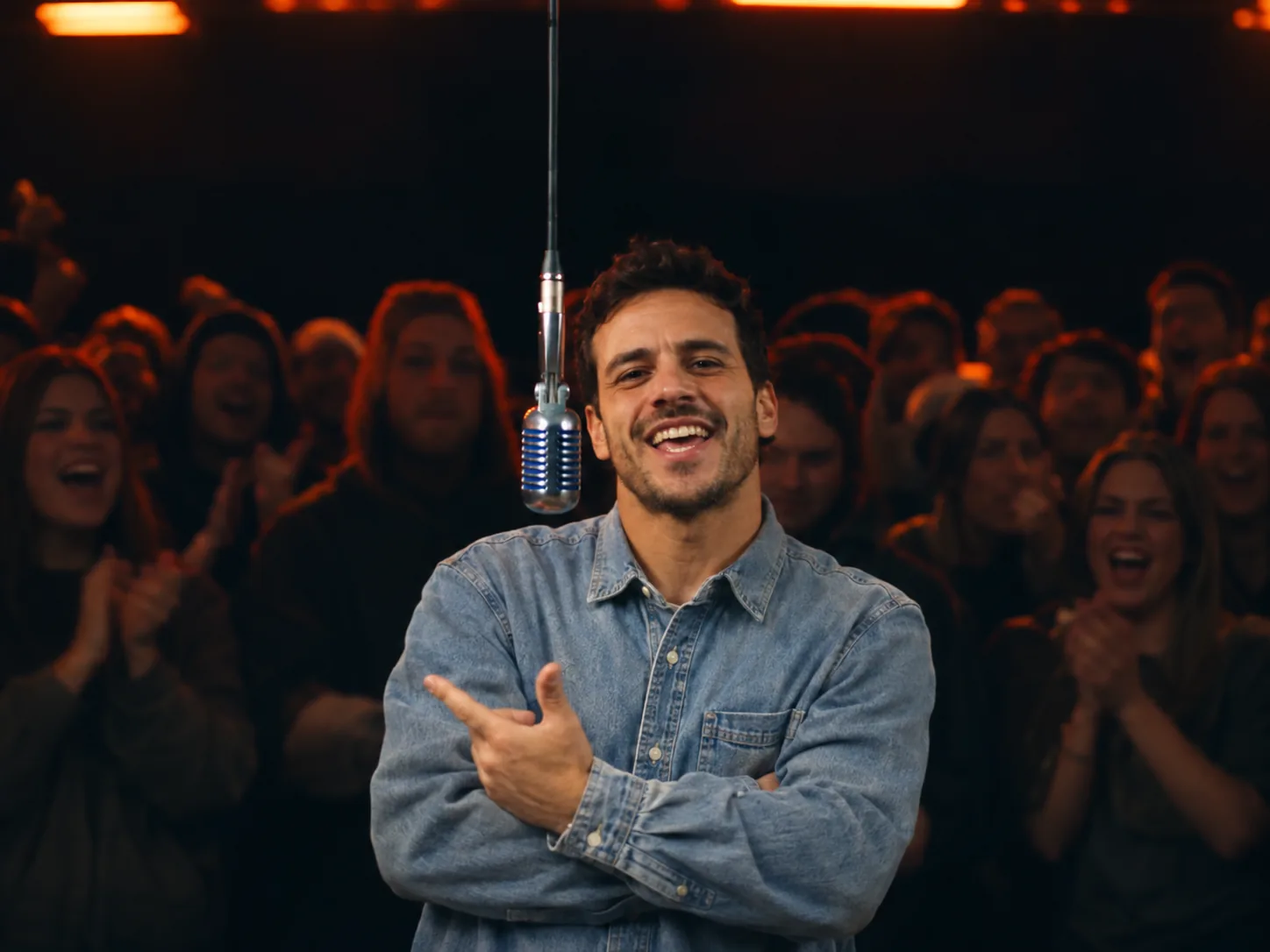
Surprise your partner with a BigXthaPlug Give It All AI clip
"Give it all to me" is a fun line to send someone you love. Pick a photo of your boyfriend, girlfriend or spouse with a big, sharp face and good light, and let BigXthaPlug Give It All AI make them the rapper. The crowd behind them cheers while they rap straight into the camera in the first and last shots, like the verse is just for you. Once it finishes, hit Create Share Link and drop that link into WhatsApp or Telegram. They can watch the BigXthaPlug Give It All AI clip right away, and even make their own version from the same link.
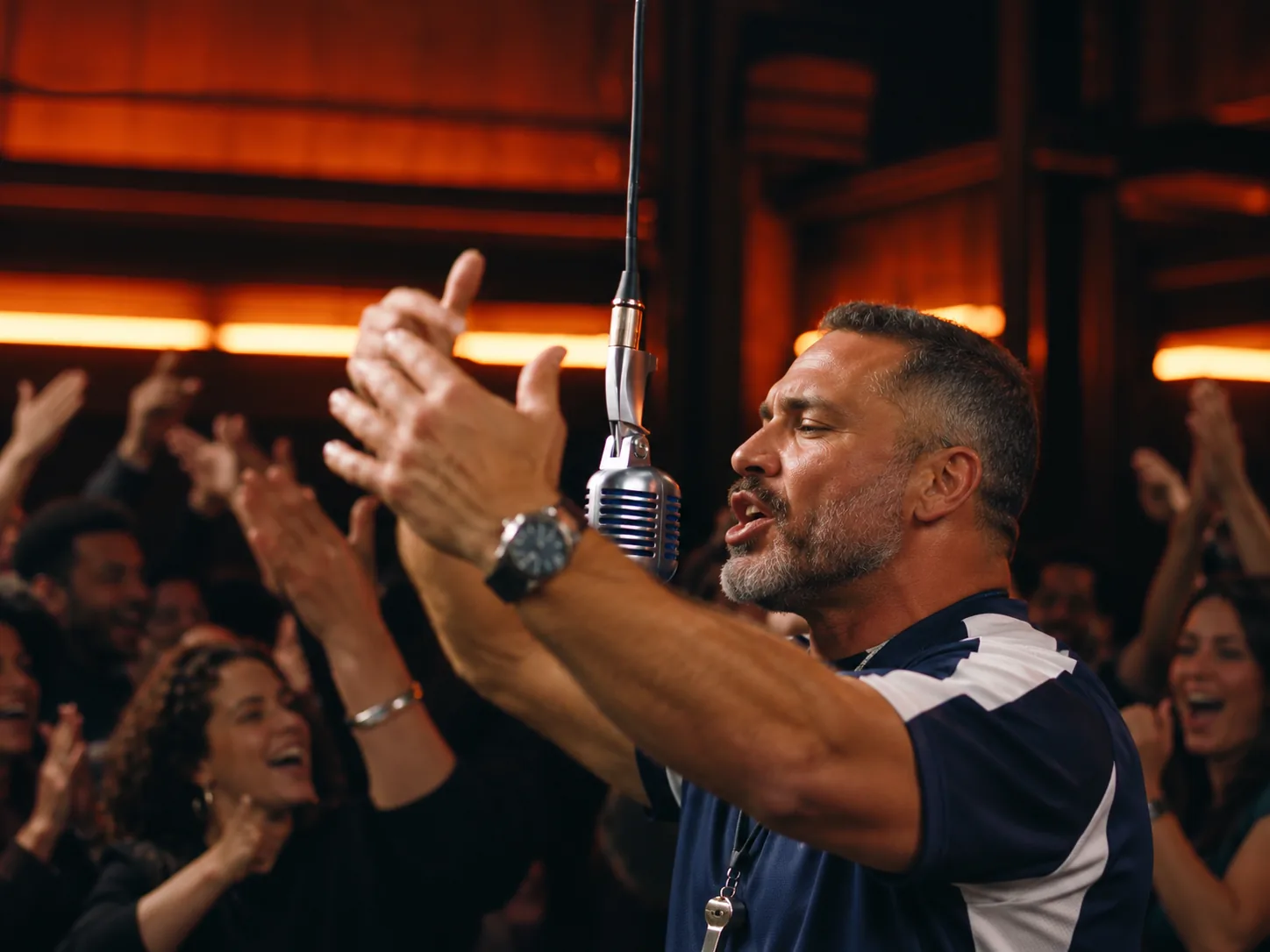
Put your coach or captain in a BigXthaPlug AI video
The hanging mic and the cheering crowd look a lot like a pre-game hype video. Give the BigXthaPlug AI video generator one photo of your team captain, coach or favorite teammate, best in team colors or a jersey so the outfit tells everyone who it is. In the BigXthaPlug Give It All AI video they rap the whole verse, swing their arms on the beat and fold them across the chest at the end like they own the place. Post it before game day or after a big win, and tag the team so everyone can share it.
How to make a BigXthaPlug Give It All AI video in 3 steps
No prompt, no clip hunting and no music editing. The room, the six shots, his moves and the "Give It All" verse are built in, so the BigXthaPlug AI video generator asks for nothing but your photo.
Upload one photo to BigXthaPlug Give It All AI
Pick one person for the mic and use a picture where their face is bright, clear and facing the lens. Upper body or full length gives the best result. Their clothes in that picture carry over to your BigXthaPlug Give It All AI video, so the outfit you upload is the outfit that raps.
Choose a BigXthaPlug Give It All AI resolution
480p costs 900 credits, the low-cost way to try the BigXthaPlug AI video generator. 720p (1,950 credits) is sharp on a phone, and 1080p (4,600) gives the cleanest picture. You see that number before generating.
Generate and download your BigXthaPlug Give It All AI video
Tap Generate. The BigXthaPlug AI video generator first places you at the hanging mic, then makes the Give It All AI trend clip with you in every shot, rapping in sync, and adds BigXthaPlug's verse on top. Save the file free of any watermark, or turn it into a share link.
The 20-second BigXthaPlug Give It All AI video, shot by shot
The BigXthaPlug AI video generator gives you six shots cut on the beat, all at the same hanging chrome mic in a dark, packed room under glowing orange lights. You rap nonstop, from the opening frame until the final one.
0–2s · Arms crossed
The BigXthaPlug Give It All AI video opens straight on. You stand behind the hanging mic with your arms crossed, the crowd pressed close behind you, and start the verse.
2–7s · Side angle
The BigXthaPlug AI video generator cuts to your side. You turn toward the crowd, swing an arm out, wave and talk with your hands as the lines get faster.
7–12s · The whole room
The wide shot every Give It All AI trend clip is known for shows the full room: rows of people behind you, orange light panels across the ceiling, and you clapping and waving at the mic.
12–14s · Close-up
Your face fills the frame with the chrome mic at the edge. This is where viewers of a BigXthaPlug Give It All AI video look hardest, so a sharp photo pays off here.
14–16s · Arms on the beat
The BigXthaPlug AI video generator returns to the side angle. Your arms swing in time with the beat, then fold across your chest.
16–20s · The finish
Straight on again for the last lines. Arms crossed, a few last hand moves, and your BigXthaPlug Give It All AI clip ends with you still at the mic.
BigXthaPlug Give It All AI FAQ: Photo Tips, Credits and Sharing
Answers about the BigXthaPlug Give It All AI video: where the trend came from, picking a photo, the track, credits and posting tips.
"GIVE IT ALL" is a song from BigXthaPlug's album Better Over Time, out October 30, 2026. On November 3 the BigXthaPlug From The Block performance of it went up on YouTube: he raps at a vintage mic hanging from the ceiling with a crowd packed behind him. Clips spread on TikTok within days, and the Give It All AI trend followed, with people putting themselves, friends and family at that mic. Fans also call the Give It All AI trend the "give it all to me" trend, after the hook. This BigXthaPlug Give It All AI video generator builds your own take from a single photo.
1) Open the BigXthaPlug Give It All AI generator and upload a picture of your rapper. 2) Choose a resolution (480p, 720p, 1080p); the credit price shows on the button. 3) Tap Generate. A few minutes later the BigXthaPlug AI video generator hands you a 20-second 9:16 clip of that person rapping the verse at the hanging mic, song included.
Go for a solo picture: face sharp, aimed at the lens, bright and evenly lit. Upper body or full length works best, because the wide shot frames you from the waist up and your clothes come from the picture. Avoid sunglasses, caps pulled low and group shots. At 12 seconds the close-up shows your face large, so photo quality matters most in a BigXthaPlug Give It All AI video.
No. BigXthaPlug Give It All AI keeps the clothes, hair and accessories from your own photo in every shot. The template performer's outfit, cap and logos are not copied onto you. If your photo only shows your head, the AI continues your own top in the same style.
No, it is a solo spot. Each BigXthaPlug Give It All AI video has one rapper, so pick a picture with a single person in it, or crop a group shot down to just them. Animals don't work here, since the rapper lip-syncs and talks with their hands through the whole verse.
Every BigXthaPlug Give It All AI video runs 20 seconds in tall 9:16, six shots from the opening to the arms-crossed finish. BigXthaPlug's verse from "GIVE IT ALL" plays under the whole clip, lined up with the lip-sync, so the BigXthaPlug AI video generator leaves no music for you to add. There is no watermark.
A 480p BigXthaPlug Give It All AI video costs 900 credits. 720p is 1,950 credits and 1080p is 4,600. A quick 480p rap shows how your photo turns out before you pay for a sharper render. The Generate button lists the exact price before you spend a credit.
Usually a few minutes. The BigXthaPlug AI video generator first places your photo at the hanging mic, then makes the 20-second clip with you in all six shots and adds the song. Keep the page open and the finished video shows up in the generator.
Nope. Other AI video apps often make you type out the scene, find the trend clip and add the song yourself. In the BigXthaPlug AI video generator, the room, the camera cuts, his moves and the "Give It All" verse are built in. You add one photo and tap Generate.
Upload a clearer shot: your face large and evenly lit, with no sunglasses, hat or hair across it. Facing the camera beats a side view. Then run BigXthaPlug Give It All AI again, since each AI render comes out a bit different.
Post the vertical 9:16 file on TikTok, on YouTube Shorts or as an Instagram Reel, no edits needed. Name the "GIVE IT ALL" sound and use tags like #bigxthaplug, #giveitall and #fromtheblock so it shows up next to other BigXthaPlug Give It All TikTok posts. Or let the BigXthaPlug AI video generator create a share link, then drop it into WhatsApp or Telegram chats, or onto X and Facebook.
Two things: the set and the verse. A vintage mic hanging in front of the rapper with a crowd pressed in behind looks like a live show, and BigXthaPlug's deep, steady flow makes a strong 20-second clip. That mix makes the Give It All AI trend easy to copy: you only bring a face, and the room, the crowd and the song come with it.
Your turn in the BigXthaPlug Give It All AI trend
One photo is all BigXthaPlug Give It All AI needs. The room, crowd, hand moves and track are waiting inside the BigXthaPlug AI video generator.