Rollie On My Wrist AI Trend


Real result generated with Flowlio AI from these 2 photos
- 2 photos you add
- 10 s clip with sound
- Ready to share via link
- No watermark
Ready in a few minutes
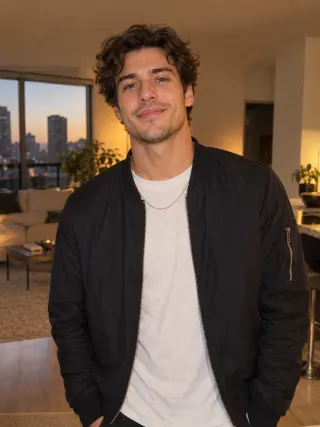
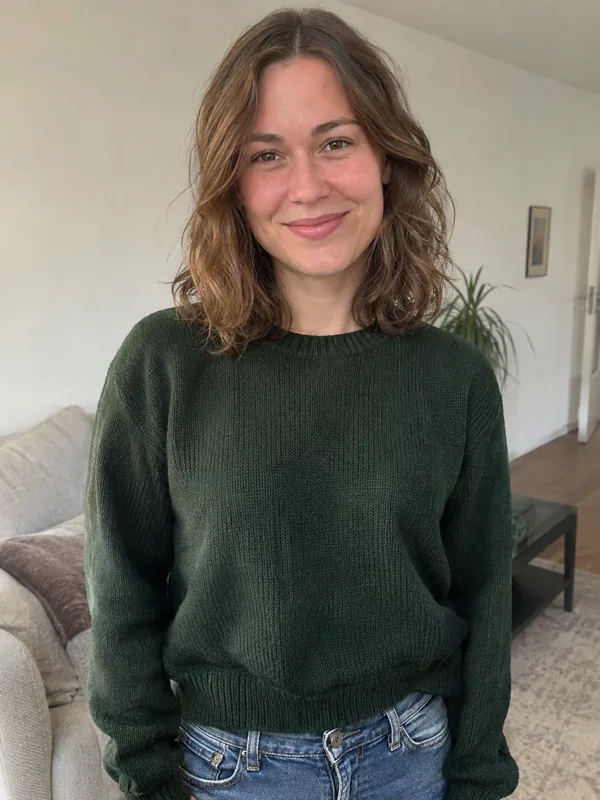
Real result generated with Flowlio AI from these 2 photos
More Effects
Explore the other video effects, each with its own input and motion.
What is the Rollie On My Wrist AI trend?
The Rollie On My Wrist trend is a TikTok shoulder carry trend where one person turns round and the other's face pops up in front. Two photos are all it takes.
Who makes a Rollie On My Wrist AI video?
Every Rollie On My Wrist AI video uses the same cozy living room and the same moves from the put the Rollie on my wrist trend: the carry, the turn and the face reveal. What changes is who plays the two parts. Here is how different pairs use the Rollie On My Wrist AI generator, and how to pick photos for each.

A Rollie On My Wrist AI video for couples
The most-watched take on the Rollie On My Wrist trend is a couple at home, so couples are a natural fit for this shoulder carry trend. The partner who would do the carrying fills box one, and the partner who rides fills box two. In your Rollie On My Wrist AI video, one of you stands smiling with the other lying across the back of your shoulders, gives a thumbs-up, and turns round. Then the rider's face pops up right where the carrier's head was and leans into the camera as the song says "put the Rollie on my wrist." Want a matching look? Pick photos of you both in flannel shirts or the same sweater, since the clothes come from your photos. Post it on an anniversary or a lazy night in.
Pull off the put the Rollie on my wrist trick with your best friend
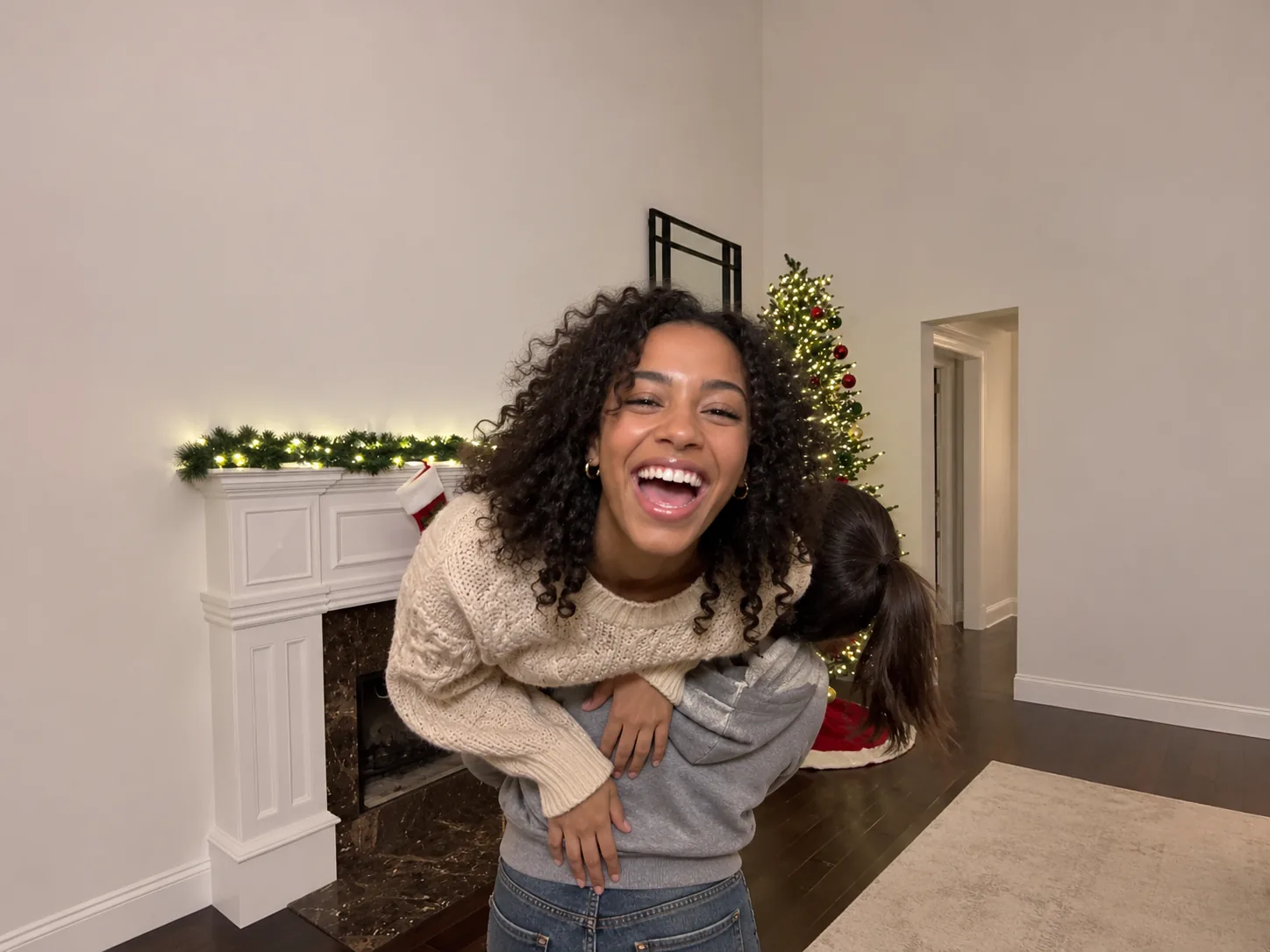
One of the first big put the Rollie on my wrist posts starred two women, so you don't need a couple. Any two friends can do the shoulder carry trend. Upload a sharp picture of yourself and another of your friend, a single face in each box. It does not matter who is taller or stronger, because nobody lifts anyone: the AI does the carry. In your Rollie On My Wrist clip, your friend hangs over your shoulders with their feet kicking at the camera, you spin round, and their face appears in front, mouthing "put the Rollie on my wrist." Tag them in the caption so they see it first. Once it's ready, create a share link and drop it in your chat with them on WhatsApp.
Siblings in the Rollie On My Wrist shoulder carry trend
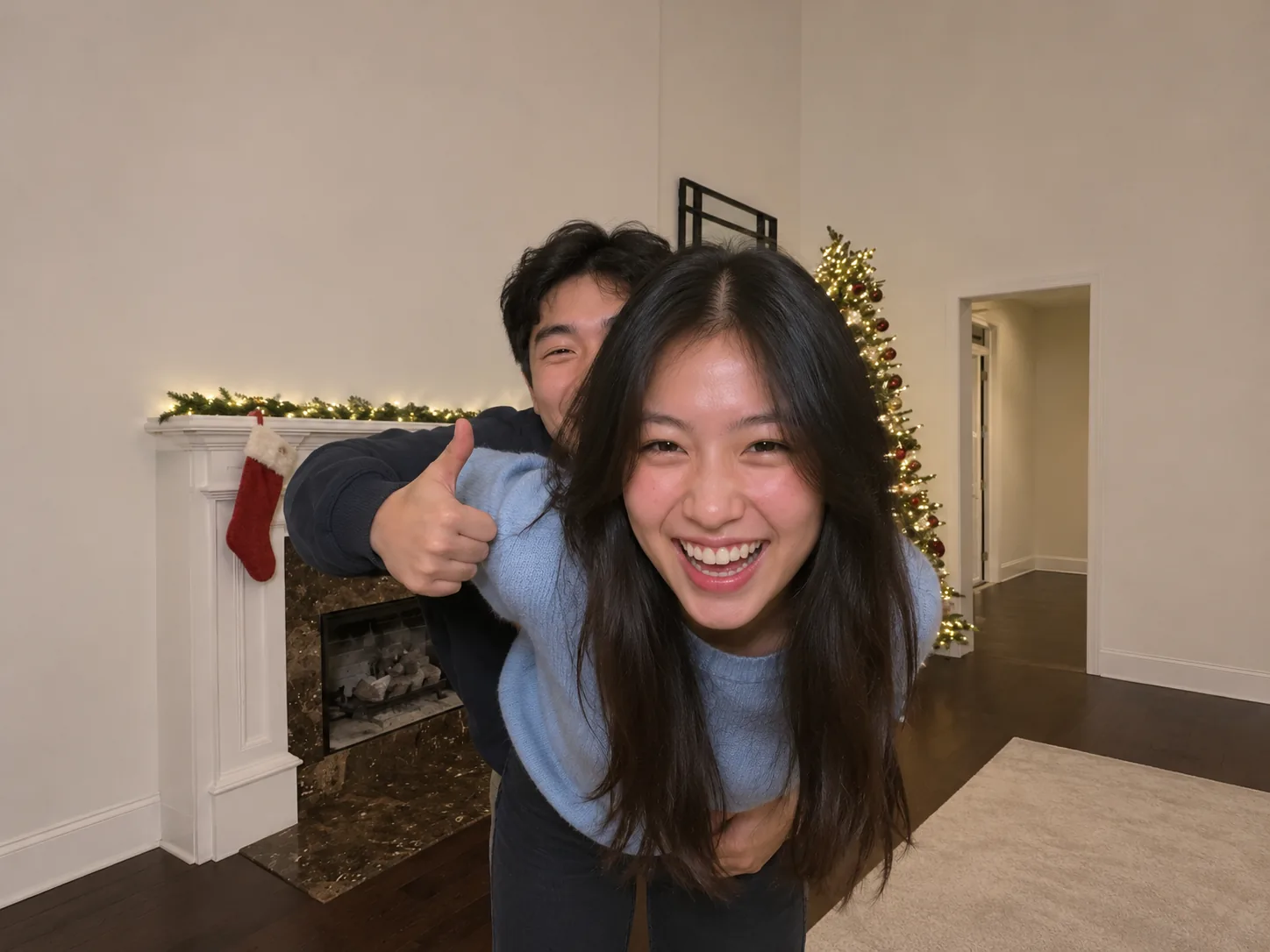
Brothers and sisters already argue about who carries who, so let the shoulder carry trend settle it. The older sibling usually takes box one and does the carrying, while the younger one takes box two and steals the ending. Use recent photos that show each face clearly, with no sunglasses or caps pulled low. In the Rollie On My Wrist video, the carrier grins and gives a thumbs-up, turns away, and the younger one pops up for the put the Rollie on my wrist line with a big smile and shakes their hair. Share it with the whole family, or swap the two photos and make a second take where the roles flip.

Send a holiday Rollie On My Wrist AI video instead of a card
The scene already has a lit tree, a fireplace with a garland and a red stocking, so this Rollie On My Wrist shoulder carry trend clip makes a fun holiday post. Pick two people from the family, like mom and dad or two cousins, and add one photo of each, ideally from this year's party in festive sweaters. The carrier smiles by the tree, turns round, and the rider's face pops up in front of the fireplace lights for the put the Rollie on my wrist line. You get a 9:16 Rollie On My Wrist trend video with the sound already on, ready to share as a Christmas story or to send relatives in place of a card. No editing app needed.

Jump on the Rollie On My Wrist TikTok trend while it is hot
The put the Rollie on my wrist TikTok trend blew up in November 2026, and the window for a trend like this is short. Filming the real shoulder carry trend takes a strong partner, a lot of tries and good timing. With the AI version you skip all of that: add two photos, run a 480p test to see that both faces look right, then make a 1080p copy for your feed. It also works for a collab, with another creator in the second box. Write a caption like "put the roley on my wrist" and add #rollieonmywrist so people who know the sound find it.
How to make Rollie On My Wrist AI video edits from two photos
No prompt, no partner who can lift you, no hunting for the put the Rollie on my wrist sound. The room, the carry, the turn, the camera and the sped-up song are all set up inside our Rollie On My Wrist AI video generator. Before it makes your video, it draws each person from every side using their photo, so faces still look right when the carrier turns and the rider hangs sideways. You just fill two boxes and click.
Add two photos to the Rollie On My Wrist AI generator
In the shoulder carry trend, box one is the person carrying, who faces the camera and then turns round. Box two is the person on the shoulders, whose face pops up in front at the end. Keep it to one person in each photo, facing forward in bright light. Clothes and hair come from the photos too, so wear what you'd like to see on screen.
Choose how sharp your Rollie On My Wrist clip is
A 480p render uses 400 credits; 720p uses 600; 1080p uses 900. That number sits on the button before any credits leave your balance, and they all return if the render fails. Try 480p first if you want to check the faces.
Generate and share your Rollie On My Wrist AI video
Click Generate and give it around 5 to 10 minutes; it keeps working if you shut the tab. The 10-second 9:16 Rollie On My Wrist video gets saved to My Creations, sped-up song in place, no watermark on it. Download it, or make a share link to send to friends.
The Rollie On My Wrist AI video, shot by shot
Each Rollie On My Wrist trend video is one fixed phone shot in a living room decorated for Christmas. Here is what happens and when, which helps you decide who carries and who rides.
0–2s · The shoulder carry trend begins
The Rollie On My Wrist trend starts with the carrier by the fireplace, smiling at the camera. The rider lies across the back of their shoulders, legs over one side and arms over the other.
2–3s · Thumbs-up and kicks
In the Rollie On My Wrist clip, the carrier holds a thumb up at the camera while the rider's feet kick toward the lens. The lit tree glows at the back right.
3–4s · The turn
To set up the put the Rollie on my wrist reveal, the carrier spins round on the spot and shows their back. For a moment you only see a back and a tangle of arms and legs.
4–7s · The face pops up
This is the put the Rollie on my wrist moment: the carrier bends forward with their back to you, and the rider's face comes up right where the carrier's head was. The rider never gets down, so the carrier's back and hands on hips look like the rider's own body.
7–10s · Fist pump and grin
The rider leans into the lens, mouths the hook and grins, then swings one arm up over the carrier's shoulder in a fist pump and a thumbs-up. Then the Rollie On My Wrist clip ends, ready to loop.
Rollie On My Wrist AI FAQ: Photos, Song, Length and Price
Answers about the Rollie On My Wrist trend, which photos to use, the song, what it costs and posting your video.
It's a TikTok shoulder carry trend that took off on November 8, 2026. One person carries the other across their shoulders, turns round, and the rider's face pops up in front where the carrier's head was. People also call it the put the Rollie on my wrist trend or the It Don't Even Make Sense trend, and some spell it rolly on my wrist or roley on my wrist. Our page makes the same reveal from two photos.
It's a sped-up cut of "Famous (I'm the One)" by Mozzy and Iamsu!, posted on TikTok as an original sound. The line people quote is "put the Rollie on my wrist so they know what time it is." The full song has explicit lyrics, so keep that in mind if your followers are young. The sound is already on your Rollie On My Wrist AI video.
1) Open the generator and put the carrier's photo in the first box. 2) Put the rider's photo in the second box. 3) Pick a quality level (480p is the cheapest, 1080p the sharpest) and hit Generate. You never type a prompt or track down the put the Rollie on my wrist clip.
In this shoulder carry trend, box one is the carrier: they face the camera at the start and then turn round. Box two is the rider: they lie across the shoulders and end the video in a big close-up. Since the rider's face fills the screen for the last few seconds, give that box your sharpest photo. Swap the photos to flip the roles.
Just one person per picture, facing the lens, in good daylight or bright room light, with nothing like sunglasses or a hat over the face. Upper-body and full-body photos both work, and full-body helps the clothes come out right. Skip group photos, heavy filters and blurry selfies.
No. Nobody really lifts anyone, so size and strength don't matter. A short person can carry a tall friend, and two women or two men work just as well as a couple.
Yes. Faces, hair and outfits all come from your photos, not the red plaid pajamas from the original post. For a matching look, upload photos in matching sweaters or flannel shirts. Photos in sleepwear or swimwear come out in a plain T-shirt and jeans instead.
Your clip is 10 seconds long and upright (9:16). TikTok, Reels and Shorts like that size best, so you can post it without any cropping. It comes with the trend's sped-up sound and no watermark or captions.
At 480p you pay 400 credits, at 720p 600 and at 1080p 900. So the one-time Trial Pack gets you one 720p video. The button shows the price up front, and a render that fails costs you nothing.
Most videos take around 5 to 10 minutes. First the generator draws each person from all sides, then it builds the clip. It's fine to leave in the meantime; the clip appears in My Creations once it's finished.
Try sharper photos with the face straight to the camera, and pick two outfits that look different so the two people are easy to tell apart. Check that the carrier is in box one and the rider in box two. Then generate again; each run comes out a little different.
No. This effect is made for two people, so pet photos won't come out right. Only upload people who are happy to appear in it, never a stranger or a celebrity.
Download the video and post it straight away; the song is part of the file. Use a caption like "put the roley on my wrist" or "it don't even make sense," and add #rollieonmywrist. A share link works too: friends watch your clip there, and a "Create my own version" button lets them make theirs.
No. The room, the carry, the turn, the camera angle and the timing are all built in. Your only jobs are two photos and a resolution, with nothing to describe and no reference clip to find.
Put two friends in the Rollie On My Wrist trend
Upload one picture of the carrier and one of the rider, and get a 10-second Rollie On My Wrist shoulder carry trend video, song included, in a few minutes.