Monkey Eating Apple AI Trend

Real result generated with Flowlio AI from this one photo
- 1 photo you add
- 10 s clip with sound
- Ready to share via link
- No watermark
Ready in a few minutes

Real result generated with Flowlio AI from this one photo
More Effects
Explore the other video effects, each with its own input and motion.
What is the monkey eating apple AI trend?
The monkey eating apple AI trend is a viral TikTok video in which a wild macaque jumps you and steals a huge bite of your apple. Add one photo of yourself and you star in it.
Who should star in your monkey eating apple AI video?
Every monkey eating apple AI clip is set on the same sunny forest walkway, with the same cheeky macaque on the railing and a friend filming. The snack, the scuffle and the stare in the monkey eating apple AI trend are locked in. The only thing you pick is who gets robbed.
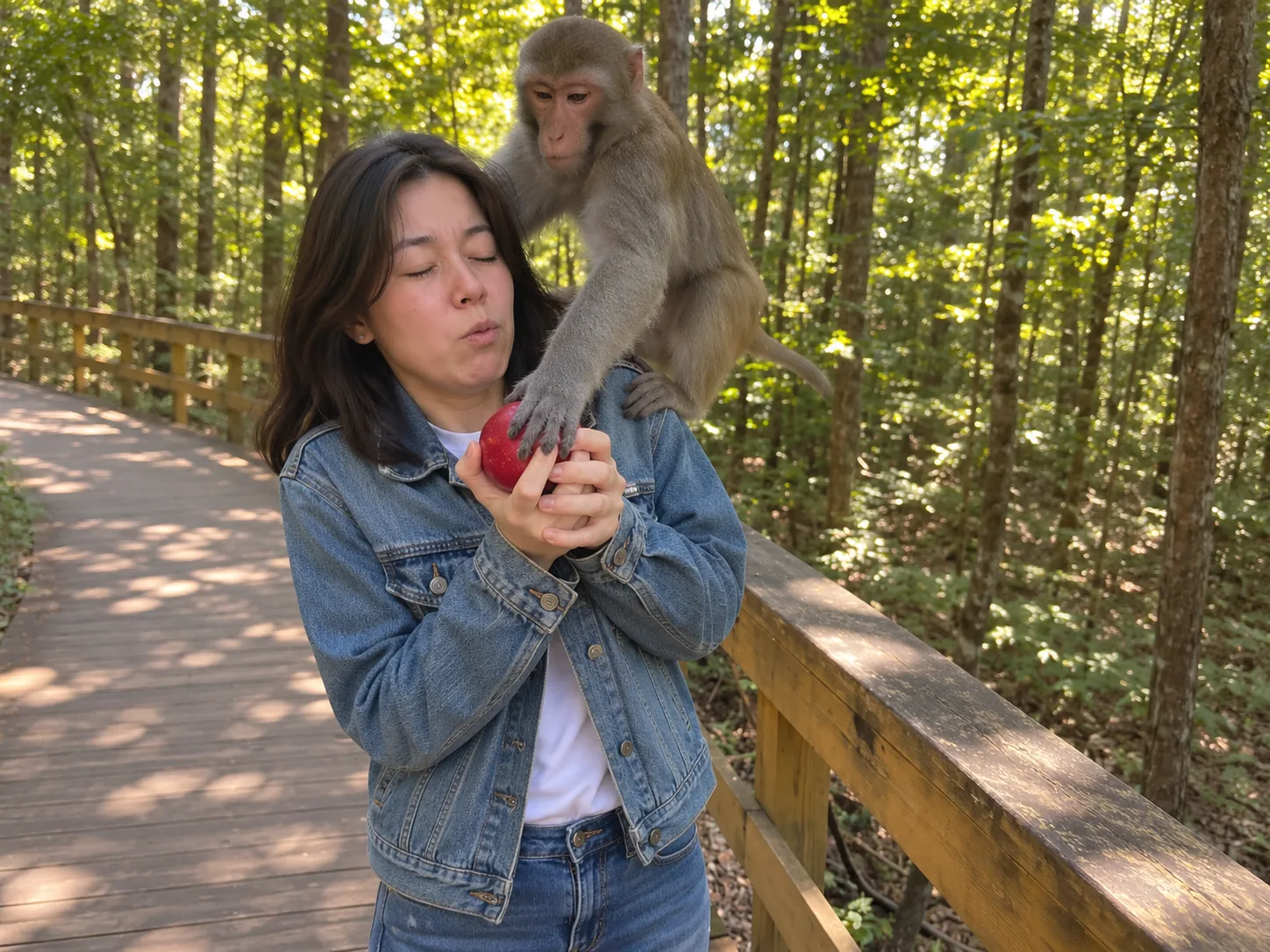
Star in the monkey eating apple AI trend yourself
The easiest way in is to play the victim yourself. Upload one clear photo, waist up or full body, in the clothes you would wear on a hike. In your monkey eating apple AI video you stand by the wooden railing and take a happy bite of a red apple, not seeing the macaque behind you. Two seconds later it lands on your arm, grabs the apple and messes up your hair. The monkey eating apple video ends with you walking up to the lens, frozen in shock. Post it as your monkey eating apple TikTok with a caption like "I just wanted a snack" and let people ask where you went. A calm, smiling picture makes the final stare hit harder.
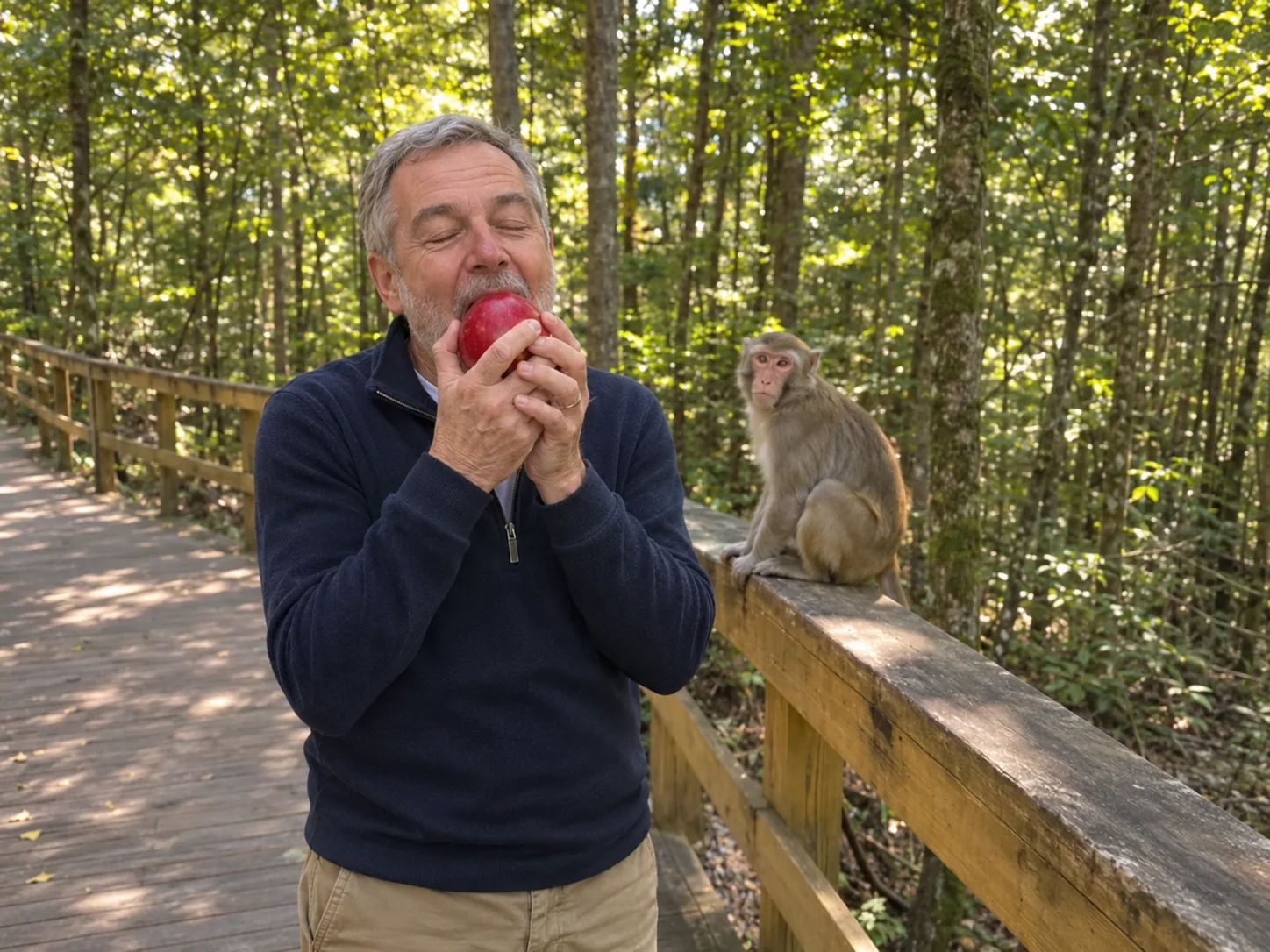
Monkey steals apple from Mom or Dad
Parents make the best surprise stars, and a funny monkey eating apple clip starring your mom or dad will get the whole family talking. Ask first, then choose a picture of just them, face clear, in good light. In the monkey eating apple AI video they stand by the railing and take a slow, happy bite of a red apple while the macaque watches from behind. Then it leaps onto their arm, steals a huge bite and leaves their hair a mess. The last shot is their face, eyes wide, right up close to the lens. Post it in the family chat and wait for the replies. A picture in their usual weekend clothes looks most like them.
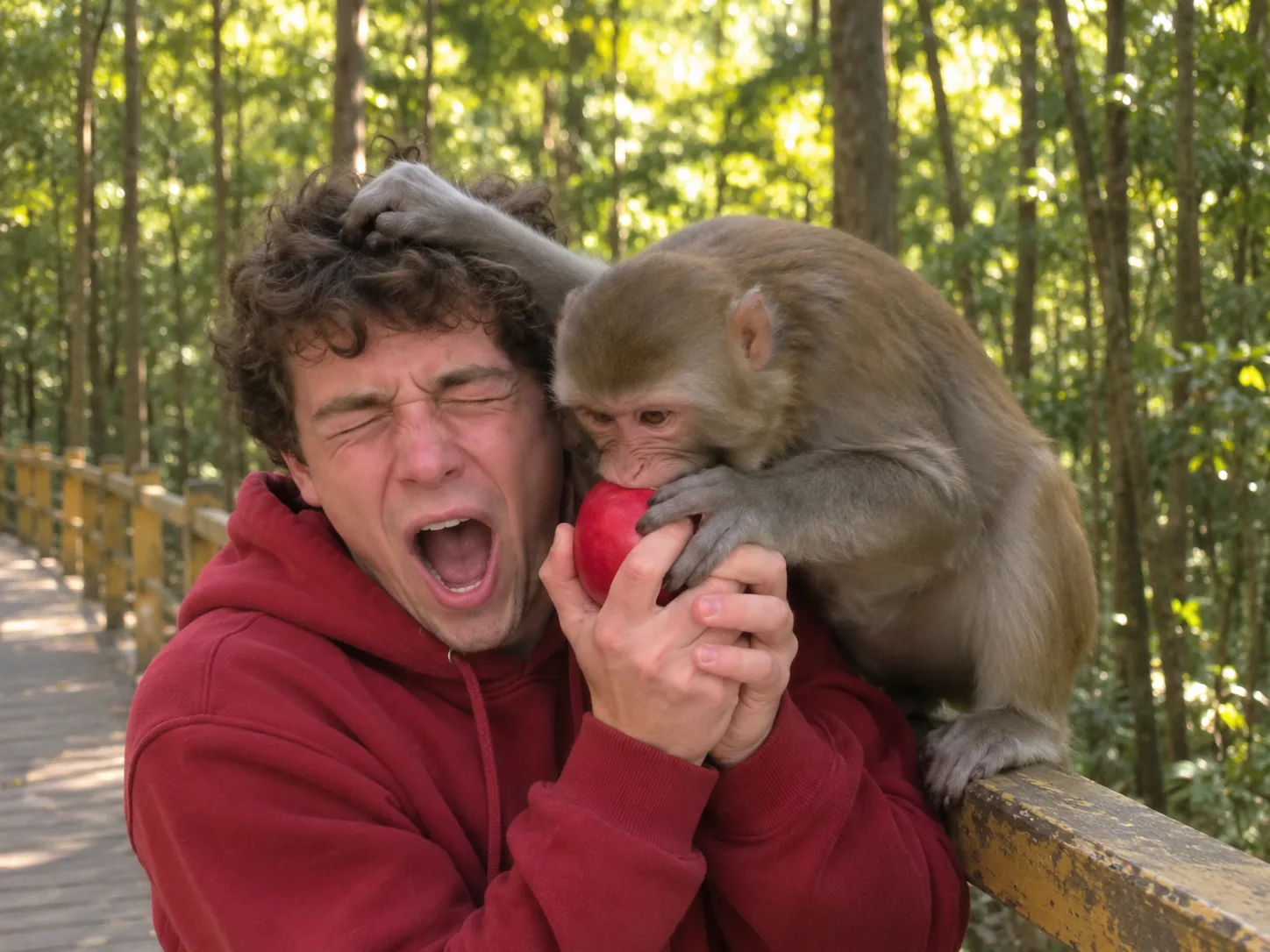
Make the friend who steals your fries the monkey eating apple victim
Everyone has a friend or sibling who eats off your plate. Now a wild monkey does it to them. Ask them first, then upload one photo where their face is clear and nobody else is in the frame. In their monkey stole my apple moment they go from a big carefree bite to squealing with their eyes shut while the macaque chomps the apple right next to their face. The shaky camera and the laughing friend make this monkey eating apple AI trend clip look like you filmed it. Send it straight to them with a share link, or post it to your friends' chat with "karma" as the caption. A photo with a big smile makes the switch to shock land harder.
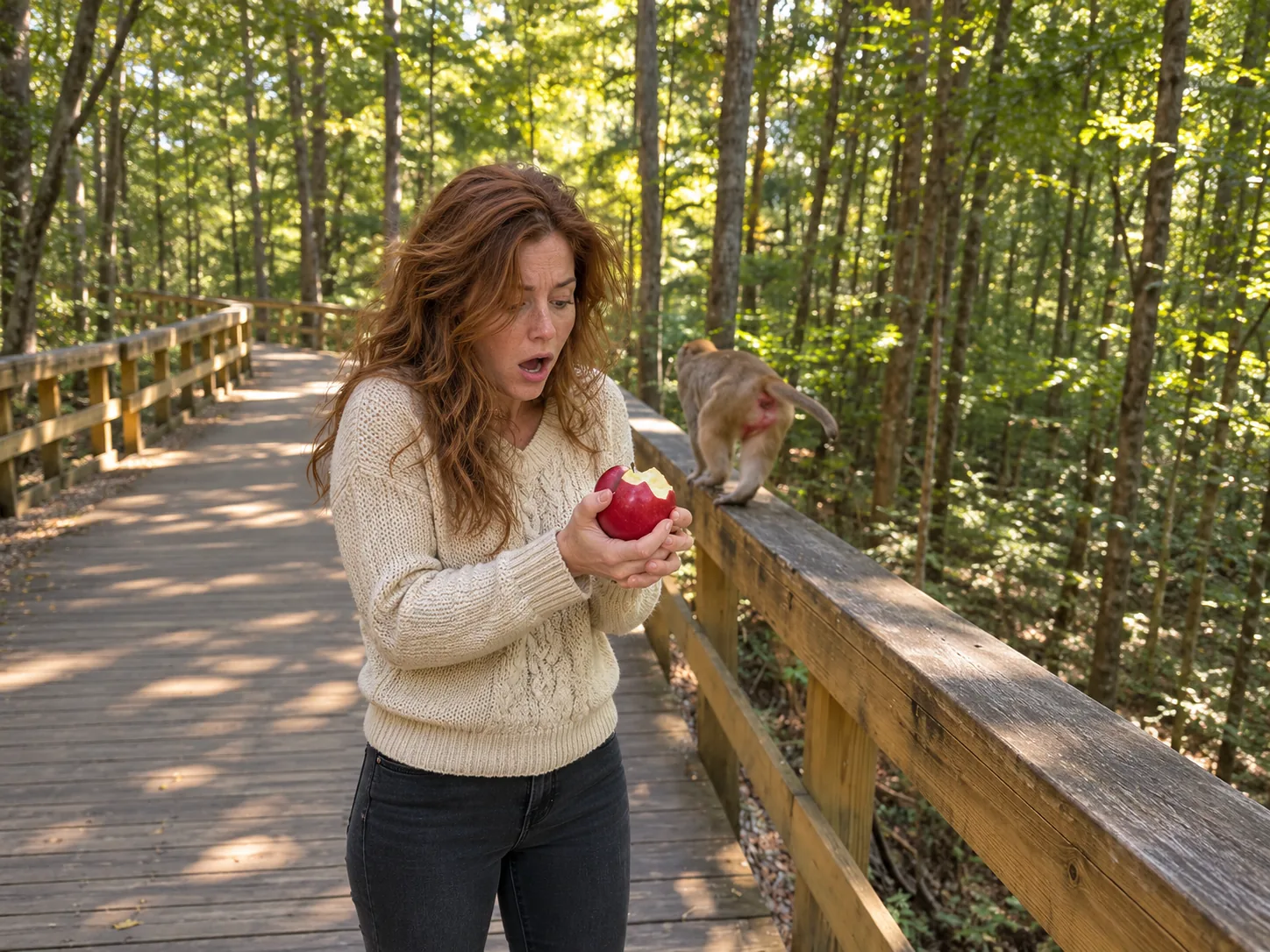
A monkey eating apple prank for your partner
Couples love sending each other silly videos, and the monkey eating apple AI trend needs just your partner's photo. Pick one where they look at the lens, from the chest up or showing their shoes, wearing their usual clothes, since the clothes in the photo are the clothes in the video. The friend laughing behind the phone plays you, so it feels like a moment from a trip you took together. Watch them yell, lean away and lose a big bite of apple, then stand there with messy hair before staring into the lens. Text the monkey eating apple video to them with no warning. Using a photo from a real day out together makes the joke feel even more like a memory.
Post the macaque steals apple clip as your trail vlog
If you post hiking, travel or outdoor videos, this monkey eating apple AI clip slots right into your feed. Upload one photo of yourself in trail clothes, face clear. Your monkey eating apple AI video looks like shaky phone footage from a sunny mountain park: warm light through the trees, a boardwalk, a real-looking rhesus macaque. It lasts 10 seconds, short enough that most people watch it all and hit replay. Use the monkey eating apple AI trend clip as a hook at the start of a trail vlog, or post it alone with a line like "rate my hike 1 to 10". Pick 1080p if you plan to cut it into a longer edit, so it stays sharp.
How to make a monkey eating apple AI video in three steps
Elsewhere you might type a long prompt, build the forest and the monkey by hand, then find sound effects later. Here the monkey eating apple scene, the three shots and the noises are ready to go. For your monkey eating apple AI video, you just add a face.
Upload one photo to the monkey eating apple AI generator
Pick a single picture of the apple eater (yourself, a buddy or a family member) in bright light so the face is sharp. Waist-up and full-length shots help the most, since the outfit comes from the picture. Keep one subject in the frame. Any background is fine: the walkway, the railing and the macaque come with the monkey eating apple scene.
Choose the size of your monkey eating apple clip
Test the monkey eating apple AI trend with your photo at 480p for 400 credits, step up to 720p HD for 900, or get the sharpest 1080p version for 2,150. Each choice lists its credits on the button, so the monkey never surprises your wallet.
Press Generate and watch the monkey steal your apple
We read your photo, draw you into the forest scene, then make the 10-second monkey eating apple clip with its own sounds. Minutes later your monkey eating apple AI video is done: save it with no watermark on it, or make a link to share it.
Inside the 10-second monkey eating apple AI clip
The monkey eating apple AI trend clip has three shots in tall 9:16, filmed like shaky phone video by a friend on a sunny forest walkway, with two hard cuts and no music: just the forest, the crunch and the monkey.
0–1.5s · A happy bite by the railing
You stand on the wooden walkway with a shiny red apple and take a big, crunchy bite, looking off at the trees. Behind you, a grey-brown macaque sits on the railing, staring at your snack.
1.5–4s · The monkey jumps you
The macaque springs along the railing and grabs your wrist and the apple with both hands. A tug-of-war starts: you yelp and lean away while it swats at your head and messes up your hair. The camera shakes as your friend laughs.
4–6s · The monkey eating apple moment
Hard cut to a close, chaotic shot. The monkey wraps both hands around the apple, pulls it to its mouth and takes a huge crunchy bite while you squeeze your eyes shut and squeal, hair flying.
6–10s · The monkey eating apple meme stare
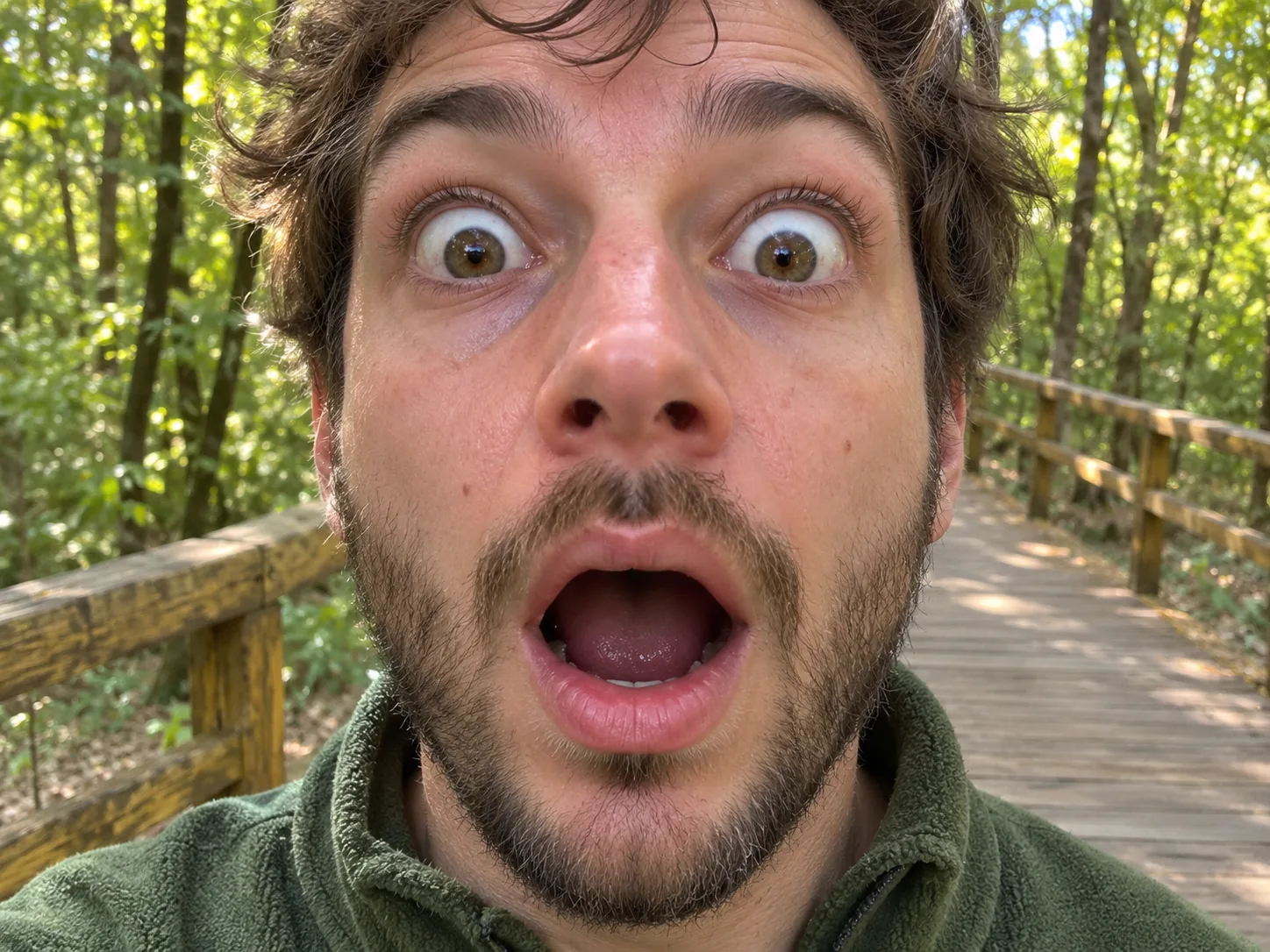
Another cut, and the phone is steady. You stand there with messy hair, staring at the apple with one huge bite gone, as the monkey calmly chews on the railing and hops away. Then you step right up to the lens and freeze, eyes wide, mouth open.
Monkey Eating Apple AI FAQ: Your Photo, Sound, Credits and Posting
Quick answers about making a monkey eating apple AI video: where the trend started, which photo to use, sound, price and posting tips.
The monkey eating apple AI trend is a short TikTok clip that went viral in November 2026. Someone is eating a red apple on a sunny forest walkway when a wild macaque on the railing jumps them, wrestles for the apple and takes a huge bite, and the clip ends on their frozen, shocked stare into the camera. The first version, posted on November 1, 2026, was itself made with an AI template, so it was never real footage. Other names for it are "monkey steals apple", "monkey snatches apple" or "monkey stole my apple".
No. In a monkey eating apple AI video, the forest, the monkey and the bite are all made by AI from your photo, so no animal was involved and nobody gets hurt. The joke works because it looks believable: in real life, macaques at temples and parks are well known for grabbing snacks from visitors, and the AI copies that cheeky, grabby way they move.
1) Open the monkey eating apple generator and add one picture of the apple eater, one person. 2) Select 480p, 720p HD or 1080p; the credit price updates on the button. 3) Tap the button. The AI reads your picture, draws you into the forest scene, and makes the 10-second clip with its sound, all without a prompt from you.
One subject only, eyes open, lit well. Showing most of your body helps, since the AI copies your clothes onto the walkway; a close selfie works, but then the AI has to guess the rest. Leave out sunglasses, a cap pulled over the eyes, beauty filters and group shots. Any background is fine.
No, this one is for people only, one per photo, so the AI can keep the face sharp through the scuffle and the final close-up. If your best picture is a group shot, or shows you holding your dog or cat, crop it so only you are left before you upload it.
It is made to. Before the video starts, the AI draws a reference sheet of you from four sides in the forest scene, then uses that sheet and your photo for every shot, with the most care on the final close-up. The closer your picture is to a clear passport-style shot, the closer the match. If your face looks off, try a brighter photo taken straight on.
Each monkey eating apple AI clip lasts 10 seconds in an upright 9:16 frame, sized for phone screens. Pick 480p, 720p HD or 1080p. You get an MP4 file, and no watermark is added.
Yes, but no music. The monkey eating apple sound is made together with the picture: birdsong and rustling leaves, the loud crunch of the bite, the monkey shrieking and chattering, your yelps, and a friend laughing behind the phone. Nobody talks. If you want a song, pick one from the app's music list when you post.
400 credits at 480p, 900 at 720p HD and 2,150 at 1080p, for any one person. You know the number before the monkey moves. New here? One 720p monkey clip is covered by our one-time Trial Pack.
Usually a few minutes. First the AI reads your photo and draws your reference sheet, then it makes the video and its sound. You can leave the page open or come back to My Creations later; your finished video is saved there.
AI clips come out a little different every time. If the face or the outfit is off, the photo is usually the reason: try one that is sharper, brighter and taken from the front, with only you in it. Making it at 480p first is a cheap way to test a photo before you pay for 720p or 1080p.
Its tall shape suits TikTok, Reels and Shorts. Captions that play along do well, like "I just wanted a snack", "rate my hike" or "karma for eating my fries", plus #monkeyeatingapple and #aitrend. The shocked stare at the end of the monkey eating apple meme is a natural loop point, so many people watch it twice.
Let the monkey take a bite out of your apple
No hike, no real monkey and no prompt. Hand over one snapshot and the monkey eating apple AI video generator stages the grab, the bite and your shocked stare, sound and all.