
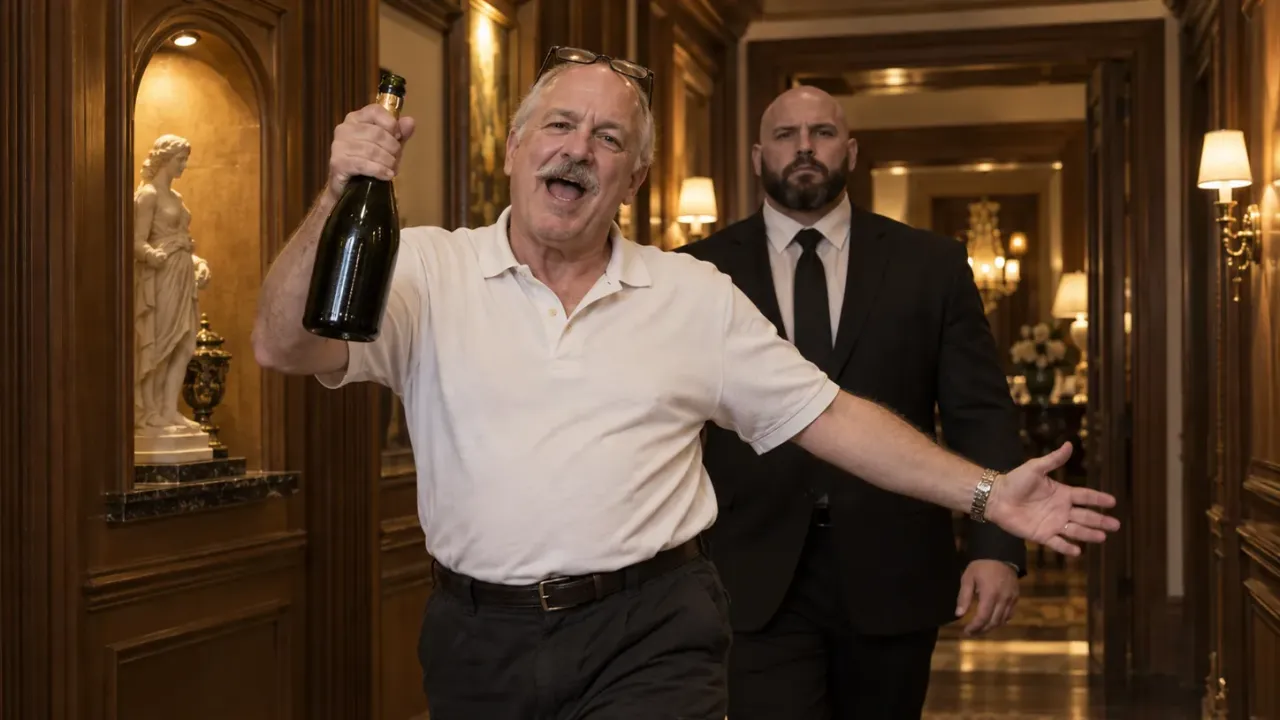
A Popstar AI video puts someone new in Justin Bieber's spot in the music video for DJ Khaled and Drake's "Popstar": walking through a mansion, champagne bottle in hand, mouthing Drake's verse, with a stone-faced bodyguard one step behind. Here's the short version:
- Pick the star. A single sharp photo, a person or a pet, framed from the waist up.
- Dress them in the photo. Whatever they wear in the picture is what they wear in the mansion.
- Generate a 12-second lip-sync clip with a template such as our Popstar AI video generator, or build it yourself with a reference video.
- Post it as "Lil" plus their name, the caption Neymar started with.
The rest of this guide is about the two decisions that make or break the joke: who you cast, and how you keep the mouth in time with Drake's words.
Why Bieber, not Drake: the stand-in joke behind the trend
"Popstar" came out on July 17, 2020 and debuted at No. 3 on the Billboard Hot 100. Drake is the one rapping, yet he's barely in the video, which premiered on DJ Khaled's YouTube channel on September 3, 2020. It opens with DJ Khaled pestering him over FaceTime to come and shoot; Drake, stuck at home, sends Justin Bieber instead.
What follows, as The Crimson's breakdown describes it, is Bieber waking up after a wild house party and wandering through the mansion lip-syncing Drake's lines, a bald, bearded security guard never leaving his side. At the end he wakes up next to Hailey Bieber, and it was all a dream.
That's why the video works so well as an AI trend: it was already a stand-in joke. The man on the song isn't the man in the clip. Swapping in yet another person, your dad, your best friend, your French bulldog, just takes the premise one step further. A Popstar AI video is funniest when the replacement is as unlikely as possible.
Casting your Popstar AI video: who gets the bodyguard
The bodyguard is the punchline. He's there for someone famous; the comedy is in who he ends up guarding. That gives you a quick way to choose: the bodyguard test. Picture the person walking through a hotel lobby with security at their shoulder. If that looks normal, they're the wrong cast. If it looks absurd, you've found your popstar.
The clips that pass the test fall into four casts:
- Yourself, Neymar-style. On October 2, 2026, Neymar posted an AI version of the clip with himself in Bieber's place, captioned "Lil Ney", and g1 reported it passing 200,000 Instagram views that same day. "Lil" is the classic rap-name prefix, so "Lil" plus your name is the caption that writes itself.
- The friend who already acts famous. Every group has one. A birthday post where they finally get the security detail they always behaved like they had.
- Dad, Mum or Grandpa. The bigger the gap between the person and the swagger, the better. A dad in a polo shirt pointing a champagne bottle at the lens lands harder than any influencer.
- The pet. A dog or cat standing upright, gripping the bottle with a paw, mouth opening on every line, while the bodyguard keeps a straight face behind it.
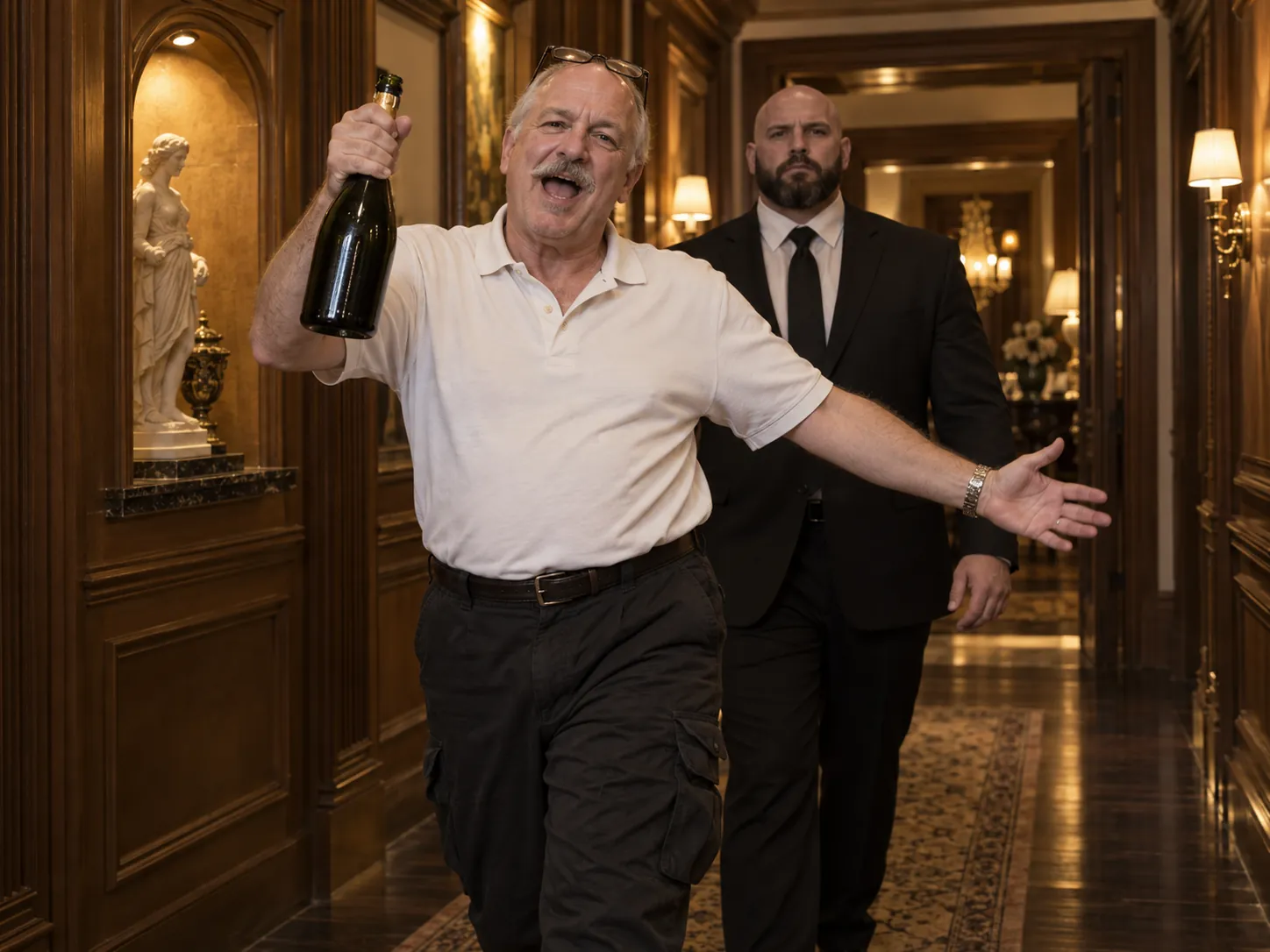
One star per clip. The original has one star, and so does every version of the trend; group shots confuse the AI about whose face to use. For a group, make one clip per friend and post them as a series.
Dressing the part: your photo is the wardrobe
In the music video Bieber wakes up in a printed silk set, and Hypebae noted he wears full Versace as he moves through the house. People still search for that outfit. You don't need it, though, and here's why: in a Popstar AI video, the clothes come from your photo, not from Bieber.
That turns the photo into your costume department:
- Go big on purpose. A loud shirt, a chain, a backwards cap or tinted glasses in the photo all carry into the mansion. If you want the Bieber energy, wear the most "popstar" thing you own when you take the picture.
- Or go deliberately ordinary. A work fleece or a supermarket uniform is its own joke next to the champagne and the bodyguard.
- Frame it waist up. The top half is what the camera sees. In our template, the bottom half gets the same baggy black cargo pants for everyone, so don't worry about shoes.
- Keep the face clear. Sunglasses do stay on if you wear them, but a photo with visible eyes holds the likeness better through the walk.
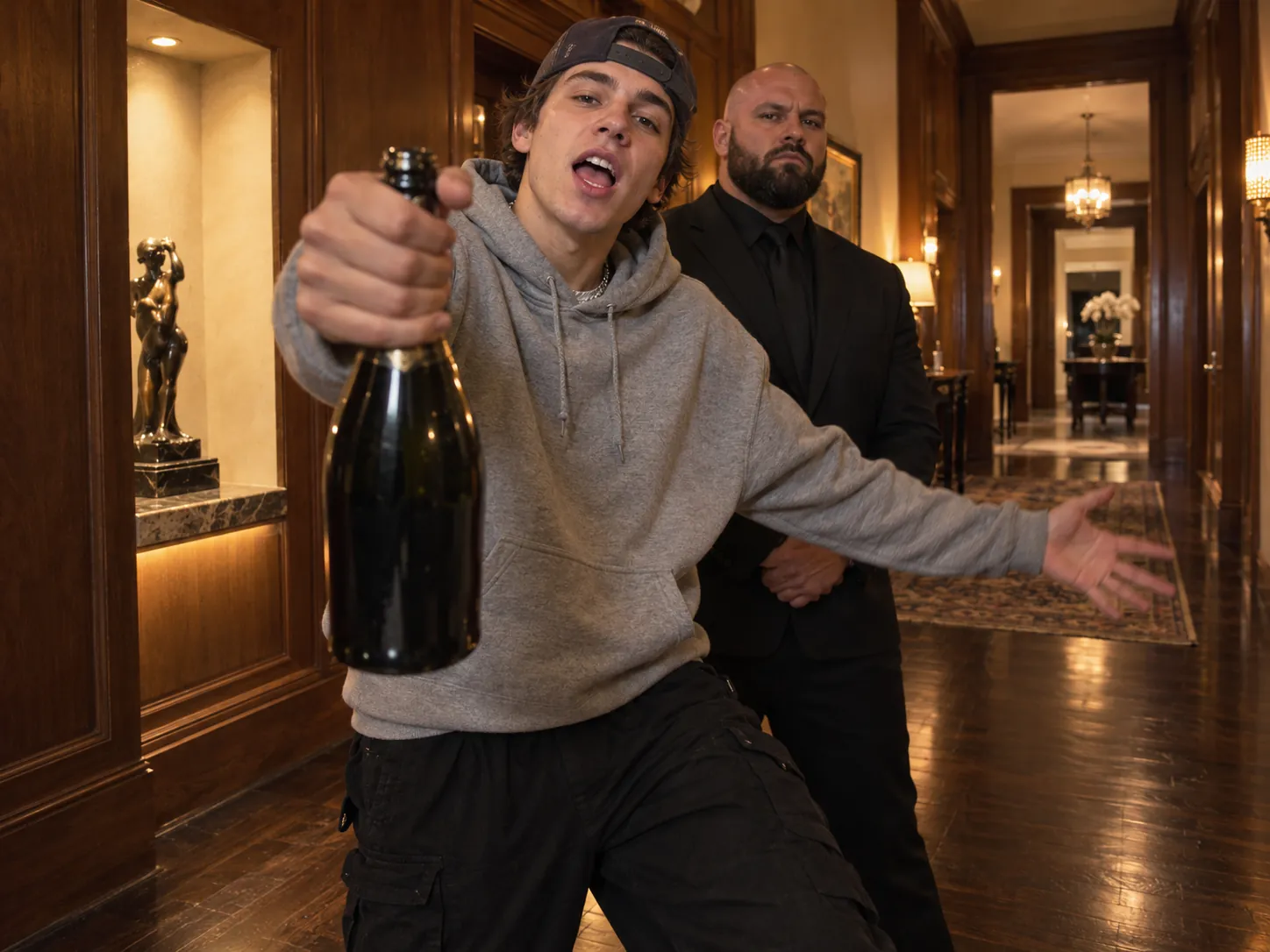
Making a Popstar AI video from one photo
A Popstar AI video template does the hard part for you: the mansion walk, the camera, the mouth movements and the song are already built in. Here's how ours works:
- Upload one photo of the person or pet, alone in the frame.
- Pick 480p, 720p or 1080p. Use 480p to see whether a photo works, and save the higher settings for the version you post.
- Generate. An image model first places your star in the mansion hallway with the bottle in hand, in a vertical frame. Seedance 2.5 then plays the 12-second walk-through from that frame, copying the movement, the handheld camera and every lip shape from a reference performance, and the song goes on underneath.
- Post the MP4 from My Creations. There's no watermark, and Share gives you a link if you'd rather send it straight to the group chat.
The walk itself is one continuous take, and knowing the beats helps you judge the result:
| Seconds | What your star does |
|---|---|
| 0–4 | Walks down the wood-panelled hallway toward the camera, mid-lyric, bottle swinging, arms flung wide |
| 4–6 | The bodyguard gets up from his chair and falls in behind |
| 6–9 | Through the room with the plants and teal chairs, leaning in and pointing the bottle at the lens |
| 9–12 | Out onto the glass balcony, turning side-on with one last look back |
Watch the 6–9 second stretch closely. It's where the face comes nearest the camera, so it's where a weak photo shows.
The lip-sync trade-off if you build it yourself
If you've made other AI trend videos, you may have learned to turn the source clip into a depth map first. That greyscale version keeps the movement and throws away the original performer's face, so nobody else's features leak into yours. We use it for scenes like the White Chicks car singalong.
For a Popstar AI video, that trick backfires. A depth map carries distance, not lips. Feed one in and your star walks the right path with a mouth that opens at random, and the whole joke, Drake's words coming out of your dad, falls apart.
So the DIY route has to use the performance clip itself, and live with the risk that comes with it:
- Find a clean reference. A short, steady stretch of a lip-sync walk-through where the mouth is visible. Use only footage you're allowed to use.
- Make the first frame. In an image model, put your star in the hallway pose: facing the camera, bottle held low in the right hand, mouth open mid-word, in a vertical frame.
- Drive it with the clip. In a reference-to-video model such as Seedance 2.5, add the frame as the image and the clip as the reference video, and spell out which parts come from where:
@Image1 is the first frame and the only source of the star's face,
hair, body and clothes. @Video1 is the performance and the camera.
The star's mouth copies the performer's mouth frame by frame: open,
closed, stretched and rounded on exactly the same frames, never a
frozen smile. Copy every step, arm swing and point of the bottle, and
the handheld camera, from @Video1. The bald, bearded bodyguard follows
one step behind with his mouth closed. Nothing about the performer's
face, hair or outfit carries over. One star, vertical 9:16, no text.
- Check the close pass. If the original performer's hair or face creeps in when the star leans toward the lens, regenerate; a sharper first frame helps more than prompt changes.
- Lay the song back on. Most models export the picture only. Line up the track so the first word lands on the first open mouth.
The trade-off in one sentence: the raw clip buys you the lip sync and costs you some identity leaks, which is why the first frame has to be strong.
Posting it: sound, caption and the AI label
- Sound. Creators use the original "POPSTAR" by DJ Khaled and Drake, not a sped-up edit. The lips follow the verse, so a remix puts the words out of step with the mouth.
- Caption. "Lil" plus the star's name, Neymar's way. "Lil Dad" and "Lil Biscuit" (for the dog) both work.
- Format. The clip is vertical, so it fills the screen on TikTok, Reels and Shorts without cropping.
- Label it. TikTok asks you to label realistic AI-generated content, and Instagram adds an AI info label to photorealistic altered video. A label doesn't replace permission, though: only cast people who've said yes.
When your Popstar AI video goes wrong
The mouth moves but doesn't match the words. The song was swapped for a remix, or a DIY export was re-synced by hand and drifted. Use the original track and line up the first word again.
The face changes when the star leans toward the camera. That close pass is the hardest moment. Start from a sharper, front-facing photo where the face fills more of the frame.
Someone else's hair or outfit shows up. That's the reference performer leaking through. A cleaner first frame fixes most of it; in DIY prompts, state that nothing about the performer carries over.
The dog has human hands. The arm swings and bottle points belong to a human performer, and the model copies the hands along with them. Say outright that every leg ends in a real paw, and use a photo of the pet alone, not in someone's arms.
The bottle is in the wrong hand or missing. It should sit in the right hand from the first frame. If your first frame gets that wrong, the video will too.
Popstar AI video FAQ
Is there a Popstar filter on TikTok or Instagram?
No. There's no official effect for it. Popstar AI videos are made with AI video tools, either a ready-made template or a reference-to-video model you set up yourself, and then uploaded like any other clip.
Did Neymar really make a Popstar AI video?
Yes. He posted it on Instagram on October 2, 2026 as "Lil Ney", and Brazilian outlets including g1 and CNN Brasil covered it the same day.
Why isn't Drake in the Popstar music video?
That's the storyline: Khaled keeps calling, Drake can't make it, and he sends Justin Bieber in his place. Bieber spends the video lip-syncing Drake's verse.
Can I put my pet in a Popstar AI video?
Yes. A pet stands upright, holds the bottle with a paw and opens its own mouth on the beat. Use a photo with the pet on its own and its face in focus.
How long is a Popstar AI video?
Twelve seconds: the hallway, the bodyguard, the bottle point and the balcony, in a vertical frame with "Popstar" playing.
Can I make one for free?
New accounts get free credits on sign-up and from daily check-ins, which add up to a 480p Popstar AI video over time. The one-time Trial Pack is the quicker route if you want one today.
Cast your popstar
A good Popstar AI video comes down to two choices: a star nobody would expect to need a bodyguard, and a mouth that hits Drake's words on time. Dress them in the photo, keep the original song, and caption it "Lil" plus their name.
When you've picked your star, the Popstar AI video generator turns one photo into the full mansion walk with the song. If cars are more your thing, see how to make an Unforgettable car AI video or a Tesla Roadster kickflip AI video, or browse more templates in our AI video effects.
Sources
- Popstar (DJ Khaled song), Wikipedia
- Music Video Breakdown: 'POPSTAR' by DJ Khaled feat. Drake, The Harvard Crimson
- Justin Bieber stars in DJ Khaled and Drake's "Popstar" music video, Hypebae
- Neymar vira 'Lil Ney' em vídeo com IA ao som de rap e champanhe, g1
- AI-generated content, TikTok Help Center