
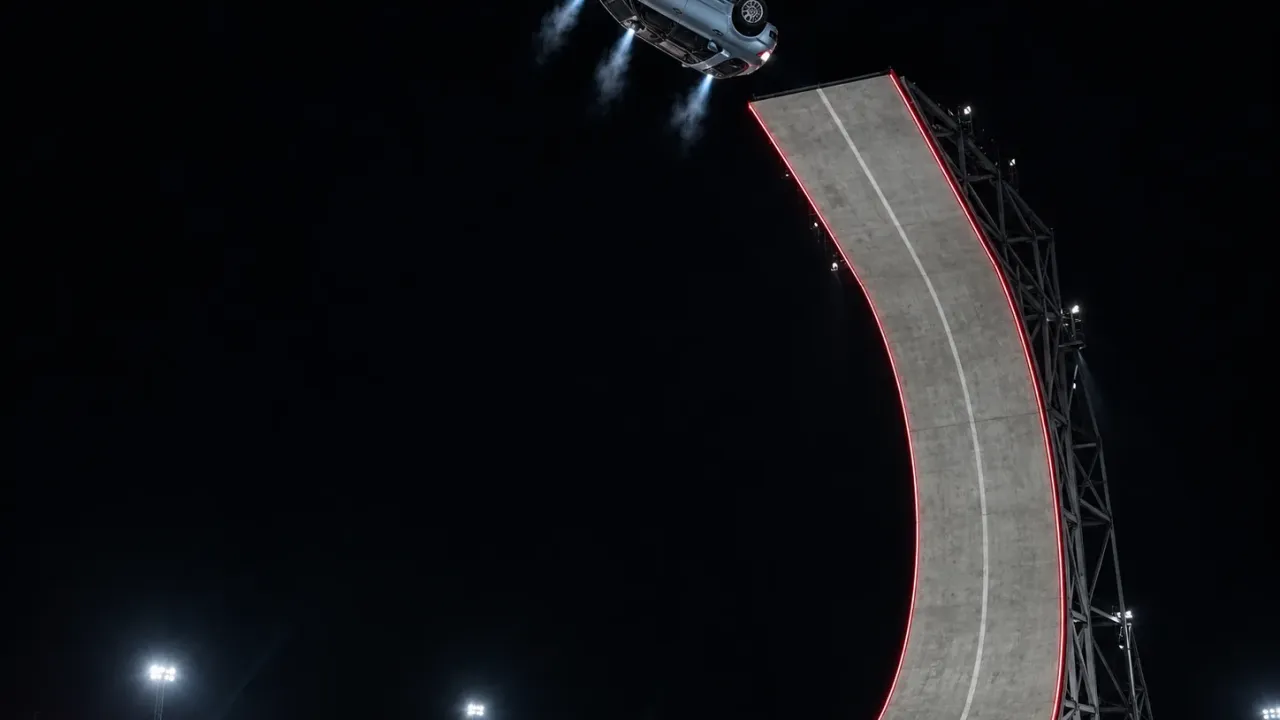
To make a Tesla Roadster kickflip AI video, you take the stunt from the new Roadster's reveal and swap the car: the giant curved ramp, the mid-air flip, the thrusters and the landing in smoke stay, and your own sedan, pickup, motorcycle or family minivan does the flying. The fastest way is one photo of your vehicle and a ready-made template. The hands-on way is a reference-to-video model, a clip of the stunt and a long, careful prompt.
One thing to know before you start: typing "a car doing a kickflip" into a text-to-video generator almost never works. Video models are bad at a two-ton object rotating in the air and landing on its wheels. The car melts, sprouts a fifth wheel or lands upside down. A convincing Roadster flip AI video copies the real stunt's motion and only changes what the car looks like.
That's how our Roadster kickflip AI video generator works, and building it meant timing every second of the stunt, from the car at the foot of the ramp to the drive-out through the smoke. You'll find those timings below.
How to make a Tesla Roadster kickflip AI video: 4 steps
- Take one clear photo of your vehicle: the whole car in frame, in daylight, nobody standing in front of it.
- Drop it into a Roadster kickflip AI template such as our Tesla Roadster kickflip AI generator, choose 480p, 720p or 1080p and generate. The button tells you how many credits the run uses before you press it.
- Download the MP4. You get a vertical 17-second Tesla kickflip AI video, with engine and thruster sound made to suit your vehicle, and no watermark.
- Post it to TikTok, Reels or Shorts, and switch on the platform's AI-generated label.
Below: what actually happened at the reveal, how the stunt breaks down second by second, how to build the clip yourself, and what to do when your car lands looking like someone else's.
The Tesla Roadster kickflip: real or AI?
The original is real. Tesla showed the next-generation Roadster on October 15, 2026, at SpaceX's test facility in McGregor, Texas, and the car did the stunts on camera. In one run it drove up a towering curved ramp, went vertical and stuck to it upside down with a fan-driven suction system. In another, it left the ground and flew over five parked Tesla vehicles, a Cybercab, a Cybertruck, a Semi, a Model Y and a Model 3, rolling a full turn in the air: the kickflip.
What made it possible is a set of cold-gas thrusters fed by compressed air stored in the car, which Electrek estimates lasts only a few seconds at full power. Nobody was in the car for the demos, and Tesla says the thruster-equipped Rocket version is not approved for public road use.
So why does everyone ask whether the Tesla Roadster flip is real or AI? Partly because it looks like a video game, and partly, as SlashGear points out, because Musk also owns Grok and its AI video generator. SlashGear's verdict: the footage likely wasn't AI, although the car that flipped was probably a lightened stunt build rather than a production Roadster.
That's the Tesla Roadster's kickflip. The clips of a Honda Civic, a Ford F-150 or a school-run minivan doing the same thing are AI, and this guide is about making those.
The 17-second kickflip, shot by shot
Every Roadster kickflip AI video in our template copies the same vertical night-time clip of the ramp stunt. Here's the timing, which is also the order your car goes through it:
| Time | What happens |
|---|---|
| 0:00–0:02.5 | Low close-up from behind: the car sits at the foot of a concrete ramp with a red line along its edge. |
| 0:02.5–0:09.5 | Wide shot in the dark. The ramp curves up until it's nearly vertical, and the car climbs it, rear to the camera, getting smaller. |
| 0:09.5–0:10.5 | At the top it leaves the lip and rolls a full turn in mid-air. |
| 0:10.5–0:12 | Blue-white thruster jets fire underneath and hold it level above the tarmac. |
| 0:12–0:15 | It sets down on its wheels in a huge white smoke cloud, lit red and blue. |
| 0:15–0:17 | It rolls out of the smoke with its lights on and drives off across the frame. |
Three things in this table decide how your Tesla Roadster kickflip AI video turns out:
- You mostly see the back of the car. The opening is a close-up of the rear, and the climb is filmed from behind. A photo that shows only the front gives the AI the least useful view.
- The car gets tiny. On the climb and the flip it's a few dozen pixels tall, with motion blur. If the AI loses track of it there, it tends to drift back toward the Roadster's shape.
- The landing is hidden in smoke. The car has to come out of the cloud looking the same as it went in, so the colour and wheels in your photo need to be clear.
Method 1: Make a Roadster kickflip AI video from one photo
A one-photo template is the quickest way to get your car doing the Tesla Roadster kickflip. The ramp, the camera, the smoke and the timing are already loaded; you only add the vehicle.
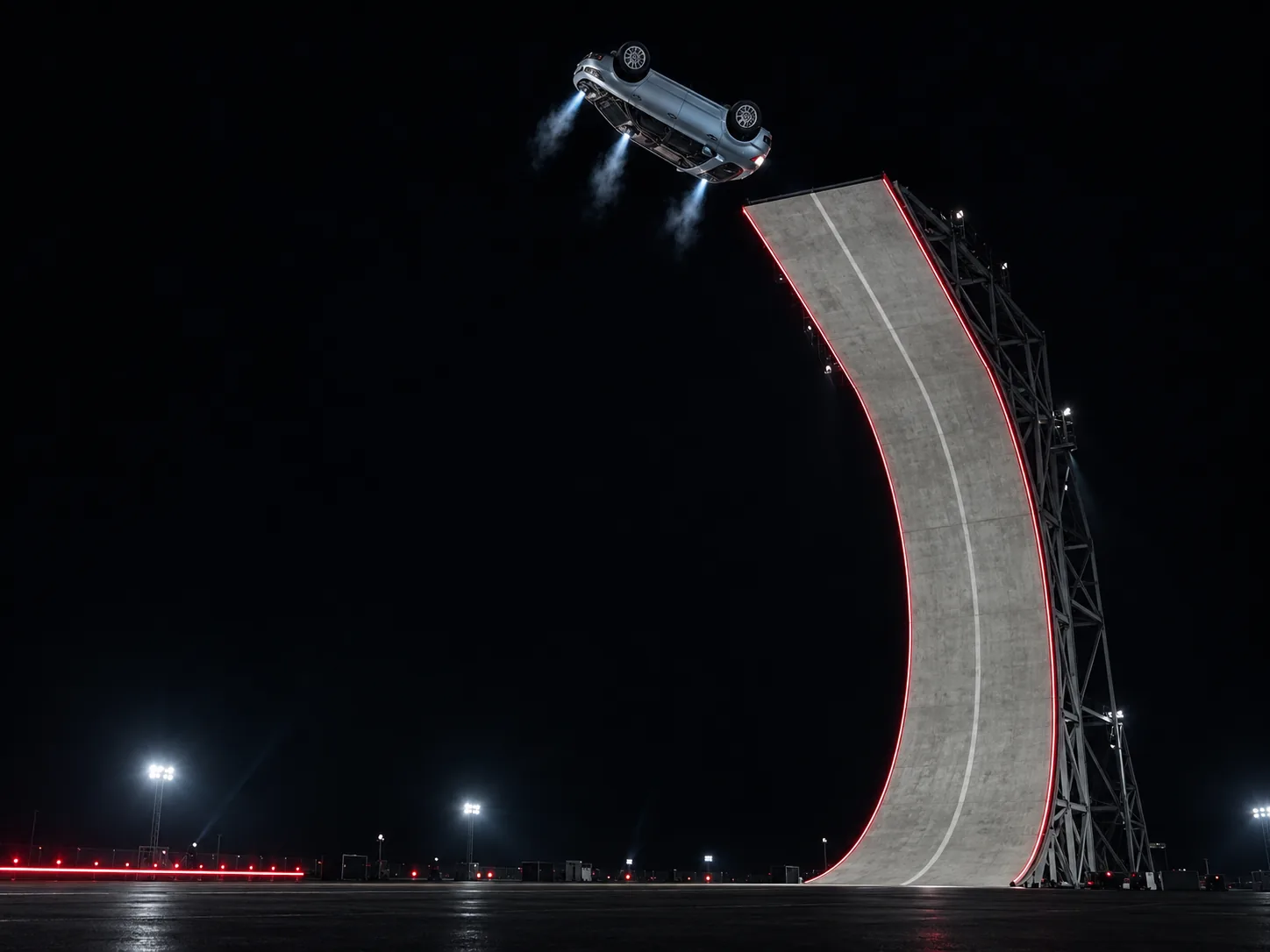
Here's how it works in our Roadster kickflip AI video maker:
- Upload one photo of your vehicle. Use the checklist below.
- Pick a resolution. Seedance 2.5, the vertical frame and the 17-second run time are fixed, because the stunt only works at its original length. Test a new car at 480p; spend the 720p or 1080p run on the photo that already lands well.
- Generate. Seedance 2.5 gets your car photo plus the stunt footage, and swaps the vehicle and nothing else: the ramp, the night sky, the smoke and the camera stay as filmed, and the engine, thruster and landing sounds are generated to match your car rather than copied from the Roadster. Rendering runs on our servers for a few minutes, so you can close the tab and come back.
- Save it. The kickflip waits in My Creations, ready to download as an MP4 with its sound.
You don't write a prompt. The one behind the template runs past a thousand words, covering which way the car faces on the ramp, how a motorcycle should lean, and what to do with badges, and it's filled in for every run.
Photo checklist for a Tesla kickflip AI video
- Just your vehicle. Parked cars, passers-by or you leaning on the bonnet give the AI a second candidate to put on the ramp. Trim them out.
- Three-quarter rear or side view. The clip shows the rear and sides most. A three-quarter shot that shows one side and the back is ideal; a straight-on front photo is the weakest.
- Bumper to bumper. If the photo cuts off the nose or a wheel, the AI invents that part, and it rarely matches.
- True paint colour. Shoot in daylight and skip filters: a car photographed under orange streetlights flips orange.
- In focus. At the top of the ramp your car is a few dozen pixels spinning through motion blur; the AI holds on to it only if it knows the details well.
Motorcycles, minivans and the car on your lot
It doesn't have to be a Tesla, or even a car. The vehicle type is read from your photo, and the stunt adapts: a motorcycle climbs on two wheels, leans as it leaves the lip and rotates like a bike, still riderless, because the Roadster had no driver either.
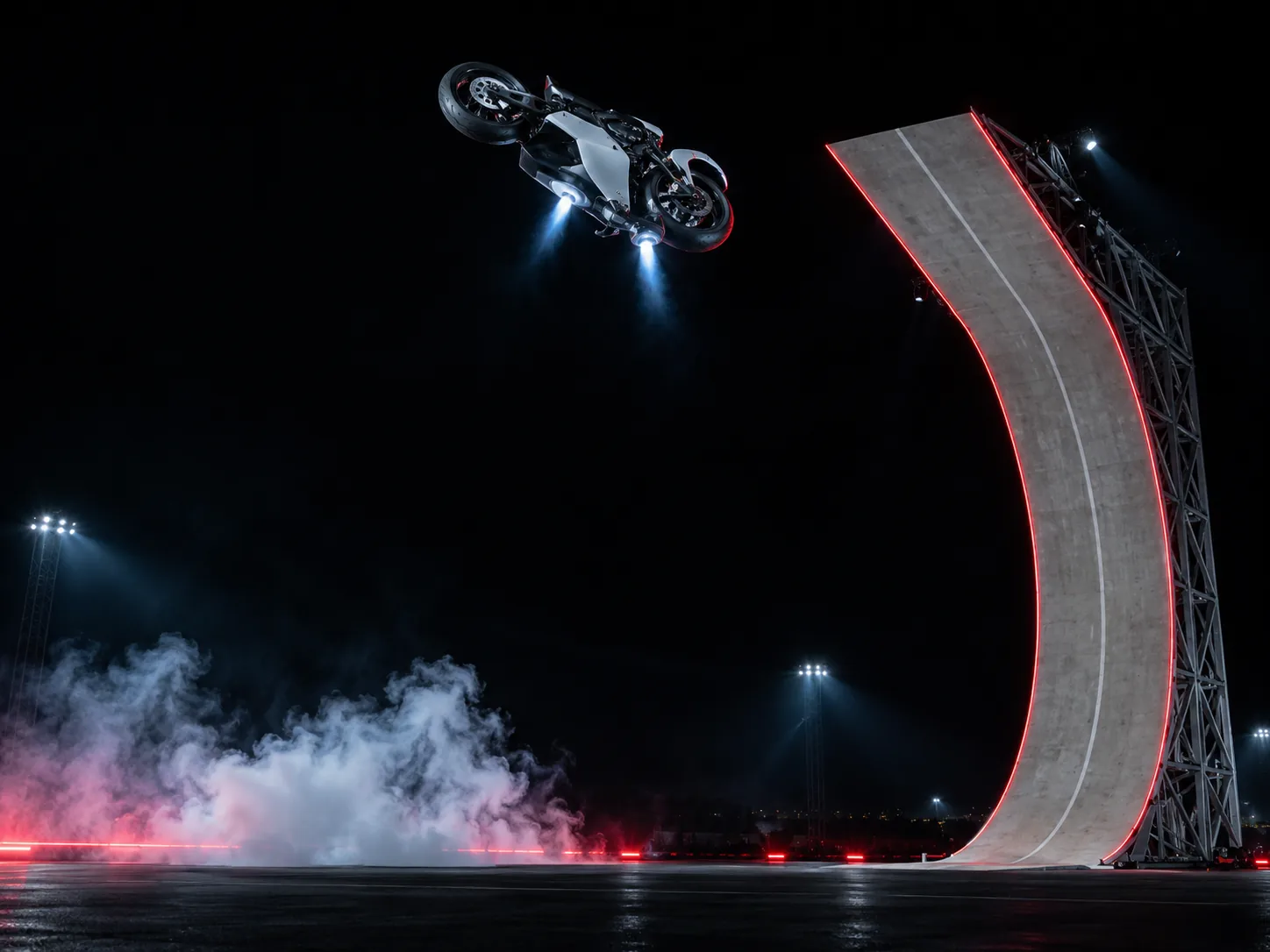
The Roadster kickflip AI videos that get shared most star the vehicle nobody expected to fly: a beige minivan with a roof rack, grandpa's pickup, a golf cart. Car dealers and wrap shops use the same trick on the car they want to move this week.
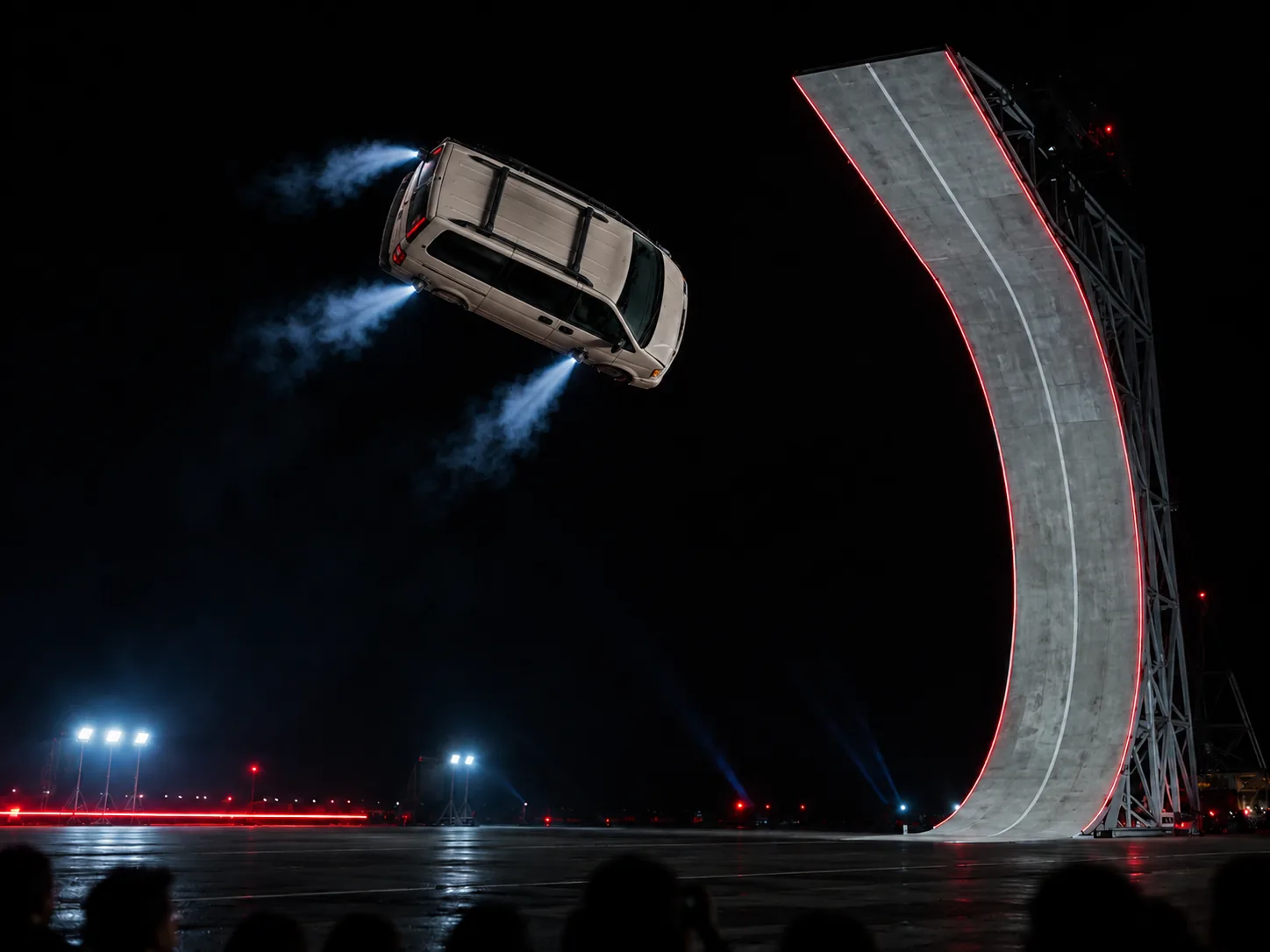
Method 2: Build a Tesla Roadster flip AI video yourself
If you want a different stunt, such as the flip over the parked cars instead of the ramp, or a vehicle from a game or a cartoon, you'll need a clip of the stunt, a photo of your vehicle and a model that can edit the clip rather than invent a new scene.
Pick the right kind of tool first:
- Text-to-video or image-to-video (Grok Imagine, Sora, Veo and the like) has to invent the stunt from your words. You get a different flip every run, and most of them break the laws of physics in a way that looks fake rather than spectacular. Fine for a quick meme, not for a clip that passes as the real stunt.
- Reference-to-video models such as Seedance 2.5 watch the stunt footage and look at your photo at the same time. The stunt stays physically right because it's copied, not imagined, and only the car's appearance comes from you.
Then:
- Trim the source. One continuous stretch of the stunt, ideally under 15 seconds. Use only footage you're allowed to use.
- Prepare one photo of your vehicle, three-quarter rear view if you can.
- Lock down what stays. The prompt has to name the one thing that changes and protect everything else. A starting point:
Replace only the Tesla Roadster in @Video1 with the vehicle in @Image1,
in every frame it appears. Its body shape, paint, wheels, lights and
badges come from @Image1 only. Keep the ramp, the night sky, the smoke,
the lighting and every camera move exactly as filmed. Copy the path,
speed, climb, take-off, mid-air rotation, thruster firing and landing
frame for frame, at the same timing. The vehicle faces the same way as
the Roadster in every frame: rear to the camera on the climb.
Nobody is inside the vehicle. If @Image1 shows no readable badge or
plate, leave those areas plain. No extra vehicles, no driver.
- Generate three to five takes at the lowest resolution. Check the frames at the top of the ramp and the moment it comes out of the smoke: that's where the car changes shape.
- Turn the sound on, or add it afterwards. A silent flip loses half its punch.
One-photo template vs. doing it yourself
| One-photo template | Build it yourself | |
|---|---|---|
| What you need | One vehicle photo | A stunt clip, a photo, a prompt |
| Ramp, smoke and camera | Exactly the reveal footage | Only if your model can edit a reference clip |
| Sound | Engine and thrusters made to suit your vehicle | Depends on the model |
| Works with motorcycles | Yes | Hit or miss |
| Runs before a keeper | One, if the photo is good | Plan on a handful |
| Best for | Posting today | Other stunts, game or cartoon vehicles |
So which one? For your own car, bike or truck on the ramp, the template gets you there in one run. Build it yourself when you're after a stunt the template doesn't cover, like the flip over the parked Teslas, or a car from a game.
Fixing your Roadster kickflip AI video
Why does my car turn back into the Roadster mid-air?
At the top of the ramp the car is small and blurred, and the model falls back on the shape it was trained on, the one in the clip. Use a sharper photo where the car fills more of the frame, ideally from a three-quarter rear angle, and run it again. In DIY prompts, say the original vehicle must never appear.
Why is my car driving backwards up the ramp?
The model mirrored your photo. It happens most with a front-on photo, because the clip shows the rear. A rear or three-quarter rear photo fixes it; in a DIY prompt, state which end faces the camera.
Why are the badges or the number plate gibberish?
Small text is the hardest thing for a video model. If your photo shows a readable plate, it may come out simplified; if it shows none, the area should stay plain. Crop the plate out of your photo if the made-up text bothers you.
Why does my motorcycle have a rider (or my car a driver)?
The original Roadster was empty. A template keeps every vehicle driverless; in your own prompt, say outright that nobody is inside.
Why does the car change colour after the smoke?
The landing is lit red and blue, and the car disappears into the cloud. A daylight photo with true colours gives the model a clean reference to come back to.
Why is the video blurry?
If it was a 480p test, that's expected: generate the same photo again at 720p or 1080p. Some blur at the moment of the flip is in Tesla's footage too, so don't chase a perfectly sharp rotation.
Tesla Roadster kickflip AI video FAQ
Is the Tesla Roadster flip real or AI?
The Roadster's flip at the October 15, 2026 reveal was a real, filmed stunt using cold-gas thrusters, with nobody in the car. The versions starring other cars, bikes or minivans are AI.
What app makes the Tesla kickflip AI video?
There's no official Tesla app or TikTok filter for it. The versions with other cars are made with AI video tools, either a template that already contains the stunt (Method 1) or a reference-to-video model fed the footage by hand (Method 2). Ours is a web page, so it works from your phone's browser as well as a computer.
Does my car have to be a Tesla?
No. A BMW, a Civic, an F-150, a Model 3, a Vespa or a golf cart all work. The stunt adapts to the vehicle type in your photo.
Can I make my car fly like the Roadster?
In the video, yes: after the flip, the thrusters fire and your car hangs above the ground before it lands. In real life, no. Even Tesla's thruster version isn't approved for public roads, so keep the stunt on screen.
How long is a Roadster kickflip AI video?
It runs the full 17 seconds of the stunt, in vertical 9:16.
Can I make a Tesla Roadster kickflip GIF?
Download the MP4 and convert it with any video-to-GIF tool. Trim it to the two seconds around the flip: the full clip makes a very large GIF.
Will there be a watermark?
No. The kickflip you download from us carries no logo or watermark, so it's ready to post as is.
Can I make a Tesla Roadster kickflip AI video for free?
Not entirely. Signing up and checking in daily earn you some credits, but a full 17-second stunt costs more than those cover at first. The cheapest way in is the one-time Trial Pack, which pays for one 480p Roadster kickflip without a subscription. If a run fails, its credits go back to your balance.
Make your Roadster kickflip AI video
The short version: shoot your car from a three-quarter rear angle in daylight, borrow the real stunt's motion instead of asking a model to invent a flip, watch the top of the ramp and the exit from the smoke, and mark the post as AI.
Ready to send your own car up the ramp? Upload it to the Roadster kickflip AI video generator and get back the full stunt, thrusters and smoke landing included. For another car trend, see how to make an Unforgettable car AI video. Want a person in the spotlight instead of a car? Try the White Chicks car singalong or the Popstar mansion walk, or browse everything in our AI video effects.
Sources
- Are Tesla's claims for its new 'flying' Roadster real, or is it just full of cold gas?, Electrek
- Was the Tesla Roadster Flip Real, or an AI-Generated Stunt?, SlashGear
- New Tesla Roadster performs mid-air 'kickflip' as it flies over five Tesla vehicles, CarMag
- AI-generated content, TikTok Help Center