
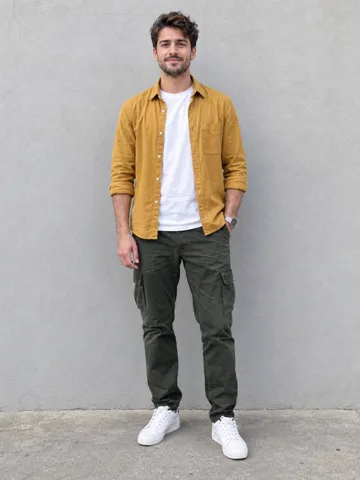
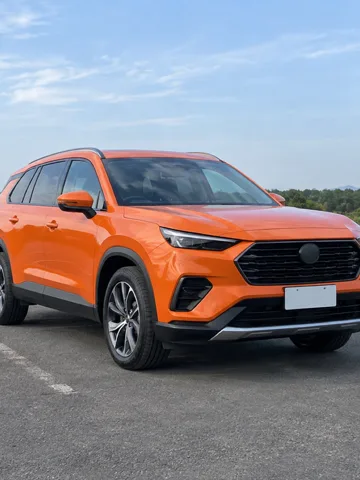
Two photos + one performance, nothing else
More Effects
Explore the other video effects, each with its own input and motion.
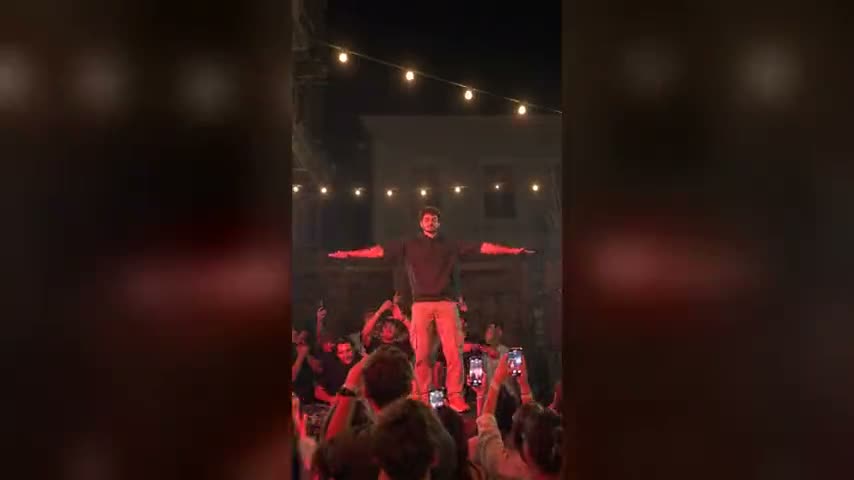
Make a car jump AI video from two photos
The viral car jump AI trend, also called the flying car trend, came roaring back on Instagram Reels and YouTube Shorts in late September 2026: someone sits cross-legged in a folding camp chair in a dry, dusty field, completely calm, while a big black SUV launches off a ramp right behind them, flies through the air, lands in a cloud of dust and rolls up beside the chair. Most people try to rebuild that viral car jump video from a copied car jump AI video prompt and get a different, often toy-like jump every time. This car jump AI video generator copies the real 12-second stunt instead: add a photo of yourself and a photo of any car, and your AI car jump video puts you in the chair while your car makes the jump, with the dust, the camera and the music kept exactly as in the original.
Which car makes the jump in your car jump AI video?
In the viral car jump AI trend, the chair, the field and the stunt stay the same; the car is the part people change. Every trending car jump AI video uses a different ride, from a Mahindra Thar or a Land Cruiser to a G-Class or a pickup, and here you can put any car in the air with one photo of it.
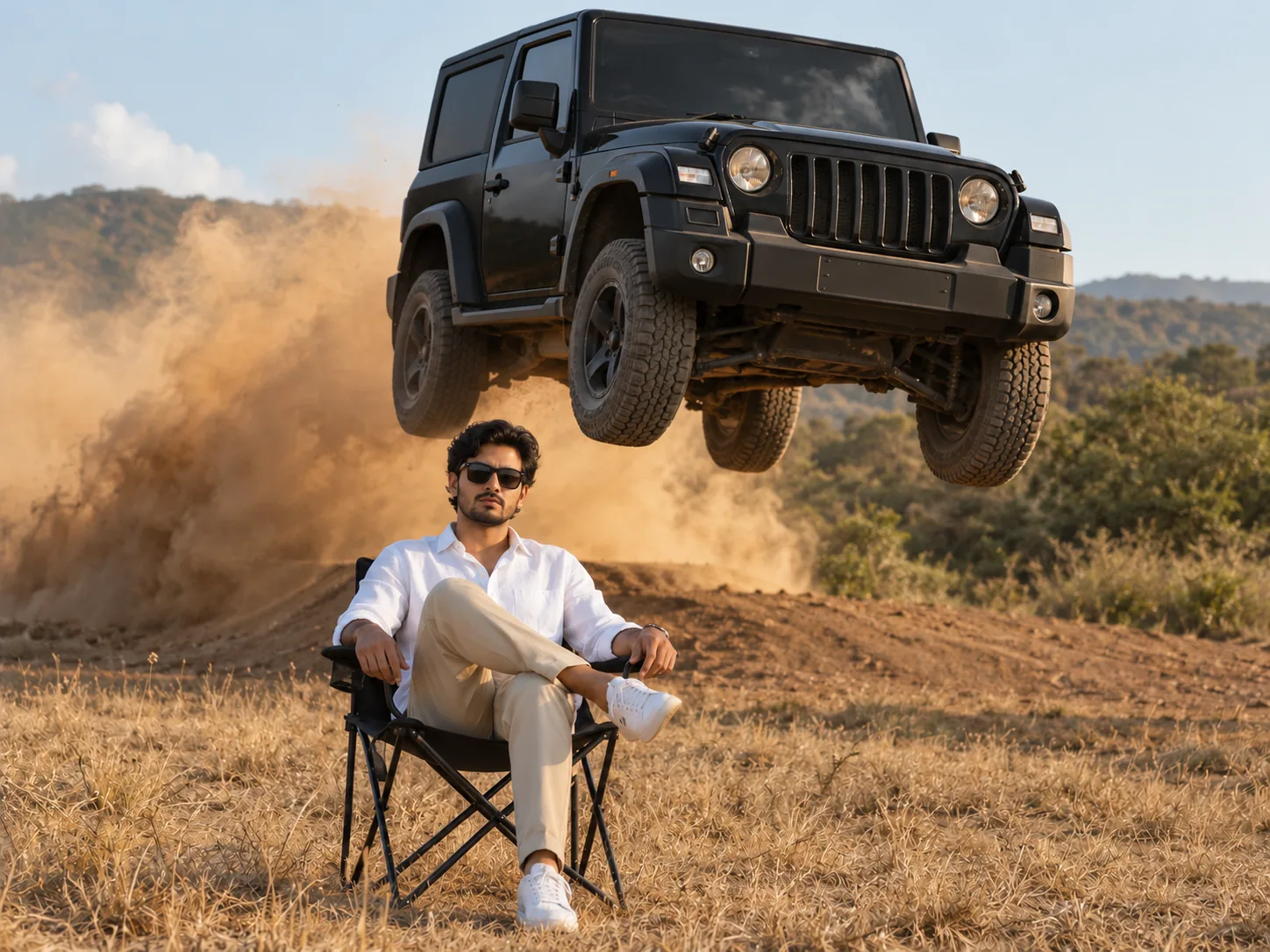
A black Thar over your shoulder
The best-known version: a black Mahindra Thar launches off the ridge while you sit there in sunglasses as if nothing is happening. Use a photo of your own Thar, or any boxy off-roader you love.
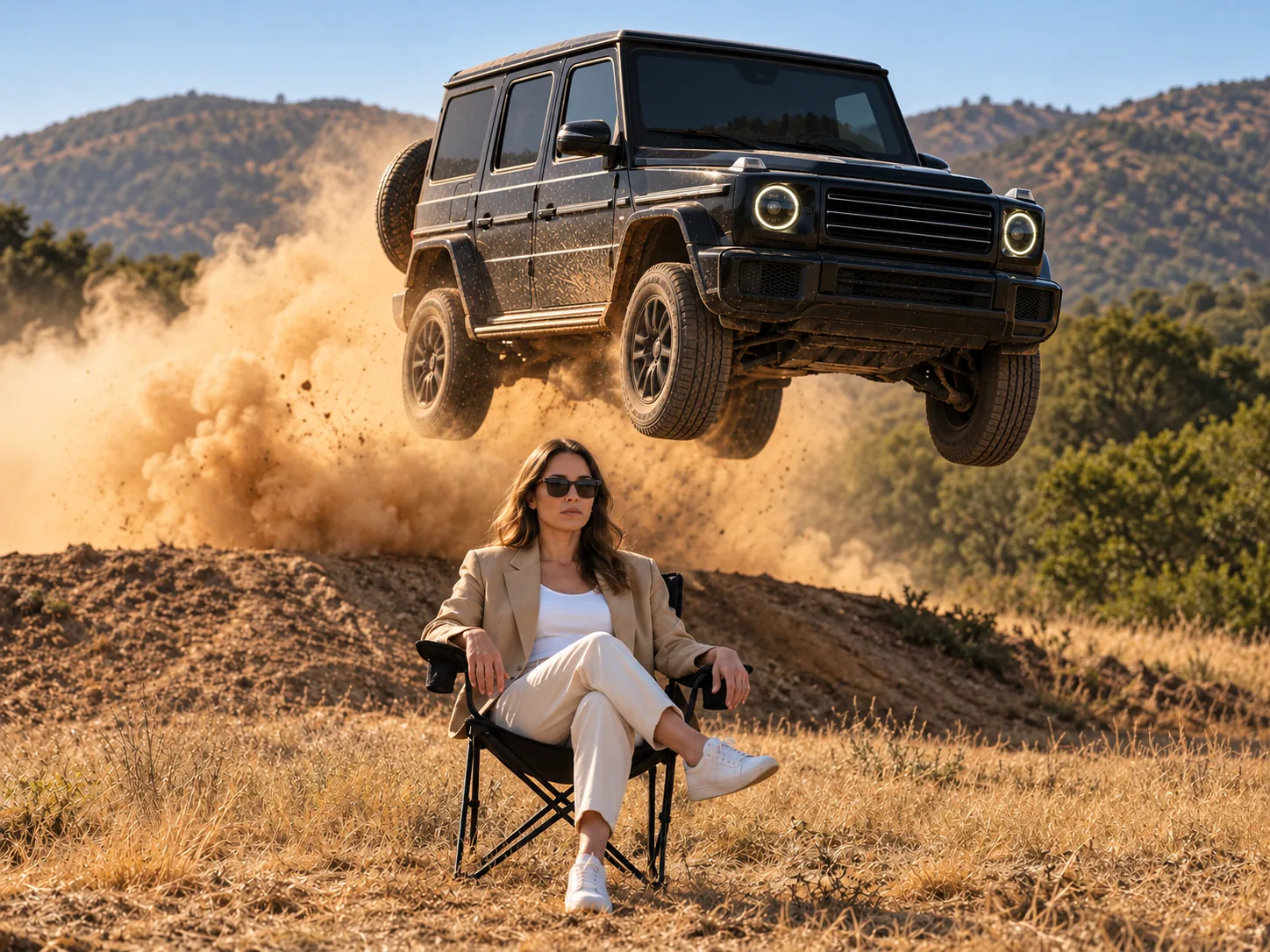
The G-Class you don't own yet
Put the car on your vision board in the air: a black G-Class, a Range Rover or whatever you'd drive tomorrow. A clear photo of it from the front is all the AI needs to fly it over your chair.
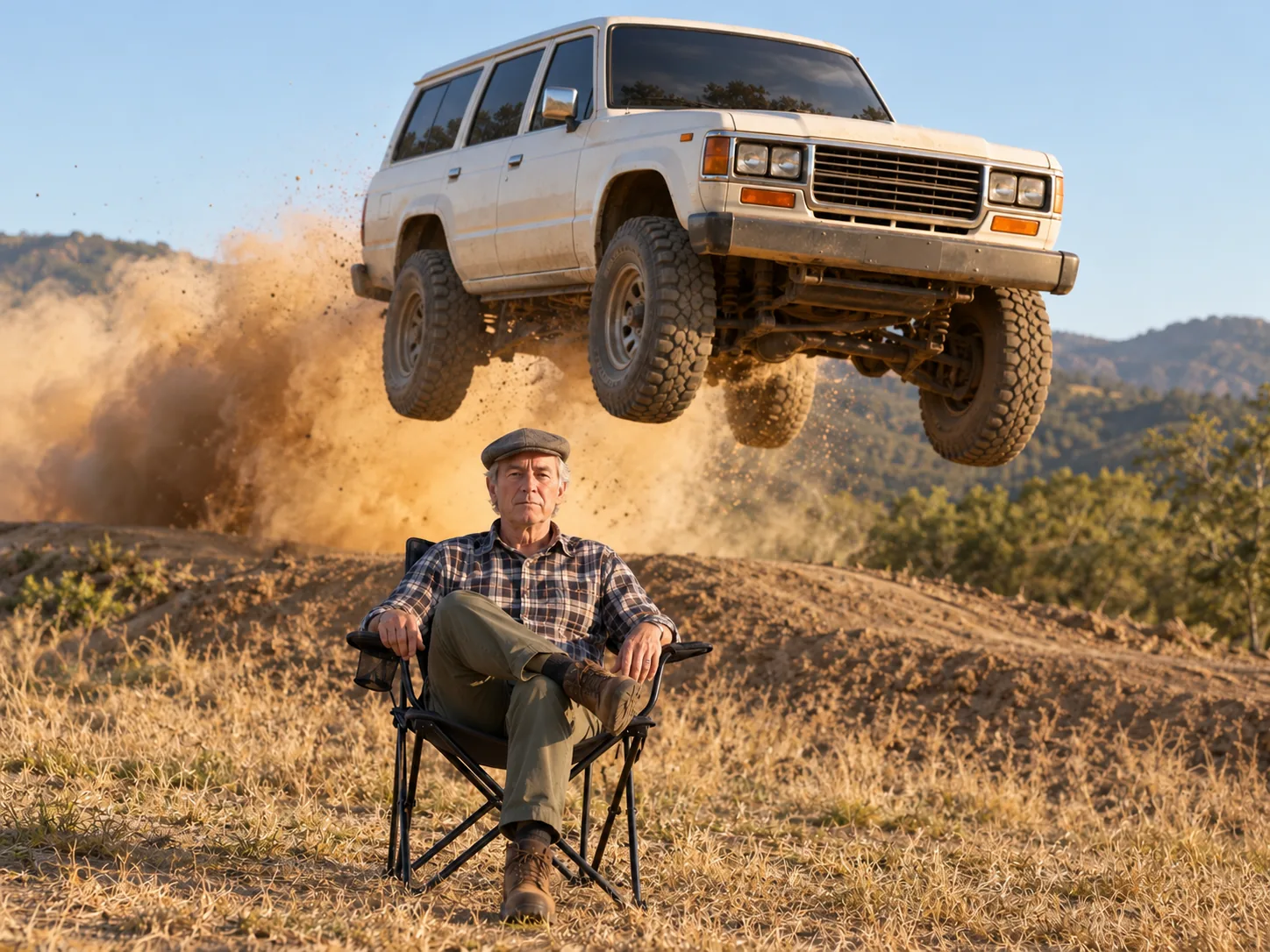
Dad and his old Land Cruiser
Make it personal: put your dad in the chair and his trusty Land Cruiser in the air, or the first car you ever owned. It works with older cars too, as long as the photo shows the whole car.
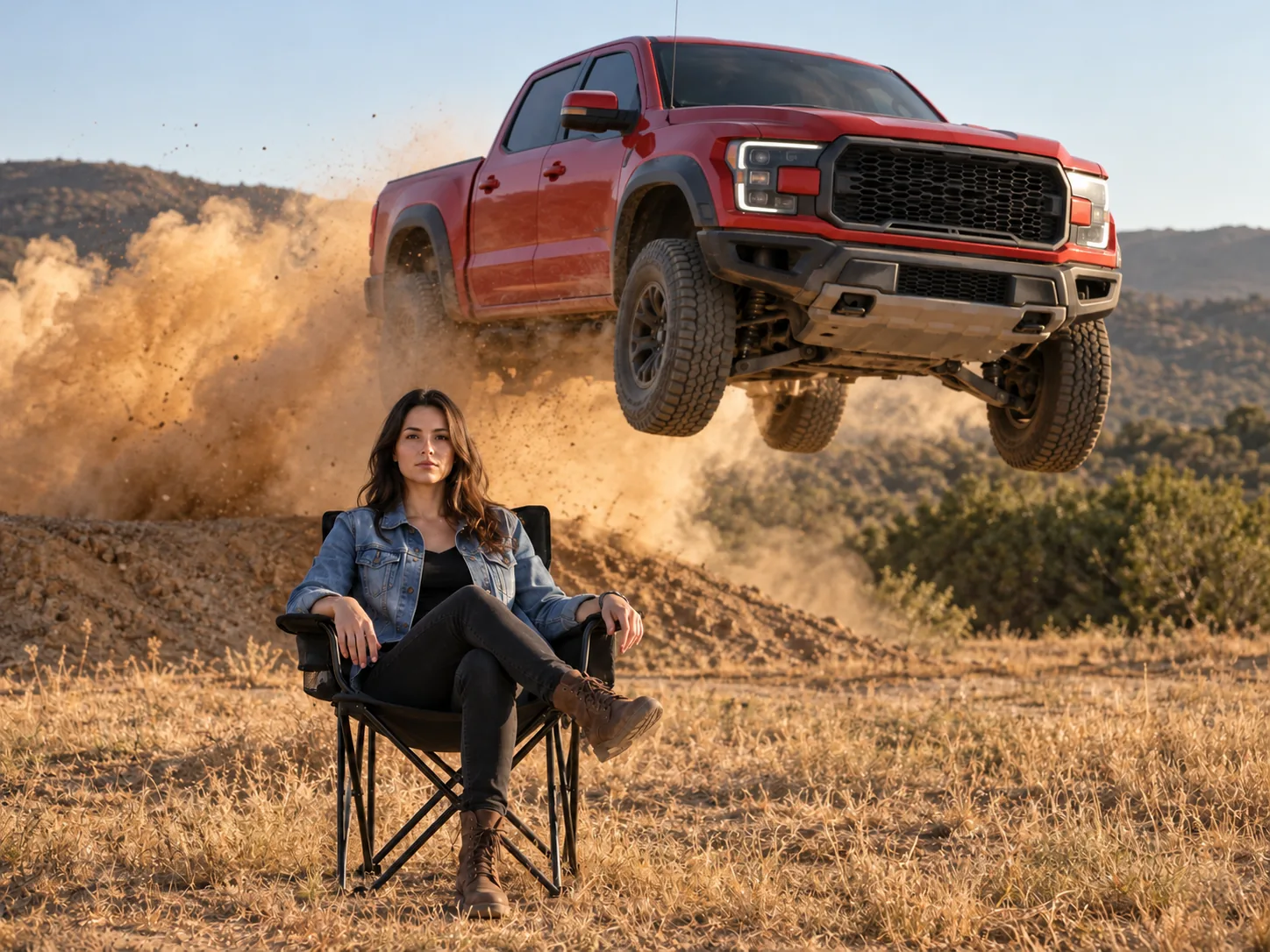
Not an SUV? Fly a pickup
Pickups and off-road trucks are a popular twist on the jump. Upload your truck and it takes off from the ramp, hangs over the field and lands in the dust, while you don't even look round.
How to make a car jump AI video
The field, the ramp, the jump, the camera moves and the soundtrack are already in the template, so making your own viral car jump AI video takes three steps. You only choose who sits in the chair and which car makes the jump. Your AI car jump video is made on Seedance 2.5, which follows the real stunt clip frame by frame.
Upload yourself and the car
Photo 1 is the person in the chair: their face, hair and the whole outfit, sunglasses included only if they're in the photo. Photo 2 is the car that jumps: any make, any colour, ideally the whole car in one clear shot. Formats: JPG, PNG, WebP or HEIC, 30MB max per photo.
Choose 480p, 720p or 1080p
Length, frame and soundtrack follow the stunt clip, 12 seconds in vertical 9:16, so the one choice left is how sharp it is: 480p for 500 credits (normally 700), 720p for 1,100 or 1080p for 2,300.
Save it and post the jump
Your car jump AI video lands in My Creations with the soundtrack already synced to the jump, usually within about 10 minutes. Save the MP4 and drop it straight into a Reel, a Short or a TikTok; no trimming or audio work needed.
Twelve seconds in the chair, second by second
The whole stunt is one continuous take, filmed with a black Toyota SUV in a dry field of scrub and low hills. The joke is the contrast: a heavy SUV flying through the air a few metres away, and a person who couldn't care less. Here is what happens in your AI car jumping video, in order.
0–3s · Just sitting there
Photo 1 sits in a black fold-out chair out in a sunlit, dried-out field, legs crossed, hands resting on the knee, looking straight ahead. Behind them there's only a dirt ramp, some scrub and the hills.
3–5s · The launch
Your car from Photo 2 bursts up off the ramp right behind the chair, all four wheels off the ground, throwing a wall of dust into the air. The person in the chair lifts a hand and keeps talking as if nothing is happening.
5–8s · Airborne overhead
The car hangs in the air above and behind them, grille and headlights toward the camera, while they sit perfectly still in the frame below. This is the shot people screenshot, so a clear photo of the car's front pays off.
8–10s · The landing
The car comes down hard in its own dust cloud and keeps rolling toward the camera. No flinch, no glance back: the person in the chair doesn't react at all.
10–12s · Parked right beside them
The car pulls up close behind and then beside the chair, close enough to see its side and mirrors, and the clip ends on the two of them together, still perfectly calm.
One take, 9:16, about 12 seconds
This isn't a scene invented from a text prompt: the car jump AI video generator follows the real clip frame by frame, so the jump has real weight, the suspension compresses on landing and the dust behaves like dust. Only two things change: the person in the chair and the car that flies. It comes out vertical, ready for phones, with the music laid under the whole clip.
Car Jump AI Video FAQ
Where the car jump AI trend came from, why your own car is the twist, the photos that work best and what your viral car jump AI video costs.
It's a vertical clip in one continuous take where someone sits perfectly still in a camp chair while an SUV launches off the ridge behind them and drops back down in a wall of dust, and the person doesn't so much as glance back. That deadpan is the whole joke, and it's why the clip gets copied: nobody would really sit there. Clips like this were already around in late 2025, and the viral car jump AI trend took off again on Instagram Reels, YouTube Shorts and TikTok in late September 2026, starting in India, where tutorials titled "Trending Car Jump AI Video" multiplied. The AI version puts you in the chair, and on this page your own car makes the jump. You'll also see it called the flying car trend, the AI car jumping video, car flying video AI, the car stunt entry trend or, with a Mahindra Thar, the Thar jump.
With this car jump AI video generator it takes three steps and no prompt. 1) Upload a photo of the person for the chair: sharp, front-facing and in good light, at least head and shoulders. You don't need a photo of yourself sitting down. 2) Upload a photo of the car that should jump. Both photos are needed: most car jump tools only take a selfie and invent the car, and the second photo is what swaps in your own. 3) Choose 480p, 720p or 1080p, then hit Generate Video in the generator above. About 10 minutes later your AI car jump video, a 9:16 MP4 with the music already on it, is waiting in My Creations. Because the stunt clip and its prompt are set up in advance, the jump comes out the same every time, with no re-rolls.
Not here. "Car jump AI video prompt" is one of the most searched phrases in this trend, because the usual route is to upload the original clip to Google Flow, Kling or Higgsfield with your selfie and paste a long copied prompt. Those prompts ask the model to track the clip's camera, framing and movement and keep your face and clothes, and the ones that actually work also spell out where the car takes off, where it lands, that it never touches you and that you stay still. Leave any of that vague and the car can land in front of you or fly out of the frame; describe a real-looking off-roader and the model tends to draw a real brand, badge and all, even when the prompt says no logos. This page has its car jump AI video prompt built in and tuned to one real stunt clip: the jump arc, the landing, the dust and the timing are locked to that clip, your whole outfit (sunglasses only if you wear them in the photo) comes from photo 1, and the car is copied from photo 2 in every frame, mid-air included. So there's no car jumping AI video prompt to copy, paste or re-roll, and the car in the air is yours, not whatever the model imagines.
There's no single official app behind the trend. Most of the clips going around were made in general AI video tools like Google Flow, Kling, Dreamina or Higgsfield: you bring your own reference clip, write or paste a prompt and re-roll until the jump looks right, which gives you the most freedom over the location and the camera but takes the most work. The easiest way is a dedicated car jump AI template, and that's what this page is. It reproduces the exact viral shot because it's built on the real 12-second stunt, so the jump, the dust and the camera match the original instead of being reinvented each time. You upload two photos, generate and download; no prompt writing and no editing skills needed. It also goes a step further than most templates: the second photo puts your own car in the air, the music is already on it, and it runs in your browser on a phone or a computer with nothing to install. Under the hood this car jump video generator runs on Seedance 2.5, which redraws only the person and the car from your photos.
A black Toyota SUV, its badge clearly visible on the grille as it flies toward the camera. In your video it becomes whatever car is in your second photo.
Yes, and that's the main thing this page does differently. Many car jump templates fix the car: you get the black SUV from the original or pick from a few preset styles, and some tools only swap in a different car if you upload a clip of that car doing the jump. Here it's one photo: put your car in the second slot and it's the one that launches off the ramp, hangs over your chair and lands in the dust. Any car works, a Mahindra Thar, a Land Cruiser, a G-Wagon, a Tesla, a pickup or a hatchback, and it doesn't have to look like the black SUV in the original. A car people know is yours is what makes the clip land as a personal joke. Use a front or front three-quarter photo in daylight with the whole body, wheels, lights and grille in frame; a side-only shot gives the AI less of the face it shows for most of the jump. Small details like the badge, the number plate or trim can come out slightly different, so watch the clip before you post it; if the car changes shape, try a clearer photo. So if you've been looking for a car jump video AI or a car flying video AI that keeps your own car instead of inventing one, this is it.
Yes. The G-Wagon is one of the most popular versions of the trend, and some sites even sell it as its own template with a fixed black G-Class. Here you aren't stuck with a generic black box: upload a photo of the exact G-Wagon you want in the second slot, whether that's a white one, a matte green one, an AMG G63, an older model or your own, and it's the one that flies over your chair in the G-Wagon car jump AI video. Its square body, round headlights and spare wheel come through clearly; the three-pointed star and small trim may not be exact, so check the clip before posting. A clear front-on photo of it is all it needs, with no G-Wagon prompt to write and no separate template to pick.
Yes, and there are two ways to do it. The first is a general image-to-video tool, where you upload your photo, write a prompt describing the chair, the SUV and the jump, adjust settings like reference and motion strength, and re-roll until the car looks right and lands in the right place. The second is a ready-made car jump AI template, which is exactly what this car jump AI video generator is: the real 12-second stunt, the camera, the dust, the prompt and the music are already set up, so you only add two photos and press Generate. For the person, use one sharp, well-lit photo of a single person, front-facing or slightly angled and not cropped too tightly, so the face, shoulders and outfit are easy to read; skip heavy filters and crowded backgrounds. For the car, follow the tips in the own-car answer above.
Yes, as long as you have their permission. Put a friend, a sibling or your partner in the chair and their car (or the car they dream of) in the air. Don't use photos of people who haven't agreed to it.
Not in your video: every viral car jumping video made here is generated, so nobody has to sit under a flying car. Don't try to recreate it for real; a jump like this is extremely dangerous for anyone standing nearby.
Yes, and the sound is a big part of why it hits. Your video comes with a punchy track cut to this exact 12-second stunt: it opens with a short melodic intro while you sit there, pulls back to almost nothing for a second or two of tension as the car comes up behind you, then the drop lands right as the car leaves the ramp, and a hard, steady beat carries the flight, the landing and the car rolling up beside your chair. That timing is what makes people replay it: total calm, then the hit on the jump. Some car jump AI videos come out silent or with audio that has nothing to do with the jump, so the car just floats past with nothing to land on, and you end up hunting for a sound in CapCut and nudging it into place. Here the track is already mixed into the MP4 you download, starting on the first frame and synced to the jump, so it's ready to post with sound as it is.
Twelve seconds, which is the whole stunt: about three seconds of calm, the launch, the flight and the landing, then the car rolling up beside the chair. It's short enough to loop, which is part of why the clip gets replayed. Rendering takes roughly 10 minutes; the job keeps running if you leave, and the finished video waits for you in My Creations.
It's 500 credits at 480p (normally 700), 1,100 at 720p and 2,300 at 1080p. The price covers the whole clip, music included. If the video fails, the credits come back to your account.
You can try the car jump AI trend without paying for a plan: new accounts start with free credits and the daily check-in adds more, so the 500 credits for a 480p stunt build up over time. If you want yours today, the trial pack is sized to cover one 480p car jump, and a run that fails hands the credits back.
Yes. It comes out in 9:16, the same vertical shape as the original clip, so your car jumping AI video fills a phone screen edge to edge on Reels, Shorts or TikTok, the same shape as every trending car jump video in your feed.
Of course. Your car jump AI video comes out as a plain MP4 with nothing stamped over the jump: no watermark and no logo in the corner, so the moment the car lands isn't half-covered by a badge. Post it on any app as a viral car jump AI video that's all yours.
Swap one photo at a time so you can tell what fixed it. If the face drifts, use a sharper front-facing shot with more light on the face and nothing covering it. If your clothes or body warp, pick a photo that shows your shoulders and torso rather than a tight crop. If the car's shape wobbles mid-air, the car photo is usually the cause: try a sharper one taken in daylight that shows the whole car. There are no reference or motion strength sliders to tune here because the stunt itself is locked, and each generation is a new take, so the same two photos can land differently on a second try.
Put yourself in the chair
One photo of you, one photo of the car, no prompt. This car jump video generator turns them into a car jumping AI video: your car flies over the ramp behind you while you don't even blink, and the beat drops on the take-off.
