GTA 6 Loading Screen AI Trend

Real result generated with Flowlio AI from this one photo
- 1 photo you add
- 12 s clip with sound
- Ready to share via link
- No watermark
Ready in a few minutes

Real result generated with Flowlio AI from this one photo
More Effects
Explore the other video effects, each with its own input and motion.
What is the GTA 6 loading screen AI trend?
The GTA 6 loading screen AI trend takes a plain phone video of you and turns it into the painted art the game shows while it loads. Here it takes one photo and one click.
Who should star in your GTA 6 loading screen AI art?
In every GTA loading screen AI clip, the red muscle car, the Miami street, the outfit and the freeze into painted art never change. You choose the face. Here is how people use the GTA 6 loading screen AI, and what each clip looks like.
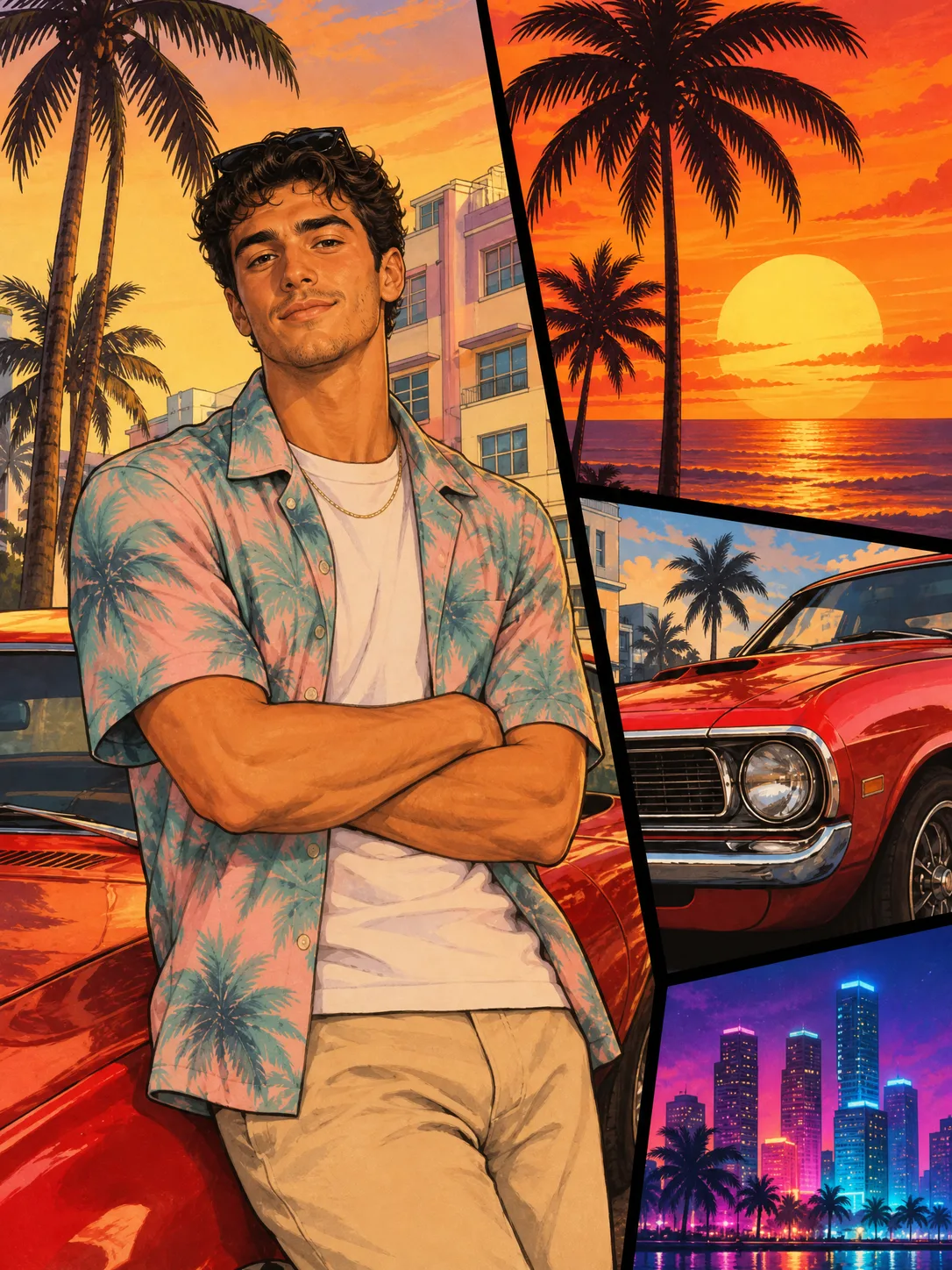
Become your own GTA 6 loading screen AI poster
The classic way to use the GTA 6 loading screen AI is to star in it yourself. Add one bright selfie with your face large and centered. For the first five seconds you lean on the cherry-red muscle car, laugh at the camera and cross your arms, like a friend filmed you on a Miami street. Then the GTA 6 loading screen AI stops the picture on your half-smile and turns it into game art. The last frame of your GTA 6 loading screen AI clip holds still, so pause it and save that poster as your new profile picture or story cover. Caption idea: "waiting for GTA 6 to load like".
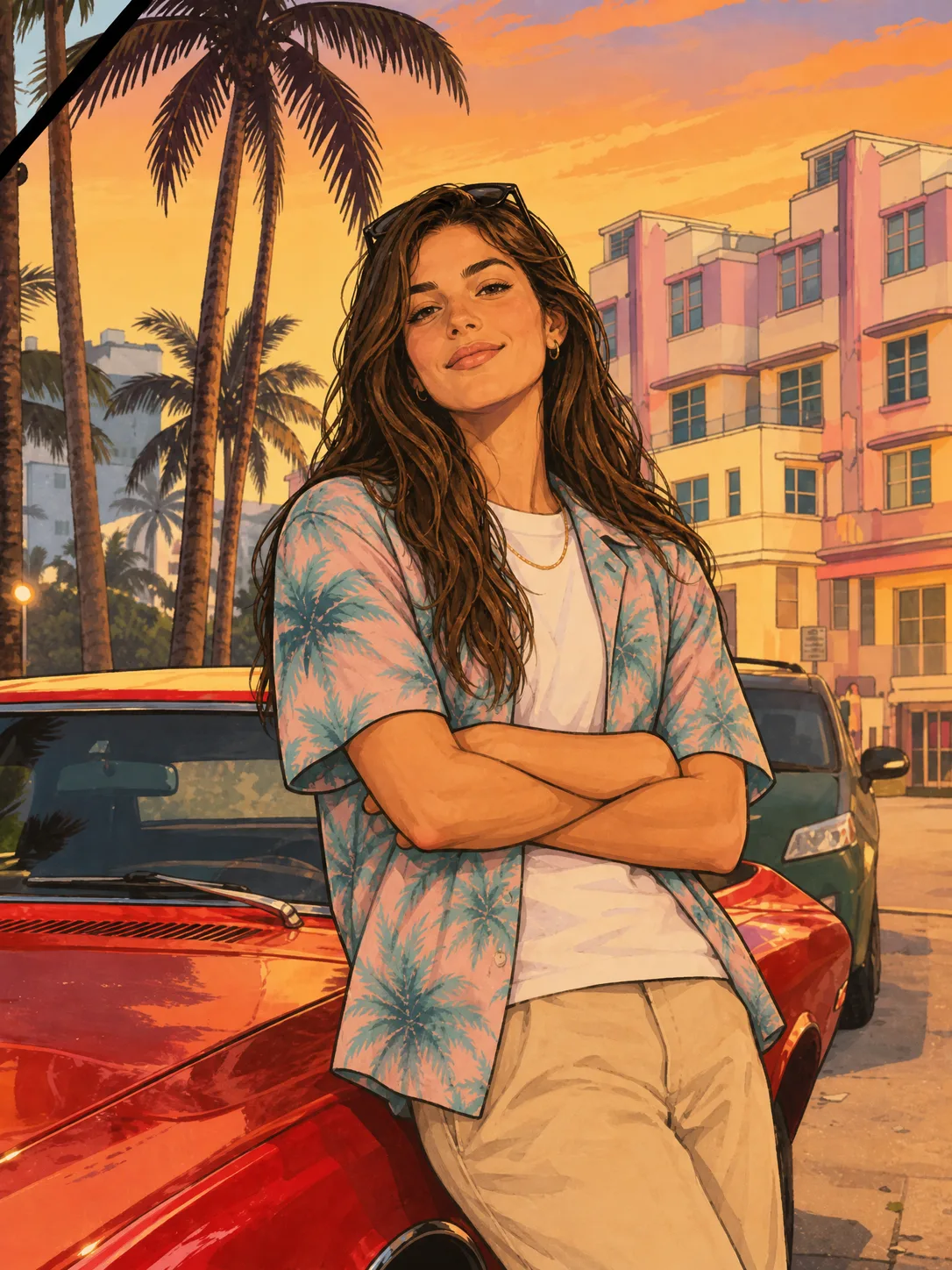
Make your own GTA loading screen girl with AI
The loading screen girl is one of the most famous looks in the series, and plenty of people search for a GTA loading screen girl AI version of themselves. Upload one sharp picture of yourself, hair down or up, whatever you wear day to day. The GTA 6 loading screen AI dresses you in the same pastel palm shirt and white tee, a thin gold chain and sunglasses up on your head, leaning on the red car at sunset. Your hairstyle carries into both parts of the GTA 6 loading screen AI clip, the real footage and the painted art. Tip: a photo with your hair framing your face, not covering it, keeps the likeness strongest.

Put your dad into a GTA 6 loading screen AI clip
Want a laugh at the next family dinner? Put your dad, uncle or grandpa in a GTA 6 loading screen AI clip. Pick a photo where he looks at the camera, glasses on is fine, and the tool does the rest: he leans on the muscle car in GTA 6 loading screen AI style, in a pastel shirt like a 1980s movie star, gives a small laugh, crosses his arms and then freezes into game art. People love seeing a parent turn cool for 12 seconds of GTA 6 loading screen AI. Drop a share link into the family chat; the clip plays as soon as someone opens it, no app or download needed.
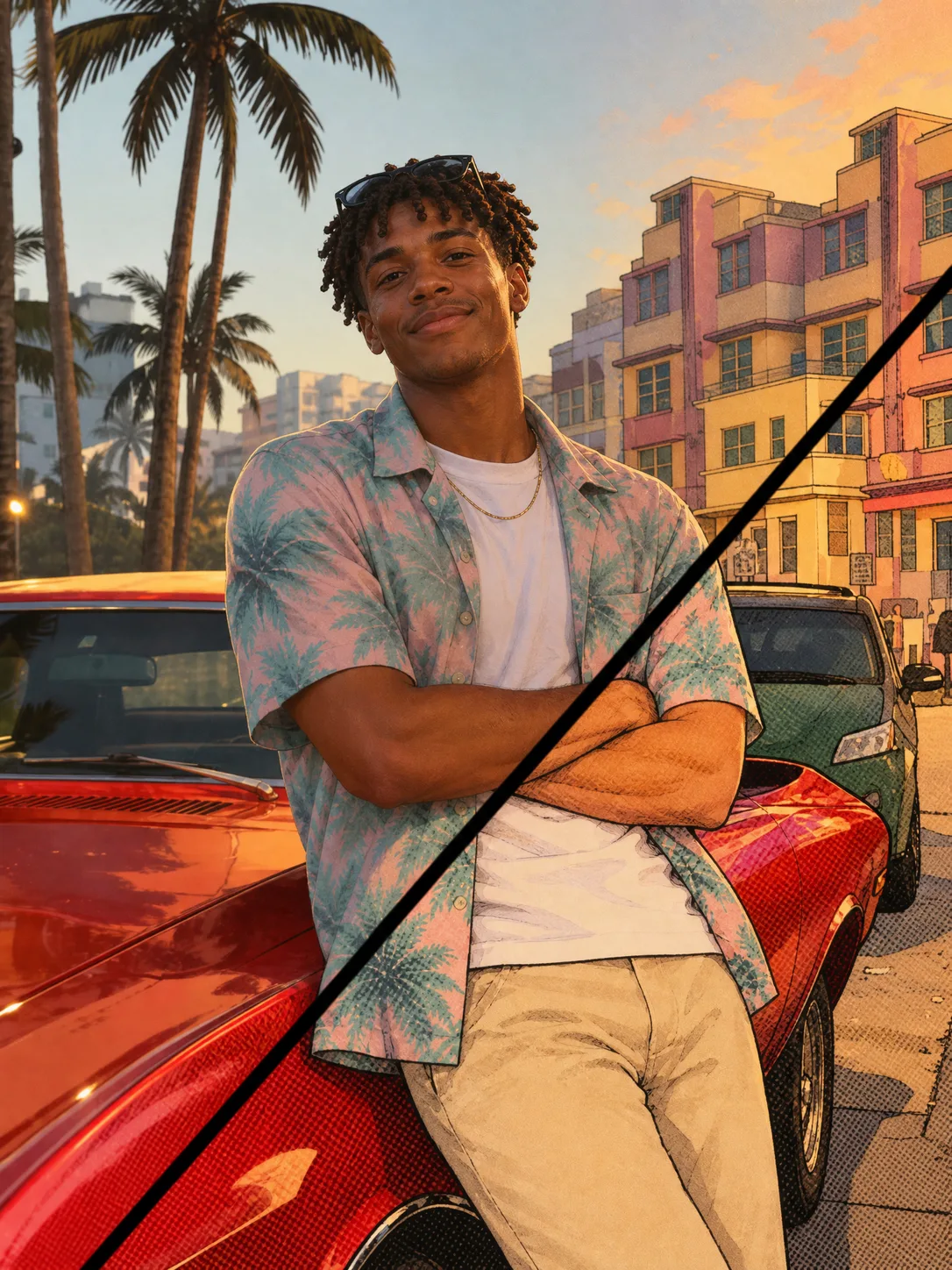
Send a friend their own GTA loading screen AI reveal
This works great as a surprise. Grab a sharp photo of a friend from your camera roll, one face, looking ahead, and run it through the GTA loading screen AI. They will not see this GTA 6 loading screen AI clip coming: a normal-looking phone video of them by a red car suddenly locks still, and a black line sweeps across and turns them into game art. Use the GTA 6 loading screen AI for a birthday shout-out, a new job or just because the GTA 6 launch is all anyone talks about. Once it finishes, create a share link: the clip plays the moment they open it, and a button lets them make their own.
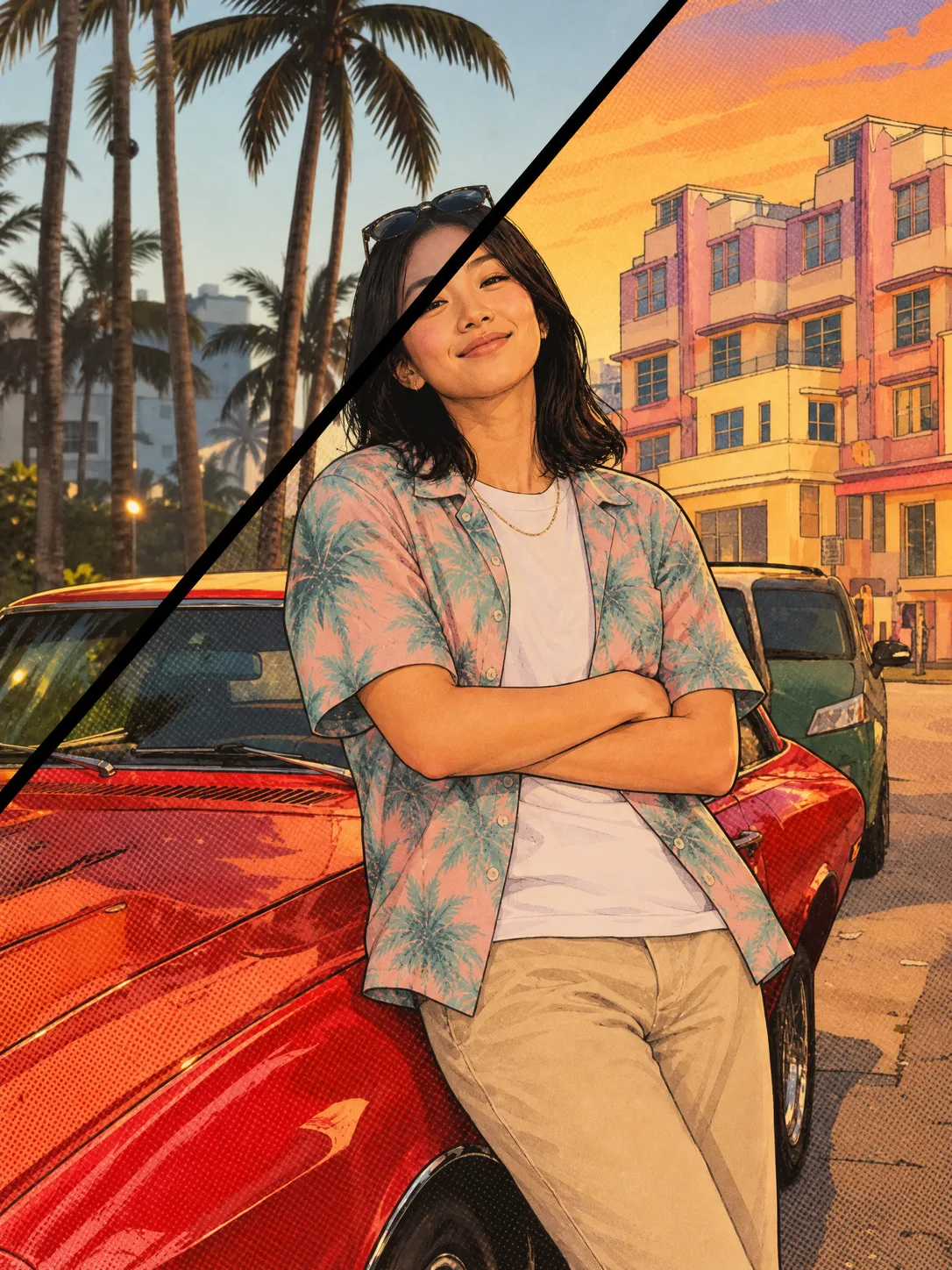
Use the freeze as a hook for your GTA 6 loading screen AI post
For TikTok and Reels, the best part is the switch at about the five-second mark, when real life stops and the painted art takes over. That GTA 6 loading screen AI moment is a ready-made hook. Post the full 12-second clip with on-screen text like "wait for it" in the first seconds, or cut a before-and-after pair: the plain photo you uploaded, then the GTA 6 loading screen AI poster. Every GTA loading screen AI video comes out upright at 9:16, and nothing is stamped on it, so nothing needs cleaning up before you post. Post a few in a row with different friends and ask followers whose loading screen is best.
How to make a GTA 6 loading screen AI video
Most GTA loading screen AI tools hand you a still image and a long prompt to fiddle with. This GTA 6 loading screen AI generator gives you the whole moving reveal, with the outfit, the car, the city and the sound already set.
Upload one photo to the GTA 6 loading screen AI
Choose a sharp shot where you are alone, your face big and well lit. A selfie or a waist-up shot is perfect for GTA loading screen AI. You do not need a car or a beach: the red muscle car and the Miami street come with the GTA 6 loading screen AI.
Choose 480p, 720p or 1080p
Each size lists its credit cost up front, so you know the price before anything runs. 480p is a low-cost GTA loading screen AI test to see your face; 720p and 1080p look sharper when you post the GTA 6 loading screen AI clip as a story or a full-screen video.
Generate your GTA 6 loading screen AI art and save it
Tap Generate. We paint the final poster from your photo first, then build the GTA 6 loading screen AI video so it ends on that exact art. A few minutes later, download the MP4 (no watermark) or copy a share link for your group chat.
What happens in a GTA 6 loading screen AI video, second by second
One 12-second vertical GTA 6 loading screen AI clip, set on a Miami street at golden hour. It starts like real life and ends as a four-card game poster.
0–5s · The phone clip
Your GTA 6 loading screen AI clip opens like a friend filmed you on a phone. You lean on the front of a shiny red 1970s muscle car, palm trees and pastel buildings behind you. You laugh, say something to the camera, cross your arms and settle into a calm half-smile.
5–6s · The freeze
The picture stops dead on that half-smile, with a snap. For a moment the GTA 6 loading screen AI shows just a still photo of you by the car.
6–8s · The sweep
A sharp black line slides across the frame at an angle. Behind it, the GTA 6 loading screen AI repaints you and the street as game art: thick black outlines, flat colors, and the blue sky burns into an orange sunset. Your pose and face stay exactly the same.
8–11s · The cards slide in
In the GTA 6 loading screen AI, the painted shot of you becomes the big card on the left. Three smaller cards slide in down the right side, split by black borders: palm trees in front of a huge sunset over the sea, the red car's chrome grille and headlight, and a neon city skyline at night.
11–12s · The poster
The full four-card GTA 6 loading screen AI poster holds still for the last second as the music lands. This is the frame people screenshot for a profile picture.
GTA 6 Loading Screen AI FAQ
What to know about photos, length, sound, credits and sharing a GTA 6 loading screen AI video.
It is a short clip where real footage of you stops and turns into the painted art that Grand Theft Auto shows while a game loads: bold outlines, flat colors and tilted cards. The trend spread fast on TikTok around the GTA VI launch in November 2026. Our GTA 6 loading screen AI makes that clip from a single photo.
1) In the generator at the top, upload a sharp, close shot of yourself. 2) Decide on the sharpness, anywhere from 480p to 1080p; the credit price is printed beside each choice. 3) Tap Generate. The finished GTA 6 loading screen AI video is ready to download in a few minutes.
Just you, eyes on the lens, lit from the front, with nothing over your eyes. Take off sunglasses and big hats. A crisp phone selfie beats a wide group shot, where the face is tiny. The GTA 6 loading screen AI carries your face and hair into both the real clip and the painted art, so a sharp face matters most.
Not on this one. The GTA 6 loading screen AI is built for one person leaning on the car, so add a photo with just one face. For a GTA loading screen AI with a whole crime story or a drive in your own car, try the other scenes on the GTA 6 Style AI Video Generator.
No. To match the game art, the GTA 6 loading screen AI gives everyone the same Vice City look: a pastel short-sleeve shirt open over a white tee, light pants, a thin gold chain and shades resting on top of the head. Your face, skin tone and hairstyle stay yours.
Each GTA 6 loading screen AI video runs 12 seconds and comes in tall 9:16, made for a phone held upright. The first 5 seconds or so look like a real phone clip; then it freezes, a sweep repaints it and the poster builds around you. You get the GTA loading screen AI video as an MP4 file, watermark-free.
Yes. GTA 6 loading screen AI audio is created along with the picture: street sound and a short laugh while you lean on the car, a snap on the freeze, then music that rises as the art cards slide in. You never hunt for a track or sync it by hand.
At 480p it costs 400 credits, at 720p 1,100 and at 1080p 2,600. That price is shown before the render starts, and you only pay for the one clip you make.
No. Many GTA loading screen AI tools share a prompt for you to paste, and even then you end up with a still image. In the GTA 6 loading screen AI, the outfit, the car, the city, the art style, the freeze and the sound are set. You add a photo and tap one button.
This GTA loading screen AI makes a video, and the last second holds the finished poster still. Pause on it or take a screenshot and you have GTA 6 loading screen AI art for a profile picture or a story cover, plus the full reveal clip to post.
Try again with a sharper, brighter photo with your face bigger in the shot and looks straight ahead. For GTA loading screen AI, heavy filters, side angles and dark rooms make the likeness weaker. Check the end of the GTA 6 loading screen AI poster first, since that is the frame most people screenshot.
Post it as is to TikTok, Instagram Reels or Shorts, since it is already upright 9:16. Post your GTA loading screen AI clip while GTA 6 is still everywhere in feeds, add tags like #gta6 and #gtaloadingscreen, and try a caption like "my loading screen just dropped".
Freeze into GTA 6 loading screen AI art
The muscle car, the sunset, the painted outlines and the music are waiting for you. Drop in one photo and the GTA 6 loading screen AI does the rest.