
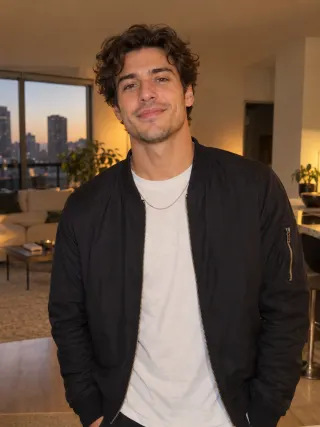
Made from this one photo
More Effects
Explore the other video effects, each with its own input and motion.
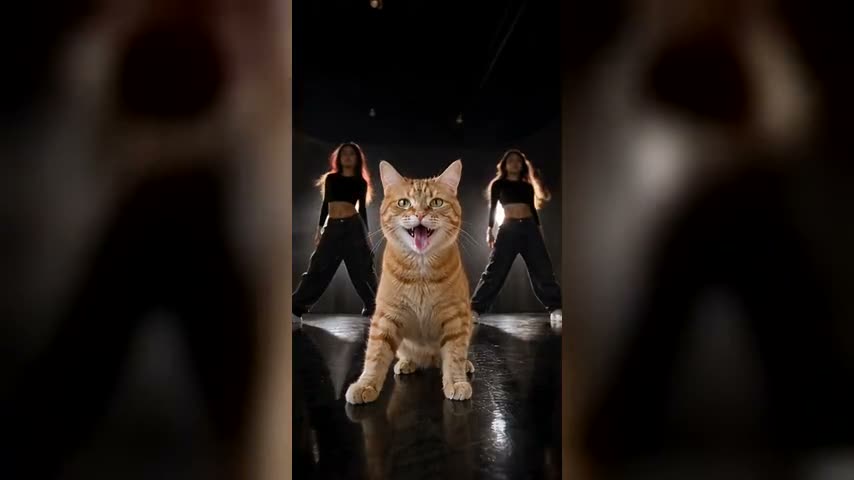
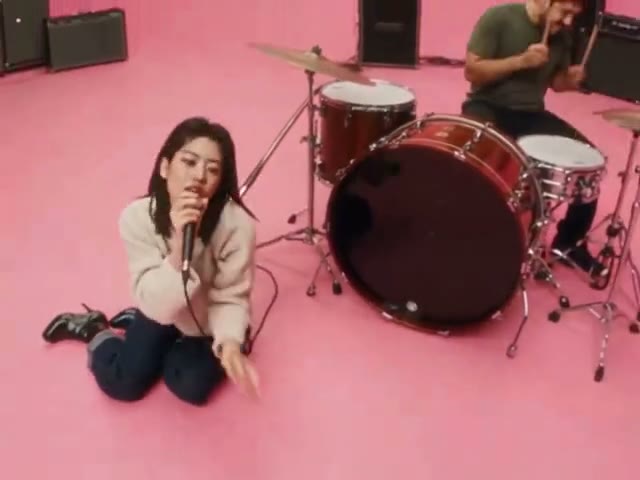
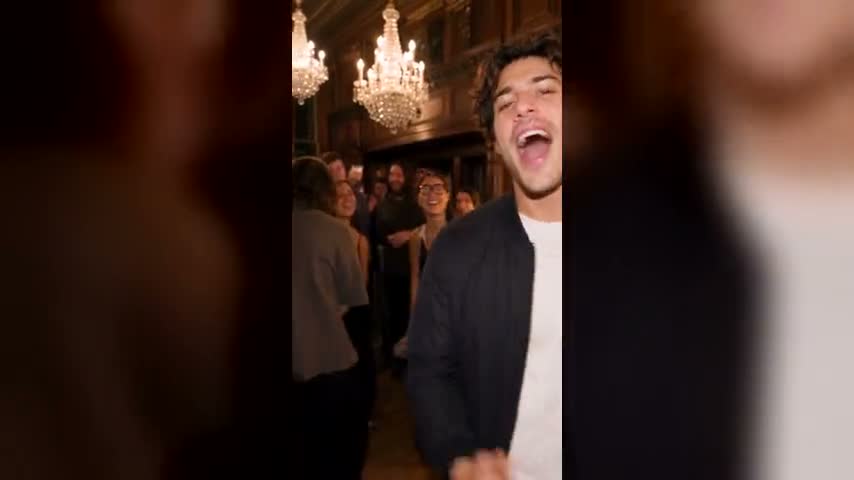
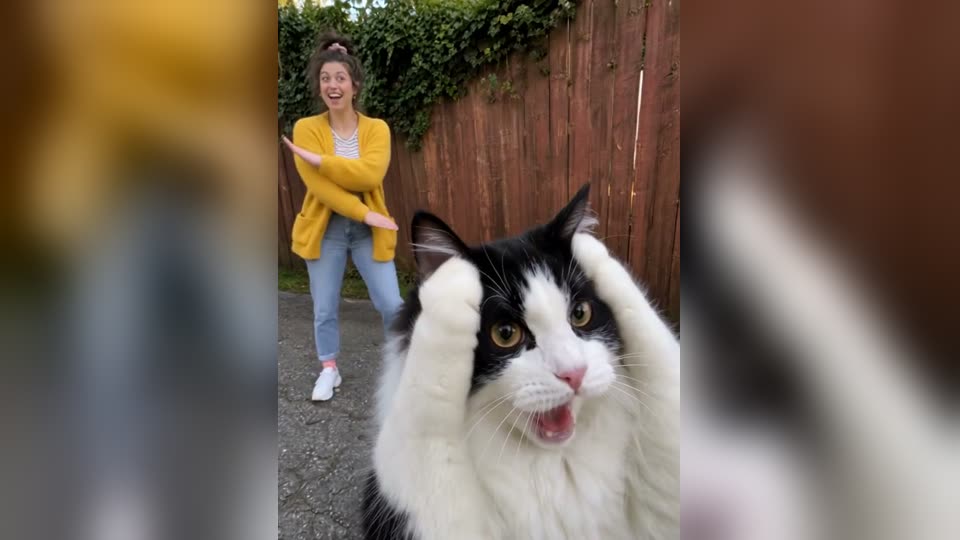
What is the Popstar AI trend?
The Popstar AI trend is built on a music video that was already a stand-in joke. "Popstar" is DJ Khaled's single featuring Drake: it came out on July 17, 2020 and debuted at No. 3 on the Billboard Hot 100. In the music video, directed by Director X and released that September, Khaled calls Drake to come and shoot it, Drake is too busy, and Justin Bieber turns up in his place. Bieber wakes up in a mansion after a party and spends the video lip-syncing Drake's verses through its hallways, a champagne bottle in his hand and a bodyguard never more than a step behind. The rapper on the song barely appears; somebody else gets to be the popstar.
That premise is why the video became an AI trend six years later. On October 2, 2026, Neymar posted an AI version on Instagram with himself in Bieber's place, captioned "Lil Ney", and Brazilian outlets including CNN Brasil and g1 picked it up the same day. Within a week a fan had used AI to put Drake himself into the video, finally starring in his own "Popstar", and the Drake Popstar AI video spread across TikTok and Instagram Reels with friends, parents and pets in the lead, usually captioned "Lil" plus the star's name. The joke only needs one thing: someone who has never had a bodyguard in their life, swaggering through a mansion like they own it.
This Popstar AI video generator makes your own Popstar AI trend video from one photo. Upload a picture of a person or a pet and they take Bieber's place in the hallway shot: lip-syncing every word straight to the camera, swinging their arms wide and pointing the champagne bottle, with the bald, bearded bodyguard following them through the wood-panelled hallways and out onto the glass balcony. Their own face, hair and top stay the same from the first frame to the last, their mouth moves on every word of the original, and the song plays over the 12-second vertical clip. That makes it a one-click Popstar AI template for the Popstar AI trend: you skip the prompt, the hunt for the original clip and the editing app.
Who gets to be the popstar?
The mansion, the champagne, the bodyguard and every swagger step stay the same in every Popstar AI trend video; the joke is who walks through it. The Drake Popstar AI videos that travel furthest put the least likely popstar you know in Bieber's place, lip-syncing Drake's lines like they were born for it.
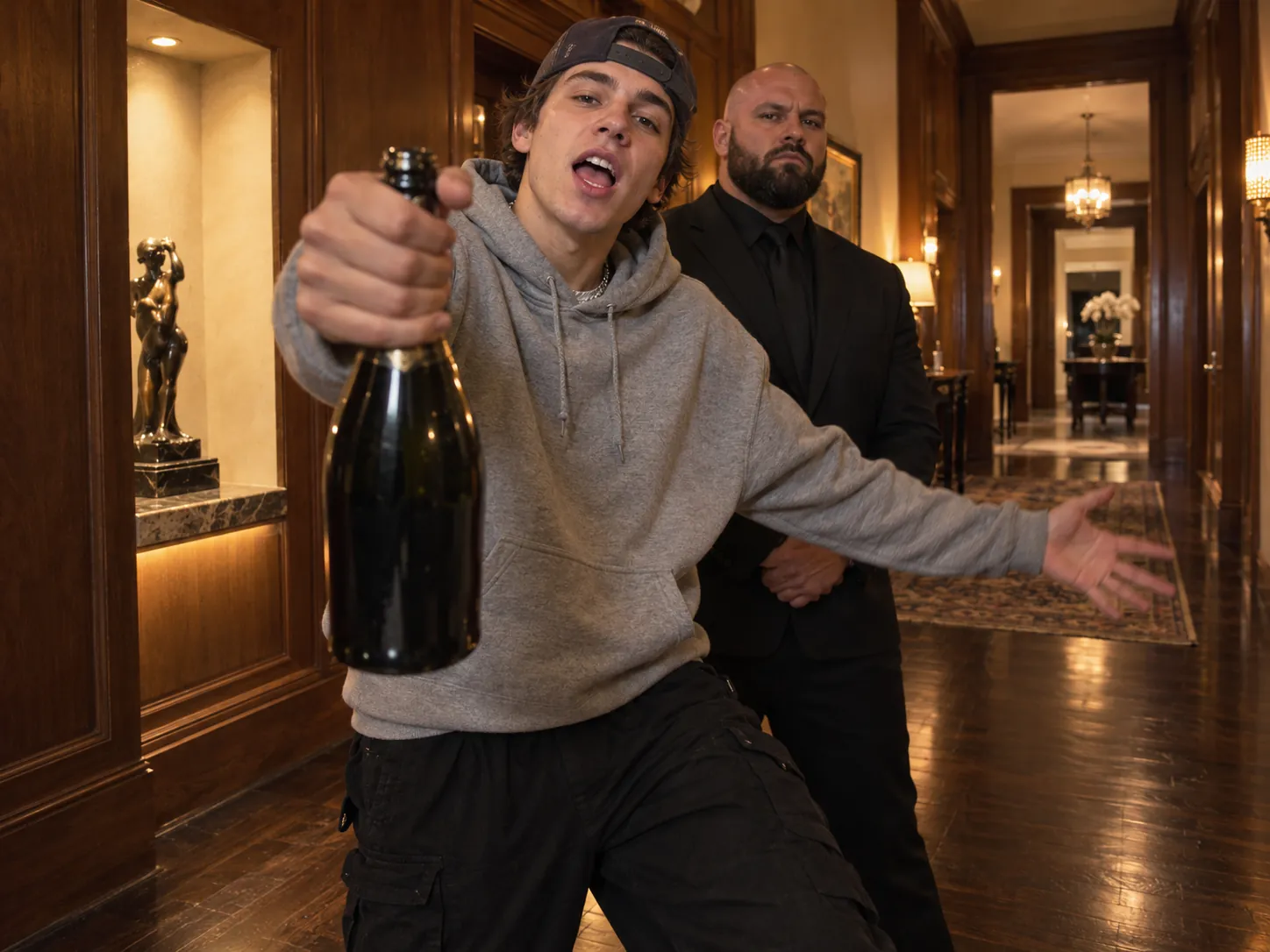
Lil You
Do what Neymar did: put your own selfie in the video and post it captioned "Lil" plus your name. One clear, front-facing photo is all it takes, and whatever you wear in it, your hoodie, cap, glasses or chain, comes with you into the mansion, so the clip still looks like you. It is the simplest version of the Popstar AI trend and the one most people start with.
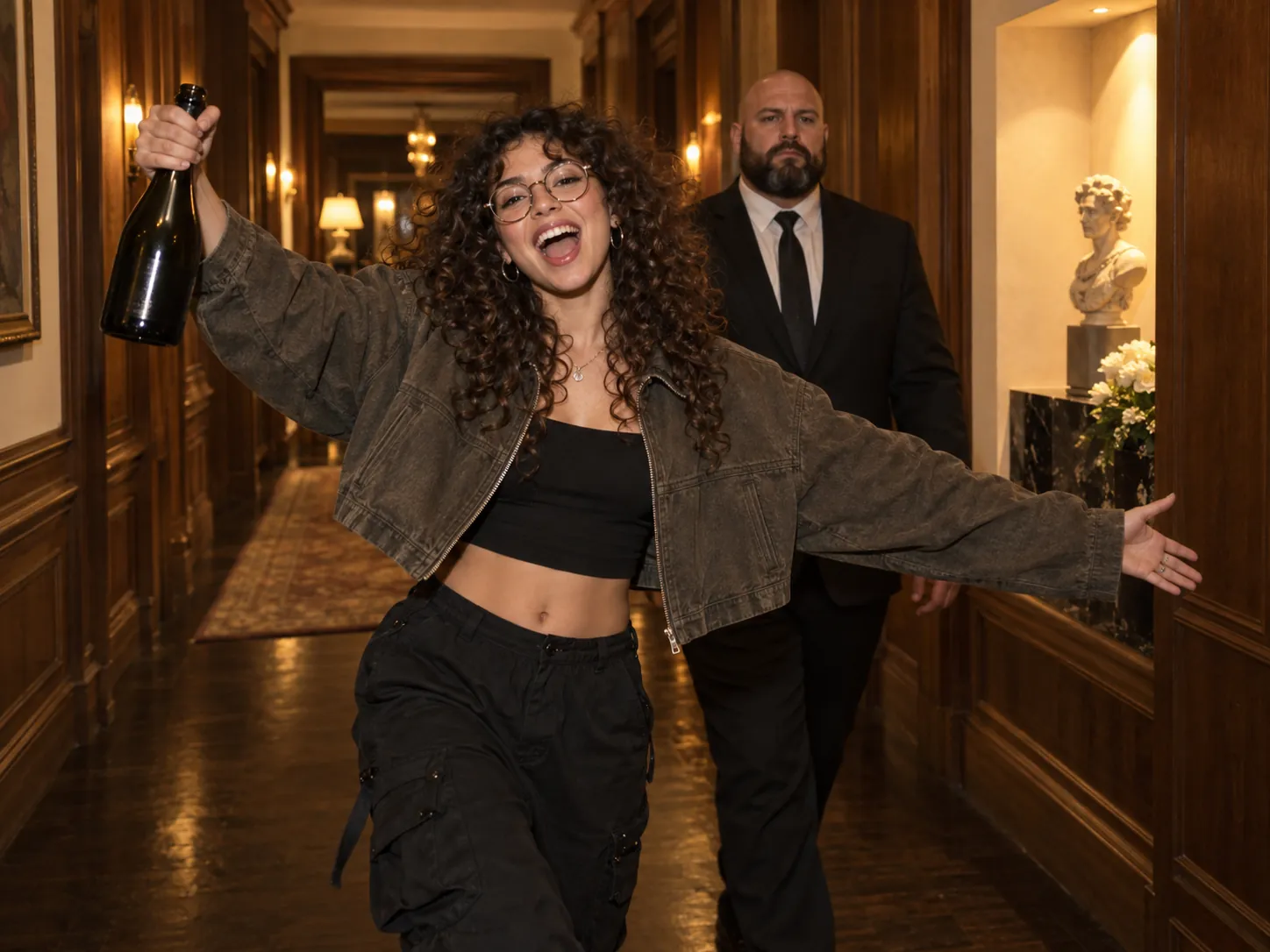
The friend who already acts famous
Every group has one friend who walks into a room as if the cameras are already rolling. Make them the star of the Popstar AI trend for their birthday, mansion, champagne and personal bodyguard included, or drop the clip in the group chat with no explanation. Use a photo with only them in it and their face sharp, and they keep their own look for the whole 12 seconds.
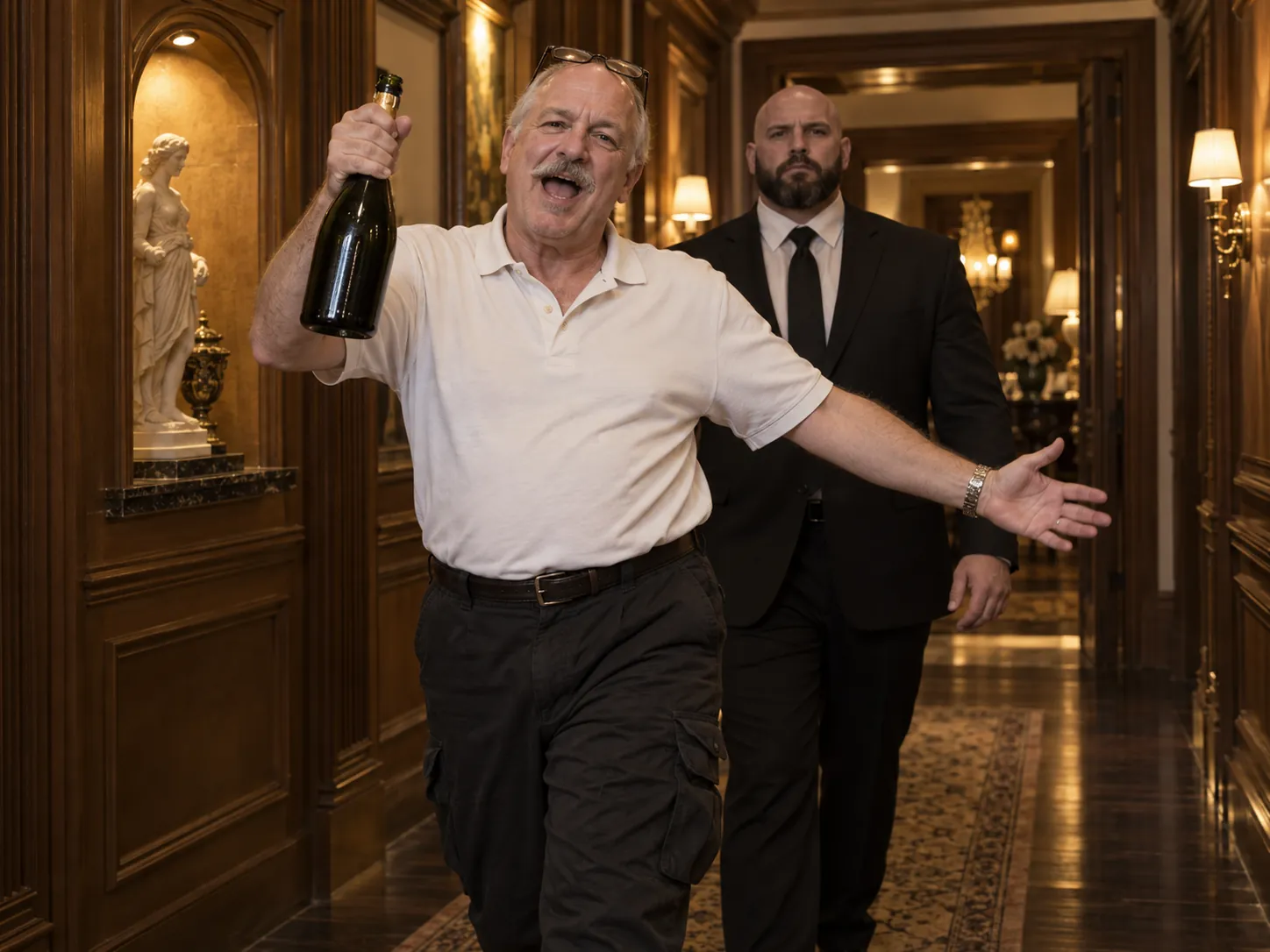
Dad, the least likely popstar
The Popstar AI trend is funniest on someone who has never needed security in their life. Put your dad, mum or grandpa in Bieber's place and watch them strut through a mansion lip-syncing Drake, bottle raised, a bodyguard at their shoulder. It makes an easy birthday, Father's Day or retirement post, and they usually end up asking for the video themselves.
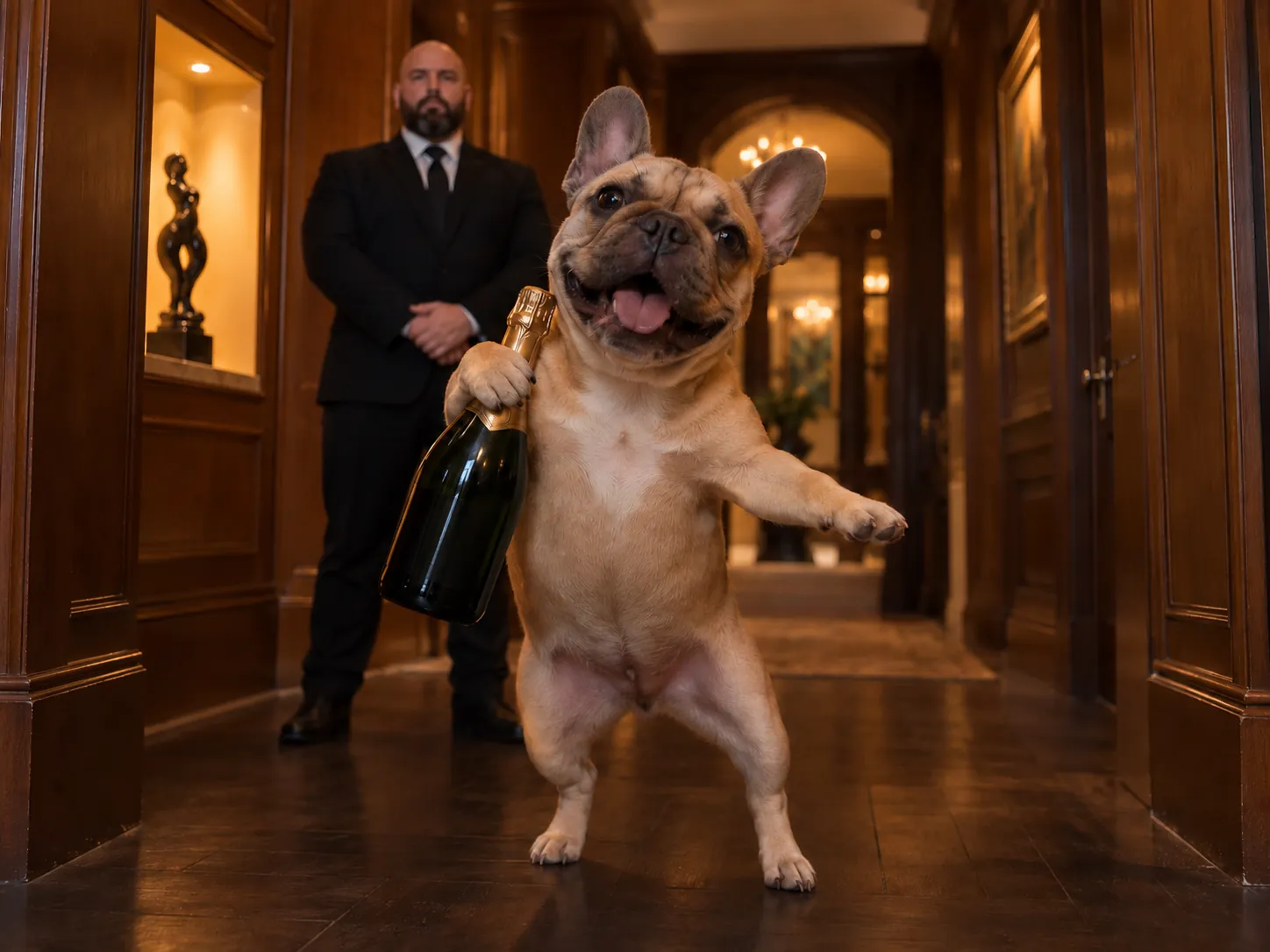
Your dog with a security detail
The Popstar AI trend isn't only for people: your dog or cat stands upright in the hallway, grips the champagne bottle with a real paw and opens its mouth on every line, while the bodyguard keeps a straight face behind it. Pick a shot of the pet on its own rather than in someone's arms, so it keeps its own face, fur and markings.
How to make your Popstar AI video
The mansion, the handheld camera, the bodyguard, every swagger step and the song all come baked into the Popstar AI template. All the Popstar AI video generator needs from you is who gets to be the star.
Upload one photo
Pick a sharp photo of a single person or a single pet looking at the camera, with nobody else in the frame. A waist-up shot works best: your top, cap, glasses and jewellery come with you into the mansion, and the scene adds baggy black cargo pants below. A pet stands upright and holds the bottle in its paw.
Generate the mansion shot
Choose 480p, 720p or 1080p and hit generate; the Popstar AI template needs no prompt. Your star is placed in the wood-panelled hallway with the champagne bottle first, then the full 12-second shot plays out from the original. You see the credit cost before anything runs.
Download and post it
The finished Popstar AI trend video lands in My Creations: a 12-second vertical 9:16 MP4, song on, watermark-free. Post it on TikTok, Reels or Shorts captioned "Lil" plus the star's name, or text it to the friend you just made famous.
The Popstar mansion walk, second by second
Every Popstar AI trend video follows the real clip's timing: one 12-second handheld take that starts in a wood-panelled hallway and ends out on a glass balcony. Your star takes over every step, gesture and lyric.
0–4s · Down the hallway
It opens in the warm wood-panelled hallway, past the lit wall niche. The star walks straight toward the camera mid-lyric, champagne bottle swinging from one hand, both arms flung wide like they own the place.
4–6s · Security falls in
The bald, bearded bodyguard in the dark suit gets up from his chair as the star passes and falls in a step behind them. From here he never leaves their shoulder, straight-faced the whole way.
6–9s · The bottle points
Through the room with the plants and the teal chairs, the star leans in toward the lens, points the champagne bottle at the camera and swings the other arm out on the beat, with security right behind.
9–12s · Out to the balcony
The handheld camera follows them into the daylight by the glass balustrade. The star turns side-on, still mouthing the words, and throws one last look back over the shoulder as the bodyguard trails into frame.
The lip sync, frame by frame
Lips open, close and stretch on exactly the same beats as the original performance, so every line of Drake's verse lands on your star's face. For a pet, its own mouth opens and closes on the same frames.
9:16, 12 seconds, song included
The Popstar AI template leaves nothing to a text prompt. The download is a vertical MP4 with the song underneath, ready for TikTok, Reels and Shorts.
Popstar AI Trend FAQ
Where the Popstar music video and the AI trend come from, which song it uses, and what you need to make your own Popstar AI video.
The Popstar AI trend is an October 2026 meme, mostly on TikTok and Instagram Reels, where people swap Justin Bieber out of the music video for DJ Khaled and Drake's "Popstar" with themselves, a friend, a parent or a pet. The AI versions keep the mansion, the champagne bottle, the bodyguard and every swagger step from the 2020 video, and swap only the person in the lead. It took off after Neymar posted his own version as "Lil Ney" on October 2, 2026, and the usual caption is still "Lil" plus the star's name.
1) Upload one photo to the generator: a single person or a single pet, facing the camera, face sharp and well lit. 2) Pick 480p, 720p or 1080p; the button shows the credit cost before you start. 3) Press Generate Video. The generator first places your star in the mansion hallway, champagne bottle in the right hand, then animates the full 12-second shot on Seedance 2.5, copying the original performance, the handheld camera and the mouth movements, with the bodyguard following behind. 4) Your vertical 9:16 MP4 appears in My Creations, ready to download and post as your take on the Popstar AI trend. It's a ready-made Drake Popstar AI template, so there is no prompt to write.
There's no official app, TikTok effect or Instagram filter for the Popstar AI trend. The clips come from AI video tools that replace Bieber with your photo while copying the original performance: some are phone apps, some run in the browser, and most offer a preset Popstar AI template so you don't have to write a prompt. What separates them is how the video is made. A general text-to-video tool invents its own mansion from your words, so it never quite looks like the music video; a template built on reference-video motion copies the real shot and only changes who is in it. The Popstar AI video generator on this page is the second kind and opens in any browser on phone or desktop, no download needed.
Yes, one photo is the whole input for a Drake Popstar AI video. Movement never comes from your photo: the walk through the hallway, the arm swings, every point of the champagne bottle, the lip sync, the bodyguard and the handheld camera all come from the original clip built into the Popstar AI template. Your photo only decides who the star is. Your outfit comes with you too, so you don't end up in Bieber's clothes. You don't need several angles, a video of yourself or any editing skills, just one clear picture of one person or one pet.
Neymar's version, the post that kicked off the Popstar AI trend, went up on Instagram on October 2, 2026 and put him in Bieber's place in the Popstar music video with the caption "Lil Ney". To make your own version of that edit: 1) Upload a clear photo of yourself to the generator; if you want the football look, use a photo of you in your kit or a training top, since the outfit in your photo is what you wear in the mansion. 2) Generate at 480p, 720p or 1080p. 3) Download the vertical MP4 and post it the way Neymar did, captioned "Lil" plus your name or nickname. Use a photo of yourself or of someone who's happy to be in it, rather than a famous person's picture, and label it as AI when you post.
The Popstar AI trend uses "Popstar" by DJ Khaled featuring Drake, released on July 17, 2020 alongside their other collaboration "Greece". The voice you hear is Drake's: in the music video, Justin Bieber lip-syncs Drake's verse rather than singing, and that's what every Popstar AI video copies, so your star mouths Drake's lines while the original recording plays. The 12-second clip uses the part of the song Bieber performs as he walks through the mansion hallways, which is the stretch most people recognise from the trend. To use the same sound when you post your Drake Popstar AI clip, look for "POPSTAR" by DJ Khaled and Drake.
Yes. Every video from the Popstar AI video generator comes with the song already under it for the full 12 seconds, so the downloaded MP4 already has sound and you don't need to line the track up yourself. The video model only renders the picture; the actual recording is added under the finished video afterwards, so you hear the actual song, not an imitation made by the video model. Because the mouth movements are copied from Bieber's performance, your star's lips open and close where Bieber's did and the words line up with the picture. The song belongs to its owners: sharing your Popstar AI trend clip on TikTok or Reels like everyone else is normal practice, while an ad or any paid promotion needs the music licensed first.
CapCut templates for trends like this come and go, and searching the app for "Popstar" or "Lil" edits may turn some up. Most of those are edit templates, though: they cut whatever clips or photos you add to the song's beat, so you get a meme edit, not you actually walking through the mansion with a bodyguard behind you. Putting your face into the real music-video shot takes an AI video model that copies the original performance, which is what this Popstar AI video generator does from one photo, song included. If you like CapCut's text tools, finish there: import the downloaded Popstar AI trend video and add captions, stickers or your "Lil" title.
Yes, though each Drake Popstar AI video has one star, just like the original: one person walks through the mansion, and the bodyguard behind them is part of the scene. The easiest way to bring the whole group in is to make one for each friend from their own photo and post them as a series, or put everyone's clips in a group chat and let people vote on who makes the best popstar. For each video, use a photo with only that friend in it, face sharp and facing the camera, so the AI can't mix two faces. And ask your friend before the clip goes public.
You can, with some patience. A new account is free to open, asks for no card and starts with 30 credits; daily check-ins add up to 50 more a week. One Popstar AI trend video costs 500 credits at 480p during the launch sale (700 at the regular price), so free credits alone take a while to add up. To make one today, the one-time Trial Pack is the cheapest route: $9.9 buys 600 credits, which covers a 480p video, and there's no subscription. 720p costs 1,200 credits and 1080p 2,500. Free-credit videos are the full clip, the same as paid ones. The Generate button shows the price before you commit, and a failed generation refunds every credit to your balance.
A single person or a single pet, looking at the lens, face sharp and well lit, with nobody else in the frame. Waist-up framing is ideal, because your top, cap, glasses and jewellery are carried into the mansion, so the outfit in the photo is the outfit in the video. Avoid group shots, heavy filters, very dark or blurry pictures and faces turned far to the side, which can make the face drift when the camera swings close. Sunglasses stay on if you're wearing them, but a photo with your eyes visible usually gives a better likeness. For a pet, use a shot of the pet alone, not in someone's arms. Swimwear or sleepwear photos are replaced with a plain black T-shirt.
Yes. Nothing is stamped on any Popstar AI trend video made here, whether you used free credits or paid ones, at 480p, 720p or 1080p. There is no separate watermark-free export to unlock. To get the file, open My Creations and download the MP4 to whichever device you post from. If you'd rather not download it, press Share to get a link anyone can open in their browser. One tip: hold on to the file you downloaded here. Videos saved out of TikTok pick up TikTok's own watermark, so for Reels and Shorts upload this clean original instead.
Your turn to be the popstar
One photo is all the Popstar AI trend takes: the Popstar AI template already holds the mansion, the champagne, the bodyguard and the song for whoever you put in the lead.
