
Chroma Key Remover
Click the source image to sample the screen color.

Online Green Screen Remover for clean PNG cutouts
Flowlio AI combines a free Chroma Key Remover with an online Green Screen Remover for images. Upload a JPG, PNG, or WebP, choose the screen color, refine the edges, and turn a green screen into a transparent PNG without uploading your photo. Everything runs locally in your browser.
What to create with this Green Screen Remover
Use the Chroma Key Background Remover on product photos, portraits, thumbnails, and design assets shot against a green, blue, or other solid-color screen.
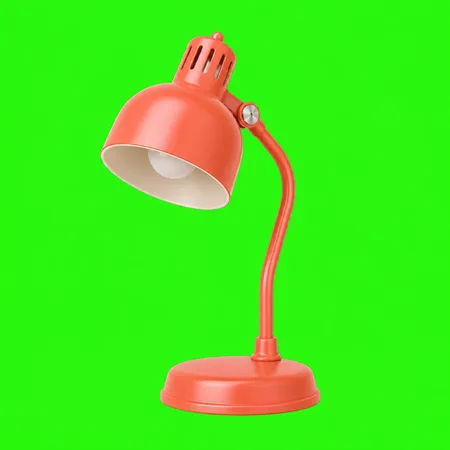
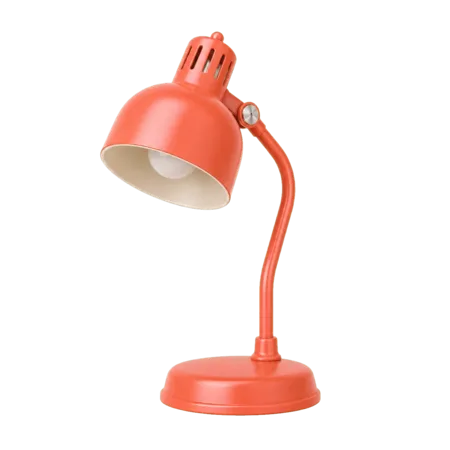
Remove green screen from product images
Shoot against a green sheet and let the online Green Screen Remover handle the cutout. Sample the backdrop, adjust the tolerance, and export a transparent PNG for a marketplace, banner, or lifestyle scene — no clipping path, retoucher, or subscription required.

Use the Green Screen Remover on portraits
Remove a green screen from a headshot, then replace it with a brand color, office scene, or soft gradient. Edge and spill cleanup reduce green fringing around flyaway hair and other semi-transparent details for a more natural composite.

Remove green screen from an image frame
Export a still frame from your footage, run it through the Chroma Key Remover, and create a cutout for a YouTube thumbnail, Twitch overlay, TikTok cover, or OBS scene. The Green Screen Remover exports at the full resolution of the image you upload.


Create reusable chroma key PNG assets
Turn mascots, props, packshots, and people into reusable transparent assets for slides, posters, ads, and mockups. Check the alpha matte inside the free Green Screen Remover, then download the finished PNG or WebP once the edges look clean.
How to remove green screen from an image in four steps
This online Chroma Key Remover needs no masks, layers, software installation, or account.
Upload your image
Drag a JPG, PNG, or WebP image shot against a green, blue, or other solid-color screen into the Green Screen Remover. Files can be up to 15MB.
Pick the screen color
Let Auto read the frame edges, choose Green or Blue, or click the source image to sample the exact chroma key background color.
Fine-tune the key
Adjust tolerance, edge cleanup, and spill cleanup in the Chroma Key Remover, then inspect the matte for holes, rough edges, or leftover screen color.
Download the cutout
Turn the green screen into a transparent PNG or WebP, or add a new color or background image and export as JPG.
A Green Screen Remover with precise chroma key controls
Unlike a one-click background remover, this Chroma Key Remover gives you direct control over the screen color, tolerance, edge cleanup, spill cleanup, and alpha matte.
Free Green Screen Remover, no limits
Use the free Green Screen Remover as often as you need. There is no account, credit card, watermark, or export cap, and no software to install.
Your image never leaves your device
Every pixel is processed locally in your browser. The online Green Screen Remover does not upload, queue, or store your image on a server, making it suitable for client work, unreleased products, and personal photos.
Chroma Key Background Remover for any solid color
Chroma key removal is not limited to green. Choose the blue screen preset, sample a red or pink backdrop from the image, or enter an exact Hex or RGB value for any solid-color background.
Tolerance you control
Tolerance controls how closely a pixel must match the screen color before the Chroma Key Remover makes it transparent. Raise it for an uneven backdrop; lower it to protect subject colors close to the selected key color.
Edge and spill cleanup
Edge cleanup softens jagged outlines, while spill cleanup neutralizes green or blue color left in semi-transparent pixels around hair, glass, and motion blur. Use the matte preview to find green screen remnants near fine lines before export.
Transparent PNG or a new background
For green screen removal, PNG and WebP preserve the transparent background. You can also composite the cutout over a solid color or uploaded background image, then export as JPG. Switch to the matte view at any time to inspect the alpha channel.
Chroma Key Remover & Green Screen Remover FAQ
Yes. This is a free Green Screen Remover with no account, credit card, watermark, or export limit. Because the chroma key processing happens on your own device rather than our servers, there is no per-image cost to pass on to you.
Yes. Open the online Green Screen Remover, add an image, adjust the key, and download the result. There is no sign-up wall, browser plugin, or software to install on Windows, macOS, Linux, iOS, or Android.
No. The Green Screen Remover decodes and processes your photo locally in the browser, so it never travels over the network or reaches our storage. Closing the tab removes the working image from the page.
Yes. The Chroma Key Remover includes Green and Blue presets. You can also sample another solid backdrop color from the source image or enter an exact Hex or RGB value.
You can upload JPG, PNG, or WebP images up to 15MB. Download PNG or WebP to keep the transparent background. JPG has no alpha channel, so it becomes available after you place the cutout over a color or another image.
Raise tolerance until the backdrop disappears, then lower it if the subject begins to break up. Add edge cleanup to soften the outline and spill cleanup to neutralize green or blue fringing around hair and fine lines. The Chroma Key Remover's black-and-white matte view makes leftover pixels easy to spot.
Yes. After green screen removal, keep the transparent background, place the cutout over a solid color, or upload a different background image and composite the two before downloading.
No. This Green Screen Remover processes still images, not video. For a thumbnail, cover, or other still, export the frame from your footage as JPG or PNG and process that image here.
The Green Screen Remover works best with an evenly lit, single-color backdrop. Raise tolerance for small lighting differences, or sample the backdrop directly if it does not reach the frame edges. Busy, multi-color scenes have no single chroma key color and need a subject-detection background remover instead.
Not directly. Convert the RAW photo to JPG, PNG, or WebP first, then upload that version to the Green Screen Remover. The current browser tool accepts those three image formats up to 15MB.
Yes, when the background is a reasonably even solid color. Sample the red or pink backdrop or enter its Hex or RGB value, then begin with low tolerance. The Chroma Key Remover makes colors near the selected key transparent; it does not recolor black areas green, but subject colors close to the key may also be affected at higher tolerance.
No. The Green Screen Remover keeps the original image dimensions and focuses on background removal. Crop the image before upload or crop the exported PNG or WebP in an image editor afterward.
Try the Free Chroma Key Remover
Use the online Green Screen Remover to remove a green or blue screen, refine the edges, and download a transparent PNG without uploading your image.
