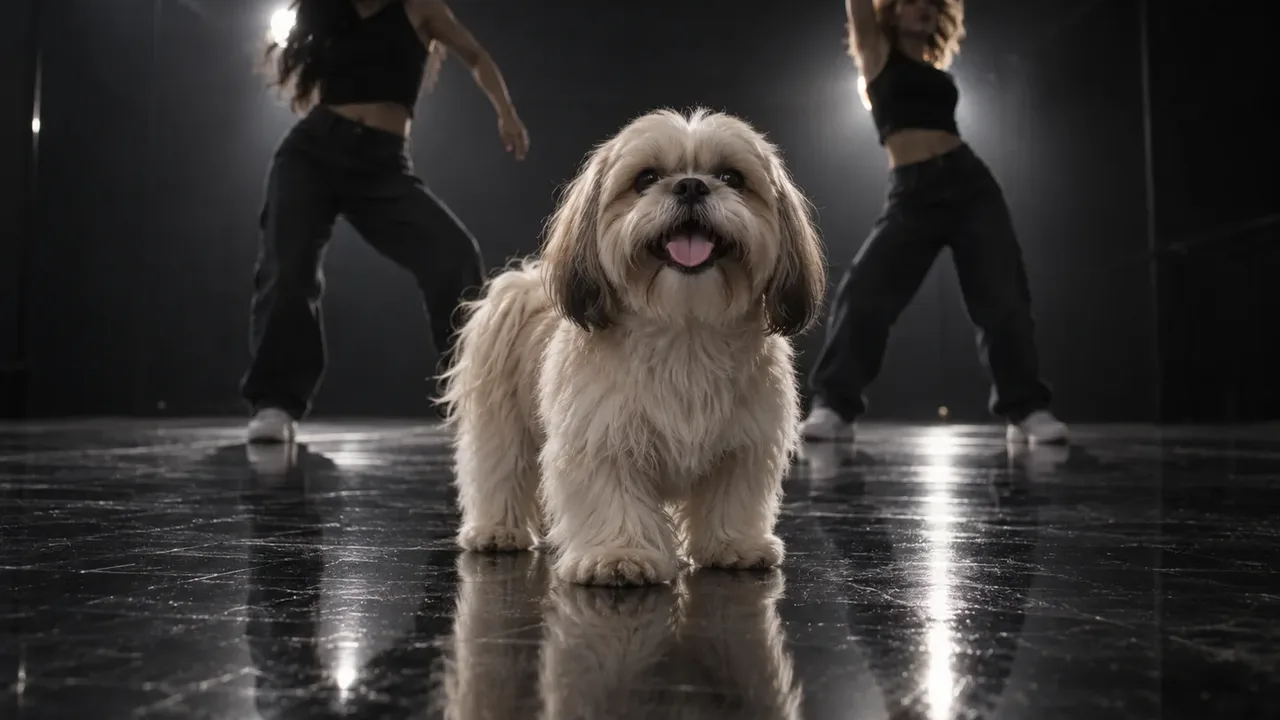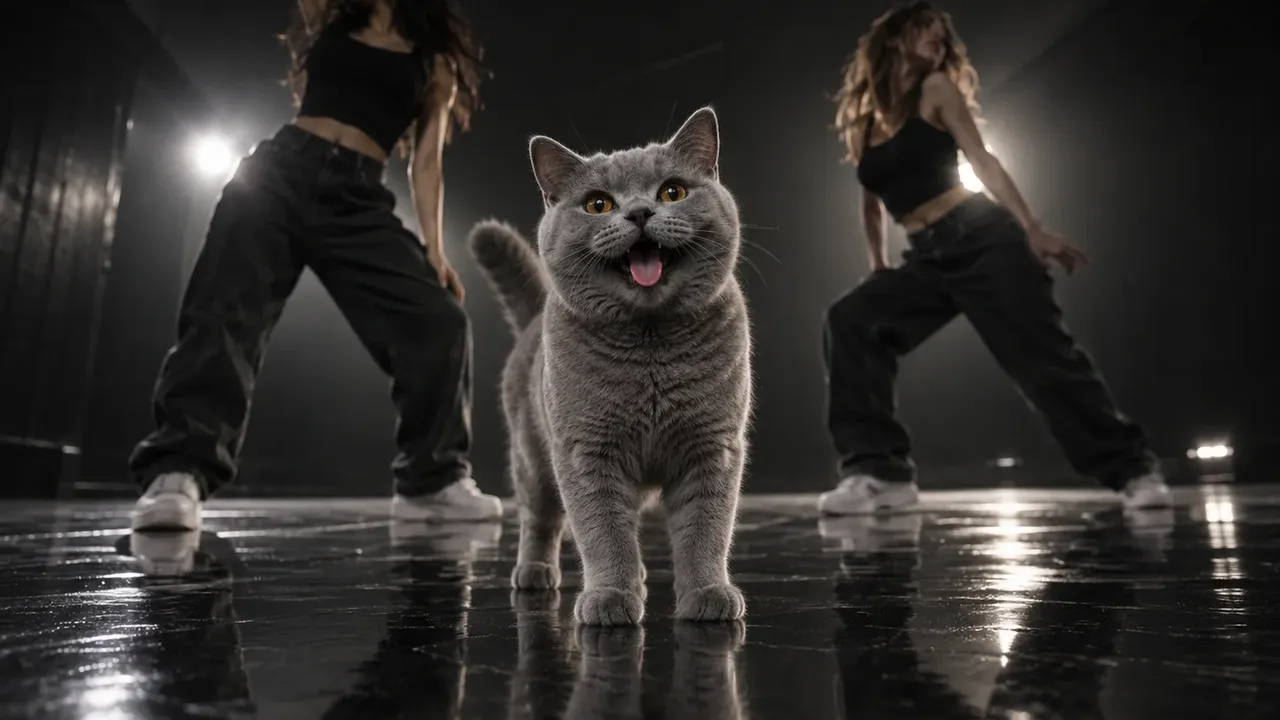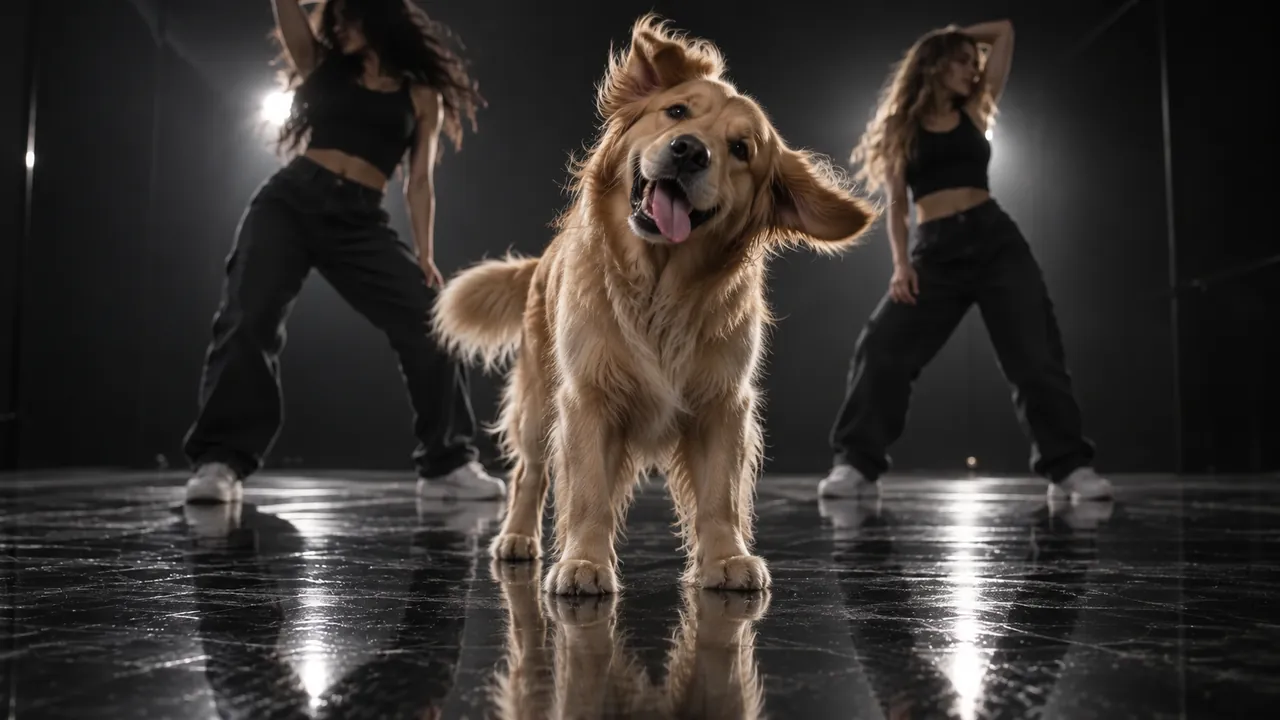
To do the Single Ladies dog trend, you turn one photo of your dog or cat into a short AI video where your pet does Beyoncé's "Single Ladies" AI dance. Your pet stands centre stage in a dark studio, two backup dancers move behind it, and for 19 seconds it bows, snaps its head up, tosses, tilts and finishes with a full head flip, all on the beat. You don't film your pet, and it doesn't have to learn anything.
The trend also goes by Put A Ring On It, after the song's famous line. Whatever you call it, the routine is the same, and so is the reason it works: a pet with total diva confidence while two professional dancers do the hard part.
We built a generator for this trend, so this guide is based on what we saw when we took the original routine apart second by second. That's the part most guides skip, and it's the part that tells you which photo to pick.
A cat doing the Single Ladies AI dance, made from one photo.
How to do the Single Ladies dog trend: 4 steps
- Pick one photo of your pet. Facing the camera, well lit, head and chest in view (whole body is better).
- Turn it into the dance. Upload it to our Single Ladies pet dance generator, pick 480p, 720p or 1080p and generate. The credit cost shows before you spend anything.
- Download the MP4. It's 19 seconds, vertical 9:16, with the song already on it.
- Post it to TikTok or Instagram Reels with a caption, and add the trend's sound if you want your post on its sound page.
The rest of this guide explains each step of the Single Ladies dog trend: what the dance actually contains, how to choose the photo, how different pets come out, and how to handle the song.
What your pet does in the Single Ladies AI dance
The whole Single Ladies dog trend is one fixed routine. Your pet never walks, jumps or lifts a paw. Every move comes from the head, neck and ears. Here is the routine beat by beat, as our generator plays it:
| Time | What your pet does |
|---|---|
| 0:00–0:01 | Head bowed so only the top shows, then it snaps up to face the camera, chin high |
| 0:01–0:03 | A happy pose, mouth open, tiny head bobs to the beat |
| 0:03–0:05 | A quick head shake to the side, ears flicking, then back to the pose |
| 0:05–0:09 | Poses, with small head tilts left and right on the beat |
| 0:09–0:11 | The big toss: the head whips back and to the side, then snaps back |
| 0:11–0:13 | More poses and tilts |
| 0:13–0:14 | Another quick shake |
| 0:14–0:16 | Chin up, grinning at the camera |
| 0:16–0:18 | The finale: a full head flip, round and down, until only the top of the head shows |
| 0:18–0:19 | The head pops back up, mouth wide open |
Two things follow from this table.
First, your pet faces the camera for most of the 19 seconds. Only the opening bow, the big toss and the finale flip turn the face away. That's why a front-facing photo matters more than anything else: the AI needs a clear face to hold for all those poses. A side profile gives it almost nothing.
Second, the comedy is in the contrast. Behind your pet, the two dancers do a demanding routine, a nod to the "Single Ladies" music video, which Jake Nava shot in black and white with Beyoncé flanked by two dancers. In front, your pet does almost nothing, with total confidence. A pet that looks pleased with itself sells the joke far better than one that looks confused.
Pick a photo that gives your pet diva energy
In the Single Ladies dog trend, the face carries the video, so choose the photo for the face first.
- Front-facing or slight three-quarter angle. Both eyes visible.
- An open, happy expression if you have one. A relaxed open mouth reads as "star". A tight, closed mouth tends to read as bored. Our generator pushes toward a happy face anyway, but it starts from your photo.
- Head and chest in view, whole body if possible. A full-body shot also tells the AI how big your pet really is, which matters for big dogs.
- One pet, nothing over the face. Crop out other pets. A photo where you're holding your pet is fine: only the pet appears in the video.
- Daylight beats flash. Blurry fur in the photo comes out blurrier in the video.
Here is the photo behind the cat video at the top of this guide. It's an ordinary phone shot: a ginger tabby standing on a wooden floor, facing the camera, whole body in frame, plain wall behind. Nothing about it is styled. It works because the AI gets a clear face, the cat's real size and its real coat in one picture. The mouth is closed in the photo, and the video still opens it into a grin, because the generator asks for a happy face. A photo that already has one simply gives it less to invent.
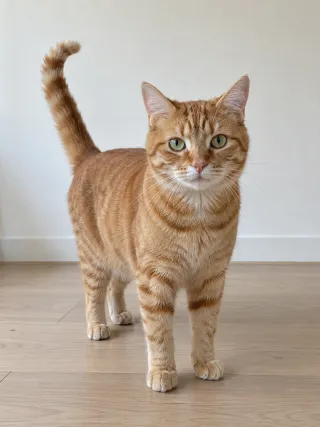
The one photo the cat video above was made from.
Skip the sunglasses and costumes. The dog in the original clip wore sunglasses and a flower lei, so it's tempting to copy that, but accessories tend to warp during the head flips. Your pet's own face is the point.
The Single Ladies dog trend with a big dog, a short-haired dog or a cat
The original dancer was a small, long-haired Shih Tzu. Any pet can take its place, but each type has one thing to watch.
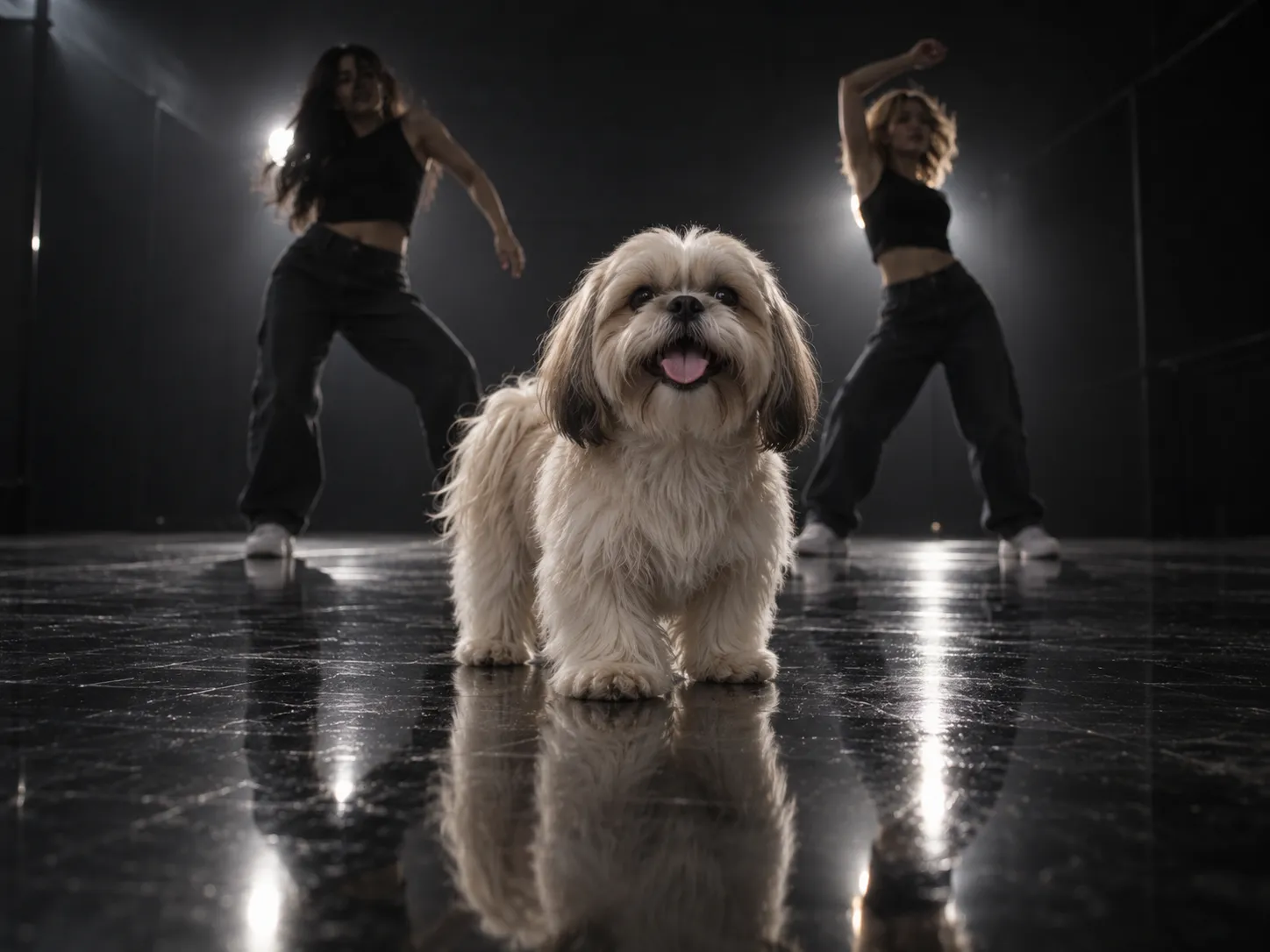
Small fluffy dogs (Shih Tzu, Maltese, Pomeranian) are the classic look. Their long fur flies on the big toss and the finale flip, which is exactly what the original clip shows.
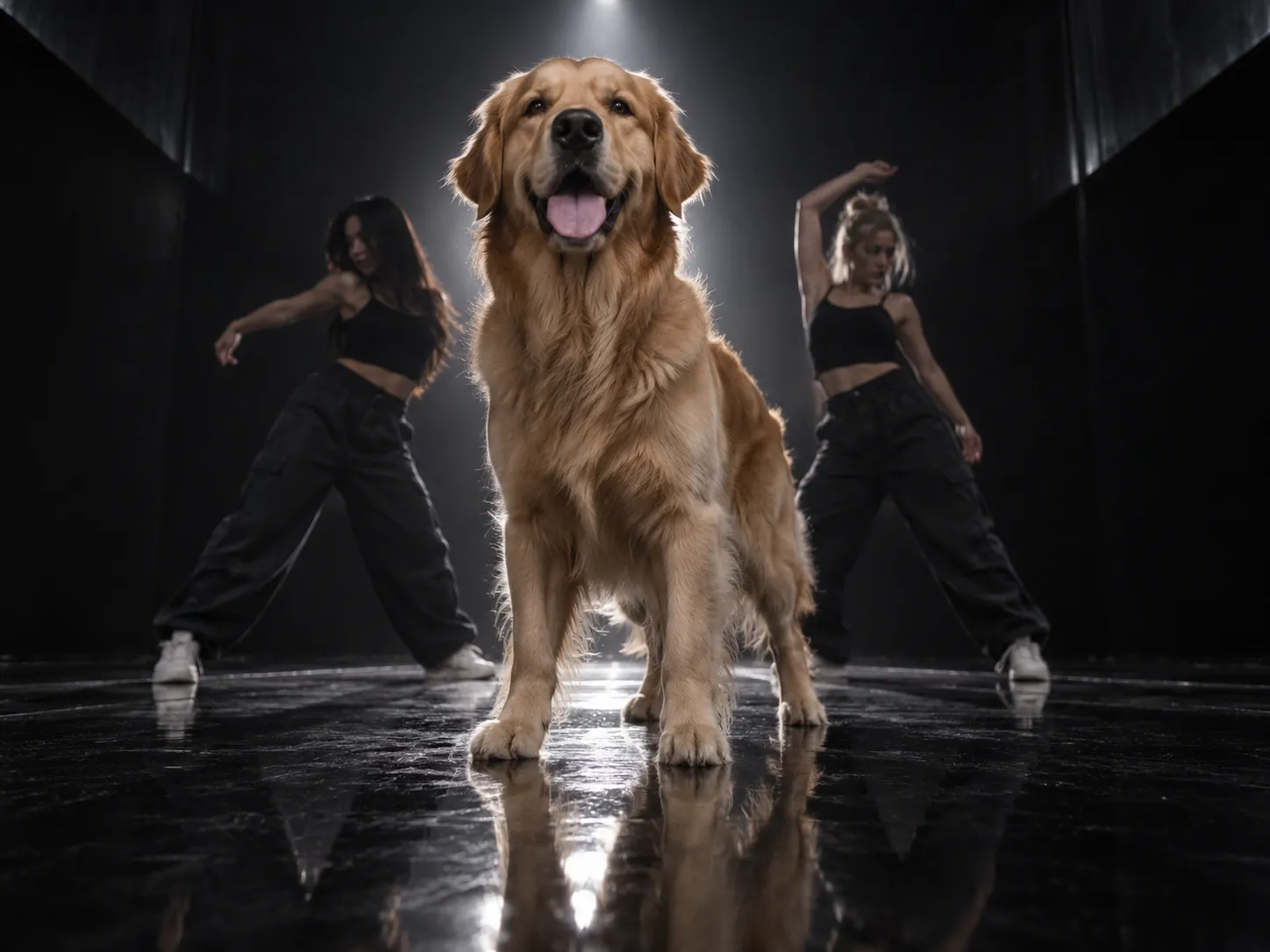
Big dogs are the funniest version, and the one people search for as "single ladies big dog". A golden retriever or a husky doing tiny diva head tilts is a great contrast. The catch is that many AI tools shrink a big dog to fit the small dog's outline. A big dog should stay big: taller, filling more of the frame, still whole from paws to ears.
Short-haired dogs (pugs, Frenchies, Staffies) work well, but some tools give them a fluffy mane they don't have, because they copy the long-haired original. A sleek dog should stay sleek, with the movement coming from its head and ears.
Cats are the version that surprises people most. An unbothered cat posing through the routine, as if the dancers were hired for it, fits the diva joke perfectly.
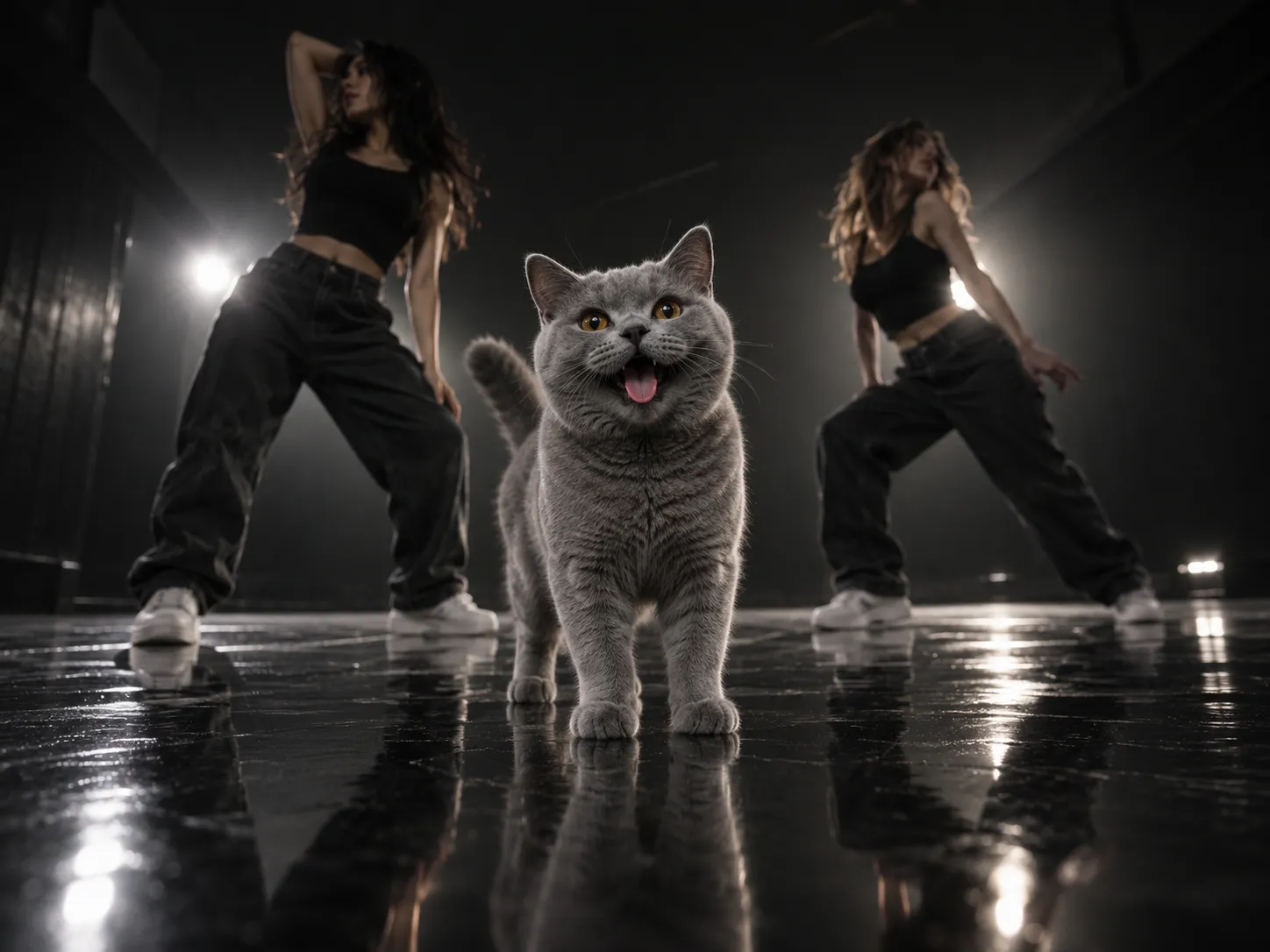
When we built our generator, we wrote these rules into it: every pet keeps its own size, build and coat, stands on four legs the whole time and wears nothing. If something still goes wrong with your clip, such as a shrunk dog, a fake mane or a different breed, our step-by-step fixes for pet dance videos cover each one.
Adding the Single Ladies song on TikTok and Instagram Reels
The song is "Single Ladies (Put a Ring on It)" from Beyoncé's 2008 album I Am... Sasha Fierce. It spent four weeks at No. 1 on the Billboard Hot 100, which is partly why everyone recognises the hook in the first second.
If you made your clip in our generator, the song is already on it. You only need the steps below if your clip is silent, or if you want the post to show up on the trend's sound page.
On TikTok (TikTok's own guide to adding sounds covers the basics):
- Tap +, then Upload, and choose your clip.
- Tap Add sound and search Single Ladies. If you've seen a pet version you like, open its sound and tap Add to Favorites first, so it's waiting in your Favorites tab.
- Drag the start point so a strong beat lands as your pet's head snaps up at 0:01.
- Open Volume and turn the original sound down if your clip already has audio, then post.
On Instagram Reels:
- Tap +, choose Reel and upload your clip.
- Tap the music note, search Single Ladies and pick the track. Or open a Reel that uses the sound, tap the audio name and tap Use audio.
- Move the selector to the part of the song you want, set the volume and share.
Running a pet brand's account? Business accounts don't get the same music. On Instagram, the licensed music library is meant for personal, non-commercial use, so some business accounts won't find the track. On TikTok, music outside the Commercial Music Library generally isn't licensed for commercial use. For a shop or brand page, post the clip from a personal creator account, or ask before you use the song.
Captions and posting ideas for the Single Ladies dog trend
The caption should play along with the diva joke. A few that fit the routine:
- "She heard 'single ladies' and took it personally."
- "If you liked it, then you shoulda bought more treats."
- "Two backup dancers and he still won't share the spotlight."
- "Main character. Has never once fetched."
- For a big dog: "Small-dog energy, 35 kilos of commitment."
- For a cat: "Agreed to one take. Delivered."
A few more tips:
- Open on the head snap. The first second, head bowed then snapping up, is your hook. Don't trim it off.
- Use the pet's name in the caption if you run a pet account. People share pet videos by tagging friends who own the same breed.
- Add the trend's tags, such as #SingleLadies and #dogsoftiktok or #catsoftiktok, so the post sits next to the other pet versions.
- Label it as AI if the platform asks. TikTok asks creators to label realistic AI-generated content. A dancing pet clearly isn't real footage, but the label takes a second and keeps your post in good standing.
A fun detail for your caption or comments: the ring-finger gesture from the original video came from Jay-Z, according to choreographer Frank Gatson. Pets don't have ring fingers, which is half the joke.
FAQ
Is the Single Ladies dog trend real or AI?
The first clip was a real small dog with two dancers. Almost every version since is AI: people put their own pet in the dog's place from one photo.
Does the Single Ladies AI dance work with cats?
Yes. Cats work just like dogs. They stand on four legs and do the same head moves with their own face and coat.
How many photos do I need?
One photo of your pet. The studio and the two dancers are created for you.
How long is a Single Ladies dog trend video?
19 seconds, vertical 9:16, the same length and shape as the original routine.
Can I make my dog dance to a different song?
This routine is timed to "Single Ladies", so the moves only land on the beat with that song. For other dances, browse our AI video effects.
Is it free to try?
Signing up gives you free credits, and daily check-ins add more. The easiest way to try it, though, is the one-time Trial Pack. Each video's credit cost is shown before you generate.
Start your pet's Single Ladies AI dance
That's how to do the Single Ladies dog trend. Choose a front-facing photo with a happy face, because your pet faces the camera for most of the 19 seconds. Make sure a big dog stays big and a sleek dog stays sleek. Then add the song, write a diva caption and post.
If you'd rather skip the setup, our Single Ladies pet dance generator turns one photo into the full routine with the song, and the Trial Pack is the easiest way to try it. Want the backstory first? Read what the Put A Ring On It trend is and where it came from.
Sources
- Single Ladies (Put a Ring on It), Wikipedia
- The Number Ones: Beyoncé's "Single Ladies (Put A Ring On It)", Stereogum
- Jay-Z invented the iconic "Put a Ring on It" hand gesture, says choreographer, Complex
- Sounds, TikTok Help Center
- Commercial use of music on TikTok, TikTok Help Center
- AI-generated content, TikTok Help Center
- Access to the licensed music library on Instagram, Meta Business Help Center