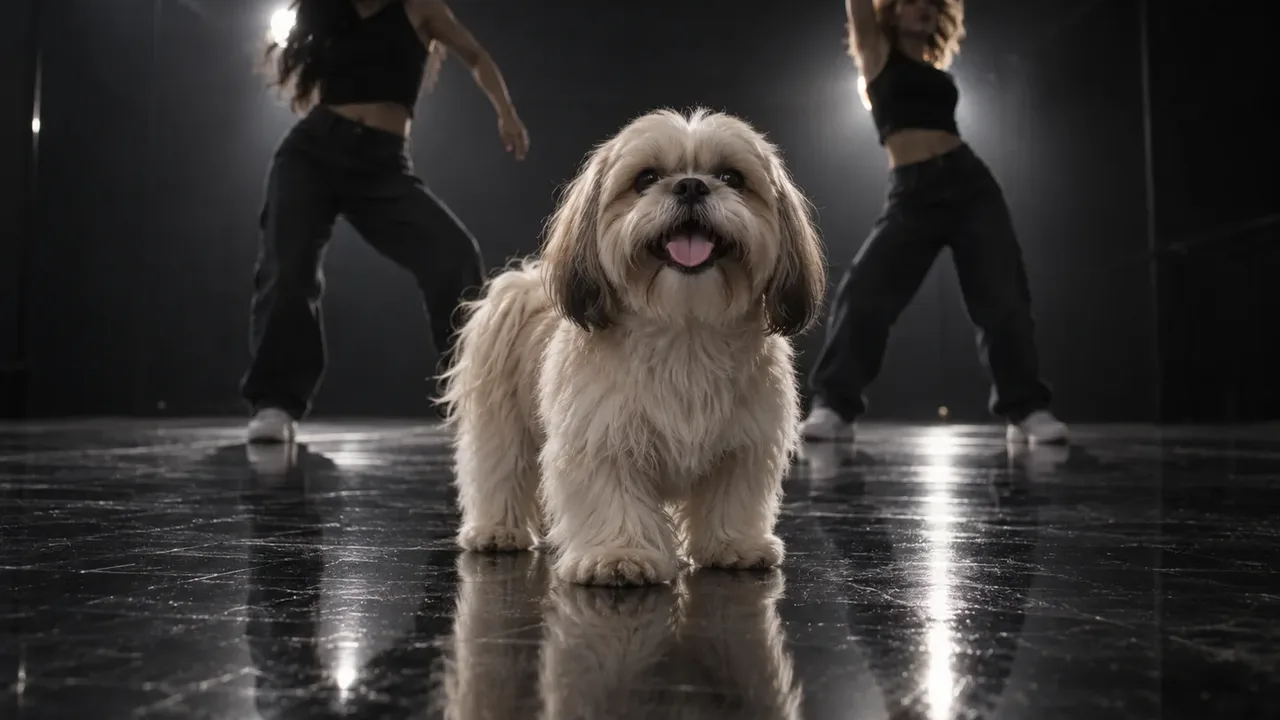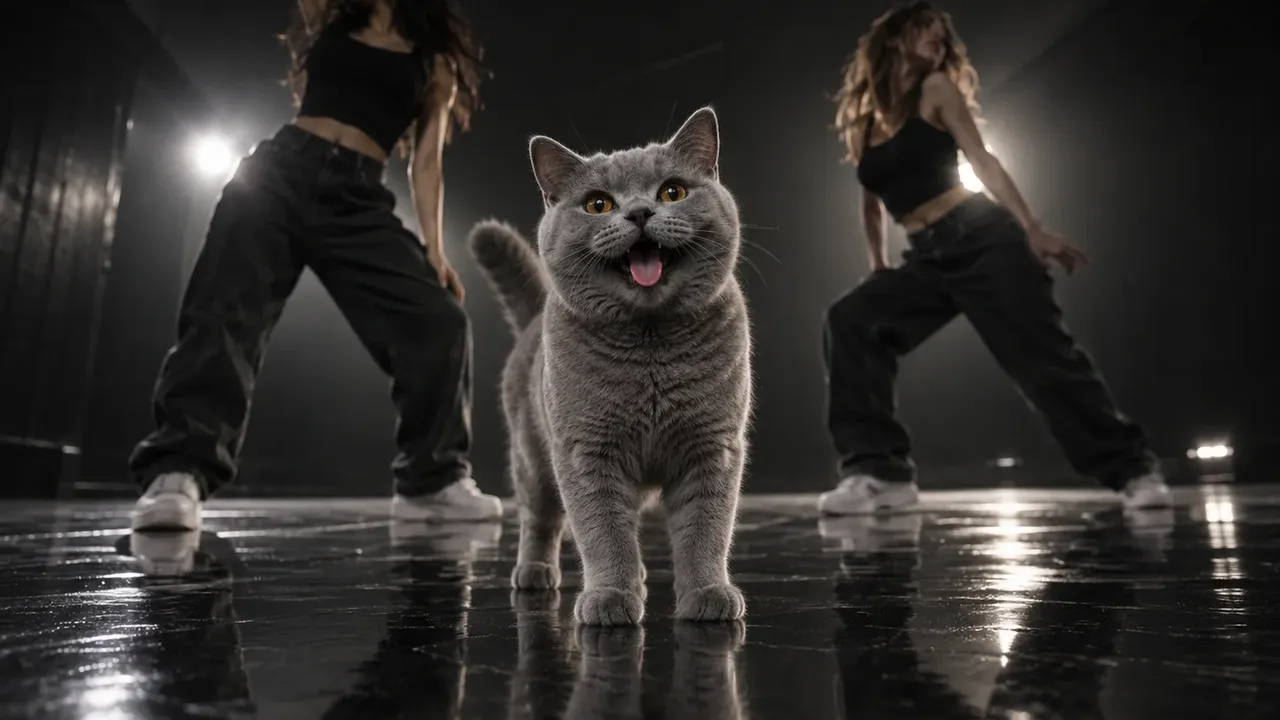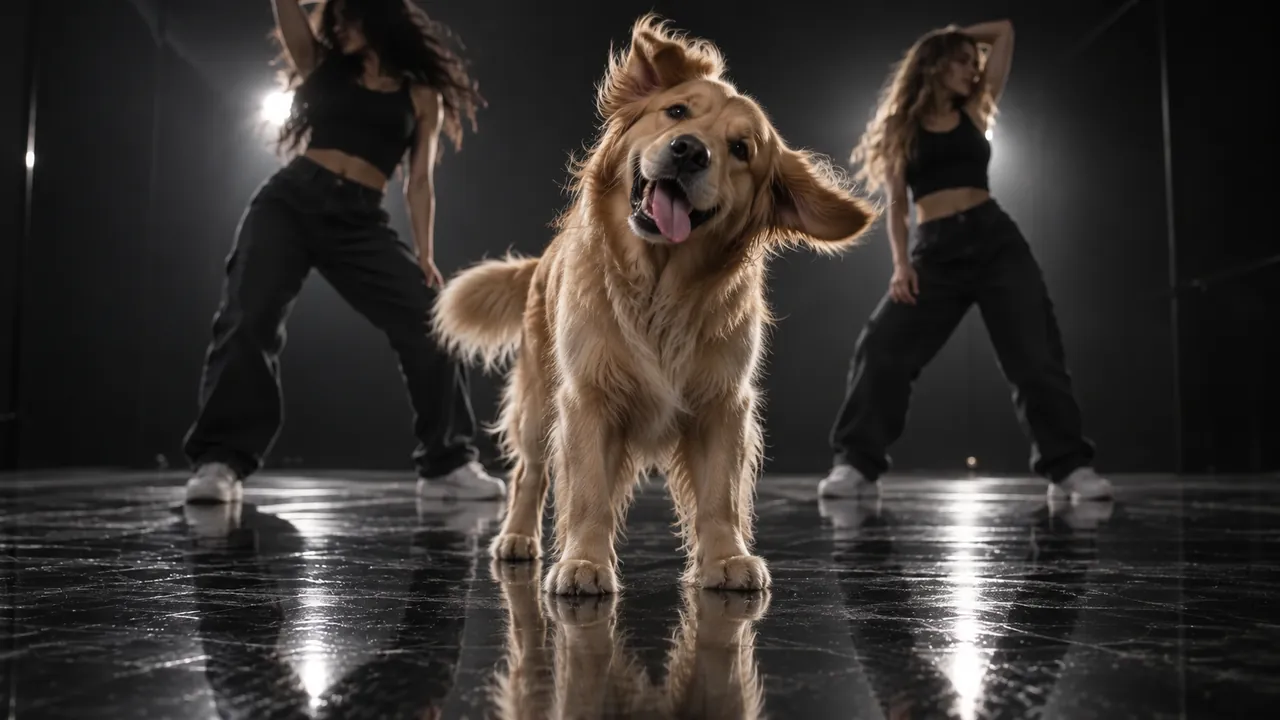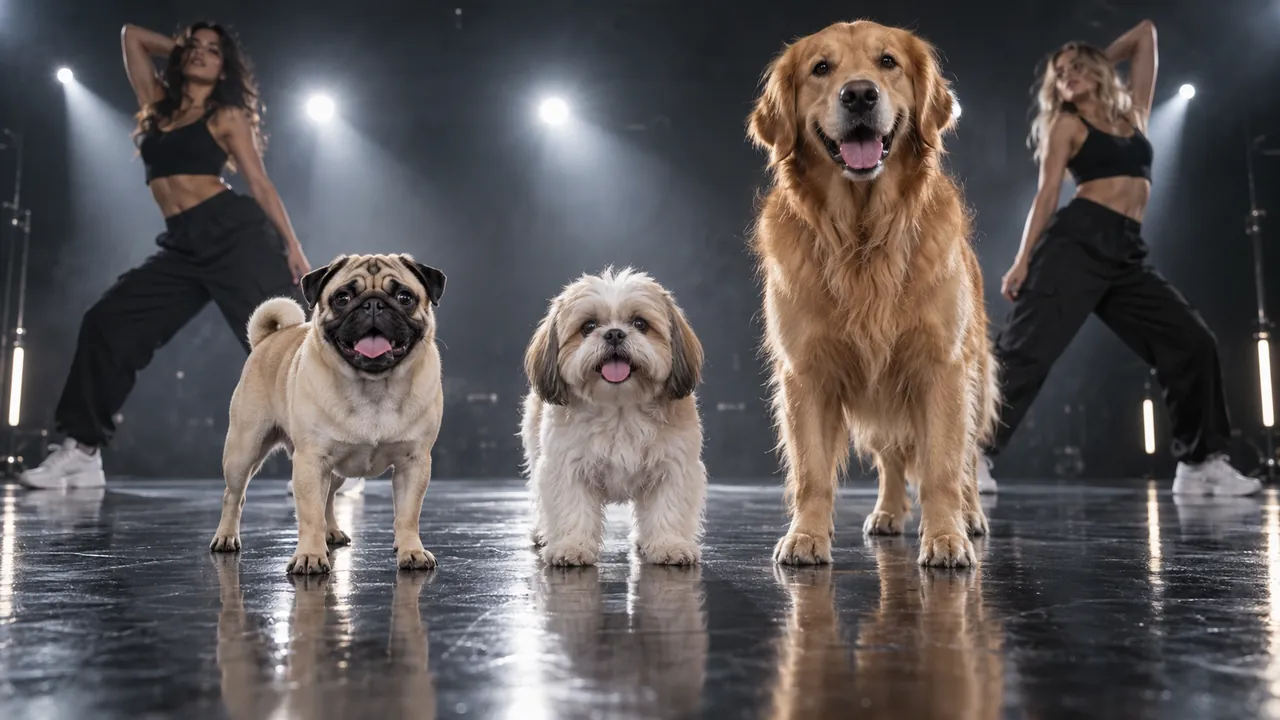
Three Put A Ring On It AI apps come up again and again when people try the Single Ladies pet dance: Flowlio AI, CapCut and Higgsfield AI. They all end with your dog or cat on a dark stage flipping its head to Beyoncé, but they ask very different things of you. One needs a single photo. One needs you to find the right template. One needs a reference video of the dance.
The short answer: if all you have is a photo of your pet and you want the full routine with the song, use Flowlio AI. If you already edit in CapCut and any "dancing pet" clip will do, browse its templates. If you have your own dance footage and want to steer every move, Higgsfield's Genjutsu is the most flexible of the three.
A note on where we stand: we make Flowlio AI and built its Put A Ring On It template this month. So we know our own app from the inside. For CapCut and Higgsfield we've stuck to what their official pages say, checked on October 7, 2026, and marked anything that can change.
Put A Ring On It AI apps at a glance
| Flowlio AI | CapCut | Higgsfield AI (Genjutsu) | |
|---|---|---|---|
| What you upload | One pet photo | A pet photo or clip, depending on the template | A reference video (4–30 s) plus reference images |
| Reference video needed? | No | No | Yes |
| Is it the real Single Ladies routine? | Yes, built for this trend | Depends on the template you find | Only if your reference video is |
| Length | 19 seconds, vertical 9:16 | Varies by template | Matches your clip, 4–30 s |
| Song included | Yes | Depends on the template | Not stated, so plan to add it |
| Quality | 480p, 720p or 1080p | Varies | Up to 1080p |
| Steps | Upload, generate, download | Search, pick, upload, export | Find footage, trim, upload, add images, generate |
| Cost | Credits (the Trial Pack is the easiest way to try) | Free templates; some features paid | Credits (15 s at 480p is about $2) |
The CapCut column reflects its template library as we found it on October 7, 2026, and sources for the Higgsfield column are listed at the end of this article. Prices and templates in third-party Put A Ring On It AI apps change often, so check before you buy credits.
1. Flowlio AI: one photo, the full 19-second routine
Flowlio AI's Put A Ring On It AI video generator is the one Put A Ring On It AI app in this list that was built for this trend and nothing else. You upload one photo of your pet. You don't upload a reference video, you don't search a template library, and you don't write a prompt.
What comes back is a complete video, not a loop:
- 19 seconds, vertical 9:16, the length and shape of the original routine
- Your pet centre stage in a dark studio, with two backup dancers behind it
- The head whips, tosses and flips on the beat
- "Single Ladies" already under it, in time from the first frame
- A choice of 480p, 720p or 1080p, with the credit cost shown before you generate
A cat's Put A Ring On It AI video, made from one photo in Flowlio AI.
Why "no reference video" matters more than it sounds
Skipping the reference video isn't only about saving a step. When we built this template, the reference footage was the source of nearly every bad result. Feed a model the original clip and it starts copying the original dog: its long Shih Tzu fur, its sunglasses, its tiny size.
So we did the motion work once, inside the template. The routine reaches the model as movement and distance only, never as the original dog's look. That's why a sleek pug keeps its short coat, and a golden retriever stays big instead of being squashed into a lapdog. You get the choreography without inheriting the dog from the source clip.
Who it's for
- You have a phone full of pet photos and no video editing habit.
- You want the actual Single Ladies routine, not just "a dancing dog."
- You want a post-ready file: right length, right ratio, song included.
Trade-off: the routine is fixed. You can't change the choreography, swap the stage or add a second pet. That's the price of one-click.
Cost: signing up gives you free credits, and daily check-ins add more. The easiest way to try it, though, is the one-time Trial Pack. Each video spends credits based on the quality you pick.
2. CapCut: search the templates, then upload a photo
CapCut is the obvious first stop among Put A Ring On It AI apps, because so many TikTok creators already edit there. The usual advice is to search "Single Ladies dog dance" or "pet dance template", open a template and upload a clear photo of your pet. A photo with the head and shoulders fully in view works best.
CapCut does have a real category for this. Its pet dance AI templates page promises a dancing pet video "in seconds" with no editing skills, and there are sister pages for dog dance and AI dancing dog templates.
What we found when we looked
When we checked the pet dance AI page on October 7, 2026, the most-used templates were general dances. The top one, "Snoopy Dog Dance", showed about 158K uses, followed by "Dancing Dog" and "Trending Dancing Dog". None of the templates on that page was the Single Ladies routine: no dark studio, no two backup dancers, no head-flip choreography.
That's the key thing to know about CapCut for this trend. Templates are made by creators and come and go. You may find a Single Ladies one in the app, but you have to hunt for it. When you do, check three things before you use it:
- Is it actually the routine? Many "dog dance" templates are a generic bounce set to a different song.
- How long is it? Template length is set by whoever made it, so it won't necessarily match the original routine.
- What does the export look like? Look for a watermark or a CapCut outro, and check the quality.
Who it's for
- You already use CapCut and want to stay in one app.
- Any fun dancing-pet clip is fine, not necessarily this exact trend.
- You like adding your own text, stickers and cuts afterwards.
Trade-off: as a Put A Ring On It AI app, it's free and familiar, but whether you get the real Put A Ring On It routine depends on what's in the template library that week.
3. Higgsfield AI: a reference video plus your pet's photo
Higgsfield is the most hands-on Put A Ring On It AI app here, and it takes the opposite approach. Its Genjutsu tool copies the motion of a video you supply onto a new character. For this trend, that means you upload a clip of the Single Ladies dance plus a photo of your pet, and the AI moves your pet the way the clip moves.
According to Higgsfield's Genjutsu launch post, each generation takes:
- One input video, 4 to 30 seconds long
- Up to 30 reference images for the character, wardrobe or scene
- An optional prompt, or one of 30+ presets
Output goes up to 1080p. Pricing uses Higgsfield's credits, and the same post lists a 15-second, 480p render at 40 credits (about $2) and a 15-second, 1080p render at 144 credits (about $7.20). The cost is shown before you generate.
The catch: you need the footage
Genjutsu is only as good as the clip you give it, and for this trend that clip is the hard part.
- Finding it. You need a clean, steady recording of the routine. The obvious choice is someone else's viral TikTok, which raises the rights question covered below.
- Trimming it. The clip has to fit the 4–30 second window and keep the performer in view the whole time.
- The original dog pulls on the result. If your reference shows the original fluffy Shih Tzu, the model can drift toward it, giving your pet longer fur or a smaller body. If it shows human dancers, the risk is human poses: a dog rearing up on two legs or swinging its front paws like arms.
Who it's for
- You have your own dance footage, or can film it.
- You want control over timing, framing and style, and don't mind re-rolling.
- You're making something beyond the standard trend, like a remix or a branded take.
Trade-off: the most control of the three, and the most work. Plan on adding the song yourself, too.
Reference video vs. one photo: the real choice behind these apps
Underneath the brand names, these Put A Ring On It AI apps split into two kinds of tool.
Motion transfer (Higgsfield's Genjutsu, Kling Motion Control and similar) takes the movement from a driving video and applies it to your image. It's powerful and flexible. Kling's motion control guide, for example, works from reference videos of 3 to 30 seconds. But most motion transfer is built around human movement, and a dog's body doesn't map neatly onto a dancer's. Legs and spine are where artifacts show up first.
Purpose-built templates (Flowlio AI's generator, and CapCut templates when they match the trend) fix the motion ahead of time. You give up control and gain a result that works the first time from a single photo.
Here's a simple way to pick between the Put A Ring On It AI apps above:
| You have… | Use |
|---|---|
| Just a photo, and want the real routine with the song | Flowlio AI |
| A photo, and any dancing-pet clip is fine | CapCut |
| Your own dance footage, and time to tweak | Higgsfield AI |
Don't skip the rights question
If you go the reference-video route, be careful where the footage comes from. A viral TikTok is someone else's copyrighted video. TikTok's copyright rules don't let you download another creator's clip and reuse it elsewhere just because it's short.
The song matters too. TikTok's built-in music is licensed for personal, non-commercial posts. If your pet video promotes a brand or product, "Single Ladies" from the standard sound library isn't cleared for that.
For a personal pet post, the simplest path is a tool that doesn't need you to bring anyone else's footage, then using TikTok's own "Single Ladies" sound if you want the post to appear on the trend's sound page.
Which Put A Ring On It AI app should you use?
For most pet owners, the deciding question is what you have in hand. If it's a photo, the best Put A Ring On It AI app is the one that asks for nothing more. Flowlio AI turns that one photo into the full 19-second routine, song included, in 480p to 1080p. CapCut is a good fallback if you're already there and happy with a generic dance. Higgsfield rewards people who bring their own footage and want to direct it.
Ready to try the one-photo route? Upload your pet to the Put A Ring On It AI video generator. The Trial Pack is the easiest way to try it. Want to tune the result first? See how to make a Put A Ring On It AI video for photo tips and fixes. New to the trend? Read what the Put A Ring On It trend is.
Sources
- Higgsfield Genjutsu: how it works and what you get, Higgsfield blog
- Motion control user guide, Kling AI
- TikTok copyright rules for creators, Soundstripe
- TikTok music licensing rules for creators and brands, Soundstripe