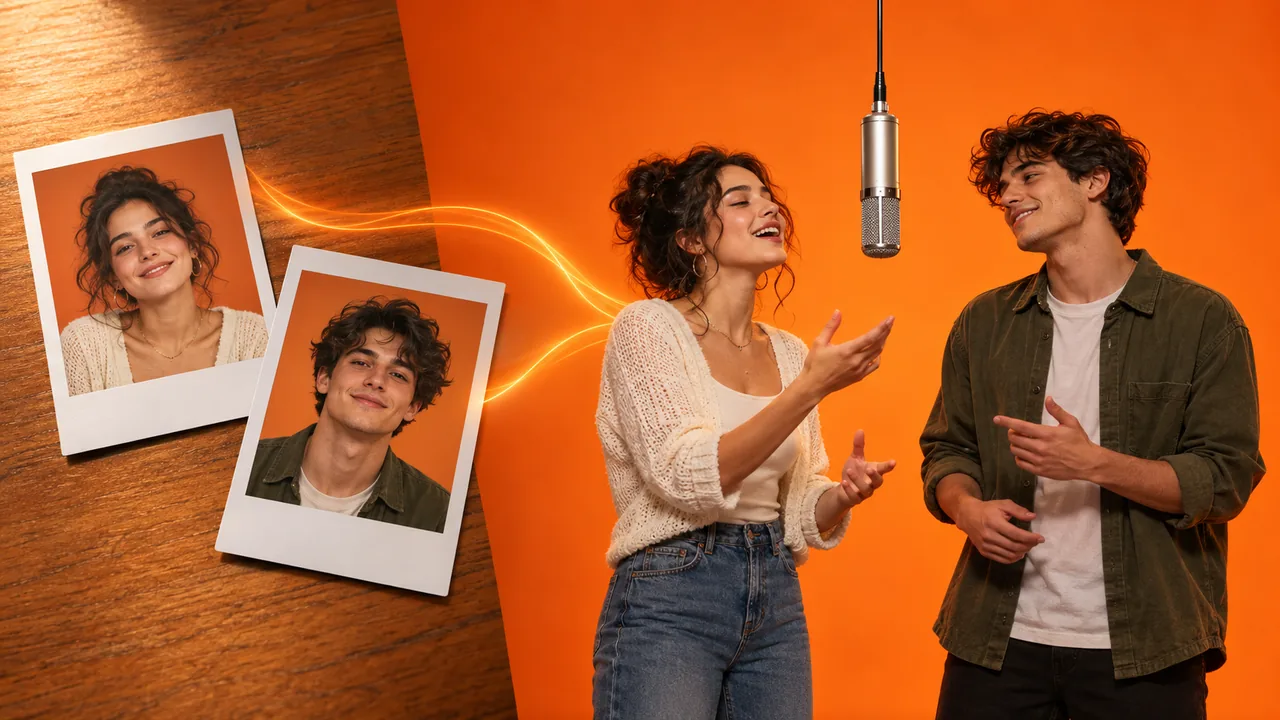
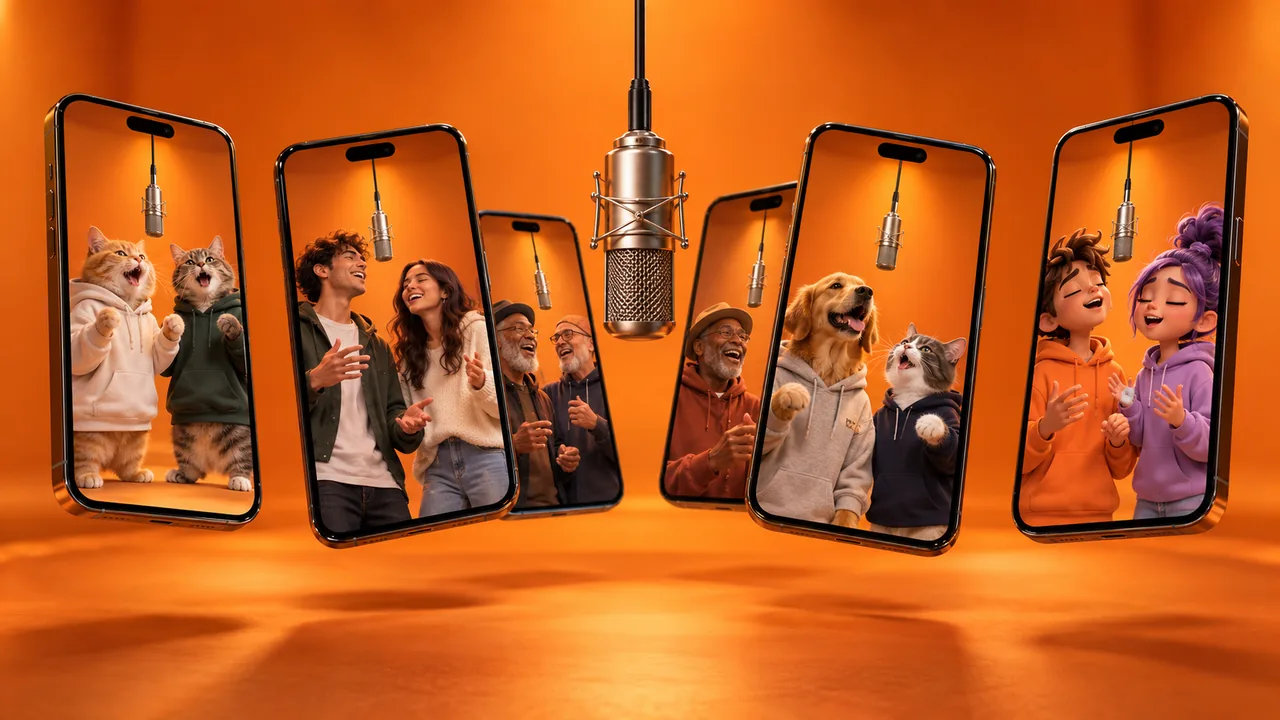
Every Hotel Lobby AI prompt on this page is ready to copy. They recreate the viral orange-booth duo: two performers, one microphone hanging between them, a locked camera, and a back-and-forth rap performance. The first one is the exact prompt our own Hotel Lobby AI generator runs in production.
Before you copy anything, know which kind of prompt your tool needs. It decides how close you get to the original performance.
- Reference-to-video prompts go with a reference clip of the performance. The clip supplies the moves and the timing, and your photos supply the performers. This is how you get the real choreography.
- Text-to-video prompts describe the scene in words. They get you two people in an orange booth, but the model invents new moves on every run.
The master Hotel Lobby AI prompt
This is the prompt behind our generator, published word for word. It is a reference-to-video prompt: attach the photo of your left performer as Image 1, your right performer as Image 2, and a clip of the performance as Video 1. It works in Seedance 2.5 and other models that accept reference images and a reference video.
Master prompt: replace both performers
Reference-to-video · Image 1 + Image 2 + Video 1
Recreate Video 1 exactly, replacing only its two performers with the two subjects from the uploaded photos. Image 1 and Image 2 are the identity references for the two replacement performers. Video 1 is the reference for everything else: location, background, set, lighting, composition, choreography, timing and camera work, including the microphone hanging between the performers.

REPLACEMENT:

The performer on the LEFT of Video 1 is replaced by the subject in Image 1 (LEFT PERFORMER). The performer on the RIGHT of Video 1 is replaced by the subject in Image 2 (RIGHT PERFORMER). Each uploaded subject stays matched to the same original performer for the entire clip; their identities never swap. Nothing about the people in Video 1 is used: not their faces, hair, skin tone, body shape, clothing or accessories.

Preserve each subject's exact face, hairstyle or fur, skin tone, outfit, accessories and body proportions from their photo, in every frame. Keep a natural height difference between the two consistent with their photos. They are two different individuals: their faces must never blend, merge or exchange features, and nobody else takes their place. If a subject is an animal, it stands upright like a performer and moves its head and paws to the beat, keeping its own fur, markings and eye color.

BACKGROUND:

Keep the background of Video 1 completely unchanged: the same walls, floor, architecture, decorations, lighting, colors, reflections, background objects and spatial arrangement. Do not redesign, regenerate or replace the environment.

MOVEMENT AND CAMERA:

Follow the two original performers' body posture, gestures, head nods, positions, spacing, interactions and movement timing exactly, adapting them naturally to the new subjects. Preserve the original camera angle, framing, camera movement and shot duration of Video 1. Each performer stays on their own side for the whole clip.

AVOID:

Identity swapping, merged or distorted faces, changing outfits, inconsistent accessories, wrong height difference, extra or duplicated limbs, warped hands or paws, flickering characters, an unstable or altered background, sudden camera jumps, and any text, captions, logos, brand marks or watermarks.
Two details in it matter more than they look. The prompt never names the original artists, so the model has no reason to pull their faces back in. And it spells out "nothing about the people in Video 1 is used", because models otherwise tend to keep the original performers' outfits or hairstyles.
What each part of a Hotel Lobby prompt does
Every good Hotel Lobby AI prompt, ours included, controls the same seven things. If you write your own, check it against this list.
| Element | What to write | What goes wrong without it |
|---|---|---|
| Frame | Vertical 9:16 for TikTok and Reels, or 16:9 to match the original | The model picks a random aspect ratio |
| Set | Seamless matte-orange booth, walls and floor the same color | Visible corners, furniture or a different color creep in |
| Microphone | One microphone hanging from above, centered between them | The mic disappears, doubles or ends up in someone's hand |
| Sides | Person from Image 1 on the LEFT, Image 2 on the RIGHT, never switching | The two performers swap places mid-clip |
| Identity | Keep each face, hair, outfit and body shape from their photo | Faces drift, blend together or change outfits |
| Delivery | One raps a line while the other reacts, then they switch | Both move in sync like a dance, which reads wrong |
| Camera | Locked-off, full bodies in frame, no zoom, no cuts | Camera moves warp faces and break the COLORS look |
Hotel Lobby AI prompt for Seedance 2.5
Seedance handles this trend well because it takes several reference images and a reference video in one generation. According to fal, Seedance 2.0 accepts up to 9 images, 3 videos and 3 audio clips. The master prompt above is what we run on Seedance 2.5. If you want something shorter, this version keeps the essentials.
Some Seedance interfaces want references tagged in the prompt, such as @Image1 and @Video1, as Seedance's prompting guide shows. Others use plain "Image 1" and "Video 1". Match whatever labels your tool puts on your uploads.
Seedance 2.5: short Hotel Lobby prompt
Reference-to-video · @Image1 + @Image2 + @Video1
Replace the two performers in @Video1. The person in @Image1 takes the LEFT performer's place and the person in @Image2 takes the RIGHT performer's place, for the whole clip, never switching sides. Keep each person's face, hair, outfit and body shape exactly as in their photo; the two faces never blend. Keep everything else from @Video1: the orange booth, the microphone hanging between them, the lighting, the choreography, the timing and the locked camera. No text, captions, logos or watermarks.
You can run either prompt on our Seedance 2.5 generator, which takes reference images and a reference video.
Hotel Lobby AI prompt for Kling
Kling offers two routes, and they need different prompts.
Kling Omni (multiple references)
Kling's multi-reference mode can take both photos and the reference clip at once. Refer to the photos by their order.
Kling Omni: replace both performers
Reference-to-video · image 1 + image 2 + reference video
Replace both performers in the reference video with the characters from image 1 and image 2. The character from image 1 replaces the performer on the left and the character from image 2 replaces the performer on the right; they stay on those sides for the whole clip. Keep their faces, hairstyles and outfits exactly as in their images, and never blend the two faces. Preserve the original background, the hanging microphone, actions, poses, camera movement, lighting and timing.
Kling Motion Control (one character per run)
Kling Motion Control copies motion from a video onto one character image. Its face binding supports only one element per video, and with two similar-sized people in frame it may not pick either. For a clean duo, run it once per performer and composite the two halves in an editor.
Kling Motion Control: one performer
Motion control · character image + motion video
The character from the image performs the motion from the reference video: rapping toward the camera, gesturing on the beat, nodding while the other side of the frame performs. Seamless matte-orange studio, walls and floor the same flat orange, soft even light. One black microphone hangs from the ceiling beside the character at head height. Static camera, full body in frame, no zoom, no cuts. Keep the face, hairstyle and outfit exactly as in the image. No text, no logos.
Text-only Hotel Lobby AI prompt for Veo and Sora
Use this when your tool only takes text, or text plus one start image. It sets up the scene and a turn-taking structure, but the moves will be the model's own, not the original performance.
Text-to-video: two-person Hotel Lobby performance
Text-to-video · Veo, Sora, Kling, Hailuo, Wan
Vertical 9:16 video, one continuous shot. A seamless matte-orange studio booth: curved backdrop and floor in the same flat orange, soft even front light, no visible corners. A single black microphone hangs from the ceiling on a thin cable, centered between two performers at head height. On the LEFT: [describe person 1, e.g. a young man in a black hoodie and silver chain]. On the RIGHT: [describe person 2, e.g. a young woman in a cream knit cardigan and jeans]. They stand side by side facing the camera, full bodies visible. They take turns performing a rap verse to the lens: the left performer leads first with head nods and hand gestures on the beat while the right performer nods along and reacts; then they switch and the right performer leads. The two never move in sync and never swap sides. Locked-off camera at chest height, no zoom, no pan, no cuts. Keep both faces and outfits consistent for the whole clip. No captions, subtitles, text, logos or extra people.
If your tool accepts a start image, give it a first frame of your two people in the booth. The next prompt makes one.
First-frame image prompt for Nano Banana or GPT Image
Image-to-video models hold faces much better when the first frame already shows the right people in the right places. Generate that frame first, then animate it with the text-only prompt above. Attach the left person's photo first and the right person's second.
First frame: two people in the orange booth
Image editing · two photos in, one still out
Use the person from the first photo and the person from the second photo. Keep their faces, hairstyles, skin tones, outfits and body proportions exactly as in their photos. Place them side by side in a seamless matte-orange studio booth, walls and floor the same flat orange, soft even studio light. The person from the first photo stands on the LEFT, the person from the second photo on the RIGHT, with a small gap between them. One black microphone hangs from the ceiling on a thin cable, centered between them at head height. Both face the camera, full bodies visible, relaxed performer stance, the left person mid-gesture. Vertical 9:16, eye-level camera, realistic photo. No text, no logos, no extra people.
You can generate this frame with Nano Banana 2 or GPT Image 2.5, then bring it to image to video.
Hotel Lobby AI prompt variations
Each variation is a complete text-to-video prompt. For a reference-to-video run, keep the master prompt and add the extra line under the variation.
Two pets
The trend started with two cats doing the performance, and pet versions are still some of the most shared.
Two pets in the booth
Text-to-video
Vertical 9:16 video. A seamless matte-orange studio booth, walls and floor the same flat orange, soft even light. A single black microphone hangs from the ceiling, centered between two performers. On the LEFT: [pet 1, e.g. a ginger cat in a black hoodie]. On the RIGHT: [pet 2, e.g. a grey-and-white cat in a white T-shirt]. Both stand upright on their hind legs like rappers, facing the camera, full bodies visible. They take turns: one bobs its head and lifts a paw toward the lens while the other nods along, then they switch. Each keeps its own fur, markings and eye color. Locked-off camera, no zoom, no cuts, no text.
The master prompt already covers animals, so no extra line is needed.
Couple
Couple version
Text-to-video
Vertical 9:16 video. A seamless matte-orange studio booth, walls and floor the same flat orange, soft even light. A single black microphone hangs from the ceiling, centered between them. On the LEFT: [partner 1]. On the RIGHT: [partner 2]. They stand side by side facing the camera, full bodies visible, glancing at each other between lines. The left partner raps the first verse to the lens while the right partner hypes them up; then they switch; they finish by leaning in toward the microphone together. Locked-off camera, no zoom, no cuts, no text.
Extra line for the master prompt: The two performers glance at each other between lines, like a couple sharing the stage.
A person and a pet
Person and pet
Text-to-video
Vertical 9:16 video. A seamless matte-orange studio booth, walls and floor the same flat orange, soft even light. A single black microphone hangs from the ceiling, centered between them. On the LEFT: [the person]. On the RIGHT: [the pet], standing upright on its hind legs like a performer. The person raps a line to the camera while the pet bobs its head to the beat; then the pet lifts a paw toward the lens and looks up at the microphone while the person reacts. Full bodies visible, locked-off camera, no zoom, no cuts, no text.
Cartoon or anime characters
Cartoon or anime duo
Text-to-video
Vertical 9:16 video in a polished 3D animated style. A seamless matte-orange studio booth, walls and floor the same flat orange, soft even light. A single black microphone hangs from the ceiling, centered between them. On the LEFT: [character 1]. On the RIGHT: [character 2]. Both keep their exact character designs, colors and outfits. They take turns rapping to the camera with big, expressive gestures while the other reacts, then switch. Full bodies visible, locked-off camera, no zoom, no cuts, no text.
Stylized characters tend to drift further from human choreography than realistic ones, so expect looser moves.
The same person twice
Solo duet: the same person on both sides
Text-to-video
Vertical 9:16 video. A seamless matte-orange studio booth, walls and floor the same flat orange, soft even light. A single black microphone hangs from the ceiling, centered between them. The same person appears twice, side by side: identical face, hairstyle and outfit, [describe the person]. The two copies trade lines: the left one raps to the camera while the right one reacts, then they switch. Full bodies visible, locked-off camera, no zoom, no cuts, no text.
A marble hotel lobby instead of the orange booth
The song is called "Hotel Lobby", but the original was shot in a studio. If you want the name taken literally:
Hotel lobby set
Text-to-video
Vertical 9:16 video. A luxury hotel lobby: polished marble floor, warm brass details, a large chandelier, soft warm light, an empty reception desk in the soft-focus background. A single vintage microphone hangs from the ceiling on a thin cable, centered between two performers at head height. On the LEFT: [person 1]. On the RIGHT: [person 2]. They stand side by side facing the camera, full bodies visible, and take turns rapping to the lens while the other nods along. Locked-off camera, no zoom, no cuts, no text, no other people in the lobby.
A street corner
Graffiti street set
Text-to-video
Vertical 9:16 video. A city street corner at dusk with a graffiti-covered brick wall behind, warm streetlight and soft fill light on the faces. A single microphone hangs from above on a cable, centered between two performers at head height. On the LEFT: [person 1]. On the RIGHT: [person 2]. They stand side by side facing the camera, full bodies visible, and take turns rapping to the lens while the other reacts. Locked-off camera, no zoom, no cuts, no text, no passers-by.
Hotel Lobby AI negative prompt and settings
If your tool has a negative prompt field, paste this in.
Negative prompt
Any model with a negative prompt field
extra people, crowd, audience, duplicated person, merged faces, face swap between performers, performers switching sides, synchronized mirrored dancing, changing outfits, extra limbs, extra fingers, warped hands, second microphone, handheld microphone, camera shake, zoom, pan, cuts, background color other than orange, furniture, captions, subtitles, text, logo, watermark, blurry faces
Settings that work:
- Aspect ratio: 9:16 for TikTok, Reels and Shorts. Use 16:9 to match the original performance's widescreen framing.
- Length: 10 seconds is enough for a recognizable exchange. Longer clips drift more.
- Resolution: test a new photo pair at 480p, then render the keeper at 720p or 1080p.
- Camera: static or fixed, if the tool has camera control.
- Audio: leave it off and add the "Hotel Lobby" sound in TikTok, so your post joins the trend's sound page.
Fix a bad result with one line
When a generation goes wrong, change one thing at a time. Add the matching line to your prompt and run it again.
| Problem | Add this line |
|---|---|
| Faces change over the clip | Keep each face identical to its reference photo in every frame. |
| The two performers swap sides | The person from Image 1 stays on the LEFT and the person from Image 2 stays on the RIGHT for the entire clip. |
| Faces blend into one | They are two different individuals; their faces never blend, merge or exchange features. |
| Outfits change | Keep each outfit exactly as in the photo; do not restyle the clothes. |
| Both move in sync | Only one performer leads at a time while the other reacts; they never mirror each other. |
| The mic disappears or doubles | Exactly one microphone, hanging from the ceiling on a cable, centered between them. |
| The camera moves | Locked-off tripod shot; no zoom, no pan, no cuts. |
| Text appears on screen | No captions, subtitles, text, logos or watermarks. |
If a problem survives three runs, the prompt is usually not the cause. Check the photos: one person per photo, facing the camera, face uncovered, even light. Our Hotel Lobby AI video guide covers photo choice and every fix in more depth.
Hotel Lobby AI prompt FAQ
Can a prompt copy the original Hotel Lobby moves?
Only with a reference video. A text prompt describes the scene, but the model invents the choreography each time. To get the real moves, use a reference-to-video prompt with the performance as Video 1, or a tool that has the performance built in.
Can I put Quavo's or Takeoff's face in the prompt?
Don't. None of these prompts name the artists, on purpose. Use photos of yourself and people who agreed to it, and don't present a generated clip as real footage of anyone.
Which model is best for the Hotel Lobby AI trend?
A model that accepts two reference images and a reference video in one run, such as Seedance 2.5 or Kling Omni. Single-character motion tools struggle with a duo, and text-only models can't copy the moves.
Do I need a prompt at all?
No. Our Hotel Lobby AI generator has the master prompt and three reference performances built in, so you only upload two photos. Want the backstory first? Read where the Hotel Lobby AI trend came from.